Bedrock Edition exclusive features
See also: Parity issue list
This article is about features only in the current Bedrock Edition version. For exclusive features that are unused, see Bedrock Edition unused features. For features that have been removed, see Bedrock Edition removed features. For the features exclusive to Java Edition, see Java Edition exclusive features.

These features are exclusive to Bedrock Edition.
This is a list of Bedrock Edition exclusive features, compared to Java Edition. Some of these exclusive features may be eventually added to Java Edition to bring parity.
General
Platforms
- Bedrock Edition is supported on Windows, Xbox, Nintendo Switch, PlayStation, Android, ChromeOS, iOS, and Fire. See Bedrock Edition for more information.
- Supports cross-platform multiplayer between all supported platforms.
- Bedrock Dedicated Server is supported on Windows and Linux.
- The Windows version of Bedrock Edition runs on the latest GDK (Game Development Kit) version, which allows signing in and downloading updates during startup. User data is also separately stored for each signed-in player.
- A separate app for testing beta features.
- Has some exclusive features compared to Bedrock Edition, such as debug information and toggleable Ore UI menu screens.
.png)
The GUI of Bedrock Editor. - Has various creator tools to efficiently create large world projects, such as for content creators.
- Can be modified with scripting.
- Has the exclusive
/projectcommand and void world type. - Has an interface to create custom Vibrant Visuals resource packs.
- Has tabs for Creator Tools, FAQ, and Marketplace Pass in the Bedrock Edition section.
- Bedrock Edition does not require the Minecraft Launcher to be launched, but can also be opened with a desktop shortcut.
- Desktop shortcuts can also be used for Quick Play, opening the Bedrock Editor, and some other features.
- Official modding API.
- Official documentation is available at Microsoft Learn.
- Used to change the way things look in-game.
- Behavior packs are used to change behavior, loot, equipment, and spawn rule of entities.
- Can be used to replace entities, items, blocks, recipes, biomes, or add new ones.
- World templates can be used to import a world from outside.
- Bedrock Edition supports backwards-compatibility, making it possible to "lock" world templates in older versions using add-ons.
- Some creator options are available for debugging when creating add-ons.
- Entities can be remodeled.
- Can be used to customize animations and GUIs.
- Resource packs use JSON files called
biomes_clientfor applying biome tints depending on biome, rather than confusing color maps like with foliage.- Said JSON file can also be used to change the fog color of a biome.
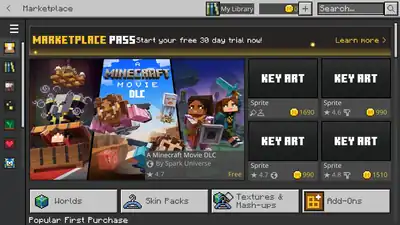
- Platform where players can purchase content from Mojang Studios and the Minecraft Partner Program.
- Includes skin packs, worlds, texture packs, mash-up packs, and add-ons.
- Minecoins (or Tokens on PlayStation) are used as currency, which can be purchased for real money.
- Marketplace Pass, a monthly subscription allowing access to selected and changing Marketplace content.
.png)
- Interface where players can view and select skins, even while in-game.
- Allows customization of skins with cosmic items obtained in-game and from the Marketplace.
- Allows equipment of emotes and capes.
- Have extra 3D pixels on the skin model.
- Resolution supports up to 128×128 pixels.
- Skins can be customized into four different sizes.
- Skin packs are available from the Marketplace.
- Allows custom skin packs with unique assets.
- Default and Character Creator skins blink occasionally.
- Animations of players.
- Players can execute emotes in-game by selecting B.
- Emotes show in the chat, which can be toggled.
- LAN worlds show on the Play screen alongside local worlds.
- Bedrock Edition uses the Xbox friend system in-game, synchronizing friends lists and data.
- Players can join worlds from in-game friends from the worlds list or the friends drawer. This can be disabled in the world options, or extended to friends of friends.
- Bedrock Dedicated Server, official server software for Bedrock Edition.
- Has 6 featured servers available in the server list.
- In-game live events are hosted on servers in Bedrock Edition and accessible from the main menu.
- Has two subscriptions: Core for two players online at once, and Plus for 10 players online at once.
- Realms Plus also includes the Marketplace Pass.
- Allows access to the Realms Celebration Map.
- Allows members to be invited with the Xbox friends system and invite links.
- Realms Stories, a social hub for Realm members allowing to share screenshots, comment, view members and activity.
- Includes Realm Events, auto-generated stories when one or more players achieved a goal on the Realm, such as defeating the ender dragon.
- Allows Marketplace add-ons to be enabled.
- Realms subscriptions include a separate Realm for Minecraft Preview.
- Worlds can be copied at any time on a Realm to be stored as a save in addition to backups, with a maximum storage of 10GB for Plus and 5GB for Core.
Graphical
- Bedrock Edition uses anti aliasing, configurable in the settings.
- Burning mobs emit large particles with fire's animation.
- Sky color is more affected by vertical position.
- At sunset and sunrise, clouds and ambient lighting turn red.
- The sun and the moon disappear after a period of time after sunset and sunrise respectively.
- When the camera is looking at the sun, the environment darkens.
- Slabs, stairs, and farmland do not block light.
- Suffocating in a block shows a cube model of that block around the player's head, rather than only one side of the block's texture across the entire screen.
- The same is applied when stepping into a Nether portal and being on fire.
- Transparent leaves and fancy bubbles are affected by their own settings rather than the graphics mode.
- Textures in the far distance are rendered with a lower quality, and some textures do not render at all.
- More types of fog exist that are used in different circumstances.
- Render distance fog is thicker and smoother.
- The render distance with Fancy or Simple graphics can be changed between 5-96 chunks, depending on the device. The device's limit can be bypassed by adjusting it in options.txt.
- Vibrant Visuals and Ray Tracing graphics modes each use a separate render distance option. The render distance with Vibrant Visuals can be increased to 128 chunks in options.txt.
- Chunks fade in when rendered instead of appearing instantly.
- Bedrock Edition's graphics engine.
- Allows deferred rendering and ray tracing.
RTX (ray tracing)
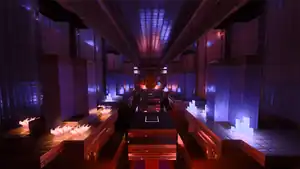
- Is only available on Windows 10 and Windows 11 devices that meet the minimum hardware requirements.
- Allows content creators to use realistic-looking lighting in their world.
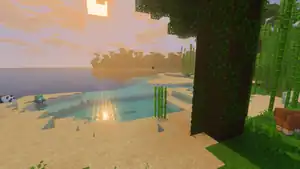
- Graphics mode using physically based rendering.
- Exclusive features include directional lighting, pixel-aligned shadows, environmental and biome-dependent effects, water caustics.
- Includes End flashes and an exclusive panorama.
- Can be customized using resource packs.
- Has several exclusive particles:
breaking_item_terraincauldron_explosion_emittercauldron_spell_emitterconduit_particle- Similar to the
nautilusparticle in Java Edition but with different shapes and colors. Separate particle variants exist for the conduit animation and attack animation.
- Similar to the
falling_border_dust_particle
- Some particles with the same textures but different usage have multiple IDs
- Explosion particles are more pixelated.
- Scraping and waxing copper particles appear to fade in instead of instantly appearing.
- Biome particles are dependent of the player's position rather than the block position of particles, similar to weather particles.
User interface
- Two UIs for in-game interfaces: Pocket and Classic.
- Is data-driven and can be customized by resource packs.
- GUIs have a close button on the top-right.
- Menu screens use Classic UI or Ore UI.
- Ore UI cannot be customized.
- Ore UI has unique sound effects and animations.
- A large version of Ore UI menu screens can be toggled in the settings.
- Opening a GUIs and menu screens has an animation.
- Quick moving items in the GUI has an animation.
- Menu buttons and inventory slots turn green upon hover.
- Some text uses the Noto Sans font for better readability.
- Halloween themed panorama around Halloween.
- Selecting an item in any interface enlargens it.
- Shows a paper doll in the top-left when the player is sneaking or sprinting, which can be toggled from the settings and by pressing F8.
- Shows coordinates and days played, toggleable in the world options.
- Background opacity of the action bar can be adjusted.
- The hotbar shows enchantments and shulker box contents in item tooltips.
- Hand in first person is positioned lower and turns red when taking damage.
- When not moving, the hand/held item sways up and down to imitate breathing in first person.
- Switching to the same item in a different hotbar slot plays the item switching animation.
.png)
Comparison of charging a crossbow between Java Edition (top) and Bedrock Edition (bottom).
- Has much more different tutorial hints than Java Edition.
- Animated tutorial hints show a tiny Alex performing an action, sometimes clarified with a control which changes depending on the control mode.
- Certain tutorial hints appear on different positions with different shapes on the screen, for example, the hotbar hint appears right above the hotbar slot it is pointing to.
- Tutorial hints can be toggled and reset from the options.

- There are 40 items exclusive to the Bedrock Edition Creative inventory, as follows:
- Decay effect
 Tipped Arrow,
  Potion,
  Splash Potion, and
  Lingering Potion
  Long Mundane Potion,
  Splash Long Mundane Potion, and
  Lingering Long Mundane Potion
 Empty Locator Map
 Firework Star, all colors
 Firework Rockets, all colors and one additional preset
- Decay effect
- Allows to show the Survival inventory standalone, alongside the Creative inventory, or only the Creative inventory.
- Survival inventory in Creative has a 2x2 crafting grid.
- Several items are grouped together.
- Controllers have a button to clear the hotbar.
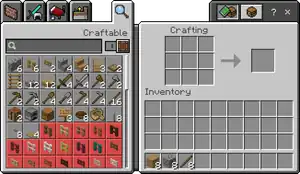
- Uses the same layout and tabs as the Creative inventory.
- The craftable amount of an item is shown up to 99 and shift-clicking instantly crafts the maximum amount possible.
- "Craftable" toggle in the recipe book shows all recipes the player has at least one ingredient of.
- Recipe unlocking can be disabled in the world options as a game rule.

- The autosave indicator has an animated icon.
- Autosaving happens more often
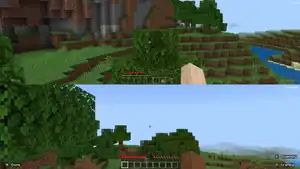
- A feature exclusive to console versions of the game that allows up to four players to play on one device.
- Players can enter splitscreen mode by connecting another controller. A player needs to select a user profile and the world must have enabled multiplayer.
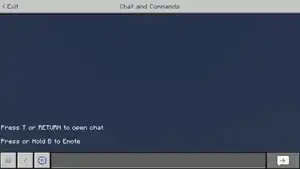
- Players can be mentioned with
@. 
Text formatting in the chat. §.- Allows quick execution of some commands with buttons.
- Can show player and facing coordinates with copy interface.
- Chat settings can be changed from the chat menu itself.
- Allows custom font and mention color.
- Allows Noto Sans for chat messages.
- The chat can filter certain messages which can be toggled in the options.
- The chat can also be opened by pressing ↵ Return.
- Certain private area emojis are implemented as icons in-game for GUI, mainly for controls, but also others such as the hunger or armor icons.

- A tutorial guide in the settings and accessible from several interfaces.
- Includes an encyclopedia with more detailed information about various game aspects.
- Has three control modes: Keyboard & Mouse, Controller, and Touch.
- Allows full keyboard gameplay to move mouse controls to the keyboard.
- Touch controls have three control modes, with further customization options.
- Touch buttons can be changed in position, opacity, and scale.
- Touch control mode can vibrate the device when breaking blocks or splitting items.
- Controller control mode shows controller hints on the HUD, user interfaces, and menu screens.
- Controllers have a cursor in user interfaces.
- Signed out players can change their name in the options.
- "Dinnerbone" or "Grumm" turns the player model upside down.
- Profile settings have links to Xbox account management and privacy settings.
- Players on non-Windows devices can sign out in-game, and sign in with Microsoft Remote Connect.
- Subscriptions tab shows available and active subscriptions.
- Storage tab allows to clear different types of cache and quickly delete screenshots, several packs, and worlds.
- File storage location can be toggled between Application and External on Android devices.
- Has some exclusive options:[note 1]
- Allow mobile data for online play
- Websockets Enabled
- Require Encrypted Websockets
- Auto Update Unlocked Packs
- Lower Framerate When Controller Is Disconnected
- Improved Input Response
- Frame Pacing
- Allow In-Game Graphics Mode Switching
- Beautiful Skies
- Camera Perspective
- Spyglass Damping
- Change Screen Safe Area
- Screen Animations
.png)
- Is called "Play" screen and shows all worlds, Realms, and servers in different tabs.
- Has an option to import world files and world templates.
- Can be organized in gallery style.
.png)
- Shows a thumbnail image for the world, which changes when a different world type or world template is used.
- Starting map — an option that lets the player spawn with an empty map.
- Has some other exclusive options.
.png)
- An interface in the Create New World screen to select a world seed from different presets, with interesting terrain or structures near the world spawn.
.png)
- Allows almost all options and game rules from the Create New World screen to be changed.
- Allows resource packs and behavior packs to be changed.
- Allows experiments to be enbled.
- Allows exporting worlds on Windows devices.
- Shows world seed with a button to copy the seed.
- The world options menu allows to upload the world to a Realm.
- Allows a locally stored screenshot to be set as the world thumbnail.
- Has exclusive experiments for add-on creators.
- Named updates receive an experimental toggle in a minor update before the release, containing some of the update's features.
- Experiments can be enabled for existing worlds.
- Shows a player miniature and the player's gamertag.
- Animates the Marketplace button.
.png)
- Shows a list of in-game players and friends, with the options to open their profiles and change their player permissions.
- Shows a player miniature and the player's gamertag.
- Allows Xbox friends to be invited to the game.
- Game pause feature in singleplayer can be toggled in the options.
- Has buttons to take a screenshot, open Realms Stories, open the Dressing Room, view achievements, and open the Marketplace.
.png)
- Every signed in player has an in-game profile screen.
- The profile screen is used to track achievements, view screenshots, view some player statistics, and view Xbox friends.
- The profile is connected to the Xbox profile where some settings can be managed.
- Players can open a profile from other players to compare statistics, and view up to 5 showcased screenshots.
- All Realms invites, Marketplace offers, and announcements can be found in the in-game inbox, accessible from the title screen.
- Certain announcements and offers also appear as pop-ups upon launching the game or opening the Marketplace.
- Some settings related to notifications and invites can be changed in the inbox.
- Teleporting to the End displays an end stone background
- Teleporting to the Nether displays a netherrack background.
- The End poem has a dirt background.
- The Nether portal and dirt backgrounds shown on error screens have different textures.
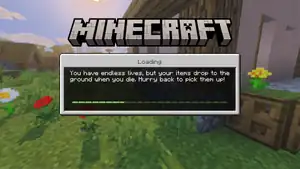
- Displays loading progress with an experience bar.
- Displays loading tips.
- Exclusive loading screens are used for the Marketplace and Realms.
- Menu music continues in the loading screen and fades out after spawning in a world.
- Exclusive sounds are listed on sounds.json.
- Ambient sound effects can play at different pitches.
- Stereo footstep sounds.
- A "Sound" slider is used to control UI sounds, and sounds with an invalid category. In Java Edition, the "UI" slider has the same usage but does not control invalid sound categories.
Gameplay
General
- Facing down at an angle allows the player to place off of the front of the block without crouching and pointing their crosshair at it.
- Blocks can be placed more quickly in a row by holding the place button.
- Block placing speed matches player movement speed.
- Elytra flight can be disabled by pressing jump button while gliding.
- Attempting to place blocks below the minimum height limit shows warning messages.
- Block outline on double blocks (such as doors, beds and tall grass) is connected.
- Has two types of block selection: Highlighted Color and Show Block Outline.
- Highlighted color is green.
- Pick block can replace items on the hotbar.
- Hitting the air makes a sound.
- Jumping sounds when jumping off of and landing on blocks.
- Separate chat messages are shown when respawning at a bed or respawn anchor fails.
- The world spawn is restricted to certain common biomes.
.png)
- A game progression system similar to Java Edition's advancements.
- Achievements are tracked for the whole game rather than one world.
- Completing certain achievements grants Character Creator items and emotes.
- Some achievements are equivalent to some advancements in Java Edition but many are exclusive.
- Range is 5 blocks on keyboard & mouse and controller controls, 12 blocks in Creative on touch controls, and 6 blocks in Survival on touch controls.
- Weakness potions can also be brewed with awkward, mundane, long mundane, thick, and strength potions.
Creative mode
- Letting go any movement keys while flying makes the player stop immediately.
- Players crouch when flying down in Creative mode.
- Players can "step upward" while flying.
- When touching the ground while flying down in Creative mode, the player will not stop flying.
- Players in Creative mode cannot be killed.
.png)
- Death screen uses Ore UI.
- The death screen is slightly darkened and a maroon vignette appears and closes around the screen,
- Upon dying, the camera switches to third-person view and zooms out for the purpose of allowing the player to see their cause of death.
- Unique death messages for being killed by llama spit and shulker bullet projectiles.
- Food can be eaten in Peaceful difficulty.
Education features
- Minecraft Education features from the Chemistry Update are available as a cheat setting.
- See Minecraft Education exclusive features for a full list of features available in Bedrock Edition.
- Can be viewed in a separate GUI opened by pressing Z.
- Timer is accurate (never displays as infinite).
- Fire Aspect can be used to ignite TNT, light unlit candles, and light campfires.
- Multiple arrows fired in the same shot with Multishot can hit and damage the same entity at the same time.
- Piercing V or higher still makes arrows shoot pass through hit entities, instead of getting stuck.
- Channeling can be used to hit entities with lightning when they are inside blocks or vehicles.
- Impaling applies extra damage to all mobs when underwater or during rain.
- Riptide deals splash damage, except when the trident is thrown from a dispenser.
- Damage increase for Sharpness, Smite, and Bane of Arthropods is calculated differently, resulting in increased overall damage.
- Sharpness, Smite, and Bane of Arthropods can be applied to an axe in an enchanting table.
- Thorns can be applied to all armor pieces in an enchanting table.

- An effect occurred when a parrot is given a cookie.
- Can hurt and kill both undead and non-undead mobs similar to Wither effect.
- Damage is classified as magic attack, unlike Wither.
- Fishing in jungle biome variants never catch tropical fish or pufferfish.
- Have more complex methods of calculating the increase/decrease in attack speed/damage per level.
- The haste effect is generally more powerful than in Java Edition.

- Pop up shows an animation similar to the totem of undying.
- Amplifier is always I, regardless of waves defeated in raids.
- Stored per saved village, and considered as AoE buff.
- Is not removed from drinking milk, using a Totem of Undying, or dying.
- The End sky turns white for players with the Night Vision effect.
- Works underwater.
_Screen_Menu_(Bedrock).png)
- In addition to the internal permission level, each player in a server or multiplayer game has permissions that affect what a player can do in the world.
- The owner of the world can change each player's permissions in the pause menu, or in
permissions.jsonfor Bedrock Dedicated Server.
- On Easy difficulty, patrols can only spawn at light level 7 or less, on Normal and Hard difficulty, they can spawn at any light level.
- Can spawn inside villages.
- Attacked patrol members provokes all illagers in the patrol.
- The number of waves and illager spawning depends on the difficulty rather than the level of Bad Omen.
- Raid captains cannot spawn.
- Bells ring automatically when the raid bar fills up.
- Have additional loot, including emeralds, enchanted books, iron tools, weapons, and armor, possibly enchanted.

- Pop up shows an animation similar to the totem of undying.
.gif)
- Sleeping screen uses Ore UI and has the chat not opened by default.
- When sleeping, the camera is animated and moves slowly downward, as if the player starts laying in the bed.
- A dark screen overlay is animated from the top and bottom and darkens the whole screen almost pitch black.
- Extended potions of regeneration and enchanted golden apples give the Regeneration effect for almost ⅓ longer.
Spectator mode
- Can be entered from the game settings.
- Allows usage of waterlogged beds.
- Prevents aquatic mobs from taking suffocation damage above the water.
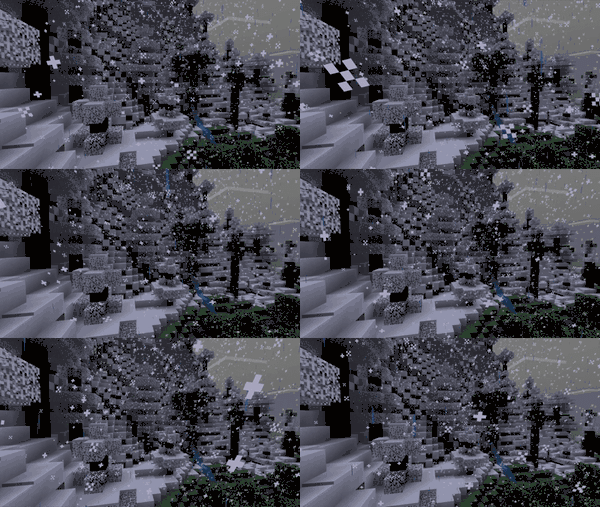
- Sky color during rain is gray, rather than bluish-gray.
- Lightning changes color from white to orange at sunset, and appears brighter during the daytime.
- Rainfall and snowfall can have variable strengths.
- During precipitation the sun and moon remain visible in biomes without rain or snow.
- The sky color is still darkened and mobs can still spawn during thunderstorms.
- Rain is slightly tilted.
- Snow particles can fall twisting, bending, and moving around, independent of a block.
- The transition between precipitation and dry biomes, or snowfall and rainfall is a mix between the precipitation in both biomes, which strengthens from one biome to another depending on the player's position rather than the border between the biomes.
- This is also applied vertically.
Blocks
General
- Light-emitting blocks are brighter and not shaded.
- Light-emitting blocks also appear brighter in the inventory. They look like
 instead of
  .
.
- Light-emitting blocks also appear brighter in the inventory. They look like
- Various blocks have randomly rotated textures, including clay, coarse dirt, crying obsidian, dirt, glowstone, leaves, magma blocks, nylium, obsidian, sand, sandstone, snow blocks, sponges, and terracotta.
- Almost every non-full block can be waterlogged.[note 2]
- Some semi-transparent blocks, like glass panes and sugar cane, become more transparent when the camera is close to the block, which can be toggled in the settings.
- The player's inventory can contain blocks, not just items.
- For example, stone is handled as a block in the player's inventory, as opposed to an item in Java Edition.
- Through add-ons, editing, or glitches, the player can obtain technical blocks (such as lit furnaces and End gateways).
- Blocks in inventory can have block states. For example, the player can obtain mushroom blocks with pores on some or all sides.
- Blocks that can be destroyed by fluids are unable to be placed in fluids.
- Holding fluids by bucket will not briefly remove the fluid when the player is underwater.
- Make the player float up or down slightly if the eye level of the player ends up being at the height of the water/lava during creative flight.
- If the camera ends up at the height of water or lava in other situations, the camera is moved instead.
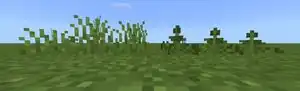
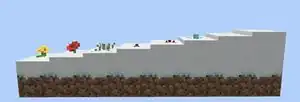
- Some plants can be "snowlogged"; snow can be placed inside plant blocks and completely cover the plant with multiple layers.
- Plants can also generate snowlogged.
- Short grass and ferns have a randomly selected height.
- Crops, melons, and pumpkins grow more slowly than in Java Edition.


- Exclusive blocks only available through commands.
- Used to define areas where players in Adventure mode can or cannot break or place blocks.
- Banners can be customized with a crafting table using the old banner customization recipes.
- Visual mechanics are much cleaner and less resource-intensive - instead of summoning multiple particles in the same spot that take a while to decay, the barrier immediately becomes visible or invisible when the barrier is in the hand or not.
- Players and dispensers in any game mode can waterlog barriers or remove water from it.
- Instantly turns on, on the first tick when placed.
- Have 2D item models. They look like
 instead of
  .
.
- Can be used as fuel.
- Can be rung by any projectiles (including thrown items).
- Projectiles get bounced back after hitting the bell.
- Ring by themselves when there is a raid, instead of a villager ringing it.
- Water can flow through big dripleaf plants.

- Exclusive block only available through commands.
- A type of wall where players cannot pass through at any verical height above or below the block.
- Emits unique particles.
- Can be placed on top of fences.
- Do not get broken when placed on the side of a piston, when the piston is activated.
- Do not get broken by water or lava.
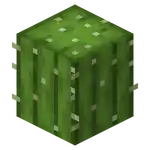
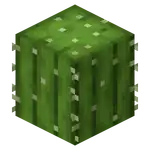
- Render the back faces.
- Make burp sound when eaten.
- Stack up to 64.
- Can be lit by players and mobs standing on top when they are on fire.
- Can be lit by a sword or axe with the Fire Aspect enchantment.
- Can be extinguished at the bottom face.
- Can also be extinguished by placing a water source or allowing water to flow in the space above.
- Display custom item names as name tags above the campfire on hover.
- Can be lit by players and mobs standing on top when they are on fire.
- Can be lit by a sword or axe with the Fire Aspect enchantment.
- Candles can be lit in Adventure mode.

- Can be used to rename maps.
- Can be used to create locator maps.
- Can be used to turn paper into maps.
- Show the top of a cartography table in the GUI, covered with a glass pane when locking maps.
- Are block entities.
- Can hold up to three potions, including splash potions and lingering potions.
- Cauldrons in swamp huts generate with random potions inside.
- Arrows can be tipped by right-clicking on a potion cauldron. The maximum amount of arrows tipped at once depends on the amount of potions in the cauldron; a full cauldron can tip a stack of arrows.
- Potion cauldrons produce an explosion animation and empties the cauldron when a different fluid is added to the cauldron.
- Can hold twice as many levels of liquid at once.
- Cauldrons beneath water fill up with water.
- Liquid inside can be transparent.
- Using a lava bucket on a water or snow cauldron removes the water or snow.
- Water in cauldrons can be colored using dyes. Multiple dyes can be added for unique colors.[feedback 1]
- Leather armor, leather horse armor, and wolf armor dyeing has to be done using a cauldron rather than in the crafting grid.
- Can grow in the Nether.
Chests, trapped chests, and ender chests
- Have old full block item models. They look like


 instead of

 .
.
- GUI is a full menu rather than an overlay.
- GUI shows target selectors.
- Have a delay option.
- Can set a hover note, which shows when aiming at the command block.
- When the composter’s fullness increases, any entities inside are pushed up accordingly.
- Can be oriented in 16 different directions when placed, like standing signs, banners and heads.
- When activated by 42 specified blocks, changes its inside texture another time.
- Have more particles.
- Coral can be grown by using bone meal underwater outside of warm ocean biomes.
- Larger variation in the amount of time it takes for coral to die when not exposed to water.
- Always dies after 2.25 seconds of being out of water.
- Do not die if they are surrounded by any non-air blocks.
- Wall fans have one texture pane, as opposed to two in Java Edition.
- Instantly turn into dead coral fans if placed outside of water.
- The inverted variant of daylight detectors can be obtained in Creative mode using pick block.
Dead coral and dead coral fans
- Can be obtained using any Silk Touch tool, not just a pickaxe.
- Play different sounds when picked up without shattering.
- Can support torches, levers, buttons, tripwire hooks, coral fans, rails, vines, ladders and bells on the sides.
- Drop itself when broken using Silk Touch.
- Two dragon eggs spawn per world instead of one.
- Appears more brightly lit.
- Reduce fall damage.
- Allow withers to teleport.
- Can support torches, levers, buttons, tripwire hooks, coral fans, rails, vines, ladders and bells on the sides.
- Have random height.
- Using bone meal on a grass block can produce ferns.
- The side texture of fire is slightly tilted towards the center of the block.
- Rain extinguishes fire more quickly.
- Players catch fire immediately after walking through it.
- Using bone meal on small flowers spawns other flowers of the same type on top of nearby dirt/grass blocks. This does not apply to wither roses.
- Poppys can also spawn dandelions and vice versa.
- Melts faster after walking with Frost Walker boots.
- Can be obtained in the inventory with
/give.
- Have 3D inventory models.


- Can be composted.[feedback 2]
- Can be obtained using any Silk Touch tool.
- Can support torches, levers, buttons, tripwire hooks, coral fans, rails, vines, ladders and bells on the sides.
- Entities slide much less compared to Java Edition.
- Honey blocks moved by pistons move entities that are touching the side of the block.
- Transfers redstone power (not a transparent block).
- Jump height on honey blocks is lower.
- Fences, glass panes, walls and iron bars connect with honey blocks.
- A chain of hoppers with air or non-container blocks on top has better performance than a chain of hoppers topped by container blocks.
- Hoppers with multiple dropped items above them collect the items in the order in which they entered the chunk in which the hopper is located.
- Hoppers have a "collection cooldown" time. After collecting an item (or stack of items), a hopper waits 4 redstone ticks (0.4 seconds, barring lag) before attempting to collect again.
- A block used for the void floor in all three dimensions.
- Have different models and appearance when unconnected.
Item frames and glow item frames
- Are blocks instead of entities, allowing for some exclusive features like breaking time and waterlogging.
- Can be placed on the lid of a shulker box without popping off when the lid is opened.
- Can be placed on the top face of fences, walls, and fence gates.
- Display particles when broken.
- Several items on the item frame glow in the dark:
- Items that have enchantment glint overlay.
- Light-emitting block items (including lava bucket and with the exception of campfires).
- GUI and functionality is different.
- The player can hold down the jump button while climbing a ladder to make the climbing speed faster.
- Lava does not deactivate elytra flight.
- Still lava correctly displays a still lava texture at the sides of glass blocks, instead of a downward flowing texture.
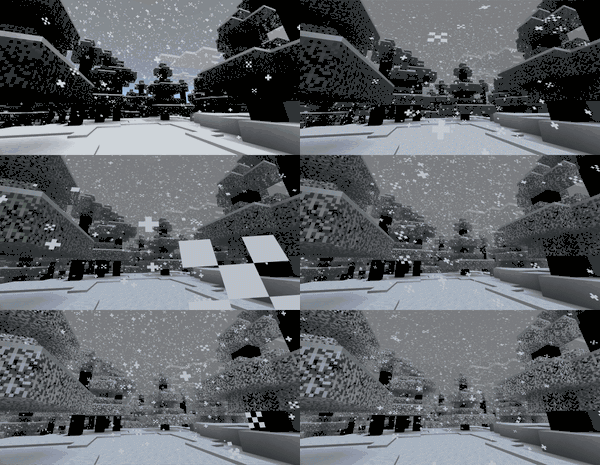
- Leaves with snow on top make snowfall particles, similar to how blocks make water/lava drip through.
- Render the back faces.
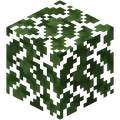

- When in snowy biomes, leaves gradually become fully white when it snows.
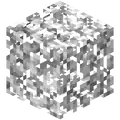
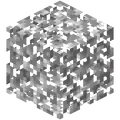
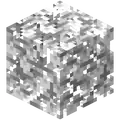
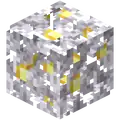
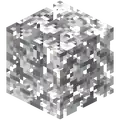
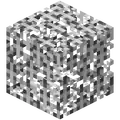 [feedback 3][note 3][feedback discord 1]
- Leaf particles also turn white during snowfall.
- Waterlogged leaves flood the area.
- Jungle leaves have a different inventory model.


- Because Bedrock Edition displays two pages of the book at once, the same signal strength increments require double the number of pages.
- The tops of lecterns are slightly less than one block wide.
- Can be placed on the top of a fence, stone wall or hopper.
- Do not get broken by water or lava.
- Can be replaced by placing a block in its place.
- Can be moved by pistons.
- Produce particles when broken.
- Use different older inventory textures. They look like
 instead of
  .
.
- Has a radius of 128 blocks instead of 64.
- Lightning can strike a lightning rod hit by a trident enchanted with Channeling during rain or thunderstorms, even if there are solid blocks above it blocking rainfall, as long as all the blocks are fully transparent.
- Are brighter in the inventory.
- Are considered treasure loot in fishing instead of junk loot as in Java Edition.
- Can be placed inside entities.
- Banner designs are listed in a separate tab on the GUI similar to the Creative inventory instead of inside the inventory tab.
- This makes all banner designs visible at once.
- Preview all banner designs without a banner and dye in the input slots.
- Mobs are spawned within 4 blocks of taxicab distance from a spawner, resulting in a diamond-shaped volume where mobs can spawn.
- Some animals require light level 7+ to be spawned, e.g. chicken, sheep, cow, rabbit.
- Spawners can only spawn fish if the spawner is waterlogged.
- Can spread on polished andesite, polished diorite, and polished granite.
- Growing trees other than spruce on a moss block will turn the moss block to dirt.
- Moss blocks require air above a replaceable block to spread.
- Saplings convert muddy mangrove roots into dirt when grown.
- Can generate in caves.
- Mushroom pore blocks are available in the Creative inventory, as a fourth variant of a mushroom block obtainable in Creative.
- Generates additionally next to the obsidian floor when a Nether portal generates floating in the air, making it renewable.
- Honeycomb blocks produce a flute sound.
- Have a longer flagpole model when worn by illagers.
- Worn using an illager's chestplate slot rather than helmet slot.
- Can be copied using loom or crafting table.
- Drop a normal oak slab.
- Called "Wooden Slab" in-game.
- A powered unextended piston immediately extends if it becomes able to rather than waiting for an update.
- Blocks that contain block entities (except banners, signs, and campfires) can be moved by pistons.[feedback 4][feedback discord 2]
- Blocks that stick to walls (such as levers) can be placed on pistons without being destroyed when activated.
- Break banners and signs, rather than being unable to extend.
- Have a 1 game tick delay between powering/depowering and extension/retraction.
- Have a block entity; control pick blocking an extended piston gives a piston that deletes the block in front of it when placed.
- Piston head model has a larger "neck".
- Piston head has a slightly different side texture.
- Piston only extend/retract when the previous action finished.
- Can push and pull bells, lanterns and candles.
- Blocks retracted by sticky pistons take entities with them.
- Placing a pointed dripstone with commands places a stalactite instead of a stalagmite.
- Jumping on a stalagmite makes the falling sound and particles.
- Freezing effect looks slightly different.
- Particles appear when an entity is extinguished by powder snow.
- Powder snow slows down flying fireworks.
- Pumpkins can generate in frozen peaks, jagged peaks, stony peaks, meadows, cherry groves, lush caves and mangrove swamps.
- Are broken by flowing water.
- Can be placed on walls and fences.
- Comparators can read inventories through chains.
- Connects to pistons.
- Power transmission is in a random order.[note 4]
- Remains on the base of a piston after being extended and then retracted.
- Transparent blocks can pass redstone power downward.
- Can be placed on walls and fences.
- Redstone torches can be turned off with a one-tick pulse.
- Redstone torches on powered pistons always turn off.
- Have a different appearance, and render the back faces.
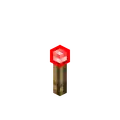
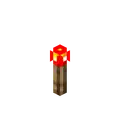
- Sand block shading is lighter.
- Are slightly 3D around the mesh.
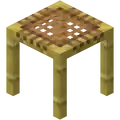

- Have no mesh on its bottom when floating.
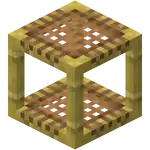

- Has a different item model.


- Has a larger detection range for mob deaths.
- Different tendril animations and textures.
- Sculk sensors are activated upon placing eyes of ender into end portal frames.
- Sculk shrieker particles last longer.
- Has a different model.
_JE2.png)
_BE2.png)
- Can't open if obstructed by a redstone conductive block.
- Items inside are listed on the tooltip as properties when being held.
- Are flammable.
- GUI is much bigger and always shows a wall sign.
- The GUI can be closed by clicking anywhere next to the sign rather than with a button.
- Can be destroyed and drop as an item when pushed by a piston.
- Can be placed on top of more blocks than in Java.
- Formatting codes can also be used to apply decorative effects such as color, bold, italic and underline to various bits of the text.
- Writing JSON on the sign shows the JSON output, rather than the input on the sign.
- Writing jumps to the next line if it doesn't fit, rather than stopping inserting text.
- Leaves can overlap when placed next to each other.
- Small dripleaf can partially break from lack of water.
- Small dripleaf can be placed in flowing water.
- Can be removed by right-clicking with a shovel.
- Can generate in multiple layers.
- Generates where there is sky access atop buildings in snowy taiga villages.
- Generates and can be placed on packed ice, blue ice, and dirt path (which does not change to dirt).
- Is affected by gravity.[feedback 5]
- When falling on other snow, it'll add the layer count together and add an additional few.
- Melts in snowless biomes.
- If there are multiple layers, the layers melt gradually.
- While snowing snow randomly stacks together to have random patches, opposed to being completely flat.
- Can be placed and generate inside certain plants, known as "snowlogging".
- Can support torches, levers, buttons, tripwire hooks, coral fans, rails, vines, ladders and bells on the sides.
- A wet sponge placed in any dry biome in the Overworld dries out after a few minutes and turns into a normal sponge.
- If a normal sponge comes into contact with water in a dry biome, it absorbs the water and immediately dries out with a puff of steam.
- Can be crafted using andesite, diorite and granite.
Stripped logs and stripped wood
- Stripped spruce logs and wood have a different texture.
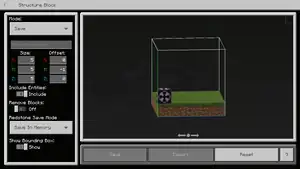
- Can export and import structure files.
- Show an adjustable preview of the structure.
- Has a placement animation options in Load mode.
- Remove blocks (can include entity without saving any block as structures).
- Structure size is limited to 64 on horizontal axis and 384 on the Y axis, rather than 48.
- Usage is explained in-game.
- Can save structures in the world data.
- Can waterlog blocks.
- Can export structures as 3D renders to view them in external programs like Paint 3D.
- Can support blocks such as signs, torches, and redstone wire.
- Have different (full) textures and inventory icons.
- Bone meal can be used on sugar cane.[feedback 6]
- Instantly breaks if its water is removed, rather than not breaking until updated as in Java.
- Grows much more slowly than in Java Edition.
- Sugar cane can generate in frozen peaks, jagged peaks, stony peaks, meadows, cherry groves, lush caves and mangrove swamps.
- Can generate in windswept savannas and snowy plains.
- TNT submerged in water can destroy armor stands, leash knots and paintings.
- Can be activated by thrown eyes of ender, the ender dragon, markers, and items clipped into solid blocks.
- Underwater brightness is much brighter than in Java Edition.
- Water has different colors for every biome, rather than only in ocean biomes.[feedback 7]
- Water color is not hard-coded. Texture color, underwater fog color and fog distance are defined in a JSON file.
- When descending into water, every block of water reduces light by 1 extra level (in addition to the normal fading-out of light).
- Underwater sky lighting visually changes depending on player's underwater level.
- Still water displays a still water texture at the sides of glass blocks, instead of just a solid color.
- Underwater fog is thicker than in Java Edition.
Items
General
- Held items in third person point up more.
- Most items with durability have one additional durability point.
- Because of this, a single unenchanted brush can get 5 armadillo scutes from an armadillo instead of 4.
- Players throwing items emits a sound.
- Can be stacked up to 127 using commands.
- When worn, the diamond chestplate's sleeve has a distinct model from Java Edition.
Books and quills and written books
- GUI has 2 pages open at once.
- GUI has options to delete pages, insert empty pages, and move pages.
- When signed, the author can be anything the player wants.
- Writing JSON in the book show the JSON output, rather than the input in the book.
- Bucket of tropical fish is named "Bucket of [<color 1> - [<color 2>]] <tropical fish name>" instead of showing the colors below the name.
- Needle has an animation when the compass changes direction by being used on a lodestone.
- Lodestone compass is a separate item and has a tooltip.

- Ink sacs, cocoa beans, lapis lazuli, and bone meal can be used to substitute corresponding dyes with crafting.
- Travel further when thrown.
- If the player travels beyond a certain radius (roughly 740,000 blocks), eyes of ender always point to a stronghold near spawn, even though strongholds continue to generate past this limit. If one travels to this limit, they can see eyes of ender suddenly switching direction.
- Carrots and warped fungi on sticks can be crafted using damaged fishing rods.
- Have a higher durability (384 compared to 64 in Java Edition).
- Mobs riding other mobs dismount when hooked by a fishing rod.
Maps and explorer maps
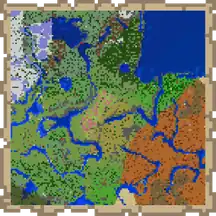
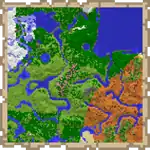
- Filled maps and explorer maps have different item models.


- The map and empty map equivalent to Java Edition are called "Empty Locator Map" and "Locator Map".
- A separate "regular" map item exists that can be crafted with 9 paper in a crafting table or one paper in a cartography table. This map does not show location markers.
- Locator maps can be crafted with one paper and one compass in a cartography table.
- The coloring of grass blocks, water, etc. on the map depends on the biome they are placed on.
- Have an unlimited color palette and a different set of colors for blocks.[feedback 8]
- Map adding locator, cloning and expanding can also be done in anvils.
- Individual pixels of zoomed out maps depends on one single block instead of the highest amount of the same block in a section.
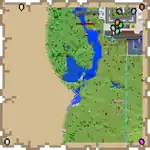
Multiplayer markers on a map. - Show player heads instead of arrows in multiplayer when the player is nearby.
- When creating a new world, the player can enable the "Starting Map" option to spawn with an empty locator map in the inventory.
- Players wearing mob heads are invisible on maps.
- Using an Overworld map in the Nether shows the corresponding location. Using an Overworld map in the End shows the world spawn point.
- The zoom level of a map is always displayed in its tooltip.
- Locator map pointers become invisible when far away.
- Locked maps have unique item models.

- Maps can be renamed in a cartography table.
- More map icons exist, some of which are unused.
- Never despawn when dropped.
- Effects are applied with a slight delay after drinking.
- Potions, splash potions, lingering potions, and tipped arrows of Decay exist, which apply the Wither effect.


- The potions are exclusive to Creative mode but tipped arrows can be obtained by trading with master fletchers.
- Extended long mundane potion, splash potion, lingering potion, and arrow; the 3 potion variants are available in the Creative inventory.
- The corruption of Healing II or Poison II potions results in a potion of Harming I.
- Hitting an undead mob with a Regeneration Potion always registers as Regeneration I, no matter the level of the used potion.
- Splash and lingering potions can be used to extinguish a burning entity in the Nether.
- Weakness potions can be brewed by mundane, thick, and Strength potions.
- Can be enchanted with Curse of Vanishing.
- Are activated by sneaking.
- Are always activated when riding entities.
- "Spire", "Tide", and "Dune" armor trims can be duplicated with more blocks than in Java Edition. In addition to the normal blocks, "Tide" armor trims can be duplicated using prismarine bricks or dark prismarine, "Dune" armor trims can be duplicated using smooth sandstone, cut sandstone, or chiseled sandstone, and "Spire" armor trims can be duplicated using purpur pillars.
- Effects have a shorter duration.[note 5]
- Restore 1.2 saturation instead of 0.4.
- Display more particles.
- Can hurt multiple mobs in one throw.
- Can be shot from dispensers, rather than thrown as an item.[upcoming JE Combat Tests]
- Tridents with Loyalty return to the player, even if thrown into the Void.[note 6]
- Thrown tridents don't despawn.
Entities
General
- Entities on fire have an orange-yellow tint and an exclusive particle.
- Entities with the Fire Resistance effect or a total Fire Protection of 7 or higher do not catch fire.
- Entities become slightly transparent when the camera gets closer, which can be toggled in the settings.
- Pillagers and vindicators can wear armor, though it doesn't render.
- Silverfish and endermites have walking sounds.
- Slimes and magma cubes can spawn in smaller spaces (2x2x2) than in Java Edition (3x2.1x3).
- Slimes and magma cubes can damage snow golems.
- Villagers and iron golems prefer walking on certain types of blocks over others.[note 7]
- Villagers and wandering traders run away from zombified piglins.
- Mobs that can pick up items will actively try to pick them up.
- Solid entity collisions can't push players into a crawling position.
- Mobs have better pathfinding AI for blocks like rails and azaleas. Mobs generally get less often stuck and start spinning on such blocks.
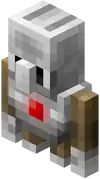

- A mob primarily used in Minecraft Education but also obtainable via commands.
- Can be programmed to perform specific actions.
- Stays invisible and can't be interacted with, except if it is connected to Code Connection through WebSocket.
- Can follow players through portals by teleporting across dimensions.
- Has different animations.
- Can have a lead or name tag attached by shift clicking.
- Animals that are in love mode emit heart particles constantly.
- Aquatic mobs can survive on land if given the water breathing effect.
- Death messages are produced upon the death of a tamed donkey, llama, trader llama, horse, or mule.
- Feeding mobs makes the corresponding food particles and plays a sound.
- Some animals detect and follow players holding food from a greater distance.
- Striders and hoglins share a mob cap.

- Are affected by splash potions effect.
- Have a brief death animation when killed with a harming, wither, or poison potion.
- Can be renamed using name tags.
- Armor stands named "Dinnerbone" or "Grumm" turn upside-down.
- Can change pose depending on a redstone signal or by sneaking and interacting.
- Can use totems of undying.
- Can ride minecarts and boats.
- Have arms and can hold items by default.
- Renamed armor stands display their name tag like mobs and players.
- Stack up to 64.
- Can breed again after 1 minute instead of 5.
- Can turn their heads.
- Regeneration effect given to players has no time limit.
- Keep status effects when caught in a bucket.
- Boats can be ridden upward in descending water.
- Do not sink when submerged but instead float up.
- Falling boats can go through other entities.
- Have 40 health points instead of 4 health points.
- Mobs can be picked up by a boat being ridden by a player.
- Leashed boats can bounce when the player jumps.
- Faster spinning animation.


- Eye emissive layer is rendered over the entire body instead of only the head.
- Inventory can be accessed without riding.
- 25% chance to spawn as a kitten.[feedback 9]
- Spawns as a black cat with a 50% chance on a full moon night.[feedback 10]
- Stray kittens follows stray cats.
- Can spawn in frozen oceans.
- Charged creeper explosions drop heads/skulls for all mobs it kills that have a head/skull, rather than dropping one head/skull.
- Attacks the player more often while angered.
- Swims in groups of 2.
- Baby dolphins follow their adults.
- Produce bubble particles when swimming.
- Apply a speed boost directly to players rather than providing an effect.
- More donkeys naturally spawn at once.
- Chests attached to donkeys and mules wobble while the animal walks.
- Are neutral during the day, not passive.
- Chase and attack villagers and snow golems.
- Have exclusive attack animations.
- Have a swimming animation.
- Have a 3D outer texture layer.
- Have glowing eyes and mouth.[feedback 11]
- Have proper throwing animations.[feedback 12]
- Spawn in groups of 2 to 4 in oceans.
- When holding tridents, can use melee attacks when within 3 blocks.[feedback 13]
- Inflicts any unafflicted player within range with Mining Fatigue immediately.
- Make their underwater death sounds if killed on land.
- The animation when inflicting Mining Fatigue uses a separate entity, the elder guardian ghost.
- Can also be summoned using commands.
- Arrows go straight through endermen that are unable to teleport, but effects are still applied if it is a tipped arrow.
- Can be provoked by players under the Invisibility effect.
- Take damage from standing in cauldrons filled with water.
- Teleports away if being attacked on their legs or by wolves.
- Endermen can be attacked with projectiles if they are in a boat or minecart.
- Are hostile to endermen and iron golems.
- Spawn at an ender pearl's landing site.
- Have 2 (
.png) ) armor points.
) armor points.
- Have a cross model like arrows.
- Cod, salmon and pufferfish spawn in slightly larger groups and cannot spawn underneath solid blocks.
- Have different swimming animations.
- Pufferfish wiggles tail, rather than fins.
- Cod and salmon wiggle tail further than in Java Edition.
- When flopping, they rotate around the y-axis.[feedback 14]
- Fish avoid axolotls.
- All fish drop bones instead of bone meal.
- Bone drops are affected by Looting and can yield up to 8 bones.
- Fall much faster than in Java.
- Have a 3D model.[feedback 15]

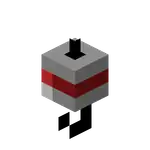
- Foxes that trust the player attack any mob that harms their trusted player, including other players.
- If a fox wields a sword with the Fire Aspect enchantment while attacking a mob on a campfire or a soul campfire, it ignites the campfire and does critical damage to the entity.
- Shake side to side before pouncing and their legs wave while in midair.
- Frogs that grow up in stony peaks biomes are green instead of orange.
- Frogs that grow up in warm or cold ocean biomes become warm or cold variants instead of always becoming the temperate variant.
- Have glowing eyes.
- Holds its charge like a pillager when its target gets lost of its sight and shoots again instantly when in range.
- Normally targets a player within a sphere of 28 blocks, increasing to 64 blocks if the player damages it.
- Retaliate when attacked by other mobs.
- Can spawn in any dimension.
- Glow squids can spawn inside water (with any block above it), regardless of lighting.
- Two screaming goats have a 2% chance of producing a non-screaming baby.
- Goats can accidentally ram attack other goats.
- Can attack players under the Invisibility effect.
- Have a 5% chance to spawn a ghastlings when spawned via spawn egg.
- Leads attached to hoglins do not break when hoglins turn into zoglins.
- Baby horses get progressively bigger as they age.
- Horses spawned from spawn eggs are sometimes foals.
- The player's health bar and hunger bar are displayed while riding a horse and the player's experience bar is replaced by the horse's jump bar when the jump control is activated
- The player can hold an object that cannot be used when mounting a wild horse, instead of just their bare hand.
- Can ride minecarts.
- Can spawn during world generation.
- Walk slightly faster.
- Baby husks/zombies/zombie villagers can ride many mobs other than just chickens[feedback 16][note 8]
- Jockey mechanics are different for husks, zombies, and zombie villagers. Babies have a 10% chance to spawn as a mob that can mount mobs, and will try to find mobs they can ride.
- Cave spiders can spawn as spider jockeys.
- Bogged and strays can naturally spawn on spider jockeys, depending on the biome.
- Wither skeletons can also spawn on on spider jockeys when using spawn eggs in the Nether.
- Rider does not always control the mob it is riding.
- Can be attached to walls.
- Have a better physics engine.
- Leashes drag on the ground and don't get longer.
- When in the air, the leashed mob doesn't bounce higher.
- Stick to the arm while it's moving in third person.
- Carpet becomes invisible if the llama is invisible.
- Trader llamas are immediately tame after being unleashed from a wandering trader.
- Can spawn in windswept savannas.
- Llama spit can be deflected like ghast fireballs.
- Have glowing cores.
- Can move trough entities without being stopped or losing velocity.
- Players in minecarts can climb rail and unpowered rail slopes at the lowest speed.
- Minecarts don't glide down on unpowered rail slopes.
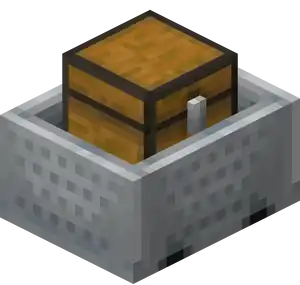
- Chest is rotated to the side instead of the front.

- Use repeating command block instead of impulse by default.

- A minecart with hopper on a curved rail pulls in items in a hopper lying in front of its moving direction and one block above if the hopper's output funnel is pointed downward and no block is below that hopper.
- Hopper minecarts can suck disks from jukeboxes while on a powered activator rail.
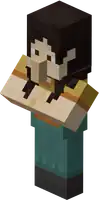

- An interactive passive mob with models similar to villagers with customizable dialogs.
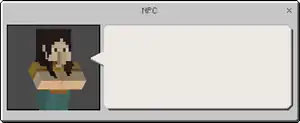
An NPC's dialog menu. - Can have 60 different skins.
- Can perform commands, either directly or by a button in the dialog menu.
- Can spawn in all jungle variants.
- Breeding creates an ocelot kitten that trusts the player.
- Trusting ocelots don't despawn.
- Attack the player less often while angered.
- Breeding behavior is different; they require 8 nearby bamboo blocks to enter love mode at all, while in Java they only require 1 bamboo block and enter love mode regardless, but just don't breed.
- Drop 0-2 bamboo upon death, rather than always 1.
- When lying on their back, lazy pandas get up and follow the player if they hold bamboo, rather than ignore the player completely.
- Can spawn in sparse jungles.
- Dance on the player's shoulder when a music disc is playing.
- Dismount when the player falls down a distance greater than 1 9⁄16 blocks, compared to 3⁄4 of a block in Java Edition.
- Dismount when the player's shoulders become submerged in water, instead of feet in Java Edition.
- Parrots sitting on the player's shoulders prevents the player from entering a nether portal.
- Parrots can imitate pandas, polar bears, wolves, endermen, and zombified piglins.
- Can spawn in sparse jungles.
- Can spawn in any light level.
- Attempt to stay 16 blocks away from ocelots, similar to cats.
- Can drown.
- Have different attack strengths: 4HP
.png) on Easy difficulty, 6HP on Normal and 9HP
on Easy difficulty, 6HP on Normal and 9HP.png) on Hard.
on Hard.
- As of Java Edition 1.14, phantoms deal much less damage: 2HP on Easy and Normal and 3HP on Hard.
- As of Java Edition 1.14, phantoms deal much less damage: 2HP
- Are afraid of extinguished soul campfires.
- Baby piglins can be made to wear armor and wield a sword, but not a gold sword.
- Baby piglins drop 1XP instead of 5XP.
- Baby piglins make angry noises when any piglin gets angry.
- Can exist and spawn in Peaceful difficulty with passive behavior.
- Hold a loaded crossbow with both hands.
- When targeting with a crossbow, the arms are aligned.

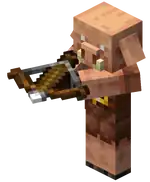
- When targeting with a crossbow, the arms are aligned.
- Need 8 seconds to barter, rather than 6.
- Immediately attack players while bartering instead of waiting for the transaction to finish.
- Can exist and spawn in Peaceful difficulty with passive behavior.
- Deal less damage when armed.
- Hunt down hoglins with piglins.
- Drop 0-2 arrows upon death.
- Have a melee attack.
- Used when underwater only, not when no crossbow is equipped.
- Have a unique celebration animation.
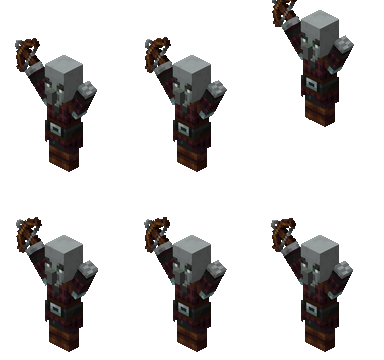
- Don't hold their crossbow with two hands unless they are targeting.
- Hold a loaded crossbow with both hands.
- All projectiles knockback players.
- Players can fall off non-full blocks when crouching.
- Players have an eating and drinking animation in third person.
- Player name tags completely disappear when sneaking.
- Can spawn in frozen river, frozen peaks, jagged peaks and snowy slopes.
- Can drop both cod and salmon at once.
- Snowballs and eggs deal knockback to players and trigger their pets to attack.
- Snowballs, eggs, fishing rod bobbers and wind charges thrown through fire or lava catch fire and can set fire to entities they hit.
- Throwable entities such as eggs, ender pearls and snowballs render immediately in front of the player after being thrown, rather than being rendered after two ticks as in Java Edition.
- Inflates when hurt.
- Small pufferfish move their tails when swimming.
- Baby rabbits follows adult rabbits.[feedback 17][feedback discord 3].
- Can spawn in frozen oceans, frozen peaks, frozen rivers, jagged peaks and snowy beaches.[feedback discord 4]
- Can eat immature carrot crops.
- Can destroy more block types.[note 9]
- Has a delay between beginning its attack animation and dealing damage to its target.
- Has a farther attack reach.
- Can spawn in lukewarm and normal oceans.
- Attack iron golems before they are hit.
- Can be colored by using a dye on them in Creative mode.
- Can spawn in Peaceful mode.
- Drop 0-4 shulker shells when killed with Looting III (increase of 1 shulker shell per level), instead of 0-1 as in Java (increase of 6.25% per level).
- A skeleton on land shoots quickly at a player in water. The rate of fire increases as the player approaches, making combat difficult due to the knockback.
- Skeletons spawned with spawn eggs have an 80% chance of spawning as wither skeletons in the nether, and an 80% chance of spawning as strays in snowy biomes.
- Skeletons typically stop moving to shoot, making no attempt to avoid being hit.
- Skeletons typically shoot more rapidly at players the more they are closer to it.
- Underwater, skeletons switch to melee attacks without using a bow and arrow.[feedback 18]
- Strays can spawn from skeleton spawners.
- Are attacked by the conduit.
- Can be controlled without a saddle.
- Immune to lightning.
- Killing a trap skeleton horse yields no items or experience.
- The chunks that slimes can naturally spawn in inhabit the same coordinates for every world.
- Only sniffers at full health can breed.
- Sniffers are healed by 2 health points each time they are fed a torchflower seed.
- Don't leave snow trails in biomes with high temperature values, such as jungles, mushroom fields, savannas, stony peaks, deserts, badlands, and biomes in the Nether.
- Can spawn in 3x1x3 spaces beneath full solid blocks.
- If a squid is out of the water, its tentacles swing more slowly as its oxygen meter goes down. When 15 seconds have passed, its tentacles stop swinging and the squid begins to suffocate.
- Can move their heads up and down when being ridden by mobs.
- Can spawn at the bottom of lava lakes.
- Babies spawn more than adults.
- Players can ride striders submerged in lava.
- Are bigger than in Java Edition.
- Have different names.
- Much shorter breeding cooldown.
- Don't despawn after raids end.
- Have a random chance of dropping an iron sword.
- Babies have bigger heads like other baby mobs.
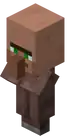
- Babies ignore players.
- Babies can take poppies held by iron golems.
- Baby villagers can grow into nitwits.
- Display angry particles when nearby beds, bells and assigned workstations are broken by a player.
- Heal if there's bread in their inventory.
- Heal after sleeping in a bed.
- If the beds or workstations tie in well, green particles are emitted from both the villagers and the beds or workstations.
- If they lose their job site block, they go back to being an unemployed villager, unless they're a higher level.
- Spawn with professions, when spawned via spawn eggs.
- When they showing an item they offer, they will slightly lift their arms.
- During rain or snowfall villagers enter houses and stop their daily schedule.
- Villager GUI always shows the next locked trades.
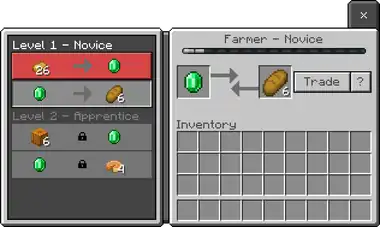
Trading GUI. - Villagers can sometimes have three trades on one level.
- Johnny vindicators target baby villagers and armor stands.
- Retaliate when hit by a pillager's arrow.
- Arm position is different when not holding a weapon.
- Can spawn in village gathering sites.
- Despawn shortly after all trades are used up.
- Drink an Invisibility potion when hurt or near a hostile mob (illagers, vexes and zombies and its variants).
- Show the item they offer when the player is holding an emerald.
- Always spawns with two leashed trader llamas, even when spawned with a spawn egg.
- Run away from zombified piglins.
- Can sell mangrove logs.
- Always spawn in a single spot in witch huts, rather than anywhere within a larger area.
- Are immune to their own negative splash potion effects.
- Attack iron golems before they are hit even if not in a raid or patrol.
- Held potion and hat model pieces are offset.
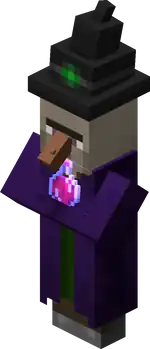

- Has different AI.
- Flies around it's target, then fires a volley of 3 wither skulls and 1 blue wither skull.
- Possess a dash attack.
- Spawns four wither skeletons when at half health, except when on Easy difficulty.
- Always breaks blocks that it touches.
- Does not inflict the Wither effect on Easy difficulty.
- Fires wither skulls at a faster rate the lower health it has.
- Boss bar has a different color.
- Doesn't regenerate health.
- Explodes not just when created, but also when half health, and killed.
- Has a different spawning and death animation.
- Health depends on the world's difficulty. They have 300HP × 150 on Easy, 450HP × 225 on Normal, and 600HP × 300 on Hard, opposed to 300HP × 150 in Java Edition.
- Wither skull projectiles can be deflected.
- Blue wither skull projectiles can be deflected when hit.
- Can break nether portals, and end gateways, and cannot break structure voids.
- Will break off from chasing a player to target closer villagers and golems.
- Can see villagers through walls.
- Are attacked by the conduit.
- Nitwit zombie villagers can become employed after being cured.
- Saving and reloading the world causes the curing process to finish as soon as the chunk containing the villager is ticked.
- Zombie villagers spawn in groups.
- Zombie villagers never count towards mob caps.
- Using the classic texture pack turns the zombified piglin back into a classic zombie pigman.
- Have exclusive attack animations.
World generation
- Caves below the lava sea are not filled with lava.
- Uses one biome (The End) to generate the whole dimension.
- This does not result in any gameplay or generation differences.
- A layer of invisible bedrock generates in the void in all dimensions to prevent players from falling further down.
- Has the same color as the sky.
- Entities take void damage at slightly lower depths.
- Players in Creative mode don't take damage in the void.
- A world border does not exist and the world attempts to generate infinitely. Teleporting is limited to 30,000,000 blocks from the origin.
- Distance effects gradually increase at higher distances and make the game unplayable after a certain distance.
- The Stripe Lands are a graphical glitch with some distorted physics, usually seen as the world boundary.
- Players next to water are teleported into the void.
- Starts to generate at X/Z: ±16,777,216 and continues until the game's limits.
- Generated structures can still generate.
-
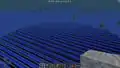 The Stripe Lands.
 -
 The Corner Stripe Lands.

Mobs spawning on the void start platform. - Has no structures generated in any preset.
Old world type
- A removed world type. Old worlds can no longer be created, but pre-existing old worlds remain. Old worlds can be converted to infinite worlds.
- Finite, 256×128×256 world; although NBT editing can change the size of the world or it's location in the world seed.
- Has some changed gameplay and other limitations.
- Almost every biome, including Nether and End biomes, has a unique water and water fog color.
- Dripstone caves, meadows, and cherry groves are colder, allowing snowfall at lower elevations.
- Each biome has a unique snow accumulation height.
- Generation of terracotta layers in the badlands have their y-axis varied by a few layers randomly across the x/z axis.
- Generates slightly less tall jungle trees.
- No monsters other than strays and skeletons can naturally spawn here.
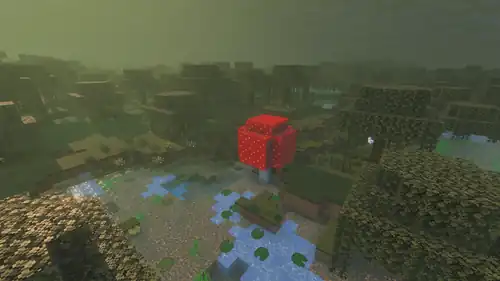
- Generate with huge mushrooms.

- Surface is covered almost entirely with gravel, with a few one block wide strips of grass blocks inside.
- Lacks of trees as the now unused gravelly mountains+ biome served this purpose.
- Lacks of trees as the windswept forest serves this purpose.
- Have display names and translations.
- Are much more common.
- Can generate in stony shore biomes.
- Are slightly more common.
- If generated in a ravine or river, the temple's floor are replaced by the bottom of the ground in a ravine or river, rather than just one block from a TNT shape.
- If generated in stripe land, it has a very tall foundation to bedrock layer, unlike in deserts that never have a tall foundation if generated with air in the bottom.
- Generate with packed ice windows instead of ice.
- The villager spawned in the basement is from the snowy type and has a random profession.
- If generated in the stripe lands, it generates underwater at bedrock layer on the ocean floor, cutting some bedrock around it and replace the bottom bedrock at y=0 with stone bricks.
- Cannot generate in bamboo jungles.
- Always generate at the same Y level, with the top of the roof at Y=56.
- Are much more common.
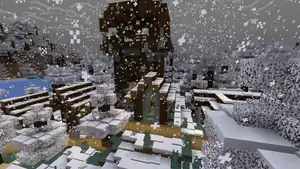
- Can generate with a tall foundation.
- Can generate in snowy taigas and sunflower plains.
- Can generate at any location regardless of nearby villages, even inside villages.
- Shipwrecks are present with their masts made of stripped logs.
- Acacia variants of shipwrecks can generate.
- Has a larger chance to generate under a village meeting point to easily detect without an eye of ender, even when the eye of ender has been added.
- Number of strongholds able to generate per world is random instead of 128 per world.
- 3 strongholds generate in a ring centered at 0,0 and other strongholds generate infinitely around the world.
- The 5-way crossing room in strongholds usually has 1–4 entrances sealed.
- Cauldron is 1⁄3 to 2⁄3 filled with a random potion or splash potion.
- Can generate in swamp hills.
- Plains tannery only generate a single cauldron.
- Barrels in village fisher are empty.
- Village fisher generate fewer barrels than in Java Edition.
- Taiga armorer don't spawn armor stands.
- Crafting tables generate in plains fisher.
- Taiga house chest loot is different.
- Can generate in snowy taigas and sunflower plains.
- Are generally larger and deeper.
- Coral crust include andesite, granite, diorite, dead coral fan, and dead coral blocks.
- Use NBT structure block generation.
- Generation is 1 in 500 chunks, rather than 1 in 1000.
- When generated, sometimes consist of 2 desert wells, rather than 1.
- Generate properly in all Overworld biomes.
- Generate twice as often.
- Can generate above sea level.
- If generated in mid-air, netherrack generates as a part of the generation, even in the Overworld.
- Can generate in polished andesite, diorite, and granite in structures.
- Ancient debris ores generate more often.
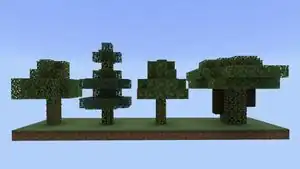
Commands
General
- Commands can be performend by NPCs and connected WebSocket servers.
- Most commands are not available at all in worlds with cheats disabled.
- A relative coordinate can have the next relative coordinate right behind it (without a space).
- The list of suggested inputs in the chat shows icons for blocks and items.
@initiatorexists to select players who click an NPC dialogue button.- Can select targets by family, permission, item, and property.
Exclusive commands
/agent- Used to let agents perform certain actions.
/aimassist- Modifies a player's aim assist.
/camera- Used to customize the player's camera view in various ways.
/camerashake- Used to make the player's camera shake.
/changesetting- Server command to enable/disable cheats or change the difficulty.
/clearrealmevents- Resets Realm Events on a server.
/clearspawnpoint- Removes a player's spawn point in the world.
/codebuilder_actorinfo/controlscheme- Modifies player's control scheme of camera presets.
/daylock- Locks the time to noon.
/alwaysdayas alias.
/dedicatedwsserver/dialogue- Opens an NPC dialog on a player's screen, or can be used to change an NPC's dialog.
/drop- Lets an agent drop specified items.
/enableencryption- Enables encryption for WebSocket connections.
/event- Triggers a spawn event for an entity.
/fog- Manages fog settings for a player.
/gametips- Enables or disables tutorial hints.
/getlocalplayername- Returns the local player name.
/gettopsolidblock- Gets the position of the top non-air block below the specified position.
/hud- Adjusts visibility of a specified HUD element.
/inputpermission- Specifies permissions for operations (such as walking) for a player.
/listd- Lists detail information about players on the server.
/mobevent- Enables or disables the spawning of wandering traders, pillager patrols, and the ender dragon. This is controlled by game rules in Java Edition.
/music/permission- Lists, reloads, or sets player permissions on a server.
/opsas alias.
/playanimation- Makes entities play various animations.
/querytarget- Gets transform, name, and id information about the given target entity or entities.
/reloadconfig- Reloads configuration files relating to variables, permissions, etc.
/reloadpacketlimitconfig- Reloads
packetlimitconfig.jsonconfiguration file.
- Reloads
/replaceitem- Replaces an item in a specified slot of a container block or entity's inventory.
/script- Debugging options for GameTest Framework.
/scriptevent- Triggers a script event with an ID and message.
/sendshowstoreoffer- Shows store offers to a player.
/setmaxplayers- Changes the maximum amount of players that can join the world.
/set_movement_authority- Control the client or server to check a player movement.
/structure- Saves and loads structures similar to structure blocks.
/takepicture- Takes a picture of a player or from a players view.
/testfor- Counts entities matching specified conditions.
/testforblock- Tests whether a certain block is in a specific location.
/testforblocks- Tests whether the blocks in two regions match
/tickingarea- Used to load chunks, similar to
/forceloadin Java Edition.
- Used to load chunks, similar to
/toggledownfall- Changes the weather between clear weather and precipitation.
/transferserver- Transfers players to other servers.
/wsserver- Used to connect the client to WebSocket servers.
/connectas alias.
- More game rules:
- Certain gamerule commands are available even without turning on cheats.
- Disabling
doMobSpawninggamerule prevents passive mobs and mobs from structures from spawning.
/gamemode and /difficulty
- Can be typed with abbreviated forms and numeric IDs.
/help
- List of commands is organized into pages.
/?as alias.
/save-all, /save-off and /save-on
- Are all merged into
/save.
- Has optional boolean to cancel teleporting if it ends up inside collision boxes of blocks.
/time
- Time can be set to sunrise and sunset.
/titledoes not support raw JSON text, only plain strings, instead/titlerawexists to allow raw JSON text.
- Can be used to show the current weather.
Splashes
| Splash text | Explanation |
|---|---|
| Glowing creepy eyes! | Refers to endermen and spiders' glowing eyes. |
| 100% more yellow text! | |
| Astronomically accurate! | |
| Cubism! | |
| Mostly harmless! | Refers to Mostly Harmless of the serial book The Hitchhiker's Guide to the Galaxy. |
| !!!1! | A reference to a common typo when typing in several !s. |
| Dramatic lighting! | Implementation of dynamic lighting and/or sunlight shading. |
| Multithreaded! | |
| Hmmmrmm. | References villagers' sounds. |
| Episode 3! | Probably in reference to Half-Life 2: Episode Three, which was announced, but doesn't actually exist. |
| Made by Mojang! | Mojang Studios develops Minecraft. |
| Made in C++! | Bedrock Edition is written in C++. |
| Multiplayer! | |
| OpenGL ES 2.0+! | Bedrock Edition runs on OpenGL ES. |
| Ported implementation! | A reference to the port of Java Edition features into Bedrock Edition, implementing them through gradual updates. |
| The Work of Many! | Before 0.15.0 alpha build 1 it read "The Work of Notch!", likely referencing his personal blog named "The Word of Notch". |
| V-synched! | Bedrock Edition uses V-sync. |
| 110813! | Notch's and Ez's wedding day, August 13, 2011. |
| Endless! | Possibly a reference to Minecraft's infinite terrain. However, at the time of addition, infinite terrain had not yet been implemented in Bedrock Edition. |
| Almost C++20! | |
| & Knuckles! | Refers to the Sega game Sonic & Knuckles, which could be combined with Sonic 2 and Sonic 3 to allow play of the Knuckles character in both games. When this is done, the games become Knuckles in Sonic 2 and Sonic 3 & Knuckles respectively. |
| Pandamonium! | A portmanteau of panda and pandemonium. Additionally, a free Minecraft map with the same name was added to the marketplace in the same update. |
| code.org/minecraft | This is a reference of Minecraft Hour of Code. |
| discord.gg/minecraft | This is a reference to the Minecraft Discord server. |
| Machine learning! | |
| Release the Snord! | |
| Team Mystic! | Team Mystic is one of the teams that can be joined in Pokémon Go. |
| Living, breathing world! | |
| Innovating innovation! | |
| Change my mind. | |
| High-key! | |
| Funding secured! | Reference to a tweet by Elon Musk. |
| YANNY OR LAUREL??? | Refers to a memetic audio clip which, due to poor recording quality, sounds like "yanny" to some listeners and "laurel" to others. |
| So. You read splash text. | |
| Alexander Hamilton! | Most likely refers to Hamilton, a sung-and-rapped-through multiaward Broadway musical based on the life of the American Founding Father Alexander Hamilton. |
| #Blessed! | |
| Have you finished your homework? | Refers to Minecraft Education's splash "The creeper ate my homework!" |
| We're working on it! | |
| Like that smash button! | The phrase "Smash that like button" (commonly used in YouTube videos) with "smash" and "like" reversed. |
| Minecraft 2 unconfirmed! | Refers to rumors that Mojang Studios is working on a sequel to Minecraft. |
| A circle-free environment! | Minecraft does not have any circles. |
| Llama, llama, duck! | A reference to "The Llama Song" by Burton Earney as published on Albino Blacksheep. |
| When it's ready! | |
| Make a viral video!!1 | |
| Artisinal! | |
| The Floor is Lava! | Refers to a simple game in which the floor is imagined as lava and players must seek higher ground. "<player> discovered floor was lava" is a death message due to players walking on magma blocks. |
| Savage Dad jokes! | |
| Protec but also attac | A reference to a meme. |
| Potatoes gonna potate! | A reference to the phrase "Haters gonna hate". |
| Bananas! | |
| zhoolor | Refers to the picture ZHOOlOr.png on Imgur. It bears the title "Good for Realms" within an obsidian border. |
| Oh geez! | |
| Crush it! | |
| Keep your head down, there's two of us in here now. Remember? | This is a quote from the first level of Halo: Combat Evolved called "The Pillar of Autumn" where if the player takes damage after Cortana is inserted into the players helmet, she will say that line. |
| Sodium free! | A common marketing term. |
| What DOES the fox say? | Refers to Ylvis song The Fox (What Does the Fox Say?). |
| #gartzkebrokeit | |
| All blocks covered! | |
| feedback.minecraft.net | Minecraft's feedback site. |
| Enter the Render Dragon! | A reference to RenderDragon, the rendering engine used in Bedrock Edition. |
| Music by Hyper Potions! | In Minecraft, Hyper Potions composed the Music Disc Lava Chicken. The band has also composed remixes of multiple Minecraft songs such as "Featherfall" and "Tears". |
Notes
- ↑ There are more exclusive options, the following list only shows options not noted anywhere else in this article
- ↑ See this section for a full comparison list.
- ↑ This doesn't include cherry, azalea, flowering azalea, and pale oak leaves.
- ↑ A similar issue happens when de-powering/reconnecting redstone wires in certain directions in Java, due to MC-11193.
- ↑ See this table for comparison.
- ↑ This is a side-effect of the invisible barrier at Y=-104.
- ↑ See this section for more details.
- ↑ See Jockey § Mounting for a full list of mobs.
- ↑ See this section for comparison.
- ↑ Java Edition uses the maxChainCommandLength gamerule for this purpose.
- ↑ Java Edition uses the HideFlags item tag for this purpose.
Feedback notes
- ↑ See feedback page.
- ↑ See feedback page.
- ↑ See feedback page.
- ↑ See feedback page.
- ↑ See feedback page.
- ↑ See feedback page.
- ↑ See feedback page.
- ↑ See feedback page.
- ↑ See feedback page.
- ↑ See feedback page.
- ↑ See feedback page.
- ↑ See feedback page.
- ↑ See feedback page.
- ↑ See feedback page.
- ↑ See feedback page.
- ↑ See feedback page.
- ↑ See feedback page.
- ↑ See feedback page.
Feedback Discords
- ↑ See feedback Discord.
- ↑ See feedback Discord.
- ↑ See feedback Discord.
- ↑ See feedback Discord.
| Editions |
| ||||||
|---|---|---|---|---|---|---|---|
| Development |
| ||||||
| Technical |
| ||||||
| Multiplayer | |||||||
| Exclusive features |
| ||||||
| Removed | |||||||





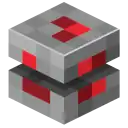





.png)


.png)
| Java Edition |
| ||
|---|---|---|---|
| Bedrock Edition |
| ||
| Minecraft Education |
| ||
| MinecraftEDU | |||
| Legacy Console Edition | |||
| New Nintendo 3DS Edition | |||


