Java Edition Alpha
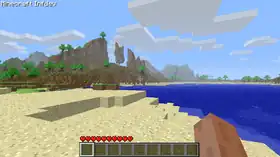
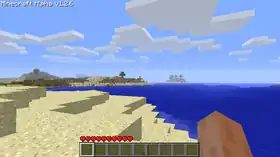
| Starting version |
Between June 29, 2010 |
|---|---|
| Latest version |
v1.2.6 (December 3, 2010) |
| Paid |
Yes: US$13.00/€9.95 |
{
    "title": "Java Edition Alpha",
    "images": [
        "Alpha v1.0.0.png",
        "Alpha v1.2.6.png"
    ],
    "rows": [
        {
            "field": "Between (link to Java Edition Infdev 20100629 article, displayed as June 29, 2010)<br>and (link to Java Edition Alpha v1.0.1 article, displayed as v1.0.1) (July 2, 2010)",
            "label": "Starting version"
        },
        {
            "field": "(link to Java Edition Alpha v1.2.6 article, displayed as v1.2.6) (December 3, 2010)",
            "label": "Latest version"
        },
        {
            "field": "Yes: US$13.00/€9.95",
            "label": "Paid"
        }
    ],
    "invimages": [],
    "footer": "<div style=\"display:inline-block\">\n<div style=\"display:inline-block;padding:0 .4em\">[[Java Edition Infdev|<span style=\"margin-right:-0.35em\">◄</span>◄ Java Edition Infdev]]</div>\n\n</div><div style=\"display:inline-block\">\n\n<div style=\"display:inline-block;padding:0 .4em\">[[Java Edition Beta|Java Edition Beta <span style=\"margin-right:-0.35em\">►</span>►]]</div>\n</div>"
}
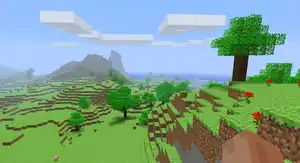
Alpha was the fifth phase in the development cycle of Minecraft. It succeeded Infdev, and was the fourth Minecraft development stage to have some of its versions released to the public. There was only one type of game mode playable in this version — Survival. One of Alpha's most striking differences to modern versions of Minecraft is the bright green color used by all foliage blocks, as biomes were not implemented at the time.
History
Unlike other phases of the game's development, the start of Alpha cannot be exactly pinpointed. The first version to display text "Alpha" in-game was Alpha v1.0.1, released on July 2, 2010. However, upon the release of that version, Notch stated that he "just arbitrarily decided that the previous version was 1.0.0",[1] thus making Alpha retroactively decided to have begun on the release of the second June 30, 2010, version of Infdev. Additionally, there is evidence for Alpha having actually begun on June 29, 2010, with Notch mentioning in a June 30 blog post "the version that was called “infdev” up until yesterday",[2] thus implying Infdev 20100629 was the first version of Alpha. Infdev 20100629 was the version that added the offline client, and IRC logs show that people were referring to this as "alpha" upon release.[3]
During the Alpha phase, Minecraft was updated very frequently due to Notch working full-time on Minecraft since June 1, 2010,[4] and having a small company made later (Mojang).[5] Bug fixes and tweaks could happen throughout the week, appearing on the game's development blog, with major additions and changes appearing in 'Seecret' Friday updates, leaving the game's players to discover the included new features.
While mostly continuous in version numbering, there is no current evidence of the existence of Alpha version v1.2.3_03; Notch appears to have skipped directly from Alpha v1.2.3_02 to v1.2.3_04. In addition, there is no version labelled Alpha v1.2.4; it is instead strongly believed to be the case that the existing version alpha v1.2,3_95 was retroactively considered to be this release upon Alpha v1.2.4_01 being made public.
On December 11, 2010, Notch announced that the game would enter the Beta stage of development on December 20, 2010, at which point the price would increase to €14.95.[6]
Features


- Multiplayer (Survival). Currently, the only way to connect to a server is to find out the IP of it to connect.
- The Nether - a realm accessible with nether portals that contains blocks and mobs (i.e. ghast and zombie pigmen as of yet) not found in the normal world, and allows for fast travel (1 block traveled in the Nether is equivalent to 8 blocks traveled in the Overworld.)
- Biomes - different environments that differ as location/chunk/temperature changes.
- The addition of redstone circuits, a logical I/O system including switches.
- The following items from the Halloween Update: netherrack, glowstone, soul sand, pumpkins, and the jack o'lantern.
- Improved AI pathfinding and spawning.
- New sounds for caves and mobs.
- The addition of snowy and icy terrain, plus craftable snow blocks.
- The addition of boats.
- Cow, slime, and chickens.
- New music.
- More paintings.
- Press F1 to remove the inventory display and the player's arm (the HUD, or Heads Up Display).
- While holding down F1, press F2 to take a screenshot. The images are saved in .minecraft/screenshots.
- 40 inventory slots instead of Beta and later's 36, since one could hold items in the crafting slot.
- Fences
- Sneaking
- Fishing rods and fishing
Versions
- Java Edition Infdev 20100629 (potentially retroactively an Alpha version)
- Java Edition Infdev 20100630-1340 (potentially retroactively an Alpha version)
- Java Edition Infdev 20100630-1835 (retroactively an Alpha version, Alpha 1.0.0)
- Java Edition Alpha v1.0.1 (Seecret Friday 3)
- Java Edition Alpha v1.0.1_01
- Java Edition Alpha v1.0.2
- Java Edition Alpha v1.0.2_01
- Java Edition Alpha v1.0.2_02
- Java Edition Alpha v1.0.3
- Java Edition Alpha v1.0.4 (Seecret Friday 4)
- Java Edition Alpha v1.0.5
- Java Edition Alpha v1.0.5_01
- Java Edition Alpha v1.0.6 (Seecret Friday 5)
- Java Edition Alpha v1.0.6_01
- Java Edition Alpha v1.0.6_02
- Java Edition Alpha v1.0.6_03
- Java Edition Alpha v1.0.7
- Java Edition Alpha v1.0.8
- Java Edition Alpha v1.0.8_01
- Java Edition Alpha v1.0.9
- Java Edition Alpha v1.0.10
- Java Edition Alpha v1.0.11 (Seecret Friday 6)
- Java Edition Alpha v1.0.12
- Java Edition Alpha v1.0.13
- Java Edition Alpha v1.0.13_01 (1K IN 24h)
- Java Edition Alpha v1.0.14 (Seecret Friday 7)
- Java Edition Alpha v1.0.15 (First SMP version)
- Java Edition Alpha v1.0.16
- Java Edition Alpha v1.0.16_01
- Java Edition Alpha v1.0.16_02
- Java Edition Alpha v1.0.17 (Seecret Friday 8)
- Java Edition Alpha v1.0.17_01
- Java Edition Alpha v1.0.17_02
- Java Edition Alpha v1.0.17_03
- Java Edition Alpha v1.0.17_04
- Java Edition Alpha v1.1.0 (Seecret Friday 9)
- Java Edition Alpha v1.1.1 (Seecret Saturday 1)
- Java Edition Alpha v1.1.2
- Java Edition Alpha v1.1.2_01
- Java Edition Alpha v1.2.0 (preview)
- Java Edition Alpha v1.2.0 (Halloween Update)
- Java Edition Alpha v1.2.0_01
- Java Edition Alpha v1.2.0_02
- Java Edition Alpha v1.2.1
- Java Edition Alpha v1.2.1_01
- Java Edition Alpha v1.2.2
- Java Edition Alpha v1.2.3
- Java Edition Alpha v1.2.3_01
- Java Edition Alpha v1.2.3_02
- Java Edition Alpha v1.2.3_04
- Java Edition Alpha v1.2.3_05
- Java Edition Alpha v1.2.4_01
- Java Edition Alpha v1.2.5
- Java Edition Alpha v1.2.6
Trivia
- Classic was originally known as "Minecraft Alpha", before being retroactively named "Classic" after development on Infdev completed.
- The player originally spawns in the world at Y=0 and then immediately gets teleported up; creating a world while the game is out of focus shows this.
- Before the Halloween Update, Alpha had several "biomes", such as:
- Woods
- Plains
- Treeless mountain
- Woods mountain
- Beach
- Ocean
- Cactus beach
- Original (land with a medium amount of trees)
- Original mountain
- Overhang
- Cliff
- These are not actually "true" biomes, but various types of landforms the game would generate.
- Upon world creation there was a chance that the world would be a winter world, consisting of snow-covered versions of the above "biomes".
- On September 18, 2010, the Minecraft authentication server broke. Notch turned this into a free weekend where everyone could download and play the game.[7] This got Minecraft lots of free press coverage and made lots of new players buy the game afterwards.[8]
- The price for Minecraft Alpha was €9.95 (£8.95/US$11.54).
- All versions of the game before Alpha are still regarded as old-alpha by the launcher, regardless of their development stage.
- 23% of all of the Alpha versions that were made are lost.
See also
References
- ↑ Seecret Friday update the third! OooooOOOoo! – The Word of Notch, July 2, 2010
- ↑ And another thing.. – The Word of Notch, June 30, 2010]]
- ↑ Adura's IRC logs, 2010-06-29_#minecraft.log, "Jun 29 16:34:50 <visiON> wtf [...] alpha?" ... "Jun 29 16:41:24 <Quatroking> the alpha only gives me 55 fps" ... "Jun 29 16:45:59 <Quatroking> Yeah, it doesn't work in alpha"
- ↑ "One month until full time!" (archived) – The Word of Notch, April 30, 2010.
- ↑ "Wait, it’s Wednesday!?" (archived) – The Word of Notch, November 17, 2010.
- ↑ "Minecraft Beta: December 20, 2010" (archived) – The Word of Notch, December 11, 2010.
- ↑ "Free Minecraft until this gets fixed" (archived) – The Word of Notch, September 18, 2010.
- ↑ "Minecraft sees surge in sales following unplanned "free weekend"" (archived) by John Callaham – Big Download News, September 28, 2010.
| Java Edition |
| ||
|---|---|---|---|
| Bedrock Edition |
| ||
| Minecraft Education |
| ||
| MinecraftEDU | |||
| Legacy Console Edition | |||
| New Nintendo 3DS Edition | |||


