As the player travels far from the world's origin in Bedrock Edition, the world starts to behave abnormally. This is mostly caused by precision loss of the 32-bit floating point numbers used for location.
Map of other distance effects (dramatically not to scale). The Corner Slice Lands still have a bedrock ocean, despite the rendering effectively stopping due to one-dimensional terrain generation.
Note: Effects marked with an asterisk (*) and shaded in green are well-known effects. Effects shaded in blue are effects affected at coordinates other than powers of two (2). Effects shaded in gray are effects that would theoretically be encountered in coordinates beyond the 32-bit integer limit – since the game crashes at or beyond that point, these effects cannot be encountered under normal gameplay.
General effects
Some effects can occur at any distance but gradually worsen as the coordinates increase. Bedrock Edition uses 32-bit floating points for many of its calculations, such as the player's position, as opposed to Java Edition, which uses 64-bit floating points. A 32-bit floating point uses 23 of these bits for precision (the other 9 are used for the sign and the order of magnitude). Thus, there are 223 (8,388,608) possible positions for any given order of magnitude. For example, there are 8,388,608 possible positions between 1 and 2, each 1⁄8,388,608 apart, but there are also 8,388,608 possible positions between 8,388,608 and 16,777,216, each a full block apart. In general, between 2n and 2n+1, the valid positions are 2n-23 apart. At higher coordinates, the valid positions are farther apart, so position is less precise. This principle has several implications.
Block rendering errors
Various blocks are rendered as partial blocks, and the game use 32-bit floating points to calculate the corners. At high coordinates, these coordinates become offset, causing the block to render incorrectly. Blocks with more detailed models usually become distorted at lower coordinates (a few blocks start to render incorrectly at a relatively low 131,072 blocks), while full blocks continue to render correctly past 8,388,608 blocks, farther out than most partial blocks.
Slow movement becomes impossible
For an entity to move, it advances a certain distance each tick. At slow speeds or high coordinates, the increase in distance per tick is so little that when rounding to the nearest valid position, the entity is placed at its original position, so it essentially does not move at all. More specifically, between 2n and 2n+1, an entity's speed is rounded to the nearest multiple of 20×2n-23, so it must move at least 10×2n-23 to actually be considered moving.
There are several ways to slow the player’s movement, such as sneaking, status effects, using an item (e.g. drawing back a bow), or certain blocks (such as cobwebs). In addition, moving diagonally decreases the player’s speed on any given axis. This effect can be amplified by moving almost (but not exactly) along an axis, and by walking into an object, one can do this without changing their coordinate on the other axis. Note that due to trigonometric rounding errors,[verify] extremely small angles do not cause the player to move as slowly as expected. The slowest form of movement without walking into objects (sneaking through cobweb over blue ice with Slowness VI while touching powder snow and drawing back a bow) becomes impossible at 2048 blocks, and coincidentally, the slowest form of movement achievable by walking into an object at a slight angle also becomes impossible at 128 blocks; as a result, both methods must be used to slow the player down if one wishes to observe this effect at lower coordinates.
Jitter
The game normally runs at 60 frames per second, so when the player moves, the game must calculate the camera position on the intermediate frames between ticks. This is normally not an issue, but if the player is moving close to the slowest possible speed, the camera position on intermediate frames becomes distorted, and the game starts to jitter.
Eventually, the slow speed and precision errors reach a point where the player advances by only one valid position per tick, forcing that the game to render the intermediate frames at exactly the starting or ending position. As a result, the camera moves as though the game ran at 20 frames per second instead of 60.
It is impossible to say exactly where jitter "starts", as it is an effect that gradually becomes more severe as the player moves further away from the center of the world. However, jittering at regular walking speed becomes obvious at or beyond X/Z ±524,288.
Falling through the world
At extreme coordinates, small entity hitboxes shrink to a width of 0, and such entities can fall through the edges of solid blocks. For example, if an entity smaller than 1⁄4 blocks exceeds coordinate 2,097,152, its position is rounded to the nearest quarter. Since its hitbox extends less than 1⁄8 from a valid position in each direction, both sides of the hitbox are rounded to the same position, so the apparent hitbox size is 0.
In addition, it is possible to manipulate hitboxes and fall through the world at much lower coordinates. While the positions of the centers of entities are stored in NBT, the positions of the individual hitbox corners are stored in memory. If the player is crossing a power of 2, these corners may move at different speeds, if they are affected differently by floating-point precision errors, thus changing the hitbox size. The hitbox size resets to 0.6 in certain situations, including:[more information needed]
Again, if the player's hitbox size shrinks to 0, it becomes possible to fall through the edges of blocks and into the void (MCPE-39299). Conversely, it is possible to stretch one's hitbox to several blocks wide.[1]
Minor effects (X/Z ±1–131,071)
Some movement effects can occur here; no block distortion occurs here.[2]
Coordinates
Effects
X/Z 0
There is absolutely no jitter at this point.
Coordinates of all entities are slices of Infinity ( 1⁄Infinity blocks) or multiples of 0 (0 blocks).
X/Z ±1 (±20)
Coordinates of all entities are slices of 8,388,608 (1⁄8,388,608 blocks).
Using the above method of movement at (0,0), it is theoretically possible to fall through the world by crossing the X/Z ±1 limit. However, it is almost impossible to do at these coordinates, as it takes nearly 6 real-life days of non-stop gameplay (where one must start over if they exit the game).
X/Z ±2 (±21)
Coordinates of all entities are slices of 4,194,304 (1⁄4,194,304 blocks).
X/Z ±4 (±22)
Coordinates of all entities are slices of 2,097,152 (1⁄2,097,152 blocks).
X/Z ±8 (±23)
Coordinates of all entities are slices of 1,048,576 (1⁄1,048,576 blocks).
X/Z ±16 (±24)
Coordinates of all entities are slices of 524,288 (1⁄524,288 blocks).
X/Z ±32 (±25)
Coordinates of all entities are slices of 262,144 (1⁄262,144 blocks).
X/Z ±64 (±26)
Coordinates of all entities are slices of 131,072 (1⁄131,072 blocks).
X/Z ±128 (±27)
Coordinates of all entities are slices of 65,536 (1⁄65,536 blocks).
An (extremely) (small) amount of jitter appears at this point, noticeable only if the player has slowness VI and uses spyglass and does the method listed below outside the X/Z axis.
The slowest method of travel becomes impossible within commands.[more information needed]
X/Z ±256 (±28)
Coordinates of all entities are slices of 32,768 (1⁄32,768 blocks).
Lowest coordinates at which anyone has fallen through the world, although unlikely at this distance. Since the glitch is caused by hitbox corners affected by different levels of floating point precision errors, it could theoretically happen at X/Z ±1. However, this would require nearly 6 real-life days of nonstop gameplay (where one must start over if they exit the game). (see above)
It becomes impossible to walk into an object at a 0.0025-degree angle. As discussed before, lower angles do not yield similar results at lower coordinates.
X/Z ±512 (±29)
Coordinates of all entities are slices of 16,384 (1⁄16,384 blocks).
The player has a rare chance of falling through the world when colliding with a block.
X/Z ±1,024 (±210)
Coordinates of all entities are slices of 8,192 (1⁄8,192 blocks).
Sneaking diagonally on blue ice with cobwebs and under the effect of slowness VI while using an item becomes impossible.
Sneaking diagonally on blue ice with cobwebs while touching powder snow and under the effect of slowness VI while using an item become impossible
The slowest method of movement in Survival without standing against a solid block (Sneaking while under the effect of Slowness VI and using an item while in a sweet berry bush that is diagonally over ice with cobwebs) becomes impossible.
Spontaneously falling through the world is now possible from this point on, although unlikely at this distance. This is caused by floating point precision errors causing hitboxes of blocks to have small gaps. If any entity's coordinate falls close to an edge of a block, then it falls through the world and into the void. The precision loss also affects the player's movement speed slightly, although only at extremely low speeds at this distance.
X/Z ±2,048 (±211)
Coordinates of all entities are slices of 4,096 (1⁄4096 blocks).
This is the smallest observed distance of the player falling through the world; however, the player must move extremely slow, enough to allow this to happen. Because of this, it is hypothetically possible to fall through the world at X/Z: 0.
In Pocket Edition v0.9.0 alpha, chunk borders start to become visible (although it's hard to notice at this point), with the block selection highlight appearing to flicker when the camera is moved.
Sneaking on blue ice with cobwebs and under the effect of slowness VI while using an item becomes impossible.
Sneaking on blue ice with cobwebs and under the effect of slowness V while using an item becomes impossible.
The third slowest method of travel becomes impossible, sneaking on blue ice with cobwebs while touching powder snow and under the effect of slowness VI while using an item.
X/Z ±4,096 (±212)
Coordinates of all entities are slices of 2,048 (1⁄2048 blocks).
Sneaking on blue ice with cobwebs while using an item becomes impossible.
X/Z ±8,192 (±213)
Coordinates of all entities are slices of 1,024 (1⁄1024 blocks).
Cobwebs become 1 block wide[verify] (They are 0.998 blocks wide at lower coordinates.)
X/Z ±16,384 (±214)
Coordinates of all entities are slices of 512 (1⁄512 blocks).
It becomes impossible to move in cobwebs on blue ice while using an item.
(Very) minor jittering during movement can be experienced beyond this point; it is noticeable if the player moves slowly.
As of Pocket Edition v0.9.0 alpha, borders of chunks begin to become clearly visible depending of the camera angle.
The Walking Sound of the player becomes layered and plays fast when walking.
The player must rejoin the world for the glitch to have an effect. This also applies with the ≈40,960 and ≈44,036 block limitation on the walking sound effect. The coordinates of this glitch depends on which direction player travel in. The flat world preset also has the effect further away. Beyond this point, Speed IV is required to hear the sound again.
Other mobs are unaffected by this bug.
X/Z ±32,768 (±215)
Coordinates of all entities are slices of 256 (1⁄256 blocks).
It becomes impossible to sneak diagonally on top of soul sand with cobwebs while drawing back a bow[3]; this effect eventually evolves into being unable to move diagonally at all at far more extreme coordinates.
The screen starts to flicker when the player is at the edge of the powder snow when the player rotates the camera, even with leather armor on.
The walking sound of the player stops being played when walking. The coordinates also depend on which direction the player travels in. The flat world preset also has the effect further away. Beyond this point, Speed IV is required to hear the sound again.
X/Z ±65,536 (±216)
Coordinates of all entities are slices of 128 (1⁄128 blocks).
It becomes impossible to sneak diagonally on top of soul sand with cobwebs.
Sneaking vertically and out starts to become jittery, although one needs keen (sensitive) eyes to notice this.
Falling through the world is now possible when colliding with a block in the corners.[4]
The clouds start to become jittery, although one needs keen (sensitive) eyes to notice this.
Eventually, some common forms of movement begin to break down. In addition, blocks with detailed models begin to render incorrectly.
Previously, paintings at X/Z ±524,288 would be placed halfway through the block and allowed multiple paintings to be placed on the same block. As of 1.18, paintings are now pushed half a pixel into the block and turn black instead, and don't allow multiple paintings to be placed on the same block.
Coordinates
Effects
X/Z ±131,072 (±217)*
Coordinates of all entities are slices of 64 (1⁄64 blocks).
Sneaking diagonally starts to become jittery or bumpy; However if the player is going full sneaking speed even without speed effect and the player is going diagonally and does not have the slowness effect it's hard to notice the bumps or jitter of it.
Lecterns and tripwire hooks start to become distorted, getting worse at higher coordinates.
Sneaking diagonally through cobwebs becomes impossible.
When the player stops walking, they are bumped.
The handle part of the Levers appear a bit distorted if the player is viewed in full.
In Pocket Edition v0.9.0 alpha, chunk rendering issues become really noticeable beyond this point, with the chunks "shaking" in response to camera movement.
It becomes impossible to sneak horizontally on top of soul sand with cobwebs.
Flying in normal speed start to become jittery.
However, lecterns, tripwire hooks and handle of lever has different distortion type:
Handle of lever has (very) slight curvy lines.
Lectern are slightly stretched to a full block with one need keen eye to see it.
Tripwire hooks start to have curvy lines.
X/Z ±262,144 (±218)*
Coordinates of all entities are slices of 32 (1⁄32 blocks).
All entities are on the half of a block pixel.
Climbing up ladders and vines while sneaking is even slower and less smooth.[5]
Moving in powder snow while sneaking becomes impossible if the player waits for too long.
Sea pickles render with slightly thinner stems than normal.
Tripwire string becomes invisible.
Sweet berry bushes appear slightly larger.
Sunflowers become glitched and are Z-fighting on the X-axis before 1.21.60. They don't become glitched on the Z-axis prior to 1.21.60.[6][7]
Sneaking in soul sand with a spyglass stops movement.
Sneaking in all directions is bumpier.
Fireflies can no longer move horizontally.
The top part of the tripwire hook metal hook is thin and further distorted.
X/Z ±524,288 (±219)*
Coordinates of all entities are slices of 16 (1⁄16 blocks).
All entities are on the edges of block pixels.
Paintings are pushed half a pixel into the block, causing the painting to turn black.
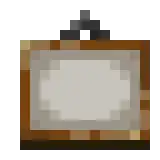
The inner part of item frames render flush and Z-fighting along the block, which means that the inner part of item frames becomes 2D.[7]
Walking horizontally while on cobwebs becomes impossible without the Weaving effect.
Moving in powder snow becomes entirely impossible while sneaking.
Jitter is easily noticeable beyond this point.
Most mobs are unable to jump on blocks correctly; This is probably due to entities being on the edge of block pixels. and the mobs are not fast enough to get through the block.
Leads starts to become easily noticeable and distorted.
Walking is slightly slower than normal.
It starts to become harder to go from walking to sprinting on an axis.
In Pocket Edition v0.9.0 alpha, player movement starts to become jittery, but it is hard to notice due to chunk rendering problems.
The player can no longer move with slowness VI (6).
The Tripwire metal hook becomes flat.
Examples
Tripwire hooks appear distorted past X/Z ±131,072, with noticeable curvy lines.
Sunflowers glitched after X ±262,144.
Ditto but is a photo.
The top part of the metal hook is thin and further distorted after X/Z ±262,144.
Inner part of item frames become 2D after X/Z ±524,288.
Top part of candles rendering incorrectly beyond X/Z ±524,288.
Paintings turn black beyond X/Z ±524,288.
Paintings are pushed half a pixel into the block beyond X/Z ±524,288.
Metal hook of tripwire hooks are thin beyond X/Z ±524,288.
Lever handle appear distorted past X/Z ±131,072, with noticeable slight curvy lines, although sensitive eyes are required to notice the distortion.
Major effects (X/Z ±1,048,576–16,777,215)
This page describes content that has been removed and was only present in earlier versions of Bedrock Edition.
The mountain terrain breakdown appears to have been fixed, it affects 1.21.0.21 but not 1.21.40.22.
This section is missing information about: the following features and effects:
Leads
Cave generation
Raycasting, which seems to result in incorrect blocks being targeted
In older versions, vines start to experience Z-fighting beyond a certain position
Far Lands terrain generation
Please expand the section to include this information. Further details may exist on the talk page.
Blocks are rendered based on their corners, whose coordinates are 32-bit floating point numbers. Generally, these are multiples of 1⁄16. Thus, most blocks render normally as long the floating points are precise to the nearest sixteenth. This breaks at X/Z ±1,048,576 (220), and blocks continue to render incorrectly as the coordinates go even farther out. However, there is never any vertical distortion.[8]
When ray tracing is enabled, the lighting is unaffected by floating-point precision errors, despite the fact that the block shapes themselves are incorrect.[9]
Additionally, many commonly-used forms of movement become difficult or even impossible, and it becomes easier to fall through the world.
The different types of block model deformation have changed a lot over the years, although the update specifics and hardware requirements are unknown. Previously, blocks such as flowers and grass would appear completely 2D beyond 8,388,608 blocks, whereas they appeared as almost normal X shapes in more recent versions, but appearing as 2D again as of 1.16.220. Also, sunflower heads could previously distort to become square, which also no longer happens; the flower appears detached from the plant instead.
In addition here, the terrain starts to break down following the table.
Coordinates
Effects
X/Z ±1,048,576 (±220)*
Coordinates of all entities are slices of 8 (1⁄8 blocks).
The first stage of pitcher pods render wider than normal.
The second, third, and fourth stages of pitcher pods are smaller than normal.
Ladders and vines become pushed into the block it is connected to.
In 0.12.1 builds, Ladders and vines start to experience Z-fighting.
The screen starts to flicker when the player is near powder snow, getting worse at higher coordinates, even with leather armor on. (X/Z Unlike beyond 32,768, as it getting farther when player go near it)
Dropped items fall through the edges of blocks. Dropped items that land on the edges of lava bounce off without burning; this effect continues into the Stripe Lands.
Tripwire hook now thin again similar to X/Z 524,288, but tripwire hook base become flat and undiggable.
X/Z ±2,812,333
Terrain generation partially breaks down at this point. Certain sections of land do not generate any terrain whatsoever, leaving behind aquifers, generated structures, the lava that replaces all air below Y=-56, and the bedrock layer. Scattered monolith-like strips of land that extend up to approximately Y=250 can also be seen in these areas, monoliths occur only at negative/positive X or negative/positive Z coordinates. These terrain generation breakdowns most often occur in areas that contain mountain biomes.[10]
Depending on what platform/console that player are on (whether that be Xbox, PlayStation, etc.), these terrain breakdowns differ between terrain-less areas and monolith-like strips.(It depends on the platform that the game is being played on) For example, on PlayStation, these breakdowns result in monolith-like strips of land, while on Xbox, they do not generate any terrain at all. On Nintendo Switch, the breakdown does not happen at all and on PC and Mobile it could be both, but the terrain never generates normally past this limit on PC and Mobile.[more information needed]
On Xbox, when loading up some worlds made in previous versions, there is a chance of seeing chunks entirely filled with water in these terrain-less areas, replacing any chunk that had no terrain generated within it. These "water chunks" do not affect what was previously generated there, and simply fill the chunk with water up to approximately Y=64. These chunks can also be either partially frozen or completely frozen into chunks full of ice depending on their location. They do not generate outside of the terrain-less areas. On some occasions, these chunks can have small parts of land inside of them.
The cause for these water chunks is unknown, and only one player so far is known to have witnessed this.
Coordinates of all entities are slices of 2 (1⁄2 blocks).
It becomes extremely difficult to traverse the world on foot from here. In order to continue navigating around the world, players need to use ender pearls, chorus fruit, elytra with fireworks or a Riptidetrident (if raining or underwater), horseback, boats, or any method that would be at least five blocks per second normally (the minimum speed possible from here is 10 blocks per second), meaning moving in normal walking speed is impossible.
One can travel on foot past 4,194,304 by jumping one time and sprinting. If it was walking, then it moves 1 block.
One cannot jump normally. The Jump Boost effect does not work. Stairs and slabs or blocks less than 0.5 blocks tall still work past this point.
Moving while sprinting works only if the player looks directly into an axis and is faster than normal.
Entities less than 0.5 blocks wide (such as items and silverfish) fall through the edges of blocks, but can still stand on the centers.
Status effect particles snap to the center of the player, causing them to bunch around the center of the screen.
All stages of amethyst buds are stretched to a full block.
The floating point precision loss causes at least half of the valid coordinates to be considered "invalid", making it easy to fall through the world beyond this point.[12]
The second stage of cocoa beans is flat just like the first stage.
The third stage of cocoa beans appears stretched as a full block.
When the player is in powder snow the screen sometimes flickers fighting trying to see if the player is inside or outside of powder snow even with leather armor on.
Swimming works only if the player is near a dolphin, or with the Speed effect[verify].
The second highest top part of the dragon egg is invisible including the highest part.
In Pocket Edition v0.9.0 alpha, the player falls through blocks, if teleported a few blocks before this position. If teleported past this position the player can still stand on the blocks but cannot move along this axis.
X/Z ±8,388,608 (±223)*
Coordinates of all entities are integers (1 block), meaning that all entities are on the edges of blocks. As a result, most entities less than 1 block wide (including players) always fall through blocks, except when using speed 8. The only entities that can stand on blocks from this point onward are boats, minecarts on rails (when placed correctly), spiders, horses, iron golems, polar bears, and ravagers. The player falls through blocks if the player rides an entity other than the ones described above, uses an ender pearl, gets in water or lava or teleports beyond this coordinate.
If only one coordinate exceeds this value, blocks still have collision detection from the side.
The player can still be considered "under" blocks, meaning that phantoms do not spawn. Thus, it is theoretically possible to travel to and from the Stripe Lands in Survival using above-average in speed horses.
The minimum movement speed is increased to ten (10) blocks per second, meaning that sprinting, boats (except in frozen oceans), horses (except for the faster ones mentioned above), and swimming are no longer usable sources as a method of movement. Speed 8 allows players to walk past 8,388,608 without falling.
To fly in Creative mode, the player must sprint or look directly along an axis, unless the player position is controlled by 64-bit doubles instead of 32-bit floats. The Speed effect does not work, due to MCPE-61425. In addition, flying at this coordinate is bumpy, even when the player is sprinting and looking directly along an axis.
Most blocks that normally render as partial blocks are either stretched to become full blocks, or squished to become 2-dimensional. The exception is a few blocks that render normally no matter how far out the player travels, such as chests, bells, copper golem statue, cobweb and beds.
If both coordinates exceed this value, partial blocks that normally render as 2D this far out become 1-dimensional and are therefore completely invisible.
Stairs render like full blocks or slabs, with stretched textures.
Ender dragons start to flap their wings faster, getting worse the higher coordinates they are at.
Previously, cross models would render stretched out (changed from rendering 2D as of an unknown update), however as of 1.16.210 they render flat again.
The first and second stage of cocoa beans are either pushed into the block when placed horizontally and render as full blocks when placed vertically.
The shadow of signs are at the edge of the block the sign is on.
The notes that come from jukeboxes and noteblocks are on the edges of the block.
Caves in the Caves and Cliffs update sometimes generate with perfect curves or horizontal halls.
In older versions (before 1.18 or the Caves and Cliffs terrain redesign), beyond this point, cave generation starts to become distorted, with only every second block being hollowed.
Tripwire string is now visible again but stretched to a full block.
The void floor at Y=-105 (in the Overworld) or Y=-41 (in the Nether and the End) can no longer support entities, therefore the player can fall infinitely in the void.
At negative Z with positive X coordinates, the terrain become skygrid.
At negative X with positive Z coordinates, the terrain generation stops entirely, except for bedrock, badlands biomes, generated structures, and ocean features.
If both negative coordinates exceed this value, the terrain generation stops entirely, except for bedrock, badlands biomes, generated structures, and ocean features.
Between X/Z: +12,559,913 and X/Z: +12,758,545*
The Far Lands begin to take on a thinner “shredded” appearance, before fading out into either a Nothingness or Skygrid state.
Types of the Far Lands
Color
Code
Description
A
Early Edge Far Lands
N
Nothingness
G
Skygrid
B
First degradation of the Edge Far Lands
C
Second degradation of the Edge Far Lands
D
Third degradation of the Edge Far Lands
E
Fourth degradation of the Edge Far Lands
Coordinates
Effects
Overworld (After 1.16.30)
Nether and End (All dimensions until 1.16.30)
X +12,559,913
B
Some stretches of terrain stop suddenly beyond this point, marking the transition from the Tunnel Lands to the Pole Lands.
B
The Far Lands start to transition from "the Loop" into the Comb Lands, where sections of land that are 3 blocks wide are missing, giving way to comb-like structures.
X +12,560,361
C
The Far Lands completes the transition from the tunnel Lands to the Pole Lands.
C
The terrain suddenly changes to have more comb-like structures.
X +12,561,029
D
The Strip Lands generate, which consists mostly of 1D and 2D panels of land.
Z +12,561,029
D
Some stretches of terrain stop suddenly beyond this point, as the Far Lands start to transition from the Tunnel Lands to the Pole lands.
D
The Far Lands start to transition into the Comb Lands, farther than the X Far Lands.
X +12,562,277
E
The Far Lands almost disappear, although a few rare isolated blocks of terrain may generate.
E
The terrain becomes horizontal solid or dotted lines of blocks.
Z +12,562,277
E
The Z Polestrip Lands generate, which generates like the Pole Lands here, but gradually changes to the Strip Lands until nothing generates.
E
The Z Strip Lands generate.
X +12,758,545
N
Terrain generation stops entirely, except for certain features listed below.
Z +12,758,545
N
Terrain generation stops entirely, except for certain features listed below.
The Far Lands now appear much thinner than before, with the Edge Far Lands now containing strips of terrain at various widths connecting via right angles.
Stack of terrain connected with pillars now generate on the corner of the Far Lands at positive X coordinates.
An elevated land now generates at the negative X coordinates of the Far Lands
Notable effects beyond the 32-bit limit (X/Z ≥2,147,483,648) and the 128-bit limit
Bedrock Editor beyond X/Z ≥33,554,432
Please expand the section to include this information. Further details may exist on the talk page.
Here, the rendering fundamentally breaks down to the point where normal gameplay is completely impossible. Also the cone that appeared in front of the player at 536,870,912 no longer occurs as of 1.18.0.
The floating point precision errors cause only blocks with even coordinates not divisible by 4 to render, and are stretched to 2 blocks wide. Blocks at other coordinates are rounded to the nearest multiple of 4 and render 2 dimensional. Blocks render only if they are "exposed" to air or another see-through block. This phenomenon is known as the Stripe Lands. In contrast, the Stripe Lands starts at X/Z ±9,007,199,254,740,992 in Java Edition, as the block rendering coordinates use 64-bit doubles instead. In the Corner Stripe lands, blocks with both coordinates 2 mod 4 render double length and double width, blocks with 1 such coordinate render 2D and double length, and blocks with no such coordinate render 1D (thus, the block is completely invisible unless the player is inside it).
Coordinates of all entities are multiples of 2.
This does not impact the way maps are rendered.
If the player manages to set their coordinate to an odd number or move into any area not rendered, they get stuck in a glitched position, unable to move the camera view properly, or move in any direction.
2D blocks are non-solid, even from the sides. However, ghasts, large slimes, and large magma cubes treat both 2D and 3D blocks as solid because they are more than 2 blocks wide.
The game doesn't recognize that the player is in water if the player's coordinates are a multiple of 4, causing the player to fall through water and into the void, it is unable to enter swimming, and the fog is black or dark blue. However, water still causes the player to exit gliding, and boats still float.
In the Corner Stripe Lands, water is recognized only if both X and Z coordinates are not a multiple of 4.
The minimum speed is increased to 20 blocks per second, meaning that it is no longer possible to move using regular Creative mode flight or with horses without using speed effect, leaving only flight by an elytra (either with firework rockets or a Riptide trident or horse with speed effect) and teleportation by any means.
Moving using fast Creative mode flight is still possible, but only if the player looks directly into an axis.
In older versions before 1.2.0, the player can still use fast Creative mode flight without looking directly into an axis.
In any biome where multiple blocks can generate as part of the top surface layer, such as windswept hills and old growth taigas, their surfaces become distorted and start to form blocky shapes. The terracotta strata in badlands biomes have also become further distorted. Because the majority of blocks do not render in the Stripe Lands, this is noticeable only when viewed on a map.
In Bedrock Editor, when placing object beyond this point, it place as a stripes.
If the map turn on in Bedrock Editor beyond that point, it matching with stripes.
X/Z ±30,000,000
This is the maximum teleportation distance for /tp command and it is impossible to teleport beyond this distance in the vanilla game. Any attempts to teleport farther puts the player back at this coordinate, and using commands at this point causes an "Unable to fill, summon, more object" error message, because it is an Illegal position in the command. Players who write certain command on this coordinates with chat or command block get an error message. Attempting to use any block placement command results in an error message. Despite this, it is still possible to use structure blocks and the /locate command. The only way to teleport is use Bedrock Edition 1.2.0.
Horizontal block rendering stops completely, leaving only vertical block rendering in its place, marking the start of the Slice Lands.[unofficial name] The floating point precision errors cause only blocks with even coordinates not divisible by 8 to render, and are stretched to 4 blocks wide, making start of Stripe Gap Lands. Blocks whose sides are "concealed", such as naturally generated water, are completely invisible.
At this point, the slices are 4 blocks apart, but the gap widths double for every power of 2.
The phenomenon is also known as the Stripe Gap Lands.
Coordinates of all entities are multiples of 4.
It has become difficult to place blocks from this point onward. The player must look at an existing block and extend it along an axis. The only way to generate blocks (to place on) without external tools is to use the structure block.
Past this point, blocks are now completely invisible on a superflat world in some low-end and mid-end devices.
Block rendering essentially stops completely, causing the map to be blank from their outward in the Corner Slice Lands;[15] almost all blocks are rendered as one-dimensional, and are therefore impossible to see, although some particles emitted from specific blocks, like torches, could still indicate their presence. Only certain block entities and any normally visible water side textures render in this area, which means that, due to the End having no water nor lava, it is almost completely invisible.
Water can be viewed only from the side, and becomes completely non-solid.
The minimum movement speed is increased to 40 blocks per second, meaning that thrown ender pearls no longer work. Teleportation is now possible only by chorus fruit because teleportation by commands stops at 30,000,000 blocks. Elytra either require a steep angle or a Riptide trident in rain to propel the player. (Note that since the player is not considered to be "in water", Riptide can be triggered only from rain.) Thrown tridents, arrows shot from bows or crossbows and ender dragons are the only other entities that can move horizontally beyond this point, other than the player. Ghasts can no longer move horizontally either, but they do remain airborne without ever falling into the void, while moving vertically.
Teleporting past X/Z 33,554,432 directly using external tools (like Toolbox), since the game won't let the player teleport past X/Z 30,000,000 using commands, chunks refuse to load, resulting in the player not seeing any terrain, and not being able to move. This boundary was added back in 2023 in an unknown update. (possibly)
On some low-end and mid-end devices, the world does not render anymore, and if the player teleports back to X/Z 0, the player can't interact with the world anymore and has to relog. This can be fixed by reloading the world and teleport back to near X/Z 30,000,000 and teleport back to X/Z 0.
If the player tries to load into the world on some low-end and mid-end devices, beyond this point, it crashes, which prevents the world from being played on without editing the coordinates of the player or the spawn point with an NBT editor.
In modern versions, if a riptide trident is used beyond that point, it becomes easy for the player to get stuck, and if the player move back, they automatically get teleported to this coordinate without using the teleport command.
The map becomes invisible when the map turns on in the Bedrock Editor beyond that point.
X/Z ±67,108,864 (±226)*
The floating point precision errors cause only blocks with even coordinates not divisible by 16 to render, and are stretched to 8 blocks wide. Blocks whose sides are "concealed", such as naturally generated water, are completely invisible.
The minimum movement speed is increased to 80 blocks per second, meaning that thrown tridents cannot move horizontally and the use of an elytra requires a Riptide trident. It is possible to move only when raining.
It becomes impossible to look horizontally in third person view.
Coordinates of all entities are multiples of 8.
The visual gaps are 8 blocks wide, thus marking the beginning of the Slice Gap Lands.
The game crashes at this point if the world is in any version below 1.18 without the "Caves And Cliffs" experiment feature on, this is possible only by using an NBT editor.
If both X and Z exceed this value, setting the player to third person view causes the game to crash.
X/Z ±134,217,728 (±227)*
The floating point precision errors cause only blocks with even coordinates not divisible by 32 to render, and are stretched to 16 blocks wide.
Coordinates of all entities are multiples of 16, equivalent to one chunk section.
The visual gaps are 16 blocks wide.
All entities are on the edges of chunks.
The minimum movement speed is increased to 160 blocks per second, meaning that arrows shot from bows or crossbows cannot move horizontally and Riptide starts to become less usable at low levels. More specifically, Riptide I (1) works only if the player looks directly along an axis and does it many times; with Riptide II (2) The player don't have to use it as much to propel. Even ender dragons can no longer move horizontally either, but they do remain airborne, similarly to ghasts.
In older versions, this is the farthest point where generated structures can generate on mobile devices. However, on Windows and non-mobile gaming consoles, structures continue to generate all the way to the 32-bit integer limit.
Some chunks start to render incorrectly despite make terrain messed up via map.
Teleportation using chorus fruit becomes impossible, marking the absolute edge of the world reachable without external tools.
X/Z ±268,435,456 (±228)
The floating point precision errors cause only blocks with even coordinates not divisible by 64 to render, and are stretched to 32 blocks wide.
Coordinates of all entities are multiples of 32, equivalent to two chunks section.
The visual gaps are 32 blocks wide.
The minimum movement speed is increased to 320 blocks per second, meaning that levels of Riptide below level II (2) no longer work, and Riptide II (2) barely works. More specifically, Riptide II (2) works only if the player looks directly along an axis and does it many times.
It is impossible for any entity to move horizontally, without modifying the player's flying speed, or the player position is controlled by 64-bit doubles.
X/Z ±536,870,912 (±229)
The floating point precision errors cause only blocks with even coordinates not divisible by 128 to render, and are stretched to 64 blocks wide.
Coordinates of all entities are multiples of 64, equivalent to four chunks section.
The visual gaps are 64 blocks wide.
Until 1.18, a large "cone shape" in front of the player appears. This cone is oriented along the X or Z axis, rather than the direction the player is facing. It is always composed of 16×16×16 cubes (essentially sections of chunks). This presumably occurrs due to fructum culling losing precision.
Since beta 1.17.30.24, some devices (low and mid-end classes) can no longer survive in this position and frequently crash at this point. If players can successfully go to this coordinate or over, they can survive for few seconds before the game crashes. Therefore, increasing the render distance can crash the game and only high-end devices can survive at this position.
The minimum movement speed is increased to 640 blocks per second, meaning that no vanilla method of movement works anymore, even Riptide III (3).
In versions older than 1.18, frustum culling lost its precision, which made areas directly in front of the player not render.
X/Z ±1,073,741,824 (±230)
The floating point precision errors cause only blocks with even coordinates not divisible by 256 to render, and are stretched to 128 blocks wide.
Coordinates of all entities are multiples of 128, equivalent to eight chunks section.
The visual gaps are 128 blocks wide.
The minimum movement speed is increased to 1,280 blocks per second, meaning that Riptide levels below IX (4) no longer work.
The world is completely invisible with a render distance of 7 chunks or less.
Due to the immense distance of the gaps, these Stripe Lands essentially become the Invisible Stripe Lands.
Until 1.18, the "cone" in front of the player widens. The world is completely invisible with a render distance of 15 chunks or less (unless the player position is controlled by 64-bit doubles), despite the fact that the gaps are only 8 chunks wide.
Due to the immense distance of the gaps, these Stripe Lands essentially become the Invisible Stripe Lands.
The camera starts to render parts of the world invisible.
Parts of the world go invisible depending where the players camera is at.
It becomes impossible to render fancy leaves with a render distance of 16 chunks or less.
Could crash beyond this point on some lower end devices.
X/Z ±2,147,483,647 (±231 − 1)*
The game crashes near this point, as this is above the maximum value for a signed 32-bit binary integer in C++. Specifically, the game crashes if the player attempts to load a chunk that is within 64 blocks of this limit of 2 frames, so increasing the render distance can make the rendering limit get closer and crash the game.
In older versions, teleporting a few blocks just before this limit causes the player to get stuck in a glitched position after a few seconds, being unable to move in any direction (althrough moving the camera is still possible). This happens especially with a high render distance.
±231 and beyond
X/Z ±2,147,483,648 (±231)
Coordinates of all entities are multiples of 256, equivalent to sixteen (16) chunks section.
The visual gaps are 256 blocks wide.
The minimum movement speed is increased to 2,560 blocks per second, meaning that Riptidetrident levels below XVIII (18) no longer work.
X/Z ±4,294,967,296 (232)
Coordinates of all entities are multiples of 512, equivalent to 32 chunks section.
The visual gaps are 512 blocks wide.
The minimum movement speed is increased to 5,120 blocks per second, meaning that Riptidetrident levels below 36 no longer work.
X/Z ±8,589,934,592 (233)
Coordinates of all entities are multiples of 1,024, equivalent to 64 chunks section.
The visual gaps are 1,024 blocks wide.
The minimum movement speed is increased to 10,240 blocks per second, meaning that Riptidetrident levels below 72 no longer work.
X/Z ±17,179,869,184 (234)
Coordinates of all entities are multiples of 2,048, equivalent to 128 chunks section.
The visual gaps are 2,048 blocks wide.
The minimum movement speed is increased to 20,480 blocks per second, meaning that Riptidetrident levels below 144 no longer work.
X/Z ±34,359,738,368 (235)
Coordinates of all entities are multiples of 4,096, equivalent to 256 chunks section.
The visual gaps are 4,096 blocks wide.
The minimum movement speed is increased to 40,960 blocks per second, meaning that Riptidetrident levels below 255 no longer work since 255 is the maximum vanilla level possible.
This would be the point where chunks begin to be overwritten, so the game would presumably crash as a result, much like how it occurs on Java Edition, since chunk coordinates are also 32-bit integers.
X/Z ±281,474,976,710,656 (±248)
Coordinates of all entities are multiples of 33,554,432, equivalent to 2,097,152 chunks section.
The visual gaps are 33,554,432 blocks wide.
The minimum movement speed is increased to 335,544,320 blocks per second.
At this point, it would require achieving speeds greater than the speed of light to move, which is approximately 299,792,458 blocks per second, and impossible to achieve in real life based on all currently accepted physics.
The game may crash on 64-bit low-end devices at this point.
X/Z ±9,007,199,254,740,992 (253)
Coordinates of all entities are multiples of 1,073,741,824, equivalent to 67,108,864 chunks section.
The visual gaps are 1,073,741,824 blocks wide.
The minimum movement speed is increased to 10,737,418,240 blocks per second.
The player hand start to jitter at every power of two (2). (2540*1080 screen required to notice the hand jitter)
X/Z ±53,905,378,846,979,748 ((263) – 1⁄171.103)
The Far Lands would generate at this expected distance from the center of the world, however, since the source code is unavailable to the public, it is impossible to modify the game to allow terrain generation past the 32-bit maximum signed integer limit, unlike in Java Edition, making them inaccessible regardless of the means to do so.
The Far Lands would presumably start at this distance, give or take billions of blocks of offset, since the terrain's generation algorithms, involving high, low and selector noise generators, use 64-bit floats.
The Corner Far Lands would presumably look like the stack from Java Edition.
It's unclear if the Far Lands would still break down, or if the Depth Noise Far Lands, Farther Lands, Fartherer Lands and Farthest Lands would exist.
It's also unclear if the precision loss that caused the Repetitive Edge Far Lands would or directly still occur at its old coordinate, which could mean that or before the Edge or the Corner Far Lands could or would presumably look like the Java Edition Corner Far Lands.
X/Y/Z ±9,223,372,036,854,775,807 (±263 – 1)
The game, assuming it were patched to use 64-bit floats, would crash near this point while using 64-bit systems, as this is above the maximum value for a signed 64-bit binary integer in C++. Also, the game would also crash if the player attempts to load a chunk beyond this coordinate, so increasing the render distance can make the rendering limit get closer, resulting again in a crash.[verify][more information needed]
X/Z ±9,223,372,036,854,775,808 (±263)
Coordinates of all entities are multiples of 1,099,511,627,776 (240).
The visual gaps are 1,099,511,627,776 blocks wide.
The minimum movement speed has reached 10,995,116,277,760 blocks per second by this point.
X/Z ~3.4028237e+38 or ±3.4028237x1038 (±2128)
This is the maximum value for a 32-bit floating-point number in C++. Beyond this point, it is expected that the player's coordinates would roll over to read "Infinity," as the 32-bit floating point precision has run out of bits to represent coordinate data. It's impossible to go further than this point, as a value of "Infinity" would break rendering code in Bedrock Edition. This could also overflow to read "NaN" (not a number) or a null value, which, again, would break rendering code and result in unpredictable behavior, such as visual glitches, invalid positioning and even the game crashing as a result.[verify]
X/Z ±1 duodecillion (1039)
Caves at this point would generate only as single hollowed-out blocks, every 2, 4 and so on.[verify]
X/Z ±≥1 tredecillion (1042) to ~2.2300745e+43 or ±2.2300745*1043 (2144) [very rough estimation][check the code]
The game crashes on some certain 64-bit mid-high-end devices.
After 500 quindecillion (5*1050), sounds start to play incorrectly.[more information needed]
After 2 sexdecillion (2*1051), sounds start to mute.
X/Z ±1 vigintillion (1063)
The cone shape appears on this coordinate after 1.18.0.[verify]
X/Z ±1 googol (10100)
Beyond this point, the player sometimes gets stuck at these coordinates.[more information needed][verify]
X/Z ±1 gargoogol (10200)
Beyond this point, setting the player to third person view causes the game to crash.[verify]
X/Z ±1 centillion (10303)
At this point, eating causes the game to freeze and has a 70% of chance that causes the game to crash.[verify]
X/Z ±~1.7976931e+308 (21024)
This is the maximum value for a patched 64-bit floating-point number in C++. Beyond this point, just like with the limit of the 32-bit float at around 3.4028237e+38, it is expected that the player's coordinates would also roll over to read "Infinity", assuming it were patched to use 64-bit floats, as the 64-bit double precision has run out of bits to represent coordinate data. It's impossible to go further than this point, as a value of "Infinity" would break rendering code in Bedrock Edition. This could overflow to read "NaN" (not a number) or a null value, which, again, would break rendering code and result in unpredictable behavior, such as visual glitches, invalid positioning and even the game crashing as a result.[more information needed]
The Stripe Lands are an artifact of the game's rendering and block hitbox calculation, rather than a quirk relating directly to terrain generation.[16] The Stripe Lands start at X/Z ±16,777,216, under the same terrain effects as Nothingness and Skygrid. They exist because coordinates are off by up to a full meter, causing the blocks themselves (not just their corners) to appear in the wrong places.
Even after reaching 30 million blocks (The maximum teleport limit), it is still possible to Fly both vertically and horizontally and even diagonally by spamming firework rockets of flight duration 3.
Past X/Z: ±33,554,432 all blocks are rendered as two-dimensional, and the gap between valid blocks doubles to 1 out of four. This gap doubles again at every power of 2 and reaches 128 blocks wide at X/Z: ±1,073,741,824. This is the widest the gaps can be since the game crashes near X/Z: ±2,147,483,648 (Unless it uses 64-bit and 128-bit devices). Until 1.18, at ±536,870,912, a large "cone shape" in front of the player appears. This cone is oriented along the X or Z axis, rather than the direction the player is facing. It is always composed of 16×16×16 cubes (essentially sections of chunks). This was presumably caused due to fructum culling losing precision.
Examples
The first screenshot posted of the Stripe Lands, by Tommaso Checchi, at X/Z 32,000,000.[17]
A village in the corner stripe Lands.
A jungle temple in the corner stripe Lands.
Some underground fossils that have generated in the Edge Stripe Lands. Be noticed, that Bedrock layers generate too.
Some underground fossils that have generated in the Corner Stripe Lands. Be noticed, that Bedrock layers generate too.
Ditto but shows the locations of the fossils and all fossils on the images is circled.
Overhead view of the Corner Stripe Lands.
The 25-bit boundary area in the form of 2d lands and Stripe Lands.
At the integer X / Y: 24-bit position, the Nether begins to strip and becomes a dot chunk.
A savanna village at the Stripe Lands at X/Z ±16,777,216. Any structure that generates past this limit is rendered as two-dimensional.
The previous screenshot at the opposite angle.
A cold biome in the corner Stripe Lands. 2 polar bears are visible. They don't fall into the void.
After beta 1.17.20.20, when the terrain cutoff was removed.
A village near the Stripe Lands.
Terrain failing in the Stripe Lands.
Terrain failing in the Corner Stripe Lands.
Blocks become invisible after X/Z ±33,554,432 in superflat worlds.
The monolith-like terrain bug in the Stripe Lands.
The monolith-like structure in the Corner Stripe Lands.
A cave in the Stripe Lands.
A Pillager Outpost in the Stripe Lands. To the left of the image, terrain failure can be seen.
A Sculk Sensor and a Sculk Shrieker in the Stripe Lands.
A Stripe Lands in Bedrock Editor, notice a map matching with stripes.
A player using speed horse past X/Z 16,777,216 with horse don't fall into world and it works most of the times.
Vertical effects
Like the X and Z axis, the game breaks at excessive Y coordinates. Since blocks cannot be placed above Y=127 (Until PE 1.0.0), Y=255 (Until 1.18) or Y=319 (after 1.18), block rendering glitches do not occur, but other effects do.
Many of these effects would occur at negative coordinates, but there is a barrier at Y=-41 (until 1.18) or Y=-105 (after 1.18)Has no barrier in PE 1.0.0 untilBedrock Edition.. Beyond this entities can move only vertically using the "fall through the world" glitch, or teleporting below Y=-40 (until 1.18) or Y=-104 (after 1.18). Thus the barrier can be avoided by teleporting past X/Z ±8,388,608. Also, all entities, except players in Creative, take large amounts of damage and then disappear in the void.
Height limit of the buildable area in the Overworld.[untilPE 1.0.0] and the Nether.
Y +255
Height limit of the buildable area in the Overworld.[untilBE 1.18.0] and the End.
Y +319
Height limit of the buildable area in the Overworld.[after BE 1.18 0]
Start of Vertical Effects
Coordinates
Effect
Y ±65,536
Particles turn black or dull green (or just dark) depending on the time of day within 64 blocks of this limit, this occurs at every power of 2 starting from this point.[verify]
Particles appear to be jittering only if the player has Levitation I or II and floats with them or looks at them closely.
When the player looks up and down with sensitivity on a low number like 0, the player in 3rd person appears bumpy.
Snow starts to have a jittery movement beyond this point, getting worse the higher height are.
Y ±131,072
Most effect particles cannot rise into the air.
Opening the inventory is impossible if the player hits this point between ±131,072 and ±262,144, the inventory still works if reloaded the world or the player teleports beyond ±262,144, but not below that point.
Particle jitter is noticeable beyond this point and appear to be jittering even if the player is standing still.
Y ±262,144
Floating with levitation I (1) becomes slightly slower than normal.
Floating with levitation I becomes slightly faster then normal.
It becomes possible to notice jumping being less smooth if the player summons a shulker this high and jumps on the shulker.
Y ±1,048,576
Levitation II (2) floating is slightly faster at this point.
It becomes impossible to float with levitation I (1).
Y ±2,097,152
Floating upward by holding the jump button with elytra and Slow Falling is no longer possible.
There is a delay between when the player exits flight mode while having slow falling and when the player actually starts falling. However, noticing the Slow Falling delay is kind of hard.
Floating with Levitation II (2) and lower becomes impossible.
Slightly looking upward while gliding with elytra could keep the player height constant.
If the player summons a shulker this high and falls on it, after the player lands on the shulker the players hand moves up and down rapidly (only if view bobbing is on). if the player switches to 3rd person during the small jumps, the player appears as if the player was not jumping.
It is impossible to jump without Jump Boost effect.
If the player spawns and gets on a shulker, the player appears floating slightly above the shulker even in Survival mode.
Floating with Levitation V (5) and lower becomes impossible.
Y ±8,388,608
Status effect particles snap to the head, feet, and center of the player, resulting in a glitched animation assuming the player is in first person.
Slow Falling causes the player to be stuck in mid-air, however, particles turn black within 8,192 blocks of this limit.
Flying upward in Creative is no longer possible, although the player can still fly downward.
There is a delay between when the player exits flight mode and when the player actually starts falling.
Flying downward in Creative is much significantly faster than normal.
Floating with Levitation XI (11) and lower becomes impossible.
Y ±16,777,216
The delay described above is even longer.
Flying downward in Creative is no longer possible.
Floating with Levitation XXII (22) and lower becomes impossible.
in 3rd person the player can look only horizontal or vertical.
Floating with Levitation LXXXVIII (88) and lower becomes impossible.
Flying upward with elytra and jump button in Creative becomes impossible.
The game crashes at this point if the world is played in any version below 1.18 without the "Caves And Cliffs" experiment feature on this is possible only by using an NBT editor.
Y ±134,217,728
Floating with Levitation CLXXVII (177) and lower becomes impossible.
It becomes impossible to look up or down in 3rd person.
Y ±268,435,456
Floating with any Levitation level like CCLV (255) becomes impossible since 255 is the maximum vanilla level possible.
Y ±536,870,912
Since beta 1.17.30.24, some devices (low and mid-end classes) can no longer survive in this position and frequently crash at this point. If players can successfully go to this coordinate or over, they can survive for few seconds before the game crashes. Therefore, increasing the render distance can crash the game and only high-end devices can survive at this position.
In older versions (before 1.2), rain particles become suspended in the air beyond this point.
Y ±1,073,741,824
Could crash beyond this point on some lower end devices.
Y ±2,147,483,647
The game crashes near these coordinates on 32-bit devices (see above), although, since the position is 64-bit, there can be a few frames left are rendered before it crashes.
Although, since the position is 64-bit, there can be a few frames left when the player teleport here.
Y ~3.4028237e+38 or ±3.40x10^38 (2128)
The maximum 32-bit floating-point integer in Bedrock Edition. Beyond this point, it is expected that the player's coordinates would roll over to read "Infinity," as the 32-bit floating point precision has run out of bits to represent coordinate data. It's impossible to go further than this point, as a value of "Infinity" would break rendering code in Bedrock Edition. This could overflow to read "NaN" (not a number) or a null value, which, again, would break rendering code and result in unpredictable behavior, such as visual glitches, invalid positioning and even the game crashing as a result.[verify]
Y ±~1.7976931e+308 (21024)
The maximum 64-bit floating-point integer in Bedrock Edition, comparable to Java Edition. Beyond this point, just like with the limit of the 32-bit float at around 3.4028237e+38, it is expected that the player's coordinates would also roll over to read it is expected that the player's coordinates would roll over to read "Infinity," as the 64-bit double precision has run out of bits to represent coordinate data. It's impossible to go further than this point, as a value of "Infinity" would break rendering code in Bedrock Edition. This could overflow to read "NaN" (not a number) or a null value, which, again, would break rendering code and result in unpredictable behavior, such as visual glitches, invalid positioning and even the game crashing as a result.
[more information needed]
Analysis
This section contains an analysis of distance effects in Bedrock Edition.
X/Z: 2,048 - First noticeable distance effect, with the chunk border becoming visible (although it's very hard to notice at this point) and the block selection highlight appearing to flicker when the camera is moved.
X/Z: 16,384 - Chunks start to become detached from their positions (but it's very unnoticeable at this point).
(Borders of chunks begin to become clearly visible depending of the camera angle).
X/Z: 131,072 - Chunk rendering issues become really noticeable beyond this point, with the chunks "shaking" in response to camera movement.
X/Z: 262,144 - It becomes obviously noticeable that the chunks are detached.
X/Z: 524,288 - Player movement starts to become jittery, but it is hard to notice due to chunk rendering problems. It also becomes impossible to move forward or backward in cobwebs beyond this point.
Player movement precision loss
X/Z: 4,194,304 - Moving using normal walking speed is no longer possible; if the player moves using normal walking speed, they move 1 block.
(The player falls through blocks, if teleported a few blocks before this position. If teleported past this position the player can still stand on the blocks but cannot move along this axis).
X/Z: 8,388,608 - Boats, horses (except the faster variants), sprinting (without using speed effect), swimming are no longer usable forms of movement.
(The player can no longer stand on the blocks and falls through the void).
X/Z: 16,777,216 - Moving using horses without speed effect and normal Creative mode flight is no longer possible.
X/Z: 33,554,432 - Ender pearl no longer work (teleporting is still possible with chorus fruit).
X/Z: 67,108,864 - Movement requires elytra with a Riptide trident.
This section is missing information about: probably a better idea to have a history section much like that already exists at the java edition page but there's so much info and no bedrock edition launcher to the point where in depth analysis is unreasonably hard
Please expand the section to include this information. Further details may exist on the talk page.
Due to the implementation of infinite worlds[verify], it's no longer possible to teleport beyond the 32-bit integer limit on any axis, as the game crashes when reaching the limit.
Negative
This version is the first appearance of the Far Lands.
Like in Java Edition Beta 1.8, distance effects has been fixed in all dimensions. However, The Far Lands, 3D distortion, The Stripe Lands and non-solid blocks still occur.
The terrain of the newly-introduced mountains partially breaks down starting at X/Z ±2,863,313. Areas that are normally high enough to generate jagged peaks or frozen peaks instead generate monolith-like structures that extend all the way to the world height limit, as well as areas that solely contain ice from sea level to the bedrock layer. The exact effects on the terrain differ between 32-bit and 64-bit builds of the game.
World height limit has been increased, so the Far Lands height has been increased to average 133 and changed with it (may variants height of far lands depending of the area, seeds and coordinates). Sometimes, the Far lands can generate monoliths after Y=128 or the Far lands can generate to the height limit. Any world that was created before 1.16.220.50 won't generate monoliths.
Changed how mountain terrain breaks down. The areas that contain monolith-like structures and seas of ice are different from before, and the terrain surrounding such areas is now slightly smoothed out, giving them a more natural appearance. The Far Lands now appear much thinner than before, with the Edge Far Lands now containing strips of terrain at various widths connecting via right angles.
Stack of terrain connected with pillars now generate on the corner of the Far Lands at positive X coordinates.
An elevated land now generates at the negative X coordinates of the Far Lands
Fixed mountain terrain breaking down at X/Z ±2,863,313.
Positive
Like in Java Edition Beta 1.8, the Far Lands, Nothingness and the Skygrid have now removed and has been pushed past the maximum signed 32-bit integer limit (or just fixed) in all dimensions, and terrain beyond X/Z ±12,550,821 for the most part changes to normal terrain and generates normally (Until 53.9 Quadrillion where the Far Lands begin in 1.17.30, beta 1.17.20.20 and onward).
However, 3D distortion, The Stripe Lands, non-solid blocks and other distance effects still occur.
The partial terrain generation breakdown beyond X/Z ±2,812,333 has been inadvertently introduced alongside as a result of the terrain generation rewriting process.[is this the correct version?]
This page would benefit from the addition of more images.
Please remove this notice once you've added suitable images to the article.
Redstone posted beyond 4,194,304 blocks. Redstone lines are completely invisible and the rest of redstone renders incorrectly (one of the crosses is connected to four lines).
Eroded badlands in the Stripe Lands, surrounded by the skygrid.
The Slice Lands start generating at X/Z ±33,554,432, with a distance of four blocks between rendered sections.
The start of the Corner Slice Lands.
Block entities rendering in the Corner Slice Lands.
Water rendering in the Corner Slice Lands.
The world beyond X/Z ±67,108,864, with a distance of eight blocks between rendered sections.
The world beyond X/Z ±134,217,728, with a distance of 16 blocks or 1 chunk between rendered sections.
The world beyond X/Z ±268,435,456, with a distance of 32 blocks or two chunks between rendered sections.
The world beyond X/Z ±536,870,912, with a distance of 64 blocks or four chunks between rendered sections.
The world beyond ±X/Z ±536,870,912. A large area in front of the player is completely invisible, presumably due to the fructum culling losing precision.
The world beyond X/Z ±1,073,741,824, with a distance of 128 blocks or eight chunks between rendered sections.
Black Particles happen at every power of 2 starting around Y ±65,536.
Woodland mansion in the Corner Slice Lands.
A Stripe Lands and Far Lands in Bedrock Edition 1.2.2
↑MCPE-146021 — Mountains won't generate higher in high distances, instead it generates a deep, glitched hole that sometimes generates aquifers — resolved as "Won't Fix".
↑MCPE-19828 — Blocks after X/Z ±4,194,304 are non-solid — resolved as "Works As Intended".



 Tripwire hooks appear distorted past X/Z ±131,072, with noticeable curvy lines.
 Ditto but is a photo.
 The top part of the metal hook is thin and further distorted after X/Z ±262,144.
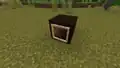 Inner part of item frames become 2D after X/Z ±524,288.
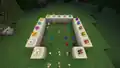 Top part of candles rendering incorrectly beyond X/Z ±524,288.
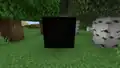 Paintings turn black beyond X/Z ±524,288.
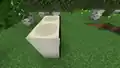 Paintings are pushed half a pixel into the block beyond X/Z ±524,288.
 Metal hook of tripwire hooks are thin beyond X/Z ±524,288.
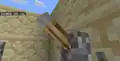 Lever handle appear distorted past X/Z ±131,072, with noticeable slight curvy lines, although sensitive eyes are required to notice the distortion.

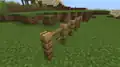 Fence texture renders flat
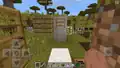 Same as the video but is a photo
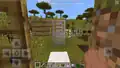 Same world, same position, different angle.
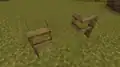 Fence gate texture renders flat after X/Z ±2,097,152
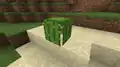 Cacti incorrectly render as full blocks, with gaps at the edges
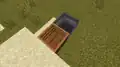 Cauldron and composter have completely flat walls
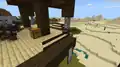 Fence post renders invisible in a pillager outpost beyond X/Z ±2,097,152
 Tripwire hook becomes thick beyond X/Z ±1,048,576
 Tripwire hook base becomes flat beyond X/Z 2,097,152
 Terrain incorrectly generating beyond X/Z ±2,812,333, exposing aquifers to the surface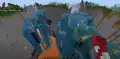
.png) An Ancient City exposed by the terrain failing.
An Ancient City exposed by the terrain failing..png) A Woodland Mansion and Pillager Outpost generating in the failed terrain.
A Woodland Mansion and Pillager Outpost generating in the failed terrain..png) Same world, different angle.
Same world, different angle..png) The "border" of the terrain failure, at 2,812,333 blocks.
The "border" of the terrain failure, at 2,812,333 blocks..png) Different angle.
Different angle..png) Different angle.
Different angle..png) Terrain failing near the Stripe Lands.
Terrain failing near the Stripe Lands. Monolith-like structures generating beyond X/Z ±2,812,333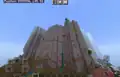
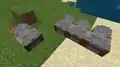 Stonecutters blade duplicates on the edge after X/Z ±8,388,608
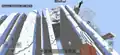 At exactly 2,812,333 blocks on mobile.
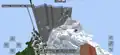 Same world, different angle.
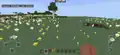 At exactly 8,388,608 blocks, where flowers become 2-dimensional.
 Same location, different angle.
 Beyond some point crops become 2D on each side.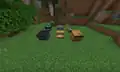
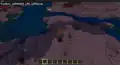 Beyond some point, any surface block is sometimes stone.
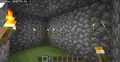 Torches become 2D after 1,048,576 (220).
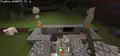 Blocks, entities, and items glitching after 1,048,576 (220).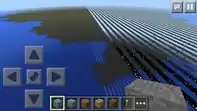
![The first screenshot posted of the Stripe Lands, by Tommaso Checchi, at X/Z 32,000,000.[17]](./_assets_/5af80496508534f4cdd561aac15bbc50/Stripe_Lands.jpg) The first screenshot posted of the Stripe Lands, by Tommaso Checchi, at X/Z 32,000,000.[17]
The first screenshot posted of the Stripe Lands, by Tommaso Checchi, at X/Z 32,000,000.[17]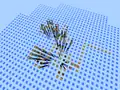 A village in the corner stripe Lands.
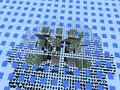 A jungle temple in the corner stripe Lands.

.jpg) Ditto but shows the locations of the fossils and all fossils on the images is circled.
Ditto but shows the locations of the fossils and all fossils on the images is circled.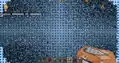 Overhead view of the Corner Stripe Lands.
 The 25-bit boundary area in the form of 2d lands and Stripe Lands.
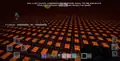 At the integer X / Y: 24-bit position, the Nether begins to strip and becomes a dot chunk.
.png) A savanna village at the Stripe Lands at X/Z ±16,777,216. Any structure that generates past this limit is rendered as two-dimensional.
A savanna village at the Stripe Lands at X/Z ±16,777,216. Any structure that generates past this limit is rendered as two-dimensional..png) The previous screenshot at the opposite angle.
The previous screenshot at the opposite angle. A cold biome in the corner Stripe Lands. 2 polar bears are visible. They don't fall into the void.
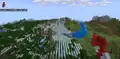 After beta 1.17.20.20, when the terrain cutoff was removed.
_(1).png) A village near the Stripe Lands.
A village near the Stripe Lands..png) Terrain failing in the Stripe Lands.
Terrain failing in the Stripe Lands..png) Terrain failing in the Corner Stripe Lands.
Terrain failing in the Corner Stripe Lands.
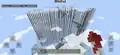
 The monolith-like terrain bug in the Stripe Lands.
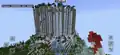
 The monolith-like structure in the Corner Stripe Lands.
.png) A cave in the Stripe Lands.
A cave in the Stripe Lands.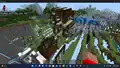 A Pillager Outpost in the Stripe Lands. To the left of the image, terrain failure can be seen.
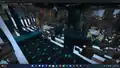 A Sculk Sensor and a Sculk Shrieker in the Stripe Lands.
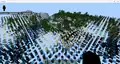 The corner stripe lands after beta 1.17.20.20
.png) A high shot of the Stripe Lands.
A high shot of the Stripe Lands.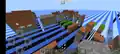 A zombie village generated in the Stripe Lands in Pocket Edition 1.1.5
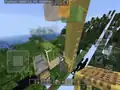 Some blocks blended in the stripe lands.
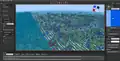 A Stripe Lands in Bedrock Editor, notice a map matching with stripes.
_JE1_BE1.png)
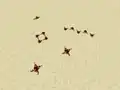 Redstone posted beyond 4,194,304 blocks. Redstone lines are completely invisible and the rest of redstone renders incorrectly (one of the crosses is connected to four lines).
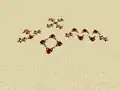 Redstone placed beyond 8,388,608 blocks. Unlike the similar historical redstone model issue on Java Edition, redstone lines are stretched to a full block in both directions.
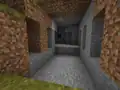 A cave generated beyond X/Z: ±8,388,608, with serrated-looking edge walls in front and the perfect holes in the back.
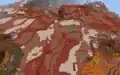 A badlands biome beyond X/Z ±8,388,608, with noticeably distorted terracotta strata.
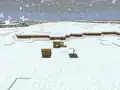 Fences after X/Z ±8,388,608 (left) and before (right).
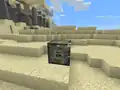 The piston head Z-fighting with the piston brain.
 The Far Lands intersection in a desert biome. The cacti was generated near the Far Lands, rendering as full blocks with gaps.
 The start of the Stripe Lands at X/Z ±16,777,216.
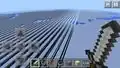 A frozen ocean biome in the Stripe Lands.
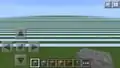 The Stripe Lands in a flat world.
 The start of the Corner Stripe Lands.
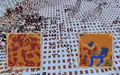 A badlands biome beyond X/Z ±16,777,216, featuring even more distorted terracotta strata.
 A windswept gravelly hills biome beyond X/Z ±16,777,216.
 An ocean monument in the Stripe Lands.
 Underwater ruins in the Stripe Lands.
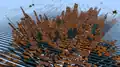 Eroded badlands in the Stripe Lands, surrounded by the skygrid.
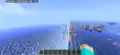 The Slice Lands start generating at X/Z ±33,554,432, with a distance of four blocks between rendered sections.
 The start of the Corner Slice Lands.
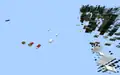 Block entities rendering in the Corner Slice Lands.
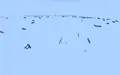 Water rendering in the Corner Slice Lands.
 The world beyond X/Z ±67,108,864, with a distance of eight blocks between rendered sections.
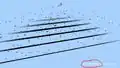 The world beyond X/Z ±134,217,728, with a distance of 16 blocks or 1 chunk between rendered sections.
 The world beyond X/Z ±268,435,456, with a distance of 32 blocks or two chunks between rendered sections.
 The world beyond X/Z ±536,870,912, with a distance of 64 blocks or four chunks between rendered sections.
 The world beyond ±X/Z ±536,870,912. A large area in front of the player is completely invisible, presumably due to the fructum culling losing precision.
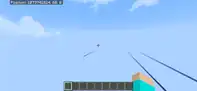 The world beyond X/Z ±1,073,741,824, with a distance of 128 blocks or eight chunks between rendered sections.
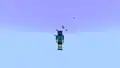 Black Particles happen at every power of 2 starting around Y ±65,536.
 Woodland mansion in the Corner Slice Lands.
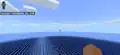 A Stripe Lands and Far Lands in Bedrock Edition 1.2.2
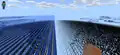 Water in Stripe and Slice Lands


.png)


