Vibrant Visuals

_BE2.png)
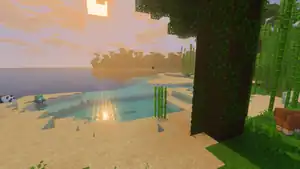
Vibrant Visuals is a graphics mode that aims to improve the visual looks of Minecraft by adding directional lighting, physically based textures, pixel-aligned shadows, atmospheric sky, environmental effects, and various other visual features inspired by photorealism. It is built around a physically based rendering pipeline used for deferred lighting and ray tracing.[3][4] It runs locally on the player's device, and can be enabled in the player's settings rather than world specific settings.[5]
Vibrant Visuals affects only the graphical appearance of Minecraft; it has no effect on gameplay. However, enabling Vibrant Visuals on lower end devices (especially with high render distance and higher graphics settings) can decrease game performance significantly, which can affect the game experience.
Features

The specific instructions are: Add some more examples of shadows, light falling through transparent blocks, surface glows, block textures, and weather effects
Physically based rendering
Vibrant Visuals uses physically based rendering (PBR), which simulates realistic lighting behaviors between different surface materials. This is achieved by creating different texture maps for every block and entity, which defines specific characteristics of the surface material.[6] A texture set is used to specify these texture maps in a resource pack.[7] Four maps — metalness, emissive, roughness, and subsurface scattering (collectively known as MERS) — define the material's properties, while two additional maps, the height map and normal map, define the surface's depth and light details.[6][7] Each property in MERS is assigned to RGBA image (four channel), such as red to metalness, green to emissive, blue to roughness, and alpha to subsurface, while normal and height maps are assigned to RGB (three channel) and grayscale (one channel) images respectively.[7]
Reflections

Object reflections are heavily affected by its metalness and roughness properties. Metallic surfaces reflect light directly and tint that reflection with their own color (like gold and copper). Non-metallic surfaces like grass, dirt, and tree barks show more solid color and less reflective. A surface with low roughness is very smooth, resulting in sharp, mirror-like reflections, compared with high roughness that results in blurry, diffused reflections.

The game uses screen space reflections (SSR) and image-based lighting (IBL) to create dynamic reflections which appear on these surfaces.[8] SSR generates reflections by reusing what's already visible on the screen. They are limited by the objects and parts of the world that are currently visible in the camera's view, which can cause reflections to fade or disappear near the edges of the screen. In contrast, IBL reflections, used to reflect clouds, aren't limited by what is already displayed on the screen but often appear low resolution and distorted. They use environment mapping, which may be a cube map or other techniques.
Most blocks and entities are not reflective in Vibrant Visuals by default, even when they have metalness property, instead they only shine from directional light sources, like the sun and moon. Water surfaces are reflective and properly mirror the area surrounding them. Reflective features for blocks and entities are only apparent when using custom resource pack that has PBR capability and using ray tracing.
The reflection quality can be configured under the video settings, which affects their resolution and distance in which they appear.
Surface glows
Objects can appear to glow in the dark environment through the emissive texture map. This map defines which parts of a texture should be self-illuminated. It uses the green color channel in the MERS texture; areas of the map that are solid green will glow at full intensity, with different shades of the color affecting their intensity, while black areas will be unaffected by the emissive property. Emissive surfaces do not cast light onto surrounding blocks or entities, and therefore do not cast proper shadows. However, their glow remains visible even in complete darkness, making them appear bright and distinct. They also produce light bloom effect, which makes their color bleed into the surrounding areas.
Some entities and blocks — like drowned, spiders, sculk, certain dropped items, and firefly particles — use emissive texture map and produce glowing effect. This effect is often contributed by their natural block lighting (like torches and glowstone), which makes the glow appear more intense and realistic.
Subsurface scattering
The fourth map, subsurface scattering, simulates an effect of light shining on transcluent surfaces, like leaves. This effect is applied to blocks exposed to sky lighting, and blends to roughly one block deep on vertical surfaces. Subsurface scattering cannot be used in conjunction with metalness on the same pixel on an object, insteade only one effect will be applied.
Directional lighting and shadows
The primary light sources in Vibrant Visuals are global directional lights, including the sun and the moon in the Overworld, and End flashes in the End. Depending on the location of the light source in the sky, they illuminate all objects directly exposed to them. The texture maps define how this affects objects, such as how the light is being reflected and recolored. Light also shines through glass panes and other supported transparent blocks, where it has the same effects on objects behind it.
Directional light sources cast shadows on all objects, including held items on the HUD. The object that creates the shadow and the location of the light source affects the shape, size, and direction of the shadow. Unlike shadows in most games, shadows are pixelated to match the resolution of other textures and align with the pixel grid. Shadows can be created by any block that can obstruct lighting, most particles, and entities including players. Animated objects, like animated player skins or the tentacles of a ghast, create animated shadows as well.
End flash

The End flash is an effect in the End sky exclusive to Vibrant Visuals. End flashes occur once every 30 seconds at random spots above the horizon. As a directional light source, End flashes tint block lighting purple and create shadow and reflection effects. Each flash lasts between 5 and 19 seconds, with fading at the begin and the end, while also producing a sound. Flashes can be disabled in the accessibility settings.
Point lighting

If the "Render Dragon Features for Creators" experiment is enabled in Minecraft Preview, and "point lights" are turned on in the settings, light-emitting blocks like torches emit directional light and cast dynamic shadows as well. The light is emitted from a single point at the center of a block, hence the name. This light is colored, and blends additively. By default, point lighting is applied to all kinds of torches, lanterns, and candles (including candled cakes), and sea pickles and end rods.
Enabling this for more objects may reduce the performance and affect gameplay noticeably.
Other light sources
Without directional light sources, objects are lit by ambient lighting, to prevent them from rendering pitch black. Ambient lighting has a specified color and strength, which affects objects based on the texture sets. For example, blocks have a red tint in the Nether, where no directional lighting is available.
The sky also contributes as a light source, which can also be reflected by objects. Depending on the intensity of sky light, shadows created by directional lighting can appear darker and more visible or blend in more with bright areas.
Environmental effects
Each biome and dimension has unique effects for lighting and color that greatly affect the scene. Biome-dependent effects include atmospherics, color grading, lighting (directional, ambient, and sky), and water effects. In transitions between biomes, the game automatically blends the effects together. This is applied to all biome-dependent effects except water colors. The water color is set for the location of the water block in the world rather than the location of the player, meaning that multiple biome effects for water can be observed at once.
Atmospheric effects
The sky color of a biome in Vibrant Visuals is defined at the horizon and the zenith. When these colors are different, the sky will blend these colors between the horizon and the zenith. For example, deserts and badlands have a light orange/green sky color, snowy biomes have a light blue or white sky color, and pale gardens have a gray sky color.
These effects are also applied to the End sky, which uses a unique black/purple color, but this is rendered on top of the End sky texture. The sky in all Nether biomes uses the same colors as without Vibrant Visuals, with the exception that the zenith is slightly brighter than the horizon.
Vibrant Visuals enhances fog effects that change depending on the environment. Certain biomes, like swamps and pale gardens, have stronger fog effects with unique colors and strength depending on the height, and directional lighting. Directional lighting can be scattered by strong fog, and the heaviest fog can greatly lower the view distance to only a few chunks, or even block the sun entirely. With decreased effects from directional lighting, shadows and reflections are less visible and blocks in the distance appear half-transparent and faded.
Most atmospheric effects are defined for one or multiple biomes. Additionally, atmospheric effects are slightly changed with color grading depending on the base temperature on the biome. This is mostly visible between cold and temperate biomes, which both use the same atmospheric settings but different color grading.
-
![The sky in dry biomes.[note 2]](./_assets_/5af80496508534f4cdd561aac15bbc50/Vibrant_Visuals_dry_biomes_sky.png) The sky in dry biomes.[note 2]
The sky in dry biomes.[note 2] -
![The sky in warm biomes.[note 3]](./_assets_/5af80496508534f4cdd561aac15bbc50/Vibrant_Visuals_warm_biomes_sky.png) The sky in warm biomes.[note 3]
The sky in warm biomes.[note 3] -
![The sky in temperate biomes.[note 4]](./_assets_/5af80496508534f4cdd561aac15bbc50/Vibrant_Visuals_temperate_biomes_sky.png) The sky in temperate biomes.[note 4]
The sky in temperate biomes.[note 4] -
![The sky in cold biomes.[note 5]](./_assets_/5af80496508534f4cdd561aac15bbc50/Vibrant_Visuals_cold_biomes_sky.png) The sky in cold biomes.[note 5]
The sky in cold biomes.[note 5] -
 The sky in a swamp.
 -
 The sky in a mangrove swamp.
 -
 The sky in mushroom fields.
 -
 The sky in ice spikes.
 -
 The sky in a pale garden.
 -
 The sky in a dark forest.
 -
 The sky in the End.
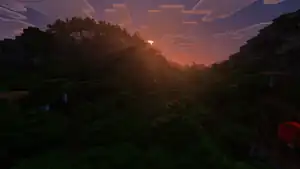
Biomes specify the colors and scattering effects of sunlight and moonlight. The sun and moon themselves create a glow in the sky around them, and cast light beams depending on fog effects. These light beams can fall through transparent blocks, and can be scattered into smaller light beams with shadows by blocks and entities.
The sun and moon have create different light effects depending on the time of the day. The color of sunlight is mostly affected by the biome, while the moon always creates a dark blue glow. During sunrise, sky colors gradually change from black with weak light from the moon and stars, to a more vibrant light created by the sun and changed by the atmosphere. The sunrise and sunset also change the color of sunlight to a more orange/red color, which gradually fades away during the day.
Clouds
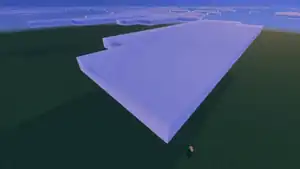
Clouds have more detail and additional light on the edges, making large clouds appear much darker than smaller clouds. Furthermore, clouds can block sunlight or moonlight and cast shadows on the ground. When a cloud covers the sun or moon, the sky and the environment darkens and changes colors. The color of clouds also changes with sky colors, for example in different biomes, and during weather events.
The cloud distance can be adjusted in the Vibrant Visuals options.
Weather effects
The weather also influences environmental light effects. During rainfall, the sky appears dark grey, but the biome effects still apply, making rain look unique for every biome. Thunderstorms increase this effect and make the sky even darker. During snowfall, the sky turns light gray/white and the blue colors of snowy biomes are much less visible. During a combination of snowfall and thunder, the sky is much darker at the horizons, but the light blue/light gray colors are still visible higher in the sky. The sun and moon are not visible during weather events, and don't cast shadows on blocks or entities.
In dry biomes, rainfall has no effect on sky or clouds at all and is indistinctable from clear wheather. However, thunderstorms still darken the sky and clouds, but the sun and moon are still visible and appear darker.
Fog effects are heavily increased during rain, snowfall, or thunderstorms, and change their colors according to the sky color.
During the night, the sky is much more darkened and weather effects are less visible.
Water effects
The water texture and inside's color is rendered separately from other blocks and objects. Small bodies of water appear almost invisible, and large bodies are more transparent in general, with a less saturated blue color compared to classic graphics modes.
When the player's eye level is inside water, additional water fog effects are created which change depending on the depth, the time the player has been in the water, the biome, and sky effects. Without sky light underwater, the fog color is pitch black and the only light created by blocks is much less effective. When the player is in an underwater area without skylight looking at an area exposed to skylight, the textures of blocks are not visible and everything is colored cyan blue.
The sun and moon aren't visible from below the water, but a blurred and colored light source can be seen in the direction of the sun and moon, and creates light beams falling through the water. These light beams can be obstructed and scattered by objects and fog effects. When directional lighting hits a surface underwater, water caustics are projected on that surface. Water caustics are randomly animated and certain parts appear brighter than others, depending on the light projecting the water caustics.
-
 Sunbeams underwater.
 -
 A dark aquifer.
 -
 Water caustics in a desert. Note the caustics projected on the dry sand behind the waterfall on the right.
 -
 Water caustics as seen from underwater.
 -
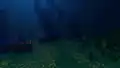 Shadows cast by coral structures underwater.
Post processing effects
Post processing effects are visual elements that not directly produced by either PBR and direct lighting sources, instead applied after the scene is fully rendered. There are multiple post processing effects applied by Vibrant Visuals, such as:
- Bloom which appear on emissive textures and light sources. It creates a soft and hazy aura of light around the glowing object, with the colors bleeding out around the object. The effect's intensity can be configured on the video settings.
- Upscaling which is done from low resolution scene renders. The game usually renders the scene at lower resolution and upscaled to the native resolution to improve on video performance. This effect can be configured on the video settings, where the player can set between TAAU and Bilinear mode, and the final resolution quality.
- Color grading which controls the saturation, contrast, gain, and offset of the final scene.[9]
- There are three parameters that apply the effects based on the pixels' brightness condition: shadows (darkest pixels); highlights (brightest pixels); and midtones (pixels close to average luminescence of the scene).
- There is an additional temperature-based color grading which makes the scene look "warmer" with more yellow and orange colors, and "cooler" with more blue color.
- The
minecraft:default_color_gradingeffect is applied globally for the scene. It may be overridden with a unique color grading effect based on the biome or how warm and cool the scene is.[note 6]
- Tone mapping is also used to remap the colors from HDR to SDR for televisions and monitors that support limited dynamic range.[9]
-
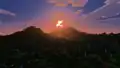 The bloom effect around the sun during sunrise.
 -
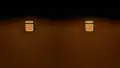 A comparison of a sea lantern with bloom set to 0% (left) and 100% (right).
Panorama
An exclusive panorama is shown when using Vibrant Visuals.
Applying
Vibrant Visuals can be toggled on in the video settings in the graphics mode dropdown menu. The graphics mode can only be changed in-game when "Allow In-Game Graphics Mode Switching" is turned on, but this can have negative impact on performance and not all devices support this.
If playing multiplayer, not everyone needs to have it activated to play in the world; one player could have it activated, whilst 3 other players could have it inactive since it's a local setting.
Vibrant Visuals options
The quality of specific features from Vibrant Visuals as well as some technical options can be adjusted in the Vibrant Visuals options, below the graphics mode setting. These options can be set to "Favor Performance" for a better experience on lower-end devices, or "Favor Visuals" for a higher quality of Vibrant Visuals on high-end devices. The options can also be adjusted individually.
The render distance for Vibrant Visuals is controlled by the "Deferred Render Distance" slider instead of the regular render distance slider. This slider can be set between 8-24 chunks (28 on PS5 & Xbox Series X), but can be changed to any value chunks in options.txt. Higher render distances than 128 chunks will result in the game not loading any chunks further than 128 chunks away from the player, and even higher render distances can lead to glitched visual effects or crashes. Lower render distances than 8 chunks will result in the game not loading any chunks further away than the set render distance, but chunks won't be unloaded until they are further away than 8 chunks. A render distance of 0 chunks results in no chunks being loaded, but entities and particles are still visible.
The regular brightness setting is not available when using Vibrant Visuals, but the brightness can be calibrated in a separate menu in the Vibrant Visuals options. This also affects the brightness of the panorama.
Availability
Vibrant Visuals is available to use on the following platforms:[10]
| Platform | Supported devices |
|---|---|
 |
Devices running DirectX 12 (older graphics cards that support DirectX 12 may be incompatible)
|
 |
Devices running on Adreno 640, Mali-G68, Mali-G77, Xclipse 530 or higher (disabled by default on some devices) |
 |
A12 Bionic or higher:
|
 |
A12 Bionic, A12X Bionic, M1 or higher:
|
 |
|
 |
|
Vibrant Visuals is not currently supported on ChromeOS devices, Fire tablets, or Nintendo Switch consoles. Mojang Studios intends to bring Vibrant Visuals, either fully or partially, to as many devices as possible.[12]
Some servers may disable Vibrant Visuals during the game, even when available on singleplayer. All featured servers have disabled Vibrant Visuals, although this restriction can be circumvented by using a third-party modification software. Minecraft Realms has Vibrant Visuals enabled.
Vibrant Visuals has limited compatibility with existing resource packs that are a part of an add-on. Resource packs without the pbr capability restrict the graphics mode to Fancy or lower. When a pack has metadata.product_type set to addon Vibrant Visuals can be enabled, regardless of the pbr capability. Custom textures from the add-on's resource pack default to 0% metalness, 0% emissiveness, 100% roughness, and 0% subsurface scattering.
Customization
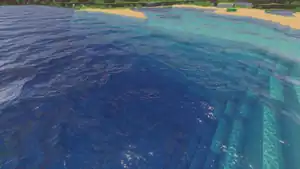
.png)
_JE1_BE1.png)
Vibrant Visuals can be customized with a resource pack. A pack with pbr capability can define PBR for each individual texture with a texture set.[7] They can also configure light sources, atmospheric effects, volumetric fog and light shafts, color grading and tone mapping, and many more.[3]
Vibrant Visuals is compatible with resource packs that are designed for ray tracing (with raytraced capability). All ray tracing resource packs only support MER (metalness, emissive, and roughness) for its textures, and these can only be applied for blocks only.[7] Vibrant Visuals resource packs however, support MER and subsurface scattering (MERS), and its textures can be applied for entities, mobs, particles, and items.[13]
Resource packs that customize Vibrant Visuals can quickly be created with Bedrock Editor. The Vibrant Visuals Settings window allows most configurations to be changed in a graphical environment, and a matching resource pack can be auto-generated. Biome-dependent settings cannot be changed.
Sounds
| Sounds | |||||
|---|---|---|---|---|---|
| Sound | Source | Description | Resource location | Volume | Pitch |
| Weather | When an End flash occurs | ambient | 6.250 | 0.80-1.0 | |
Videos
History
Development
| March 22, 2025 | Vibrant Visuals are revealed at Minecraft LIVE – March 2025. | ||||||
|---|---|---|---|---|---|---|---|
| It is planned to come to both the Bedrock and Java versions of the game.[note 7] | |||||||
Bedrock Edition
| Bedrock Edition | |||||||
|---|---|---|---|---|---|---|---|
| 1.21.60 | ? | Added options related to Vibrant Visuals to options.txt.[is this the correct version?] | |||||
| 1.21.80 Experiment | Preview 1.21.80.25 | Added Vibrant Visuals, which can be enabled in worlds with the experiment enabled. | |||||
| 1.21.90 | Preview 1.21.90.20 | Vibrant Visuals are now available without using its respective experimental toggle. | |||||
| Vibrant Visuals are now the default graphics mode on devices that support it. | |||||||
Added the ability to data-drive some of the Vibrant Visuals / Deferred Graphics related settings per biome. Creators can provide multiple versions of atmospherics, color grading, lighting and/or water configurations as long as each has a unique identifier and file name. The reserved JSON names for each group of settings (e.g., lighting/global.json) will continue to function as before. Creators can utilize the minecraft:atmosphere_identifier, minecraft:color_grading_identifier, minecraft:lighting_identifier, and minecraft:water_identifier in Client Biome JSONs to connect particular rendering settings to a given biome. Note that certain parameters, such as tone mapping operators, caustics and wave simulation on/off cannot be customized per biome at this time. Parameters will be spatially blended as players move between biomes.
| |||||||
| Increased back-scattering of light underwater. | |||||||
| Cloud shadows no longer pop in and out of view when looking around on Android devices. | |||||||
| Painting now renders with correct PBR properties, shadows and illumination. | |||||||
| Added MERS texture support for signs. | |||||||
| Added new texture assets for trims, particles, spawn eggs, water and the dark oak boat. | |||||||
| Updated the appearance of metals, cave vines, chorus flowers, pumpkins, fire fly bushes, and other blocks. | |||||||
| Updated the bee, dolphin, ghast, pig saddle and strider textures. | |||||||
| Preview 1.21.90.23 | Updated a variety of MERS textures. | ||||||
| Made Glass Blocks more reflective. | |||||||
| Tweaked metallics on Cauldrons and Ancient Debris. | |||||||
| Tweaked emissives on Eyeblossom. | |||||||
| Added emissive to the Ender Crystal Block to match item icon. | |||||||
| Added MERS textures for Happy Ghast and Harnesses. | |||||||
| Adjusted the Glow Lichen block emissive. | |||||||
| Improved Snell's window effect when looking up from underwater. | |||||||
| The End flash is now visible again in the End. | |||||||
| Preview 1.21.90.25 | Changed shadows in Vibrant Visuals so that they cast further at sunrise and sunset. Prior to this change, shadows were clamped at a 30 degree angle relative to the horizon. This clamp has now been reduced to 10 degrees. This also improves an issue where specular highlights, light rays and volumetric fog were not properly occluded when the sun or moon was behind a mountain at a low angle. | ||||||
Added temperature grading settings to the color grading json files for Vibrant Visuals. Schemas must specify a format version of 1.21.90 to access this new setting.
| |||||||
Particles rendered without the minecraft:particle_appareance_lighting component are now renderered as expected.
| |||||||
Removed the debug feature where ; could be used to toggle between graphics modes. | |||||||
| Preview 1.21.90.26 | the_end_light_flash sound effect now triggers when the light flashes in the End dimension.
| ||||||
| Customized atmospherics, color grading, fog and lighting for the End, the Nether, the Overworld dimensions and a variety of biomes. | |||||||
| Some issues exist with atmospherics in End and Nether dimensions. | |||||||
| Recalibrated all emissive values in MERS textures. | |||||||
| Update shadow configurations for "Favors Performance" targets on all Xbox platforms. | |||||||
| Update Volumetric configs for "Prefers Performance" targets on Xbox One and Xbox One X. | |||||||
| Reduced the intensity and speed of the caustics animation. | |||||||
| Increased emissive intensity and adjusted tone mapping parameters. | |||||||
Added henyey_greenstein_g settings to the fog json files.[needs testing]
| |||||||
New section henyey_greenstein_g allows specifying value for both air and water. | |||||||
| Preview 1.21.90.27 | Temporarily reverted weather-related changes to sky color while some issues are sorted out. | ||||||
| Preview 1.21.90.28 | Vibrant Visuals are no longer the default graphics mode on Xbox One, Xbox One S, and PlayStation 4. | ||||||
| 1.21.100 | Preview 1.21.100.21 | Weather events now affect the scene illumination and the color of clouds and sky in Vibrant Visuals. | |||||
| Updated Reflections configurations for "Favor Performance" presets on Xbox platforms with Vibrant Visuals. | |||||||
| 1.21.111 | Preview 1.21.110.20 | Update volumetric fog configs for PC to have more consistent steps in performance impact, while also maximizing image quality for cost. | |||||
| Added support for subsurface scattering on particle textures. | |||||||
| Updated max render distance to 28 on PC for Vibrant Visuals. | |||||||
| Increased thickness on block selection wireframe to make it more visible in Vibrant Visuals especially with TAAU enabled. | |||||||
| 1.21.120 | Preview 1.21.120.20 | Renamed "Adjust Brightness" to "Adjust Gamma" in the Vibrant Visuals options. | |||||
| Improved quality of gamma correction on Windows and consoles and fixed the brightness of the creeper textures in the gamma calibration screen. | |||||||
| Added a percentage indicator to the gamma calibration screen as well as a button to reset the gamma to the default state. | |||||||
| Preview 1.21.120.22 | Added unique biome settings for the dark forest biome. | ||||||
| Reduced the intensity of temperature-based color grading in certain biomes, especially dry biomes. | |||||||
| Slightly reduced contrast across all biomes. | |||||||
| Adjusted the sky color in the End. | |||||||
| Upcoming Bedrock Edition | |||||||
| 1.21.130 | Preview 1.21.130.20 | Added the ability to data-drive cubemap lighting and effects. | |||||
Issues
Issues relating to "Vibrant Visuals" are maintained on the bug tracker. Issues should be reported and viewed there.
Gallery
Screenshots
-
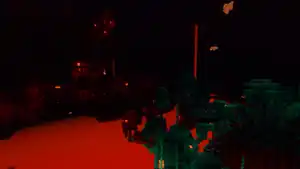 The Nether. Screenshot taken over a lava sea in a warped forest.
 -

-
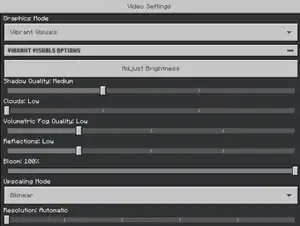 The Vibrant Visuals options in the video settings.
 -
 The Vibrant Visuals options in Minecraft Preview.
 -
 The Vibrant Visuals gamma calibration screen.
 -
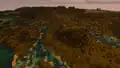 Example of a render distance of 128 chunks with Vibrant Visuals enabled.
 -
 Water with reflections off. The redstone torch can be seen emitting red point light.
 -
 The same water with reflections set to Ultra.
 -
 A torch and soul torch with point lights off. They look just like torches in Fancy graphics, despite Vibrant Visuals being used.
 -
 The same torch and soul torch with point lights on. Each torch emits colored light on its side of the room, and the colored light can be faintly seen combining into green light in the middle.
 -

-
 Ditto, with reflections set to Medium.
 -
 Ditto, with reflections set to High.
 -
 Ditto, with reflections set to Ultra.
 -
 The cloud distance set to Low.
 -
 The cloud distance set to Medium.
 -
 The cloud distance set to High.
 -
 The cloud distance set to Ultra.
 -
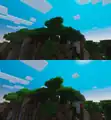 A comparison of subsurface scattering off (top) vs on (bottom). This can only be changed with a resource pack.
 -

caustics.png, the file used to generate water caustics.
Vibrant Visuals announcement
-
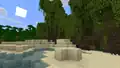 A beach without Vibrant Visuals. There is a mangrove swamp and jungle behind it. Also, there are firefly bushes in the swamp, emitting firefly particles.
 -
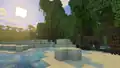 The same beach with Vibrant Visuals. The firely particles are more visible, and have a blue color. Also, the sun produces a strong glare.
 -
-
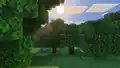
-
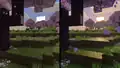 A comparison of Fancy graphics (on the left) and Vibrant Visuals (on the right), in a cherry grove biome. The 2 screenshots are taken at different angles and different positions. Also, the render distance is set to a low value.
 -
A similar comparison of the Fancy graphics and Vibrant Visuals, outside a woodland mansion, looking into the right window of "Triple bed bedroom", with a potted azure bluet.
-
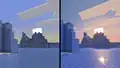 A similar comparison of the Fancy graphics and Vibrant Visuals, with icebergs in a frozen ocean. The ice is actually less transparent in Vibrant Visuals, so the form of the ice berg underwater cannot be seen as easily.
 -
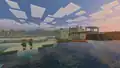 A desert village with Vibrant Visuals, during sunset. There is also some badlands on the right. The screenshot was taken in a river, so the yellow haze of the desert is not present. Instead, there is a blue haze, which makes the texture of the sand more visible.
 -
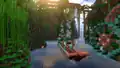 A copper boat sailing through a jungle river, with a copper water mill on the right, a large bridge on the cliffs in the background, and multiple cliffside buildings.
 -
 A frozen ocean at sunset, with 3 polar bears and a snow fox, while Zuri does some ice fishing. Minor visual glitches can be seen on the icebergs.
 -
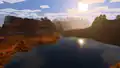 A lake in a badlands biome, with a wooded badlands behind it.
 -
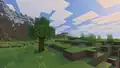 A plains biome at sunrise, with an oak tree in the center, and a mountain and jagged peaks behind it.
 -
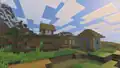 A plains village at sunrise, which is actually right behind the hill in the previous snapshot.
 -
 A cherry grove with the sun hovering just over the cliff. The camera is in a plains biome.
 -
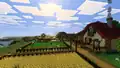
-
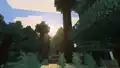
-
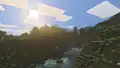 A plains with a river running through it.
 -
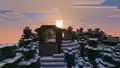 A cabin in a snowy taiga.
 -
 A tree house in a jungle.
 -
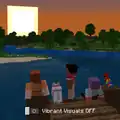
-
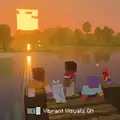
Chase the Skies announcement
-
 Ari using the new leashing functionality to leash 3 mobs in a line, while holding a snowball to attract a happy ghast.
 -

-

-
 A ghastling next to water. Ripples and reflections can be seen in the water.
 -
-
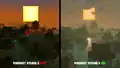
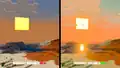 A desert (left), stony shore (top), and badlands (right) during sunset. These images show how Vibrant Visuals enhances the scene.
 -
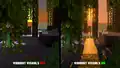 A mangrove swamp during sunset. These images show how Vibrant Visuals enhances the scene.
 -

See also
- Overworld Adventures, a series of online stories made to promote Vibrant Visuals.
- Vibrant Memories Add-On, an add-on made to promote the initial launch.
- Vibrant Adventures, an adventure world template featured in the Vibrant Visuals-tagged contents in marketplace.
- Shader, the previous system of graphics enhancement in Bedrock Edition using resource packs which is still used in Java Edition.
- Shader packs, similar but unofficial graphic enhancement mods for Java Edition.
- Super Duper Graphics Pack, a previously cancelled graphics update for Bedrock Edition.
Notes
- ↑ Except ChromeOS, Fire tablets, Nintendo Switch, and devices without the required specifications. See § Availability below.
- ↑ Includes the following biomes, with slight differences between each:
 Desert
 Badlands
 Eroded Badlands
 Wooded Badlands
- ↑ Includes the following biomes:
 Savanna
 Savanna Plateau
 Windswept Savanna
 Stony Peaks
 Jungle
 Bamboo Jungle
 Sparse Jungle
 Warm Ocean
- ↑ Includes the following biomes:
 Plains
 Sunflower Plains
 Flower Forest
 Cherry Grove
 Forest
 Birch Forest
 Old Growth Birch Forest
 Beach
Beach Stony Shore
 Ocean
Ocean Deep Ocean
 Lukewarm Ocean
 Deep Lukewarm Ocean
 River
River Mangrove Swamp
- ↑ Includes the following biomes:
 Snowy Plains
 Snowy Taiga
 Snowy Beach
 Snowy Slopes
 Grove
Grove Frozen Peaks
 Jagged Peaks
 Frozen River
 Frozen Ocean
 Deep Frozen Ocean
 Cold Ocean
 Deep Cold Ocean
 Taiga
Taiga Old Growth Pine Taiga
 Old Growth Spruce Taiga
 Meadow
 Windswept Hills
 Windswept Forest
 Windswept Gravelly Hills
- ↑ There are 13 color grading effects defined for Vibrant Visuals (including the default color grading), which are located in
Microsoft.MinecraftUWP/data/resource_packs/vanilla_1.21.90/color_gradingdirectory. - ↑ Developers are re-writing Java Edition to support Vibrant Visuals.
References
- ↑ "Vibrant Visuals on Java Edition" – Minecraft.net, April 16, 2025.
- ↑ "The road to Vibrant Visuals on Java" – Minecraft.net, October 22, 2025.
- ↑ a b "Vibrant Visuals" – Microsoft Learn, June 11, 2025.
- ↑ "Herobrine64: So... vibrant visuals is deferred, yeah?
kayla (in reply to): it is using the deferred features, yes." in Bedrock Add-Ons – @kaylasara on Discord, March 22, 2025. View screenshot of message. - ↑ "Minecraft LIVE – March 2025: VIBRANT VISUALS" – Minecraft on YouTube, March 23, 2025
- ↑ a b "Overview of Physically Based Rendering" – Microsoft Learn, June 11, 2025.
- ↑ a b c d e "Texture Set JSON and Introduction to Texture Sets" – Microsoft Learn, May 28, 2025.
- ↑ "Light Sources" – Microsoft Learn, June 11, 2025.
- ↑ a b "Color Grading and Tone Mapping" – Microsoft Learn, June 10, 2025.
- ↑ "Learn about Vibrant Visuals Graphics Mode" – help.minecraft.net.
- ↑ MCPE-216770
- ↑ "Vibrant Visuals" – Minecraft.net, March 22, 2025.
- ↑ "Vibrant Visuals Resource Packs" – Microsoft Learn, June 11, 2025.
External links
- "Vibrant Visuals" – Minecraft.net, March 22, 2025.
| Editions |
| ||||||
|---|---|---|---|---|---|---|---|
| Development |
| ||||||
| Technical |
| ||||||
| Multiplayer | |||||||
| Exclusive features |
| ||||||
| Removed | |||||||











.png)


.png)
| General mechanics | |
|---|---|
| Technical mechanics | |
| Survival |
|
| Combat | |
| Environment |
More |
| Movement | |
| User interface | |
| Visuals | |
| Removed | |
| Unintended | |


.png)
.png)


.png)


.png)


