Resource pack
 There are related tutorial pages for this topic!
The resource pack system provides a way for players to customize textures, models, music, sounds, languages, texts such as the End Poem, splashes, credits, and fonts without any code modification. They are often used together with data packs or behavior packs to add new content to the game. In Bedrock Edition, resource packs are often included in add-ons in the Marketplace.
Java Edition
Behavior
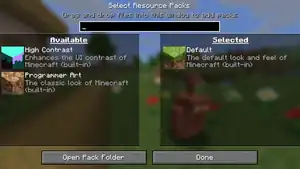
Each resource pack is either a directory or a ZIP archive (with .zip extension). Resource packs can be added by placing them in the 
resourcepacks directory within .minecraft, or by dragging and dropping onto the "Select Resource Packs" screen, which copies them there automatically. Resource packs present in the directory can then be managed from the options, where they can be moved between "Available" (disabled) and "Selected" (enabled), and reordered.
Resource packs load their assets based on the order they appear in on the "Selected" list. The bottom-most pack loads first, then each pack above it replaces or merges loaded assets with ones it contains.
Built-in resource packs
There are currently three resource packs that are included as part of the game.
| Pack name | Pack description | Description |
|---|---|---|
 Default Default |
The default look and feel of Minecraft (built-in) | Selected by default, can't be unselected. Contains essential files. |
 Programmer Art Programmer Art |
The classic look of Minecraft (built-in) | The old (pre-1.14) textures. They are typically not updated when the game receives new textures and are only modified to account for formatting changes. |
 High Contrast High Contrast |
Enhances the UI contrast of Minecraft (built-in) | Increases the contrast of menu GUIs. |
Preloaded resource packs
A ZIP archive resource pack can be bundled with a world by placing it in the world directory under the name resources.zip. When playing the world, that resource pack appears as the default pack, right above the default resource pack. It is, however, not distributed to other players connecting via LAN.
A resource pack can be set on a server by setting resource-pack to an HTTP(S) URL pointing to a ZIP archive resource pack in server.properties. Players can then choose if they want to download the resource pack or not when joining. Players can also be forced to accept the resource pack by setting resource-pack-required=true; in this case, rejecting the resource pack disconnects the player from the server.
There is no way to force the use of a resource pack in a Realm.[needs testing]
Directory structure
Resource packs in Java Edition have the following directory structure:
- name or
 name.zip
 pack.mcmeta: Metadata of the resource pack. This is the only mandatory file.
- pack.png: The picture to display next to the resource pack in the "Select Resource Packs" screen.
- assets
- <namespace>: Directory of the namespace to use, see Resource location § Namespaces. More than one directory for different namespaces may exist under the
assetsdirectory. Theminecraftnamespace is used for vanilla files and can be used to override them.- atlases:
.jsonfiles controlling which textures are included in atlases. - blockstates:
.jsonfiles defining the models for each block state of blocks. - equipment:
.jsonfiles controlling the appearance of worn equipment. - font:
.jsonfiles defining font providers. - items:
.jsonfiles controlling the rendering of items. - lang:
<language code>.jsonfiles containing translations of text. - models:
.jsonfiles defining three-dimensional shapes used to render blocks and items. - particles:
.jsonfiles specifying the textures to use for particles. - post_effect:
.jsonfiles controlling the use of shaders for post-processing effects. - shaders
- core:
.fshand.vshfiles controlling the rendering of the game. - include:
.glsl,.fshand.vshfiles that can be included in core and post shaders. - post:
.fshand.vshfiles controlling the rendering of post-processing effects.
- sounds:
.oggfiles that provide audio such as music and sound effects for the game. - texts:
.txtfile containing specific untranslated text. - textures:
.pngfiles used as textures for blocks, items, mobs, etc.- block
- texture.png
- texture.png.mcmeta
- colormap
- foliage.png
- grass.png
- effect
- dither.png
- entity
- texture.png
- entity_type
- texture.png
- environment
- texture.png
- font
- texture.png
- gui
- texture
- texture.png
- item
- texture.png
- map
- texture.png
- decorations
- texture.png
- misc
- texture.png
- texture.png.mcmeta
- mob_effect
- texture.png
- painting
- texture.png
- particle
- texture.png
- texture.png.mcmeta
- trims
- color_palettes
- color_palette.png
- entity
- humanoid
- trims.png
- humanoid_leggings
- trims.png
- items
- trims.png
- waypoint_style:
.jsonfiles controlling the appearance of waypoints on the locator_bar. - gpu_warnlist.json
- regional_compliancies.json: Warnings displayed based on region of the player.
- sounds.json: Used to tell the sound system what sound files to play when a sound event is triggered by one or more in-game events.
- .mcassetsroot: Empty file identifying the vanilla resource pack.
Contents
A resource pack is identified by Minecraft based on the presence of pack.mcmeta in the root directory.
The root directory also contains an optional PNG image called pack.png, which appears as the thumbnail for the pack on the resource pack selection menu.
Language
Language files are JSON files, which contain text data translated to different languages. They are located in assets/namespace/lang and named language code.json. Languages other than default can be defined in pack.mcmeta.
- [NBT Compound / JSON Object] The root object.
- [String] ID: Displayed translation for the text ID.
A language file consists of an object containing ID and translation pairs. The ID uniquely identifies any translatable text in the game, and the translation is displayed as that text when the language is selected. For example, block.minecraft.stone is the ID of the text used for the name of the stone block, and it's translation in the en_us language is Stone.
Language files are merged with other selected packs, so any names that are not present are loaded from packs of lesser priority.
In language key values, placeholders to be replaced by other text or numbers later can also be used; for example, using the with of a translatable text component.
Placeholders are defined using %s as a short form, or %<number>$s to specify the index explicitly. Placeholder indices start at 1. When not specifying the index explicitly, the game will pick the next available index in sequential order, and placeholders are assigned an index in the order they are encountered in the string. If translators need to swap the order of placeholders for grammatical reasons, they can swap a %s placeholder with an indexed one.
A literal % character, which should render as such in the text shown by the game and is not part of a translation placeholder, must be escaped by using %%; otherwise, the game may fail to parse other placeholders within that string.
Textures

Textures are image files in PNG format, which provide images to be used as textures for models such as items, blocks and mobs.
Before 1.13 for block or item textures to function, they must have equal width and height (or height that is a multiple of the width if animated); otherwise it appears as a magenta and black checkerboard. For most other textures, the file is stretched to fit the required dimensions. As of 1.13 non-square textures can be used for blocks and items just fine (although they will look stretched/squashed on default models).
Most solid blocks turn any transparent area fully opaque. Some other blocks, which have "cutout" transparency (like glass) turn all pixels that are less than 10% opaque fully transparent and all other pixels completely opaque. Every other block renders textures with semi-transparency as-is. All items, blocks or entities that are semi-transparent by default support semi-transparency. All items that do not have a corresponding block do support semi-transparency.
If a texture does not exist in any resource pack, including the default, the missing texture appears in its place. As of 1.19.1, six such cases exist in the vanilla resource pack, all particle-related.
Texture animation
All textures that get stitched to an atlas support animation. This includes:
- Block and item textures
- Banner and shield textures
- Some block entities including: bed, chest, conduit, decorated pot, enchanting table book, bell, shulker box and sign textures
- Item frame and painting textures
- GUI sprites (all textures in the
assets/<namespace>/textures/gui/sprites/directory) - Mob effect icon textures
- Map decoration textures
- Particle textures
- Armor trim textures. This doesn't work with the
paletted_permutationsatlas source type, so textures must be added to the atlas using either thedirectoryorsinglesource types to be animated - Sun, moon, and end flash[upcoming JE 1.21.11]
An animated texture is created by placing additional frames either vertically below the first, or horizontally to the right of the first. Alternatively, the frames can be arranged in a table by defining a width and height in the animation properties; in this case they are ordered row by row, top to bottom, left to right.
Each frame of the animation must be the same size, and the total dimensions of the image must be divisible by the width and height in the animation properties; otherwise a missing texture is shown. If a width and height are not specified, the game assumes each frame is square and the size of the smallest dimension of the image.
The animation properties are specified with a JSON file, named like the texture (including the extension), but with .mcmeta suffix appended. For example, the animation properties for stone.png would be stone.png.mcmeta.
- Texture animation properties format
- [NBT Compound / JSON Object] The root tag
- [NBT Compound / JSON Object] animation: Contains the animation properties
- [Boolean] interpolate: If true, the game generates additional frames between frames if the
frametimeis greater than 1 between them. Defaults tofalse. - [Int] width: The width of a single frame in pixels. Defaults to the image's width if
heightis defined, or the smaller of the image's dimensions if it isn't. - [Int] height: The height of a single frame, in pixels. Defaults to the image's height if
widthis defined, or the smaller of the image's dimensions if it isn't. - [Int] frametime: Sets the default time for each frame in increments of one game tick. Defaults to
1. - [NBT List / JSON Array] frames: Contains a list of frames. Defaults to displaying all the frames from first to last.
- [Int] The index of a frame, with the first frame being
0. - [NBT Compound / JSON Object] An object containing additional data about a frame
- [Int] index: The index of a frame, with the first frame being
0. - [Int] time: The time in ticks to show this frame, overriding
frametimeabove.
- [Int] index: The index of a frame, with the first frame being
- [Int] The index of a frame, with the first frame being
- [Boolean] interpolate: If true, the game generates additional frames between frames if the
- [NBT Compound / JSON Object] animation: Contains the animation properties
If the animation properties file does not exist in the pack and the texture does, the game assumes it isn't animated and displays the entire texture at once.
Villagers
Textures from assets/minecraft/textures/entity/villager and assets/minecraft/textures/entity/zombie_villager support a .mcmeta file in JSON format containing additional effects to apply to the hat layer. The file is contained in the same directory as the texture, and has the same name as the texture, except appended with .mcmeta. For example, the file profession/farmer.png can have a properties file called profession/farmer.png.mcmeta
- [NBT Compound / JSON Object] The root tag
- [NBT Compound / JSON Object] villager: Contains data for the texture
- [String] hat: Can be
full,partial, or default (no.mcmetafile). Determines whether the villager's 'profession' hat layer should allow the 'type' hat layer to render or not. [more information needed]
- [String] hat: Can be
- [NBT Compound / JSON Object] villager: Contains data for the texture
If the .mcmeta file does not exist in the pack and the texture does, the game loads the default settings, rather than loading a .mcmeta file from a pack below that pack.
GUI
Textures from assets/minecraft/textures/gui/sprites support a .mcmeta file in JSON format containing scaling behavior of the texture. For example, the file button.png can have a properties file called button.png.mcmeta
- [NBT Compound / JSON Object] The root tag
- [NBT Compound / JSON Object] gui: Contains data for the texture
- [NBT Compound / JSON Object] scaling: Scaling behavior of the texture.
- [String] type: Can be
stretch(default),tile, ornine_slice. Determines the type of scaling method of the texture.- When
tile, the sprite is repeated across the desired space, starting from the top-left. - When
nine_slice, the sprite is sliced into 4 corners, 4 edges, and 1 center slice, which is tiled across the desired space.[1]
- When
- [Int] width: Number of pixels for this sprite to cover on-screen across its width. Required if [String] type is set to
tileornine_slice. - [Int] height: Number of pixels for this sprite to cover on-screen across its height. Required if [String] type is set to
tileornine_slice. - [Boolean] stretch_inner: If true, the inner parts of the texture is stretched instead of tiled. Defaults to
false. Required if [String] type is set tonine_slice. - [Int] border: The size in pixels that the border slices should cover on-screen. Required if [String] type is set to
nine_slice. - [NBT Compound / JSON Object] border: The size in pixels that the border slices should cover on-screen, respectively. Required if [String] type is set to
nine_slice.- [Int] left: Number of pixels of the left border.
- [Int] top: Number of pixels of the top border.
- [Int] right: Number of pixels of the right border.
- [Int] bottom: Number of pixels of the bottom border.
- [String] type: Can be
- [NBT Compound / JSON Object] scaling: Scaling behavior of the texture.
- [NBT Compound / JSON Object] gui: Contains data for the texture
Colormaps
Colormaps are 256×256 pixel images that tell the game which color to use in each biome. They are located in assets/minecraft/textures/colormap. The game contains three colormaps: foliage.png colors plants such as leaves (except birch and spruce) and vines, grass.png colors grass and grass blocks, and dry_foliage.png colors leaf litter. Colormaps can be disabled on individual blocks by removing the tintindex tag from the block model.
Birch leaves, spruce leaves, swamp grass, mangrove swamp grass and midlands grass are not controlled by colormaps in Java Edition, unlike in Bedrock Edition.
Properties
Textures from assets/minecraft/textures/misc[verify] support a .mcmeta file in JSON format containing additional effects to apply to the texture. The file is contained in the same directory as the texture, and has the same name as the texture, except appended with .mcmeta. For example, the file pumpkinblur.png can have a properties file called pumpkinblur.png.mcmeta
- [NBT Compound / JSON Object] The root tag
- [NBT Compound / JSON Object] texture: Contains data for the texture
- [Boolean] blur: Causes the texture to blur when viewed from close up. Defaults to
false - [Boolean] clamp: Causes the texture to stretch instead of tiling in cases where it otherwise would, such as on the shadow. Defaults to
false - [Int Array] mipmaps: Custom mipmap values for the texture
- [Boolean] blur: Causes the texture to blur when viewed from close up. Defaults to
- [NBT Compound / JSON Object] texture: Contains data for the texture
If the .mcmeta file does not exist in the pack and the texture does, the game loads the default settings, rather than loading a .mcmeta file from a pack below that pack.
Texts
Two text files in UTF-8 format and one JSON file exist in assets/minecraft/texts. They are used to display specific untranslated text.
The file end.txt contains the text of the End Poem, using formatting codes to apply the colors to the two speakers, and with the text PLAYERNAME being replaced with the player's name. After that file is shown, credits based on contents of credits.json are shown.
The following JSON format is used for credits.json:
- [NBT List / JSON Array] The root list
- [String] section: Title of this section
- [NBT List / JSON Array] disciplines: List of disciplines in this section
- [String] discipline: Name of this discipline
- [NBT List / JSON Array] titles: List of titles(roles) credit given to
- [String] title: Name of title
- [NBT List / JSON Array] names: List of people's names in this title
The file splashes.txt contains texts separated by LF line breaks used as splashes.
Texture sheets
Minecraft generally does not store multiple different textures in combined sheets and instead stores them in separate files. The only current exceptions are moon phases[until JE 1.21.11] and experience orbs.[2]
Regional compliancies warnings
Regional compliancies warnings can be customized in assets/namespace/regional_compliancies.json.
- [NBT Compound / JSON Object] The root tag
- [NBT List / JSON Array] Region: Contains a list of warnings. Note that the key itself is an ISO 3166-1 alpha-3 region code determined by the device's locale setting.
- [NBT Compound / JSON Object] An individual warning message
- [Int] delay: Optional. Defines how long should the game wait until showing this message in minutes. This can not be zero.
- [Int] period: The time interval this message should be shown in minutes. This can not be zero.
- [String] title: The translation identifier of the title of the message. A slot is provided for the translation string, containing how many times this warning has been shown.
- [String] message: The translation identifier of the message. A slot is provided for the translation string, how many times this warning has been shown.
- [NBT Compound / JSON Object] An individual warning message
- [NBT List / JSON Array] Region: Contains a list of warnings. Note that the key itself is an ISO 3166-1 alpha-3 region code determined by the device's locale setting.
The game includes a compliancy warning for South Korea (KOR) about excessive playing, shown every hour and telling the exact number of hours the game is open for. An additional warning is shown if the game is open for a day or more.
Default resource pack
The default resource pack is special, as it does not exist in the same form as other resource packs. It combines assets from two sources: the assets directory in client.jar and the asset object store.
The default resource pack also provides the other built-in resource packs, as regular resource pack ZIP files.
Asset object store
The asset object store is a system used to efficiently download, store and retrieve assets across multiple versions. It resides in assets inside the launcher .minecraft directory.
The path to the directory of the store is provided to the game with the --assetsDir command line parameter. The ID of the asset index, describing asset metadata for a specific version, is provided with the --assetIndex command line parameter.
Asset files for all versions are stored inside objects, in subdirectories named with two hexadecimal digits (0-f), for example 7f. The names correspond to the first two digits of the SHA1 hashes of the asset files stored inside. The asset files inside are named with their full SHA1 hash, which is 40 hexadecimal digits (without a filename extension), for example 7f7777e5d5b163c5d64201fd53e5682599548a49.
For the game to find assets, the asset index corresponding to the version is required. Indexes are stored in indexes. An index is a JSON file named id.json, where id is the index ID. The file structure is as follows:
- [NBT Compound / JSON Object]: The root object
- [NBT Compound / JSON Object] objects
- [NBT Compound / JSON Object] id: Asset (object) data, where id is the asset ID
- [String] hash: SHA1 hash of the asset, which allows to find the asset in the
objectsdirectory - [Double] size: Size of the asset, in bytes
- [String] hash: SHA1 hash of the asset, which allows to find the asset in the
- [NBT Compound / JSON Object] id: Asset (object) data, where id is the asset ID
- [NBT Compound / JSON Object] objects
The mapping of versions to asset index IDs is as follows:
| Version | Asset index ID |
|---|---|
| 1.21.6 | 26 |
| 1.21.5 | 24 |
| 1.21.4 | 19 |
| 1.21.2 | 18 |
| 1.21 | 17 |
| 1.20.5 | 16 |
| 1.20.3 | 12 |
| 1.20.2 | 8 |
| 1.20 | 5 |
| 1.19.3 | 2 |
| 1.13 | 1.13 |
| 1.12 | 1.12 |
Bedrock Edition

Behavior
.png)
Similarly to behavior packs, resource packs can be created and imported in Bedrock Edition. Users can download external resource packs with the .mcpack file extension, if the game platform allows file importation. When these files are opened, they are automatically imported into the resource_packs directory in com.mojang without any need for file system access. Resource packs can also be put manually in the development_resource_packs directory. Each resource pack must either be a subdirectory or a .zip file.
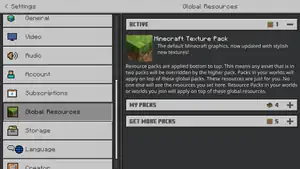
Resource packs can be applied locally on the Global Resources option from the settings menu from the main menu screen. Resource packs can be moved between "Active" and "My Packs".
One or more resource packs can be bundled with a world from the Create New World and Edit World screens. These resource packs will be imported into the world files, and are kept when exporting the world. Players joining a multiplayer world with resource packs get an option to download the resource pack or not. When "Shared packs" (or texturepack-required in server.properties) is enabled, all global resources will be ignored and players are forced to download and enable all resource packs stored in the world files. Custom resource packs cannot be applied to worlds on Realms, but worlds uploaded to Realms or Bedrock Dedicated Server keep the resource packs applied to the world.
In Bedrock Dedicated Server, resource packs also can be stored outside of worlds. Packs need to be enabled in the world_resource_packs.json file in a world file.
Resource packs load their assets based on the order of the packs on the list. The bottom-most pack loads first, then each pack placed above it replaces assets of the same name with its assets. Global resources are always applied above world resource packs.
Resource packs cannot be edited unless put into the development_resource_packs directory, and will update themselves when joining a world or changing active resource packs.
Settings
Resource packs can contain custom settings that affect features in the pack.[6] Settings need to be specified in manifest.json, with the options to create an on/off toggle, or a slider with specific values. The settings menu for custom and Marketplace resource packs can be opened with a button next to the pack button in the edit world screen to change settings for the whole world, or in the pack description in the global resources settings to change settings locally. Custom labels for each setting can be applied, which support text formatting.
Custom settings currently can't affect any features in the resource pack, but Mojang Studios plans to create a Molang query function for this purpose.
The settings menu can also be used to change the memory tier, which affects the sub-packs being used.[7] The memory tier can be set to any specified value from the device's memory tier and lower. Sub-packs are resource packs within the root of the behavior pack, with the same directory structure. They can be added to the pack in manifest.json.
Marketplace resource packs
Add-ons and worlds from the Marketplace often contain or consist entirely of a resource pack. These packs are stored internally and can't be accessed from com.mojang. Players can only access Marketplace resource packs or play on worlds with resource packs applied when they own the pack, by purchasing it in the Marketplace or by owning the Marketplace Pass. Which packs a player owns is stored in the online player profile, so resource packs can only be accessed when signed in. Marketplace packs can be applied the same way as custom resource packs, and also to Realms, but not to worlds in external servers.
When a player joins a multiplayer world or Realm with Marketplace packs, the player is offered to download these packs to apply them, even when the player does not own the pack.
Marketplace resource packs update automatically depending on the "Auto Update Unlocked Packs" settings, or can be updated manually from the purchase screen.
Built-in resource pack
There is currently one resource pack that is included as part of the game.
| Pack name | Pack description | Description |
|---|---|---|
| Minecraft Texture Pack |
The default Minecraft graphics, now updated with stylish new textures! | Selected by default, can't be unselected. Contains essential files. |
Directory structure
_JE1_BE1.png)
Resource packs in Bedrock Edition use the following directory structure:
- name or name.zip
- biomes_client.json. Contains settings for each biome, such as water color, fog color, and sky color. Deprecated since 1.21.40, now controlled by individual JSON files in biomes.
- blocks.json
- bug_pack_icon.png: The picture to display next to the resource pack in the in-game when it cannot be loaded.
- manifest.json
- pack_icon.png: The picture to display next to the resource pack in the in-game.
- sounds.json
- splashes.json: Contains splash texts.
- sub-pack: A resource pack with the same directory structure inside the resource pack. Multiple sub-packs can be used, and need to be specified in manifest.json.
- animation_controllers
- entity_animation_controllers.json
- animations
- entity.animation.json
- atmospherics[a]
- atmospherics.json: Contains default atmospherics configurations for Vibrant Visuals.
- location.json: Contains atmospherics configurations for specified locations.
- attachables
- attachable_entity_name.json
- biomes
- biome.client_biome.json: Contains some settings for individual biomes, including music and what location identifiers for each Vibrant Visuals setting should be used.
- block_culling
- block_culling.json
- color_grading[a]
- color_grading.json: Contains default configurations for color grading and tone mapping in Vibrant Visuals.
- location.json: Contains color grading and tone mapping configurations for specified locations.
- entity
- entity.entity.json[b]
- fogs[a]
- default_fog_settings.json: Contains default configurations for volumetric fog in Vibrant Visuals.
- location.json: Contains volumetric fog configurations for specified locations.
- items
- item.json
- lighting[a]
- global.json: Contains configurations for global light sources in Vibrant Visuals, including the sun, moon, End flash, emissiveness, ambient lighting, and sky lighting.
- location.json: Contains configurations for global light sources for specified locations.
- local_lighting[a]
- local_lighting.json: Contains settings for local lighting for individual blocks in Vibrant Visuals.
- materials
- entity.material
- models
- entity.geo.json[b]
- particles
- particle.json
- pbr[a]
- global.json: Contains default MERS values for different object types when no texture set is provided for an object in Vibrant Visuals.
- render_controllers
- entity_render_controllers.json
- default.render_controllers.json
- shadows[a]
- global.json: Contains settings for shadow effects in Vibrant Visuals.
- sounds
- texts
- textures
- ui[b]
- water[a]
- water.json: Contains configurations for water effects in Vibrant Visuals, including particles, waves, and caustics.
- location.json: Contains water configurations for specified locations.
- ↑ a b c d e f g h Only in resource packs with
"pbr"capability - ↑ a b c d e f g h i j k l File may be inside a directory.
- ↑ .mp3 files aren't fully supported.
- ↑ For languages using a different font.
- ↑ Directory may be at the root of the resoursepack instead of in the texts directory
- ↑ Deprecated? (needs confirmation)
- ↑ Deprecated? (needs confirmation)
- ↑ Existence confirmed, purpose unknown
Internal resource packs
Most entities, biomes, loot tables, and various things from the base game are defined by the vanilla resource pack, which is built inside the game itself and can be found at game directory\data\resource_packs. Mojang Studios releases the Bedrock Add-On Sample Files with every new update of Bedrock Edition, which provide the latest vanilla behavior and resource packs from the game.
Multiple internal resource packs exist for different situations. Some experiments may have their own resource pack, in addition to Minecraft Education features and Minecraft Preview. Each resource pack contains the same structure and assets as custom resource packs, defined for the whole game. Some packs also have an icon or description, which is not visible in-game.
Bedrock Edition supports backwards-compatibility for add-ons and old worlds. This is done for the vanilla and chemistry resource packs since 1.14 and 1.20.50 respectively, with the regular resource pack supporting the latest version before. Each update with changes to features defined in resource packs has its own resource packs, with all the features that changed. Some Marketplace add-ons can lock a world in an older version by disabling internal resource packs from higher versions.
| File name | Pack icon, name, and description | Description |
|---|---|---|
| beta |  |
Resources for beta versions of the game. Contains a unique logo, splashes, panorama, and loading tips. |
| cdn |  SoulSteel SoulSteel
SoulSteel pack |
Contains some resources for the button and animations on the title screen promoting the SoulSteel featured server. Unlike other packs, this is stored in %appdata%\Minecraft Bedrock, similar to com.mojang.
|
| chemistry | 
|
Resources for the "Minecraft Education features" cheat setting. Includes several features from the Chemistry Update in Minecraft Education. Multiple versions of this pack are available to support backwards-compatibility. |
| editor | 
|
Resources for Bedrock Editor, applied when the Editor is enabled upon launch. Contains five unique entities exclusive to the Editor, some textures for the GUI, and the compass on the HUD. This pack does not contain all features from the Editor GUI because that uses Ore UI and is hard-coded outside of resource packs. |
| experimental_deferred_technical_preview | Experimental RenderDragon Features for Creators resource pack | Contains features from the "Render Dragon for Creators" experiment, available in Preview only. It contains all default configurations for local lighting in Vibrant Visuals, such as point lights. |
| oreui | Minecraft UI Resource Pack
The default Minecraft UI resources. |
Translations for Ore UI menu screens. |
| persona |  Persona Built-in Pack Persona Built-in Pack
|
Contains all individual cosmetics and some UI elements for the default skins in the Character Creator. |
| platform_gdk_pc | Contains few texts for the GDK build of Minecraft Preview. | |
| previewapp | Resources for Minecraft Preview. Contains a unique logo, splashes, panorama, and loading tips. | |
| vanilla |
|
All resources for the default Minecraft game. Multiple versions of this pack are available to support backwards-compatibility. |
| vanilla_base | Contains few basic resources for the game, such as the crosshair texture and the initial loading screen. | |
| vanilla_music | Contains all game music files and Nether ambience. | |
| vanilla_trial | Contains UI elements for the trial version of the game. |
History
Reason: Should we remove the pack number changes since we have a dedicated page for that now?
Java Edition
| Java Edition | |||||||
|---|---|---|---|---|---|---|---|
| 1.6.1 | 13w24a | Added resource packs, replacing the functionality of texture packs. | |||||
| Minecraft Texture Ender is available from Mojang to automatically convert 1.5 compatible texture packs to resource packs. See Java Edition 1.6.1/Resource pack changes for the list of file names changed. | |||||||
| 1.6.2 | reupload | Fixed distorted font when HD font is used.[8] | |||||
| 1.7.2 | 13w36a | Added the ability to apply multiple resource packs at once. | |||||
| Servers can now recommend a default resource pack via the server-side resource packs system.[9][10] | |||||||
| 13w42a | Moved files from assets/minecraft/music to assets/minecraft/sounds/music and files from assets/minecraft/sound to assets/minecraft/sounds. | ||||||
| 1.7.4 | 13w47a | The description value of pack.mcmeta can now use the text component format. | |||||
| 13w48a | Removed the ability to change the Mojang logo. | ||||||
| 1.8 | 14w06a | Added the ability to change the block models. | |||||
| 14w07a | Resource packs can now be bundled with a map. | ||||||
| 14w25a | The model format now supports custom item models. | ||||||
| Textures can now be specified for blocks and items. | |||||||
Added the interpolate tag for animations. | |||||||
| 1.8.8 | pre | Resource packs now display an error if the format number is wrong. At this time, it requires a format number of 1. | |||||
| 1.9 | 15w31a | Changed format number to 2, due to changes in the model system, such as item tags, multipart, and changes to display tags.
| |||||
| Using resource packs with outdated display tags causes the models to seem abnormally up-scaled and the wielded block cannot be rotated in the hand, along with blocks in the inventory replaced with a 2D texture. This is similar to what happens when a model has no display tags. See here for an example. | |||||||
| 1.11 | 16w32a | Resource packs version number changed to 3, due to the change that all files should have lowercase letters. | |||||
| 1.13 | 17w43a | The default resource pack can now be moved up and down, just like other resource packs. | |||||
| 17w48a | Changed format number to 4, due to The Flattening. See Java Edition 1.13/Resource pack changes for the list of file names changed. | ||||||
| pre7 | Several punctuation characters in ascii.png were shortened by one pixel, either vertically or horizontally. A stray pixel on the Ø character was also removed. | ||||||
| pre8 | Several more punctuation characters in ascii.png were shortened and the @ was lowered by one pixel. | ||||||
| 1.14 | 18w45a | Added "Programmer Art – The classic look of Minecraft" to the resource pack menu, due to the old textures being replaced by new ones in the Texture Update. | |||||
| 19w06a | Significantly improved resource pack loading speed.[11] | ||||||
| Particles textures are now split into individual files. | |||||||
| 19w07a | Painting textures are now split into individual files. | ||||||
| 19w08a | Status effect textures are now split into individual files. | ||||||
| 19w09a | Particles are now configurable. | ||||||
| 1.15 | Pre-release 1 | Changed format number to 5, due to texture mechanic changes in earlier snapshots. | |||||
| 1.16.2 | Release Candidate 1 | Changed format number to 6, due to changes to wall blocks made in 1.16 according to MC-197275. | |||||
| 1.17 | 20w45a | Changed format number to 7. | |||||
| 21w05a | Improved performance when using many overrides on an item model. | ||||||
| toasts.png GUI texture has a new icon for the bundle tutorial. | |||||||
| pre1 | The file credits.txt in assets/minecraft/texts was changed to credits.json, and the format also changed from plain text to structured JSON format. | ||||||
| 1.18 | 21w37a | Added illageralt, the rune-like font from Minecraft Dungeons (currently usable only via commands). | |||||
| 21w39a | Changed format number to 8, because inventory.png now contains an extra sprite for a thin-layout version of the effect list in the inventory. | ||||||
| 1.18.2 | 22w06a | Added assets/minecraft/regional_compliancies.json to control the gameplay timer and in-game notice strings as to respect the compliance requirements in South Korea. For South Korea only by default. | |||||
| 1.19 | 22w11a | Changed format number to 9, due to new filter section in pack.mcmeta. | |||||
| 1.19.3 | 22w42a | Changed format number to 11, due to the removal of "fixers" for resource packs with format numbers 3 and 4. | |||||
| 22w45a | Changed format number to 12. | ||||||
| 1.19.4 | 23w07a | The vanilla resource pack en_us language file is now sorted alphanumerically by key. | |||||
| pre1 | Added a built-in "High Contrast" resource pack that enhances the contrast of UI elements. | ||||||
Changed format number to 13, due to the enchantment glint now being separate between entities and items. | |||||||
| 1.20 | 23w14a | Changed format number to 14 due to updates to the layout of minecraft.png and invite_icon.png. | |||||
| 23w17a | Changed format number to 15 due to updates to the font and the credits. | ||||||
uniform font has been updated to use Unifont 15.0.01. | |||||||
| Pre-release 5 | uniform font has been updated to use Unifont 15.0.03. | ||||||
| 1.20.2 | 23w31a | Changed format number to 16.
| |||||
| The process of upgrading a pack can now be assisted by using an automated Slicer tool.[12] | |||||||
| 23w32a | Changed format number to 17. | ||||||
The text field background is now a nine-sliced sprite at widget/text_field and widget/text_field_highlighted. | |||||||
The scroll bar in lists and text fields is now a nine-sliced sprite at widget/scroller. | |||||||
| 1.20.2 Pre-release 2 | Changed format number to 18. | ||||||
| 1.20.3 | 23w42a | Changed format number to 19. | |||||
Added block model, item model and block state definitions for crafter. | |||||||
Added GUI container texture and sprites for crafter. | |||||||
Added white_smoke particle definition. | |||||||
| 23w43a | Changed format number to 20. | ||||||
bat.png has been updated for the new bat model. | |||||||
| Added block models, items models, block state definitions and unique sprites for new blocks. | |||||||
| 23w45a | Changed format number to 21. | ||||||
uniform font has been updated to use Unifont 15.1.04 (from 15.0.06). | |||||||
The only supported texture format is now .png. | |||||||
Added entity models and textures for experimental breeze mob breeze, wind_charge. | |||||||
Added shader breeze_wind. | |||||||
| Pre-Release 1 | Changed format number to 22. | ||||||
| Changes to downloaded/world resource pack handling. | |||||||
| UI Download screen has been replaced with a toast. | |||||||
| World resource pack application starts together with chunk loading. | |||||||
| Downloaded packs are now stored in downloads directory (with different file organization than old server-resource-packs). | |||||||
| Downloaded packs now have unique id (GUID/UUID) that can be used to differentiate them. | |||||||
| 1.20.5 | 24w03a | Changed format number to 24. | |||||
| 24w05a | Changed format number to 25. | ||||||
| 24w06a | Added font variant filters to font providers. | ||||||
Changed format number to 26. | |||||||
| 24w09a | Changed format number to 28 due to menu GUI changes. | ||||||
| 24w11a | Changed format number to 29 due to menu GUI changes. | ||||||
| 24w12a | Changed format number to 30 due to changes to map_icons.png. | ||||||
| 24w13a | Changed format number to 31. | ||||||
| 1.20.5-pre4 | Changed format number to 32. | ||||||
| 1.21 | Changed format number to 34. | ||||||
| 1.21.2 | 24w33a | Changed format number to 35. | |||||
| 24w34a | Changed format number to 36. | ||||||
| 24w36a | Changed format number to 37. | ||||||
| 24w37a | Changed format number to 38. | ||||||
| 24w38a | Changed format number to 39. | ||||||
| 24w40a | Changed format number to 40. | ||||||
| 1.21.2-pre1 | Changed format number to 41. | ||||||
| 1.21.2-pre3 | Changed format number to 42. | ||||||
| 1.21.4 | 24w44a | Changed format number to 43. | |||||
| 24w45a | Changed format number to 44. | ||||||
Added support for items model definitions in the assets/minecraft/items directory. | |||||||
| 24w46a | Changed format number to 45. | ||||||
| Most blocks that previously rendered only block entity will now also render a normal block model, notably this excludes end portals and end gateways. | |||||||
| Pre-Release 1 | Changed format number to 46. | ||||||
| 1.21.5 | 25w02a | Changed format number to 47. | |||||
| 25w03a | Changed format number to 48. | ||||||
| 25w04a | Changed format number to 49. | ||||||
| 25w05a | Changed format number to 50. | ||||||
| 25w06a | Changed format number to 51. | ||||||
| 25w07a | Changed format number to 52. | ||||||
| 25w08a | Changed format number to 53. | ||||||
| 25w10a | Changed format number to 54. | ||||||
| "Global" uniforms may now be defined in any shader, and the game will attempt to fill it. | |||||||
| Pre-Release 1 | Changed format number to 55. | ||||||
| 1.21.6 | 25w15a | Changed format number to 56. | |||||
| 25w16a | Changed format number to 57. | ||||||
| All core shader uniforms are now uniform blocks. | |||||||
| 25w17a | Changed format number to 58. | ||||||
| 25w18a | Changed format number to 59. | ||||||
| All JSON files are now parsed in strict mode. | |||||||
The hud/locator_bar_arrow_up and hud/locator_bar_arrow_down sprites are now animated with a standard animation definition in the corresponding .mcmeta files. | |||||||
| 25w19a | Changed format number to 60. | ||||||
| Panorama textures must now all be the same size, and square. | |||||||
| 25w20a | Changed format number to 61. | ||||||
| 25w21a | Changed format number to 62. | ||||||
| pre1 | Changed format number to 63. | ||||||
Added oversized_in_gui item model field. | |||||||
A new special model type has been added, player_head, which loads textures from a profile component on the item stack. | |||||||
The head special model type no longer loads textures from a profile component on the item stack. | |||||||
| 1.21.7 | Release Candidate 2 | Changed format number to 64. | |||||
| 1.21.9 | 25w31a | Changed format number to 65.0. | |||||
| 25w32a | Changed format number to 65.1. | ||||||
| 25w33a | Changed format number to 65.2. | ||||||
| 25w34a | Changed format number to 66.0. | ||||||
| 25w35a | Changed format number to 67.0. | ||||||
| 25w36a | Changed format number to 68.0. | ||||||
| 25w37a | Changed format number to 69.0. | ||||||
| Upcoming Java Edition | |||||||
| 1.21.11 | 25w41a | Changed format number to 70.0. | |||||
| 25w42a | Changed format number to 70.1. | ||||||
| 25w43a | Changed format number to 71.0. | ||||||
| 25w44a | Changed format number to 72.0. | ||||||
| block.vsh/fsh copies terrain.vsh/fsh and handles ad-hoc blocks (e.g. held by entities). | |||||||
Added ChunkSection uniform, used by terrain.vsh (which replaces DynamicTransforms). | |||||||
| New shaders have been introduced to perform GPU based sprite animations. | |||||||
Globals uniform now has camera coordinates. | |||||||
| 25w45a | Changed format number to 73.0. | ||||||
Bedrock Edition
| Pocket Edition Alpha | |||||||
|---|---|---|---|---|---|---|---|
| v0.15.0 | release | Added the first custom in-game resource packs, Plastic and City. | |||||
| Pocket Edition | |||||||
| v1.0.4 | ? | /modules in a pack manifest file is now mandatory. | |||||
| Bedrock Edition | |||||||
| 1.10.0 | beta 1.10.0.3 | Resource packs are now separate from world templates and can be updated independently in existing worlds. | |||||
Trivia
pack.png
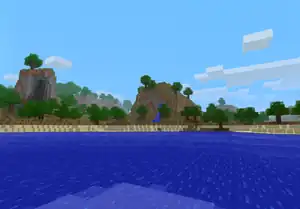
The pack.png was an image file used for the default resource pack icon before Java Edition 1.14, and a grayscaled version of it is still used as a fallback for the world icon on the Select World screen as well as the server icon on the server list. The file shows a screenshot taken in Java Edition Alpha v1.2.2, in a world generated with the seed 3257840388504953787.[13] It was taken approximately at X=49.16, Z=0.72, with view angle facing RX=-119.23, RY=-8.297. This image has been referenced officially multiple times in the "One Trillion Minecraft Views on YouTube and Counting" video and Unpacked painting in the game.
- The seed can be used in versions Alpha 1.2.0 through Beta 1.7.3, with minor population differences between versions.
- It's possible to generate an identical world and take an identical screenshot, a guide on how to do that can be found here: https://pastebin.com/CmsEKDev.[14]
Gallery
-
Select resource packs menu.
-
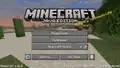 A custom splash saying Also try Tomodachi Life!
 -
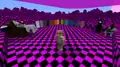 Missing texture with a black and magenta checkerboard pattern seen in Java Edition.
 -
 Blocks with missing textures seen in a broken custom biome in Bedrock Edition.
Resource pack icons
-
The pack.png file used by the default resource pack.
-
The pack.png file used by the programmer art resource pack.
-
 The fallback resource pack icon.
 -
The pack.png file used by the high contrast resource pack.
pack.png
-
 The pack.png file used by the default resource pack before 1.14.
 -
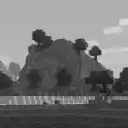 The grayscale variant still present in the game. Used as a fallback server icon.
 -
_JE1_BE1.png) The Unpacked painting referencing pack.png.
The Unpacked painting referencing pack.png.
Historical screenshots
-
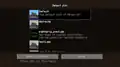 The first image released by Notch of the texture pack selection menu.
 -
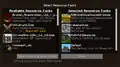 The "Select Resource Packs" screen in old Java Edition, screenshot by Dinnerbone.
 -
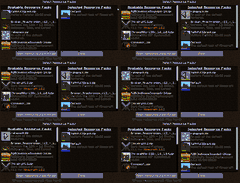 Resource packs being managed.
 -
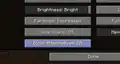 Unimplemented "block alternatives" option for resource packs.
 -
 The resource packs button.
See also
- Tutorials/Creating a resource pack [Java Edition only]
- Introduction to Resource Packs [Bedrock Edition only]
- Programs and editors/Resource pack creators
External links
References
- ↑ snapshot description https://www.minecraft.net/it-it/article/minecraft-snapshot-23w31a
- ↑ https://feedback.minecraft.net/hc/en-us/community/posts/360058097892-Split-up-the-experience-orb-texture-file-into-individual-sprites
- ↑ "No. Allowing directly changing screens is what made improving the UI design of Minecraft impossible: any change breaks existing mods. It's the same reason why there is a graveyard of abandoned mods for Java Minecraft – not every modder has time to make updates for every release." – @Volgar on X (formerly Twitter), December 9, 2024
- ↑ "Intro to JSON UI" – Bedrock Wiki, April 1, 2024.
- ↑ MCPE-180757 — HBUI texture files are not in the "resource_packs" folder — resolved as "Works As Intended".
- ↑ "Creating a Pack with Custom Settings" – Microsoft Learn, August 1, 2025.
- ↑ "Building Sub-Packs" – Microsoft Learn, August 28, 2025.
- ↑ MC-17673 — Distorted fonts when using a converted texturepack on startup — resolved as "Fixed".
- ↑ MC-18569 — Server resourcepacks not implemented yet — resolved as "Fixed".
- ↑ https://mcupdate.tumblr.com/post/65040832258/minecraft-172
- ↑ "It should have already affected resource pack loading! It's all the same thing internally." – @Dinnerbone (Nathan Adams) on X (formerly Twitter), February 7, 2019
- ↑ https://github.com/Mojang/slicer/releases/tag/v1.1
- ↑ "Pack.PNG has been FOUND! - Here's how they did it." – SalC1 on YouTube, September 7, 2020
- ↑ https://www.reddit.com/r/MinecraftAtHome/comments/iocx6f/packpng_seed_was_found_explanation_tutorial_and
| Components |
| ||||
|---|---|---|---|---|---|
| Resource packs |
| ||||
| Tutorials | |||||
| |||||||||||||||||||||||||||||||||
| |||||||||||||||||||||||||||||||||
| |||||||||||||||||||||||||||||||||




.png)


| |||||||||||||||||||||||
| |||||||||||||||||||||||