Java Edition 25w45a
Minecraft 25w45a
| Edition | ||||||
|---|---|---|---|---|---|---|
| Release date |
November 4, 2025 | |||||
| Type | ||||||
| Snapshot for | ||||||
| Downloads |
Client (.json) | |||||
| Obfuscation maps | ||||||
| Protocol version |
dec: 1073742103 | |||||
| Data version |
4661 | |||||
| Resource pack format |
73.0 | |||||
| Data pack format |
93.0 | |||||
| Minimum Java version | ||||||
| ||||||
{
    "title": "Minecraft 25w45a",
    "images": [
        "25w45a.jpg",
        "Java Edition 25w45a.png"
    ],
    "rows": [
        {
            "field": "''(link to Java Edition article, displayed as Java Edition)''",
            "label": "(link to Edition article, displayed as Edition)"
        },
        {
            "field": "November 4, 2025",
            "label": "Release date"
        },
        {
            "field": "(link to Snapshot article, displayed as Snapshot)",
            "label": "(link to Version types article, displayed as Type)"
        },
        {
            "field": "(link to Java Edition 1.21.11 article, displayed as 1.21.11)",
            "label": "Snapshot for"
        },
        {
            "field": "[https://piston-data.mojang.com/v1/objects/d9e25f7e65c41e8fa8c69a9f11a6d5132860af64/client.jar Client] ([https://piston-meta.mojang.com/v1/packages/dbcb9b8dabd8144cc4814ac5bec94e73a1c82c88/25w45a.json .json])<br>\n[https://piston-data.mojang.com/v1/objects/26551033b7b935436f3407b85d14cac835e65640/client.jar Unobfuscated client] ([https://piston-data.mojang.com/v1/objects/de334d80d9ddc5abb94c611b8ad10f9125c4c421/25w45a_unobfuscated.zip .zip]) <br />[https://piston-data.mojang.com/v1/objects/4c0fe96ca002d7049226a740194c8d7114bd5059/server.jar Server]<br>\n[https://piston-data.mojang.com/v1/objects/2d3568cd561daad8e80fdc605e64270ae8dd8aba/server.jar Unobfuscated server]",
            "label": "(link to Tutorial:Installing a snapshot#Manual version installation article, displayed as Downloads)"
        },
        {
            "field": "[https://piston-data.mojang.com/v1/objects/aba6c935a1e77328729ab6e8873a8ffe54af47fc/client.txt Client]<br />[https://piston-data.mojang.com/v1/objects/b6f8fea06989fcc556a9ff78a4509869c54b8905/server.txt Server]",
            "label": "(link to Obfuscation map article, displayed as Obfuscation maps)"
        },
        {
            "field": " <span style=\"font-size:smaller\"><abbr title=\"decimal\">dec</abbr>: </span>1073742103<br /> <span style=\"font-size:smaller\"><abbr title=\"hexadecimal\">hex</abbr>: </span>40000117",
            "label": "(link to Protocol version article, displayed as Protocol version)"
        },
        {
            "field": "4661",
            "label": "(link to Data version article, displayed as Data version)"
        },
        {
            "field": "73.0",
            "label": "<span style=\"white-space: normal;\">(link to Pack format#List of resource pack formats article, displayed as Resource pack format)</span>"
        },
        {
            "field": "93.0",
            "label": "<span style=\"white-space: normal;\">(link to Pack format#List of data pack formats article, displayed as Data pack format)</span>"
        },
        {
            "field": "<span class=\"plainlinks\">[https://en.wikipedia.org/wiki/Java_version_history#Java_SE_21_.28LTS.29 Java SE 21]</span>",
            "label": "<span style=\"white-space: normal;\">Minimum Java version</span>"
        }
    ],
    "invimages": [],
    "footer": "<table style=\"margin: auto; word-break: break-word;\">\n<tr style=\"background: inherit;\">\n<td style=\"padding: 0.4em\" >[[Java Edition  1.21.10|<span style=\"margin-right:-0.35em\">◄</span>◄   1.21.10]]</td>\n<td style=\"padding: 0.4em\">'''[[Java Edition 1.21.11|1.21.11]]'''</td>\n<td style=\"padding: 0.4em\" rowspan=\"2\"></td>\n</tr>\n<tr style=\"background: inherit;\">\n<td style=\"padding: 0.4em\">\n[[Java Edition  25w44a|◄   25w44a]]\n</td>\n<td style=\"padding: 0.4em\">''' 25w45a'''</td>\n</tr>\n</table>"
}
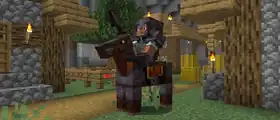
25w45a is the fifth snapshot for Java Edition 1.21.11,[unofficial name] released on November 4, 2025, which adds a coral variant of zombie nautilus and a netherite tier of horse armor.[1]
Additions
Mobs
.png)
- A new variant of the zombie nautilus.
- Spawns in warm oceans, replacing the normal zombie nautilus.
Items
_JE1_BE1.png)
- Can be obtained by upgrading diamond horse armor with a smithing table.
| Ingredients | Smithing recipe |
|---|---|
| Netherite Upgrade + Diamond Horse Armor + Netherite Ingot |
    |
Gameplay
- Added one new advancement.
| Icon | Advancement | In-game description | Actual requirements (if different) |
|---|---|---|---|
  | Mob Kabob[upcoming JE 1.21.11] | Hit five mobs in the same Charge attack using the Spear. |  Armor Stand and Armor Stand and  Mannequin also count for this advancement. Mannequin also count for this advancement. |
General
minecraft:visual/sunrise_sunset_color- Controls the color and intensity of the sunrise and sunset effect. If fully transparent, no sunrise or sunset will be rendered. Only visible with the overworld skybox type.
- Value type: ARGB Color
- Default value: "
#00000000" - Modifiers: ARGB Color Modifiers
- Interpolated: yes
- Resolved at the camera's position.
- Only visible with the overworld skybox type.
- Controls the color and intensity of the sunrise and sunset effect. If fully transparent, no sunrise or sunset will be rendered. Only visible with the overworld skybox type.
minecraft:visual/sun_angle- The angle in degrees of the sun, clockwise from east to west, with
0being directly up.- Value type: float, angle in degrees
- Default value:
0.0 - Modifiers: Float Modifiers
- Interpolated: yes
- Resolved at the camera's position.
- Only visible with the overworld skybox type.
- The angle in degrees of the sun, clockwise from east to west, with
minecraft:visual/moon_angle- The angle in degrees of the moon, clockwise from east to west, with
0being directly up.- Value type: float, angle in degrees
- Default value:
0.0 - Modifiers: Float Modifiers
- Interpolated: yes
- Resolved at the camera's position.
- Only visible with the overworld skybox type.
- The angle in degrees of the moon, clockwise from east to west, with
minecraft:visual/star_angle- The angle in degrees of the stars, clockwise from east to west, with
0being directly up.- Value type: float, angle in degrees
- Default value:
0.0 - Modifiers: Float Modifiers
- Interpolated: yes
- Resolved at the camera's position.
- Only visible with the overworld skybox type.
- The angle in degrees of the stars, clockwise from east to west, with
minecraft:visual/moon_phase- The phase of the moon.
- Value type: string id, one of:
full_moonwaning_gibbousthird_quarterwaning_crescentnew_moonwaxing_crescentfirst_quarterwaxing_gibbous
- Default value: "
full_moon" - Modifiers: override
- Interpolated: no
- Resolved at the camera's position.
- Value type: string id, one of:
- Only visible with the overworld skybox type.
- The phase of the moon.
minecraft:visual/star_brightness- The brightness of the stars in the sky, where
0.5is the normal brightness during the night and0is fully hidden.- Value type: float between
0and1 - Default value:
0.0 - Modifiers: Float Modifiers
- Interpolated: yes
- Resolved at the camera's position.
- Value type: float between
- Only visible with the overworld skybox type.
- The brightness of the stars in the sky, where
minecraft:visual/sky_light_color- The visual color of sky light. For blocks with a sky light level of 0 (or
minecraft:visual/sky_light_factoris0), this will have no effect. This is the value passed to the lightmap.fsh shader asSkyLightColor.- Value type: RGB Color
- Default value: "#
ffffff" - Modifiers: RGB Color Modifiers
- Interpolated: yes
- Resolved at the camera's position.
- The visual color of sky light. For blocks with a sky light level of 0 (or
minecraft:visual/sky_light_factor- The visual brightness of sky light.
minecraft:visual/sky_light_coloris multiplied by this value. This is the value passed to the lightmap.fsh shader asSkyFactor. - The corresponding gameplay effect is controlled entirely by
minecraft:gameplay/sky_light_level.- Value type: float
- Default value:
1.0 - Modifiers: Float Modifiers
- Interpolated: yes
- Resolved at the camera's position.
- The visual brightness of sky light.
minecraft:audio/firefly_bush_sounds- If
trueand not below an opaque block, firefly bushes will produce idle sounds.- Value type: boolean
- Default value:
false - Modifiers: Boolean Modifiers
- Interpolated: no
- Resolved at the position of a firefly bush.
- If
minecraft:gameplay/sky_light_level- The effective light level of the sky used by mechanics such as mob spawning or daylight detectors.
- For example, a block fully exposed to the sky will be considered to have a light level of exactly this value, while a block deep in a cave will not be affected at all.
- The corresponding visual effect is controlled entirely by
minecraft:visual/sky_light_factor.- Value type: float
- Default value:
15.0 - Modifiers: Float Modifiers
- Interpolated: yes
- Resolved for a whole dimension (cannot be specified on a Biome)
- The effective light level of the sky used by mechanics such as mob spawning or daylight detectors.
minecraft:gameplay/eyeblossom_open- If
true, closed eyeblossoms will eventually open by random block ticks. Iffalse, open eyeblossoms will do the opposite. If "default", open or Closed closed will remain in their current state.- Value type: one of:
truefalse- "
default"
- Default value: "
default" - Modifiers: override
- Interpolated: no
- Resolved at the eyeblossom block's position
- Value type: one of:
- If
minecraft:gameplay/turtle_egg_hatch_chance- The chance that a turtle egg block will switch to its next hatching state when randomly ticked.
- Value type: float between
0and1 - Default value:
0.0 - Modifiers: Float Modifiers
- Interpolated: yes
- Resolved at the turtle egg block's position.
- Value type: float between
- The chance that a turtle egg block will switch to its next hatching state when randomly ticked.
minecraft:gameplay/creaking_active- While
true, creaking heart blocks (and their corresponding Creaking) will become active. On the other hand, whenfalse, it will enter its dormant state.- Value type: boolean
- Default value:
false - Modifiers: Boolean Modifiers
- Interpolated: no
- Resolved at the creaking heart block's position.
- While
minecraft:gameplay/surface_slime_spawn_chance- An additional chance rolled when a natural slime spawn attempt occurs in a biome with the
#allows_surface_slime_spawnstag.- Value type: float between
0and1 - Default value:
0.0 - Modifiers: Float Modifiers
- Interpolated: yes
- Resolved at the position of the slime spawn attempt.
- Value type: float between
- An additional chance rolled when a natural slime spawn attempt occurs in a biome with the
minecraft:gameplay/cat_waking_up_gift_chance
minecraft:gameplay/bees_stay_in_hive- When true, bees will try to navigate to their hives and will not exit unless the hive is broken or next to a fire.
- Value type: boolean
- Default value:
false - Modifiers: Boolean Modifiers
- Interpolated: no
- Resolved at a bee or bee hive block's position.
- When true, bees will try to navigate to their hives and will not exit unless the hive is broken or next to a fire.
minecraft:gameplay/monsters_burn- When
true, monsters will burn while exposed to the sky.- Value type: boolean
- Default value:
false - Modifiers: Boolean Modifiers
- Interpolated: no
- Resolved at the monster's position.
- When
minecraft:gameplay/can_pillager_patrol_spawn- When
true, pillager patrols are able to spawn.- Note: the global skylight level must also be greater than 11.
- Value type: boolean
- Default value:
true - Modifiers: Boolean Modifiers
- Interpolated: no
- Resolved at the position of the patrol spawn attempt.
- Replaces the
#without_patrol_spawnsbiome tag.
- When
minecraft:gameplay/villager_activity- Controls the default AI activity for adult villagers.
- Not all activities are supported by villager AI - if an unsupported one is chosen, the Villager will do nothing. The following activities are supported:
corehideidlemeetpanicpre_raidraidrestwork- Value type: Mob Activity
- Default value: "
minecraft:idle" - Modifiers: override
- Interpolated: no
- Resolved at the villager's position.
minecraft:gameplay/baby_villager_activity- Controls the default AI activity for baby villagers.
- Not all activities are supported by villager AI - if an unsupported one is chosen, the villager will do nothing. The following activities are supported:
corehideidlemeetpanicplaypre_raidraidrest- Value type: Mob Activity
- Default value: "
minecraft:idle" - Modifiers: override
- Interpolated: no
- Resolved at the villager's position.
- Are a new experimental concept defined in data packs under the timeline registry (i.e. found under data/<namespace>/timeline/<id>.json).
- Specify game behavior based on the absolute day time (that which is set by
/time set). Timelines optionally can specify a period over which they will be repeated. - Are able to modify game behavior or visuals by acting as an Environment Attribute source to apply Environment Attribute modifiers.
- Format: object with fields
period_ticks: optional integer, defines the duration in ticks over which the timeline will repeat.- If not specified, the timeline will not repeat
tracks: optional map between Environment Attribute IDs and a corresponding Environment Attribute Track object.
- Format: object with fields
- Timelines by default have no effect unless they are included by a dimension.
- With the inclusion of Timelines, Environment Attribute sources are processed in the following order (from low to high priority):
- Dimensions
- Biomes
- Timelines
- Weather (not data-driven)
- Interpolation
- Timelines can define Attribute Tracks
- These specify how a modifier for a particular Environment Attribute changes over time by defining keyframes.
- Depending on the attribute, interpolation may be used between each keyframe. If interpolation is not used, the previous keyframe value will always be selected.
- For example, a Timeline with a period of 24000 might be set up as following:
- At time =
0, the timeline providessky_color = #ff0000(red) - At time =
1000, the timeline providessky_color = #ff0000(red) - At time =
6000, the timeline providessky_color = #ff00ff(magenta)
- At time =
- Between time =
0and time =1000, the sky color will be red. Between1000and6000, it will shift from red to magenta. Then, from6000all the way until the timeline repeats and reaches time =0again, the color will slowly shift back to red. - Unlike biomes, if a Timeline uses a modifier instead of an override, interpolation is applied to the modifier arguments rather than the final modified values.
- Timelines can define Attribute Tracks
- Attribute Tracks
- An Attribute Track specified within a Timeline takes the format of an object with the following fields:
ease- optional Easing Type (see below), used to ease the interpolaton of the value between keyframes.- Default: linear
- If the target attribute does not support interpolation, the easing mode will have no effect.
- Default: linear
keyframes- list of keyframe objects, must be ordered by the ticks field:ticks- integer between 0 and period_ticks (if specified), defines the tick (within the period) at which this keyframe's value will be active.value- the modifier argument (format dependent on the chosen modifier).- If no modifier is specified (or override is used), the type of this field is the same as the Environment Attribute itself.
- How this value is used depends on the type of modifier.
- Note: at most two keyframes can be placed on the same tick, creating an immediate transition.
modifier- optional string modifier ID, dependent on the Attribute Type (see the Common Modifiers section below).- Default: override
- For example, the following Timeline has a period of
24000, and has an attribute track that modifies onlyminecraft:gameplay/cat_waking_up_gift_chance. Because the easing is constant, between tick362and23667the value is0.0, while between tick23667and362it is0.7. - Like other Environment Attribute sources, the specified value is used as the argument to the specified
modifier. This is then applied on top of sources with a lower priority. In this case the modifier ismaximum, so this timeline will only ever increase the value ofcat_waking_up_gift_chanceto the value specified in the track.
- An Attribute Track specified within a Timeline takes the format of an object with the following fields:
{
    "period_ticks": 24000,
    "tracks": {
        "minecraft:gameplay/cat_waking_up_gift_chance": {
            "ease": "constant",
            "modifier": "maximum",
            "keyframes": [
                { "ticks": 362,   "value": 0.0 },
                { "ticks": 23667, "value": 0.7 }
            ]
        }
    }
}- Easing Types
- Easing Types control the interpolation between two keyframes by applying a curve. The following built-in Easing Types are provided:
constant- always selects the previous keyframelinearin_backin_bouncein_circin_cubicin_elasticin_expoin_quadin_quartin_quintin_sinein_out_backin_out_bouncein_out_circin_out_cubicin_out_elasticin_out_expoin_out_quadin_out_quartin_out_quintin_out_sineout_backout_bounceout_circout_cubicout_elasticout_expoout_quadout_quartout_quintout_sine
- An Easing Type may also be specified with a Cubic Bézier in the format:
{ "cubic_bezier": [ x1, y1, x2, y2 ]}x1: float between0and1, x-coordinate of the first control point.y1: float, y-coordinate of the first control point.x2: float between0and1, x-coordinate of the second control point.y2: float, y-coordinate of the second control point.
- Easing Types control the interpolation between two keyframes by applying a curve. The following built-in Easing Types are provided:
- Common Data Types
- Mob Activity
- A string ID from the minecraft:activity built-in registry. One of:
minecraft:coreminecraft:idleminecraft:workminecraft:playminecraft:restminecraft:meetminecraft:panicminecraft:raidminecraft:pre_raidminecraft:hideminecraft:fightminecraft:celebrateminecraft:admire_itemminecraft:avoidminecraft:rideminecraft:play_deadminecraft:long_jumpminecraft:ramminecraft:tongueminecraft:swimminecraft:lay_spawnminecraft:sniffminecraft:investigateminecraft:roarminecraft:emergeminecraft:dig
- A string ID from the minecraft:activity built-in registry. One of:
- Mob Activity
- Modifiers
- Added
blend_to_grayRGB/ARGB modifier - modifies a color by taking its grayscale form, applying a brightness modifier, and mixing with this using some factor.- Where
gray = brightness * (0.3 * red + 0.59 * green + 0.11 * blue), result = lerp(factor, subject, [gray, gray, gray])- Argument format: object with fields
brightness: float between0and1, a multiplier to apply to the grayscale value.factor: float between0and1, the factor to mix with.
- Where
- Added
- Biome Tags
- Added
#spawns_coral_variant_zombie_nautilus- Contains the biomes where the coral variant of the zombie nautilus can spawn.
- Added
- Timeline Tags
Changes
Mobs
- Drops 2-3 rotten flesh when killed, with extra 0-1 for each level of Looting.
Zombie horse, camel husk, and nautilus
- Now become persistent with any interaction from a player, not just riding them.
Items


- The margin hitbox from all spears have been changed from
0.25to0.125.[2]
General
- Added new
spear_mobstrigger with fields:player: optional entity predicate, the player using the kinetic weapon.count: optional integer, the number of mobs hit in a single use of the kinetic weapon.
- The pack format version is now
93.0.
minecraft:piercing_weaponandminecraft:kinetic_weapondata components now have bounds on their reach parameters:min_reach: is now valid from0.0to128.0max_reach: is now valid from0.0to128.0hitbox_margin: is now valid from0.0to1.0
- Added a new optional
timelinesfield that specifies which Timelines are active in this dimension.- Format: a Timeline ID, a list of Timeline IDs, or a Timeline Tag.
- The
naturalfield has been fully replaced by theminecraft:gameplay/eyeblossom_openandminecraft:gameplay/creaking_activeenvironment attributes. - The
effectsfield has been removed and replaced with the following new fields:skybox- the skybox rendering type to use, one of:none(wasminecraft:nethereffect ID)overworld(wasminecraft:overworldeffect ID)- Following environment attributes are applied only when the
skyboxisoverworld:minecraft:visual/sky_color,minecraft:visual/sun_angle,minecraft:visual/sunrise_sunset_color,minecraft:visual/moon_phase,minecraft:visual/moon_angle,minecraft:visual/star_angle,minecraft:visual/star_brightness
- Following environment attributes are applied only when the
end(wasminecraft:endeffect ID)- Default:
overworld
cardinal_light- the direction of cardinal lighting that affects blocks, one of:default(wasminecraft:overworldandminecraft:endeffect ID).nether(wasminecraft:nethereffect ID).- Default:
default
- The
fixed_timefield has been replaced by ahas_fixed_timeboolean (default:false)- Time-based effects such as the angle of the sun are now specified instead by environment attributes.
- However, the remainder of behaviors formerly affected by
fixed_timebeing present will now instead use thehas_fixed_timeboolean.
- The limit for the
maxEntityCramminggame rule has been changed to a minimum of 0.
- Zombie Nautilus Variants
- Zombie Nautilus variants can be data-driven by adding entries to data/<namespace>/zombie_nautilus_variant/<id>.json
- This feature is experimental.
- Fields in file:
model- one of: normal, warmasset_id- namespaced id for this variant asset, resolves to assets/<namespace>/textures/<path>.pngspawn_conditions- a uniform variant selection rule.
- Spawn conditions
minecraft:biome- Checks if entity is spawning in specific biomes.
- Fields:
biomes- single entry, list or a tag describing biomes.
minecraft:moon_brightness- Checks if current moon brightness is within certain range.
- Fields:
- range - floating point range (a single number or an object like
{"min": 1, "max": 2})
- range - floating point range (a single number or an object like
minecraft:structures- Checks if entity is spawning in specific structures.
- Fields:
structures- single entry, list or a tag describing structures.
- Zombie Nautilus variants can be data-driven by adding entries to data/<namespace>/zombie_nautilus_variant/<id>.json
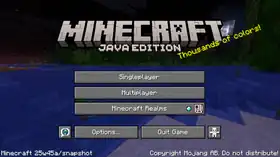
- Updated the panorama to resemble Mounts of Mayhem.
- The version is now
73.0.
- Biome Tags
- Removed
#without_patrol_spawns- replaced bygameplay/can_pillager_patrol_spawnenvironment attributes.
- Removed
- Item textures were split out of the blocks atlas into a separate new items atlas that does not have mipmaps.
- All textures used in an item model have to come from the same (items or blocks) atlas.
- All textures used in a block model have to come from the blocks atlas.
Fixes
- MC-199467 – Certain entity animations stop after they've existed in world for too long.
- MC-245895 – View Bobbing stops working after long elytra flight.
- MC-269295 – Jump bar progress renders unused pixels from dynamic texture atlas.
- MC-271729 – Armadillo scute drops are not affected by the
mob_dropsgame rule. - MC-271938 – Mace smash attack can push players in creative mode that are flying.
- MC-301424 –
entity_dataitem component detection is broken in resource packs. - MC-302184 – Copper golems in cave/void air never turn into statues.
- MC-302469 – Creepers at the player's exact position with an explosion radius of 0 set the player's velocity to NaN.
- MC-302477 – Loot tables stopped supporting SNBT as entity data.
- MC-302659 – Items such as grass blocks and cacti have incorrect textures in inventories when mipmap levels are enabled.
- MC-302663 – Any form of attacking non-player entities always produces the “weak attack” sound instead of the appropriate sound.
- MC-302703 – Spear can dismount invulnerable, non-living, and otherwise inanimate passengers from any vehicle.
- MC-302887 – Spear charging animation in first person isn’t perfectly mirrored between the main hand and off hand.
- MC-302911 – If the sun texture cannot be loaded, the moon texture is reused instead.
- MC-303067 – Players can charge with the spear and deal damage while dying.
- MC-303108 – Inventory items are now mipmapped, making them look very blurry.
- MC-303109 – Tick freeze and memory spikes with long
piercing_weaponray reach. - MC-303226 – Music doesn't restart after exiting a pale garden.
- MC-303292 – Cloud movement is jittery when the world's gametime value is large.
- MC-303402 – Hover events on text posted in the chat take effect even when in a GUI.
- MC-303405 – You can attack entities diagonally through solid blocks using spears.
- MC-303413 – Scrolling text does not get clipped properly in UI elements.
- MC-303427 – The lunge enchantment doesn’t work in creative mode if you have 6 or less hunger points.
- MC-303510 – Dropping a spear while charging slows down the player.
- MC-303554 –
minecraft:piercing_weaponcomponent causes attack cooldown damage penalty to be ignored. - MC-303654 – Closed captions of parched show as strays.
- MC-303656 – Placing blocks in empty chunk sections inside loaded chunks shows the chunk fade animation.
- MC-303658 – Block textures are blurry on some systems, depending on mipmap and anisotropic filtering settings.
- MC-303659 – Elements within the language menu are not selected in order when using the TAB key.
- MC-303671 – Camel husks can despawn when wearing a saddle.
- MC-303674 – The hand animation plays when right clicking on a camel husk or zombie horse ridden by another mob with a lead.
- MC-303677 – Camel husks can despawn when attached to a lead.
- MC-303680 – Untamed zombie horses can despawn when attached to a lead.
- MC-303681 – Untamed zombie nautiluses can despawn when attached to a lead.
- MC-303703 – Entities and block entities are not affected by the chunk fade-in effect.
- MC-303704 – Statistics are no longer saved if the folder they would save into doesn't exist yet.
- MC-303705 – Entity cramming can no longer be disabled.
- MC-303714 – The jump bar's progress sprite is improperly scaled.
- MC-303727 – Short effect names can cause the effect duration to appear outside the effect box.
- MC-303734 –
deprecated.jsonrenames translation keys to nonexistent keys. - MC-303744 – Ender pearls can launch players in the direction they are thrown.
- MC-303746 – Spear attacks can hurt entities through doors.
- MC-303799 – There is no 'Search...' text in the search field in the world selection screen.
- MC-303802 – Spamming right click and shift when getting into boat gives a speed boost.
- MC-303891 – Untamed zombie horses and skeleton horses cannot have saddles placed on their saddle slot using
/item.
Trivia
- This is the first snapshot to have an experimental snapshot without obfuscation.
Video
Video made by Slicedlime:
Notes
- ↑ Unzip this file in the .minecraft\versions folder to install the .json for the unobfuscated client.
References
- ↑ "Minecraft Snapshot 25w45a" – Minecraft.net, November 4, 2025.
- ↑
"hitbox_margin": 0.25,"hitbox_margin": 0.125,


.png)


.png)


.png)


