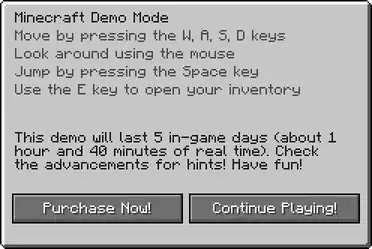
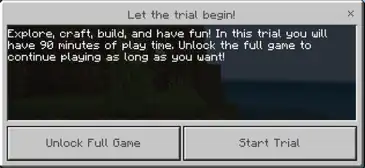
The message displayed upon loading the demo world in Java Edition.The message displayed upon loading the demo world in Bedrock Edition.
The Demo Mode is a demo of Minecraft for users who have not purchased the game yet and would like to try it out first without purchasing it.
The demo version of Java Edition can be played free of charge by logging into the Minecraft Launcher with a Microsoft account that hasn't purchased the game yet. This version consists of a single seed that can be played for up to 5 in-game days (1 hour and 40 minutes total). It is designed to replace the functionality of the outdated PC Gamer Demo.
A dedicated webpage is also available on minecraft.net.
Functionality
The demo mode can be played by all players regardless of whether they have yet purchased the game. Demo Mode functionally serves to allow the players to try out the game before deciding to buy Minecraft. It allows players to play on a single world for a 100-minute (5 in-game days) period before the map is locked and required to be reset.
The game is locked to Survival mode and commands are disabled by default.
Commands can be enabled and other game modes can be made accessible by using Open to LAN.
Multiplayer servers are inaccessible, although LAN multiplayer is allowed, with the limitation that only 1 demo account is allowed on a server (this is because the default Minecraft name ('Player') cannot be changed).
The game time is limited to five in-game days (1 hour and 40 minutes real-time or 100 minutes total). After the time runs out, players can still navigate through the world, but their interactions with it are limited. Resetting the demo world also resets the demo timer.
Changing the in-game time forcibly with commands or external programs such as an NBT editor can reset the timer.
It is possible to gain (almost) unlimited time in the demo by changing the in-game time to extreme negative values (past the minimum 64-bit integer limit, which is -9,223,372,036,854,655,508). However, the number causes several problems such as hostile mobs behaving passively to players.
The player can still attack/kill mobs and take damage. Their hunger, saturation, health, and drowning bars work as normal, but they cannot eat anything.
Breaking any block leads to the block being instantly restored, and placing any block leads to the block being deleted.
The player can still remove boats, but they cannot place them.
The player can still pick up dropped items.
"Demo" is displayed in the version notation on the title screen.
Bedrock Edition
On 20 December 2018 a Minecraft trial version for Android titled Minecraft Trial was released. However, restrictions from Bedrock Edition, along with some new ones still apply; for example, some blocks and items are removed, including barriers and command blocks (all types). There are also trial versions for Windows and the PlayStation 4.
On PlayStation 3, players who have purchased the full version of the game digitally can also access demo mode by deactivating their console. The game will remain in demo mode until the console is re-activated.
The following restrictions apply in demo mode:
The only playable world is the tutorial world. Selecting the "Play Game" button in the main menu will immediately start the tutorial world.
Players cannot save their progress; after exiting the world, all progress that has been made will be permanently lost.
Online multiplayer is not available. Only local splitscreen multiplayer is supported.
Mini games are not available. Selecting the "Mini Games" button in the main menu will cause the game to instruct the player to purchase the full game.
Players cannot change their skin from the default.
Players cannot change the texture pack from the default.
Players cannot enable host privileges in the tutorial world. As a result, the game mode is locked to Survival, and the difficulty is locked to Easy.
The only options that can be toggled on or off in the tutorial world are: Fire Spreads, TNT Explodes, Mob Loot, Tile Drops and Natural Regeneration.
The game has a time limit.[more information needed] After time runs out, players will be given the option to either purchase the game and continue their progress, or exit the game and lose their progress.
To reflect the addition of advancements, the startup message was changed to say "Check the advancements for hints" instead of "Check the achievements for hints".
A demo version of the game is available for download.
Trivia
It is possible to play in-game modes other than Survival in the demo mode by opening up the world to LAN with cheats enabled and executing /gamemode command. This does not remove the time limit, or the demo message.[Java Edition only]
In Java Edition, deleting the files "level.dat" and "level.dat_old" causes the timer to reset. Additionally, a new bonus chest spawns on the original spawn point.
Servers can be started with the --demo flag (this is technically what the launcher does). Everyone who joins the server sees the demo message.
If one tries to play a demo version before 1.3 from the launcher using a non-premium account, they can play the full version. This is because 1.3 is the version that added the demo mode to Minecraft, so earlier versions do not have the code necessary to recognize that they are in the demo.
Typing in "North Carolina" in the seed screen of the full version gives the same world seed as the Java Edition demo version.
If the Minecraft shortcut and directory is moved to another hard drive, etc., it remains in the demo version, and the previous worlds do not appear.
If a world is downloaded, it can be played by putting the world folder in "saves" and renaming it to "Demo_World". If there is already "Demo_World", it must be first renamed or deleted. There is a chance that the demo timer has decreased or expired. This is due to the timer being used by the world's creator while building the world. Deleting "level.dat" and "level.dat_old" in such situations does not reset the timer.
A ruined portal on a beach near an old growth birch forest at demo mode. Notice the timer at the top right.
A screenshot containing a snowy taiga, a taiga, a frozen river, and a slight part of a village taken in demo mode. Notice the timer again at the top right.
The world creation screen in demo mode. A noticeable difference is a demo notice and the "Survival" and "Creative" buttons are disabled, as well as the "Hardcore" toggle.
The message displayed upon loading the demo world.
 The demo world.
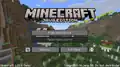 The title screen in demo mode.
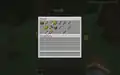 The contents of the bonus chest.
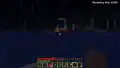 A ruined portal on a beach near an old growth birch forest at demo mode. Notice the timer at the top right.
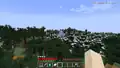 A screenshot containing a snowy taiga, a taiga, a frozen river, and a slight part of a village taken in demo mode. Notice the timer again at the top right.
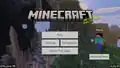 The title screen of the Windows 10 demo.
.png) The world creation screen in demo mode. A noticeable difference is a demo notice and the "Survival" and "Creative" buttons are disabled, as well as the "Hardcore" toggle.
The world creation screen in demo mode. A noticeable difference is a demo notice and the "Survival" and "Creative" buttons are disabled, as well as the "Hardcore" toggle.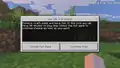 The message displayed upon loading the demo world.
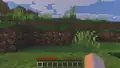 The demo world.
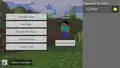 The pause screen in demo mode.
 Minecraft Trial app icon
.png) The title screen of the Pocket Edition demo.
The title screen of the Pocket Edition demo.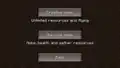 The gamemode selection screen in the Pocket Edition demo, which was immediately shown when Start Game was selected.
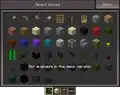 The inventory as shown in the Pocket Edition demo, with unlocked items at the top and locked items at the bottom.
 Minecraft — Pocket Edition Demo app icon
 Minecraft — Pocket Edition Lite app icon


.png)


.png)


.png)