Java Edition 25w41a
This page covers a development version that has a critical issue under certain conditions.
Worlds cannot be loaded if the player is under any status effects.[1]
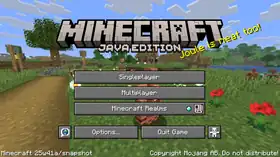
Minecraft 25w41a

| Edition | ||||||
|---|---|---|---|---|---|---|
| Release date |
October 9, 2025 | |||||
| Type | ||||||
| Snapshot for | ||||||
| Downloads | ||||||
| Obfuscation maps | ||||||
| Protocol version |
dec: 1073742099 | |||||
| Data version |
4657 | |||||
| Resource pack format |
70.0 | |||||
| Data pack format |
89.0 | |||||
| Minimum Java version | ||||||
| ||||||
{
    "title": "Minecraft 25w41a",
    "images": [
        "25w41a.jpg",
        "Java Edition 25w41a.png"
    ],
    "rows": [
        {
            "field": "''(link to Java Edition article, displayed as Java Edition)''",
            "label": "(link to Edition article, displayed as Edition)"
        },
        {
            "field": "October 9, 2025",
            "label": "Release date"
        },
        {
            "field": "(link to Snapshot article, displayed as Snapshot)",
            "label": "(link to Version types article, displayed as Type)"
        },
        {
            "field": "(link to Java Edition 1.21.11 article, displayed as 1.21.11)",
            "label": "Snapshot for"
        },
        {
            "field": "[https://piston-data.mojang.com/v1/objects/506f7c3162e0e19f4fd915268374379f35ea2591/client.jar Client] ([https://piston-meta.mojang.com/v1/packages/2a2651a203cd53aef12b5373e1c38756d48d2960/25w41a.json .json])<br />[https://piston-data.mojang.com/v1/objects/804aefaf397b417479e89144834e277ebde2ce71/server.jar Server]",
            "label": "(link to Tutorial:Installing a snapshot#Manual version installation article, displayed as Downloads)"
        },
        {
            "field": "[https://piston-data.mojang.com/v1/objects/a0ec34f6e55e69d78fe8596c3f9e5c70fd84c0e9/client.txt Client]<br />[https://piston-data.mojang.com/v1/objects/79cfcec60aed4cc7ec52679a36de5db740395cd9/server.txt Server]",
            "label": "(link to Obfuscation map article, displayed as Obfuscation maps)"
        },
        {
            "field": " <span style=\"font-size:smaller\"><abbr title=\"decimal\">dec</abbr>: </span>1073742099<br /> <span style=\"font-size:smaller\"><abbr title=\"hexadecimal\">hex</abbr>: </span>40000113",
            "label": "(link to Protocol version article, displayed as Protocol version)"
        },
        {
            "field": "4657",
            "label": "(link to Data version article, displayed as Data version)"
        },
        {
            "field": "70.0",
            "label": "<span style=\"white-space: normal;\">(link to Pack format#List of resource pack formats article, displayed as Resource pack format)</span>"
        },
        {
            "field": "89.0",
            "label": "<span style=\"white-space: normal;\">(link to Pack format#List of data pack formats article, displayed as Data pack format)</span>"
        },
        {
            "field": "<span class=\"plainlinks\">[https://en.wikipedia.org/wiki/Java_version_history#Java_SE_21_.28LTS.29 Java SE 21]</span>",
            "label": "<span style=\"white-space: normal;\">Minimum Java version</span>"
        }
    ],
    "invimages": [],
    "footer": "<table style=\"margin: auto; word-break: break-word;\">\n<tr style=\"background: inherit;\">\n<td style=\"padding: 0.4em\" rowspan=\"2\">[[Java Edition  1.21.10|<span style=\"margin-right:-0.35em\">◄</span>◄   1.21.10]]</td>\n<td style=\"padding: 0.4em\">'''[[Java Edition 1.21.11|1.21.11]]'''</td>\n<td style=\"padding: 0.4em\" ></td>\n</tr>\n<tr style=\"background: inherit;\">\n\n<td style=\"padding: 0.4em\">''' 25w41a'''</td>\n<td style=\"padding: 0.4em\">\n[[Java Edition  25w42a|  25w42a ►]]\n</td>\n</tr>\n</table>"
}
25w41a is the first snapshot for Java Edition 1.21.11,[unofficial name] released on October 9, 2025.[2]
Additions
Items
.png)
.png)
.png)
.png)
.png)
- Equippable on nautiluses and zombie nautiluses.
- Has copper, iron, gold, diamond, and netherite variants.
- Copper, iron, golden, and diamond nautilus armor now have a chance to be found in the chests for the following structures:
- Copper, iron and golden nautilus armor can be smelted into the respective nuggets.


- Added nautilus and zombie nautilus spawn eggs.


- New weapon that can be crafted in wood, stone, copper, iron, gold, diamond and netherite versions.
- Each material has different stats for timing, influencing how fast they are to use.
- Copper, iron and golden spears can be smelted into the respective nuggets.
- Cannot be used to mine blocks, as opposed to other weapons.
- Can be enchanted with the exclusive enchantment Lunge, in addition to the available enchantments for swords (except Sweeping Edge).
- Has a minimum reach for damage, being too close to a target will yield no damage.
- Has extended maximum reach compared to other tools and weapons.
- Zombies, husks, zombified piglins and piglins can spawn holding a spear.
- Has two attacks: jab and charge.
- Jab
- Used by quick-pressing the primary action button.
- Is a low-damage attack with knockback.
- Has a cooldown between attacks.
- Wooden spears have the fastest cooldown, while netherite has the slowest.
- Can hit multiple enemies.
- Charge
- Used by holding the secondary action button.
- Damage is based on spear material, the player’s view angle, and the velocity of both the player and the target.
- While holding down the button, the attack goes through three stages before returning to idle:
- Engaged: The spear can deal damage, knockback, and dismount mounted enemies if the speed is above the required thresholds.
- Tired: Indicated by the spear rotating to a vertical position and shaking. The Spear can deal damage and knockback (but not dismount) if the speed is above the required thresholds.
- Disengaged: Indicated by the spear being lowered, pointing downwards. The Spear gives damage but not knockback or dismount if the speed is above the required threshold.
- The spear's range when used by mobs is half of that when used by players, but they can deal damage, dismount and knockback at lower speeds than the players.
- Jab
Mobs

- A new neutral aquatic mob.
- Spawns in all ocean biomes.
- Has 15HP
.png) × 7.5 health.
× 7.5 health. - Attacks using a dash attack, if provoked.
- Occasionally attacks pufferfish within range using the dash attack.
- Takes suffocation damage on land.
- Grants the Breath of the Nautilus effect to mounted players.
- Can be bred and tamed using a pufferfish or a bucket of pufferfish.
- A tamed nautilus can be equipped with a saddle, then the player can ride it.
- While riding it, the player can use its dash attack (similar to camels) by pressing the jump button.
- Once tamed, has a roaming restriction around its home position of 16 blocks with a saddle, and 32 blocks without.
- Has a 5% (1⁄20) chance of dropping a nautilus shell upon death, on a player kill, unaffected by Looting.
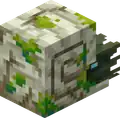
- A new underwater mob that spawns with a Drowned rider wielding a trident.
- Hostile only if ridden by a hostile mob.
- Behaves similar to the nautilus except that it cannot be bred.
- Burns in sunlight, like other undead mobs.
- Nautilus armor protects it from sunlight damage.
- Drops 0-3 rotten flesh when killed, on a player kill, unaffected by Looting.
Command format
- New command that allows the creation of a stopwatch that keeps track of real time.
- Stopwatches do not depend on game ticks.
- They only run when the server/world is running, even when paused.
- Syntax:
Gameplay
- Added the following death messages:
- "<player> was speared by <player/mob>"
- "<player> was speared by <player/mob> using <item>"
 Breath of the Nautilus
- Effect that affects mounted players.
- Pauses player oxygen consumption (but does not replenish oxygen).
- Lunge
- A new enchantment that is unique to the spear.
- It is incompatible with Mending.
- Only works with the jab attack.
- When doing a jab attack with Lunge, it propels the player horizontally in the view direction.
- The view angle needs to be perfectly leveled horizontally to achieve maximum lunge distance.
- Does significant durability damage to the spear.
General
minecraft:damage_type- Specifies the type of damage this item deals.
- Format: string, damage type identifier.
- e.g.
damage_type='minecraft:spear'
- e.g.
minecraft:kinetic_weapon- Enables a charge-type attack when using the item (primarily for Spears), where, while being used, the damage is dealt along a ray every tick based on the relative speed of the entities.
- Format: object with fields.
min_reach: float, the minimum distance in blocks from the attacker to the target to be considered valid.- Default value:
0.0
- Default value:
max_reach: float, the maximum distance in blocks from the attacker to the target to be considered valid.- Default value:
3.0
- Default value:
hitbox_margin: float, the margin applied to the target bounding box when checking for valid hitbox collision.- Default value:
0.3
- Default value:
delay_ticks: integer, the time in ticks required before weapon is effective.- Default value:
0
- Default value:
dismount_conditions: Indicates the condition to apply dismount. Objects with fields:max_duration_ticks: integer, the ticks after which the condition is no longer checked. This starts after delay has elapsed.min_speed: float, the minimum speed of the attacker, in blocks per second, along the direction that the attacker is looking.- Optional, default value:
0.0
- Optional, default value:
min_relative_speed: float, the minimum relative speed between the attacker and target, in blocks per second, along the direction that the attacker is looking.- Optional, default value:
0.0
- Optional, default value:
knockback_conditions: Indicates the condition to apply knockback. Objects with fields:max_duration_ticks: integer, the ticks after which the condition is no longer checked. This starts after delay has elapsed.min_speed: float, the minimum speed of the attacker, in blocks per second, along the direction that the attacker is looking.- Optional, default value:
0.0
- Optional, default value:
min_relative_speed: float, the minimum relative speed between the attacker and target, in blocks per second, along the direction that the attacker is looking.- Optional, default value:
0.0
- Optional, default value:
damage_conditions: Indicates the condition to apply damage effects. Objects with fields:max_duration_ticks: integer, the ticks after which the condition is no longer checked. This starts after delay has elapsed.min_speed: float, the minimum speed of the attacker, in blocks per second, along the direction that the attacker is looking.- Optional, default value:
0.0
- Optional, default value:
min_relative_speed: float, the minimum relative speed between the attacker and target, in blocks per second, along the direction that the attacker is looking.- Optional, default value:
0.0
- Optional, default value:
forward_movement: float, the distance the item moves out of hand during animation.- Default value:
0.0
- Default value:
damage_multiplier: float, the multiplier for the final damage from the relative speed.- Default value:
1.0
- Default value:
sound: Optional Sound Event to play when the weapon is engaged.hit_sound: Optional Sound Event to play when the weapon hits an entity.- e.g.
kinetic_weapon={max_reach:5.0,forward_movement:1.0,delay:20,damage_conditions:{max_duration_ticks:60},knockback_conditions:{max_duration_ticks:40},dismount_conditions:{max_duration_ticks:20}}
- The damage dealt is calculated as where
relative_speedis the difference of speed vectors of the attacker and the target as projected onto the axis of the attacker's view vector.- Any additional damage from enchantments or attribute modifiers is * after this calculation.
minecraft:minimum_attack_charge- Sets the minimum attack charge on the attack indicator required to attack with this item.
- Format: float (
0.0to1.0).0.0: no charge required.1.0: full charge required.
minecraft:piercing_weapon- Enables a quick attack that damages multiple entities along a ray (primarily for Spears).
- Format: object with fields.
min_reach: float, the minimum distance in blocks from the attacker to the target to be considered valid.- Default value:
0.0
- Default value:
max_reach: float, the maximum distance in blocks from the attacker to the target to be considered valid.- Default value:
3.0
- Default value:
hitbox_margin: float, the margin applied to the target bounding box when checking for valid hitbox collision.- Default value:
0.3
- Default value:
deals_knockback: boolean, whether the attack deals knockback.- Default value:
true
- Default value:
dismounts: boolean, whether the attack dismounts the target.- Default value:
false
- Default value:
sound: Optional Sound Event to play when a player attacks with the weapon.hit_sound: Optional Sound Event to play when the weapon hits an entity.- e.g.
piercing_weapon={min_reach:0,max_reach:4,dismounts:true}
minecraft:swing_animation- Specifies the swing animation to play when attacking or interacting using this item.
- Format: object with fields.
type: string, the animation identifier (none,whack,stab).- Default value:
whack
- Default value:
duration: integer, the duration in ticks.- Default value:
6
- Default value:
- e.g.
swing_animation={type:'stab',duration:20}
minecraft:use_effects- Controls how the player behaves when using an item (right mouse click).
- Format: object with fields.
can_sprint: boolean, whether the player can sprint while using this item.- Default value:
false
- Default value:
speed_multiplier: float (0to1), the speed multiplier applied to the player while using this item.- Default value:
0.2
- Default value:
- e.g.
use_effects={can_sprint:true,speed_multiplier:1.0}
- Block Tags
- Added
#can_glide_through.- Contains climbable blocks that can be glided through without stopping.
- Added
- Enchantment Tags
- Added
#exclusive_set/lunge- Contains all enchantments incompatible with the lunge enchantment.
- Added
- Entity Tags
- Added
#burn_in_daylight- Contains entities that burn in daylight.
- Added
#can_wear_nautilus_armor- Contains entities that can equip nautilus armor.
- Added
#nautilus_hostiles- Contains entities that the nautilus will be hostile towards when untamed.
- Added
- Item Tags
- Added
#enchantable/lunge- Contains all items that can be enchanted with the lunge enchantment.
- Added
#enchantable/melee_weapon - Added
#nautilus_bucket_food- Contains bucketed fish items that can be used to feed a tamed nautilus and zombie nautilus.
- Added
#nautilus_food- Contains all items that can be used to feed a tamed nautilus and zombie nautilus.
- Added
#nautilus_taming_items- Contains items that can be used to tame a nautilus and a zombie nautilus.
- Added
#spears- Contains all spear weapons.
- Added
#zombie_horse_food- Contains all items that can be used to feed a tamed zombie horse.
- Added
Changes
Items
General
- Items will no longer "bob" whenever their durability changes, such as when losing durability from an attack, or repaired by Mending.
Mobs
- Piglins can now spawn holding golden spears and use its Jab attack.
- Piglins now consider golden spears as one of the items they like.
- Zombies and husks can now spawn holding iron spears and use its Charge attack.
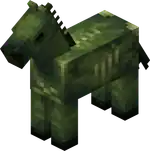
- Texture changed from
 to have a darker texture.
 - Now spawns naturally, in plains and savanna biomes.
- Spawns in darkness, and burns in sunlight, like other undead mobs.
- Counts towards the hostile mob cap and spawns with other hostile mobs in the spawning cycle.
- Spawns being ridden by a zombie holding an iron spear, forming a zombie horseman.
- Has 25HP × 12.5 health.
- Can be healed and tempted using red mushrooms.
- Drops 2-3 rotten flesh when killed (instead of 0-2), with an extra 0-1 for each level of Looting.
- The boost from Looting is the same as it was before the update.
- Any zombie riding it now has a chance of dropping a red mushroom on death.[more information needed]
- An unridden zombie horse does not display any hostile behavior towards players.
- If it is ridden by a zombie, the zombie will control its pathfinding and therefore make it hostile.
- Untamed zombie horses despawn like other hostile mobs.
- Tamed zombie horses are persistent and do not despawn.
- Can be tamed in the same fashion as a regular horse, and can then be mounted and controlled by a player.
- Can be equipped with a saddle and horse armor.
- Horse armor protects it from sunlight damage.
- Has variable movement speed and jump strength, determined when it spawns.
- Zombie villagers can now hold Spears and use its Charge attack.
- This change was not mentioned in the changelog.
- Zombified piglins can now spawn holding golden spears and use its Charge attack.
World generation
- Bastion remnant chests can now contain diamond spears.
- Buried treasure chests can now contain iron spears.
- Buried treasure chests can now contain copper, iron, golden and diamond nautilus armor.
- End city chests can now contain diamond spears.
- Ocean ruin chests can now contain stone spears.
- Ocean ruin chests can now contain copper, iron, golden and diamond nautilus armor.
- Shipwreck chests can now contain copper, iron, golden and diamond nautilus armor.
- Weaponsmith chests can now contain copper and iron spears.
Command format
- Added new syntax
/execute execute if unless stopwatch <id> <range> - Allows to compare the elapsed time of a given stopwatch with a floating point value range.
- The stopwatch value is measured in seconds and has an accuracy of at most a millisecond.
- Example:
/execute if stopwatch foo:bar ..10 run say Stopwatch foo:bar has not reached 10 seconds yet.
- Example:
- The stopwatch value is measured in seconds and has an accuracy of at most a millisecond.
Gameplay
- Updated "How Did We Get Here?" to require the Breath of the Nautilus effect.
- Updated "Best Friends Forever" to include the nautilus, zombie nautilus, and the zombie horse.
- Updated "The Parrots and the Bats" to include the nautilus.
- Updated "Two by Two" to require the nautilus.
- Updated "Monster Hunter" to include, and "Monsters Hunted" to require the zombie horse and the zombie nautilus.
- Updated "A Throwaway Joke", "Take Aim" and "It Spreads" to include the nautilus and zombie nautilus.
- Cloud movement and position is now tied to the world time, hence the same for all players on a server.
General
- Several uses of the ⌘ Cmd key on Mac have been rebound to Ctrl:
- The input modifier to drop all items.
- The input modifier to include all the data when picking a block.
- The input modifier to change GUI scale in the Video Settings screen.
- Stopping the recipe book from cycling through variations of items.
- Added a new
minecraft:speardamage type.
- The pack format version is now
89.0.- This is due to
/stopwatchbeing added.
- This is due to
Debug renderer
- More debug renderers are now available through the Debug Settings screen.
- Some existing renderers were improved.
- The performance of debug renderers has been significantly improved.
- Added
exponent- Raises the base to the specified power level.
base- Level-Based Value indicating the base of the exponent.power- Level-Based Value indicating the power of the exponent.
- Raises the base to the specified power level.
- Enchantment Effect Components
minecraft:post_piercing_attack: Effects applying after a piercing attack with an item.
- Enchantment Entity Effects
minecraft:apply_impulse: applies an impulse to the targeted entity.direction- The first step of determining the impulse is applying this vector as local coordinates (the same used by/tp @s ^ ^ ^) onto the entity look vector.coordinate_scale- The second step is scaling the resulting vector by this vector on each axis in world space, X, Y and Z.magnitude- The third step is scaling the resulting vector by this Level-Based Value.
minecraft:play_sound: can now support a list of sound event identifiers, one for each level of enchantment. If a level is higher than the number of sounds, the last sound in the list is used.
- The
AngryAtfield has been renamed toangry_at. - The
AngerTimefield has been removed. - An
anger_end_time(long) field has been added, containing the time anger ends in game ticks.
uniformfont has been updated to use Unifont 17.0.01.
minecraft:consumable- The animation field has been updated:
- Renamed
speartotrident - Added new
spearanimation.
- Renamed
- The animation field has been updated:
minecraft:intangible- Items with this component now show information about it in their tooltip.
- Added new option for all item models:
swap_animation_scale- Defaults to
1.0 - Indicates how fast the item moves up and down when swapping items in hotbar.
- Large speeds can allow items that take more of the screen space to fully duck before swapped into the next item.
- Defaults to
- Added new item model:
spear_in_hand- model for the spear when in hand.
- Added a Debug category category in the key binds screen.
- Keys used to access debug features can now be rebound.
- The debug modifier key can be bound separately from the debug overlay key.
- The key to toggle GUI can now be rebound.
- The key to toggle spectator shader effects, such as when spectating an enderman, can now be rebound.
Minecraft Server Management Protocol
- Is now
1.1.0 - Added a new notification server/activity.
- Indicates that a network connection to the server has been initiated.
- Rate limited to 1 notification per 30 seconds.
- Component Predicates
- Component predicates (predicates field in block, item and entity predicates) now include predicates for checking existence of every component type.
- Those predicates are written as
{<component_type>: {}}. - Such predicate check passes as long as component is present, no matter the actual value.
- Existing predicates for specific components remain unchanged.
- Example:
{predicates:{written_book_content:{author:"foo"}}- existing format for matching books.{predicates:{written_book_content:{}}- special case of above that accepted any value, as long as component existed.{predicates:{instrument:{}}- checks if component minecraft:instrument exists (was not allowed before).
- Entity Predicates
- The
flagspredicate now supports new values:is_in_water: when an entity is touching water or a bubble column.is_fall_flying: when an entity is gliding with an elytra.
- The
- Item Predicates
- Item predicate in command form (
<item>[predicate~{...},component={...}]) has been extended to accept empty predicates for any component type. - Similarly to component predicates in data, those empty entries only check for component existence.
- Existing shorter syntax for checking component existence remains unchanged.
- That means
*[instrument]and*[instrument~{}]are equivalent.
- That means
- Item predicate in command form (
- The version is now
70.0.- This is due to Unifont being updated.
- Added ClientFps JFR event.
- Experience packets that do not change the player's experience progress or level are no longer sent by the server.
- Client FPS is expected to be higher for most players.
- Graphics modes "Fast", "Fancy", and "Fabulous!" have been replaced with graphics presets with the same names.
- Settings on the Video Settings screen have been reordered and split into 3 sections: "Display", "Quality & Performance", and "Interface".
- The following settings that have been removed from the Video Settings screen, because were duplicating accessibility settings:
- "View Bobbing"
- "Glint Speed"
- "Glint Strength"
- "FOV Effects"
- "Distortion Effects"
- Tweaks that were previously hidden behind the "Graphics" setting have been split out to be configurable independently:
- "See-Through Leaves"
- "Show Vignette"
- "Weather Effect Radius"
- Configures the distance in blocks within which rain and snow are visible.
- "Improved Transparency"
- Resolves some of the transparent geometry rendering issues at a significant GPU cost, previously was hidden behind "Fabulous!".
- A new "Preset" slider was added to the top of the "Quality & Performance" section.
- Presets control most of the "Quality & Performance" settings at once, not only the ones that were previously hidden behind the "Graphics" setting.
- Available presets are "Fast", "Fancy", "Fabulous!" and "Custom"
- The default preset is "Fancy" for new players.
- But for players who are upgrading to this version the preset will be set to "Custom" to preserve the current configuration.
- The following settings that have been removed from the Video Settings screen, because were duplicating accessibility settings:
- Anvil destroy, land, place and use sounds now play at a slightly lower volume.
- Added
golden_spearto#piglin_loveditem tag. - Added
#spearsto#enchantable/durabilityitem tag. - Renamed item tag
#enchantable/swordto#enchantable/sweeping. - Renamed
#enchantable/swordto#enchantable/melee_weaponfrom#enchantable/fire_aspectitem tag. - Renamed
#swordsto#enchantable/melee_weaponfrom#enchantable/sharp_weaponitem tag. - Added
nautilus, andzombie_nautilusto#aquatic,#can_equip_saddle, and#not_scary_for_pufferfishentity tags. - Added
nautilusto#can_breathe_under_waterentity tag. - Added
zombie_horseto#can_wear_horse_armorentity tag. - Added
zombie_nautilusto#zombiesentity tag. - Added
spearto#is_player_attack, and#no_knockbackdamage tags. - Added
lungeto#non_treasure, andtooltip_orderenchantment tags.
- celestials.png-atlas
- A new celestials atlas has been introduced, including sprites for objects rendered in the sky such as the Sun and Moon.
- Includes sprites from <namespace>:textures/environment/celestial/<path>.png
- The following textures have been moved or split:
- textures/environment/sun.png -> sun
- textures/environment/end_flash.png -> end_flash
- textures/environment/moon_phases -> moon/full_moon, moon/waning_gibbous, moon/third_quarter, moon/waning_crescent, moon/new_moon, moon/waxing_crescent, moon/first_quarter, moon/waxing_gibbous
- All blocks in the world now have mipmaps applied if enabled in video settings.
- Blocks that did not have mipmaps before, such as different vines, rails, foliage (apart from leaves) and more should look better from higher distances.
texturesection of*.mcmetafiles has a new boolean fielddarkened_cutout_mipmap- The default value is
false - It is set to
truefor the block textures that had mipmaps before this version:- All leaf types and mangrove roots.
- If the field is set to
trueand the texture is cutout the mipmaps will be darkened to emulate the darker interior of the block, this was the behavior for cutout mipmapped blocks before this version. - Leaving the field unset or setting it to
falsewill generate mipmaps without darkening, and it fits well for other types of cutout blocks that do not have dark interior such as flowers, grasses, vines, rails, etc.
- The default value is
- Only mipmaps of level 0 and 1 are now animated for block animated textures.
- Glass and glass panes now support translucent textures.
- Menu sliders will now "stick" to the closest available value when releasing them after dragging with a mouse.
- When using keyboard to change slider values, arrow keys will now move the slider to the next available value, not by one pixel as before.
- The inF3 button in the Debug Option screen has been renamed to inOverlay.
UI Sprites
- Added new UI sprite:
- container/slot/nautilus_armor
- container/slot/spear
- Spear icon used in the smithing table screen.
- Added new nine-sliced sprites:
- container/inventory/effect_background
- container/inventory/effect_background_ambient
- Removed the following sprites:
- container/inventory/effect_background_large
- container/inventory/effect_background_small
Fixes
From released versions before 1.21
- MC-22882 – Ctrl + Q doesn't work on Mac.
- MC-54989 – Sliders can be moved to positions between available values.
- MC-80476 – On macOS, the "drop item stack" shortcut conflicts with the "quit Minecraft" shortcut.
- MC-114265 – Mipmaps are too dark around transparent edges in textures (e.g. side of grass).
- MC-146862 – Long effect names cause text to appear outside the effect box.
- MC-147718 – F1, F3, F3 + [char] combos cannot be rebound.
- MC-159275 – Map player markers on maps of the nether don't rotate when
doDaylightCycleis disabled. - MC-162573 – A white outline is rendered on composters' edges when viewed from far away.
- MC-171688 – Invisibility status of
LivingEntityis not updated whenActiveEffectsare modified directly. - MC-195505 – Short grass is unaffected by mipmap levels.
- MC-234358 – Moiré patterns / aliasing on certain objects when viewed from a distance.
- MC-241862 – It sometimes requires multiple keyboard inputs to change values on sliders.
- MC-248499 – Potion UIs displayed within the inventory don't have cyan outlines if the effects are granted by beacons or conduits.
- MC-264151 – Glass blocks do not use mipmapping, but glass panes do.
- MC-267364 – Teleporting in the air is considered flying by server.
- MC-271941 – Music discs can sometimes spawn inside jukeboxes when ejected from them.
From 1.21.1
- MC-276445 – Highlighted text within the anvil and creative inventory interfaces renders blue making it difficult to read.
From 1.21.4
- MC-278742 – Creakings cannot be ridden by any entities using commands.
- MC-279076 – Certain mobs will always retarget the player upon reloading the chunks, regardless of distance or gamemode.
From 1.21.5
- MC-295949 – Flying through vines with an elytra cancels the flight.
- MC-296952 – F4 key to toggle shaders cannot be rebound.
- MC-297328 – Unloading and reloading an area causes invisible entities to be visible until you get close enough.
- MC-297367 – Checkbox filled status isn't narrated.
- MC-298767 – Piercing arrows phase through mobs that are in the same block.
From 1.21.6
- MC-298915 – Multishot crossbows loaded in survival or adventure mode show their secondary charged projectiles on a separate line in the tooltip.
- MC-299196 – Waypoints fade out when an advancement is granted.
From 1.21.8
- MC-301595 – Music toasts briefly appear in the pause menu after a song has finished.
- MC-301632 – Comparators measuring jukeboxes do not update when a music disc is taken out of a jukebox if the music disc has already finished its song.
From 1.21.9
- MC-300979 – The movement and duration messages in the demo introduction screen now have a text shadow.
- MC-301754 – The hand animation plays when right-clicking shelves with nothing in your hand.
- MC-301763 – The outline of the “Invited” element within the realms “Players” tab renders above other tabs when selected and when a scroll bar is present.
- MC-301805 – Selected item outline on statistics screen renders outside of scissor area.
- MC-302030 – Setting
commandBlocksEnabledto false prevents command blocks from being edited. - MC-302254 – Cursor changes do not work for command suggestions.
- MC-302288 – All shelves have the oak tan map color.
- MC-302549 – Server main thread deadlock during respawn position resolution when the entire world spawn radius is filled with fluids.
- MC-302601 – A white outline is rendered on anvils' top texture when viewed from far away.
Videos
Videos made by Slicedlime:
References
- ↑ MC-302672 — Entering a world after saving and quitting while under a potion effect results in the world failing to load
- ↑ "Minecraft Snapshot 25w41a" – Minecraft.net, October 9, 2025.


.png)


.png)


