Java Edition 1.21.11


| Edition | |||||
|---|---|---|---|---|---|
| Official name | |||||
| Planned release date |
2025[1] | ||||
| Development versions | |||||
| |||||
{
    "title": "Minecraft 1.21.11",
    "images": [],
    "rows": [
        {
            "field": "''(link to Java Edition article, displayed as Java Edition)''",
            "label": "(link to Edition article, displayed as Edition)"
        },
        {
            "field": "(link to Mounts of Mayhem article, displayed as Mounts of Mayhem)",
            "label": "Official name"
        },
        {
            "field": "2025",
            "label": "Planned release date"
        },
        {
            "field": "<div class=\"hlist\"><span style=\"white-space:nowrap;\">(link to :Category:Java Edition 1.21.11 snapshots article, displayed as '''Snapshots''') (5) </span><br/>((link to Java Edition 1.21.11/Development versions article, displayed as View all))</div>",
            "label": "<span style=\"white-space: normal;\">Development versions</span>"
        }
    ],
    "invimages": [],
    "footer": "<table style=\"margin: auto; word-break: break-word;\">\n<tr style=\"background: inherit;\">\n<td style=\"padding: 0.4em\" >[[Java Edition  1.21|<span style=\"margin-right:-0.35em\">◄</span>◄   1.21]]</td>\n<td rowspan=\"2\" style=\"padding: 0.4em\">''' 1.21.11'''</td>\n<td style=\"padding: 0.4em\" rowspan=\"2\"></td>\n</tr>\n<tr style=\"background: inherit;\">\n<td style=\"padding: 0.4em\">\n[[Java Edition  1.21.10|◄   1.21.10]]\n</td>\n</tr>\n</table>"
}
 There is a guide for this update!
The release of Mounts of Mayhem, presumed to be 1.21.11, is an upcoming game drop for Java Edition set to release in 2025, which adds the nautilus, nautilus armor, zombie nautilus, spears, camel husk, parched, and zombie horsemen.
Additions


Items
_JE1_BE1.png)
- Can be obtained by upgrading diamond horse armor with a smithing table.
| Ingredients | Smithing recipe | Description |
|---|---|---|
| Netherite Upgrade + Diamond Horse Armor + Netherite Ingot |
   |
[upcoming Mounts of Mayhem] |
.png)
.png)
.png)
.png)
.png)
- Equippable on nautiluses and zombie nautiluses.
- Has copper, iron, gold, diamond, and netherite variants.
- Copper, iron, golden, and diamond nautilus armor now have a chance to be found in the chests for the following structures:
- Copper, iron and golden nautilus armor can be smelted into the respective nuggets.


- Added nautilus, zombie nautilus, parched, and camel husk spawn eggs.


- New weapon that can be crafted in wood, stone, copper, iron, gold, diamond and netherite versions.
- Each material has different stats for timing, influencing how fast they are to use.
- Copper, iron and golden spears can be smelted into the respective nuggets.
- Cannot be used to mine blocks, as opposed to other weapons.
- Can be enchanted with the exclusive enchantment Lunge, in addition to the available enchantments for swords (except Sweeping Edge).
- Has a minimum reach for damage, being too close to a target will yield no damage.
- Has extended maximum reach compared to other tools and weapons.
- Zombies, husks, zombified piglins and piglins can spawn holding a spear.
- Has two attacks: jab and charge.
- Jab
- Used by quick-pressing the primary action button.
- Is a low-damage attack with knockback.
- Has a cooldown between attacks.
- Wooden spears have the fastest cooldown, while netherite has the slowest.
- Can hit multiple enemies.
- Charge
- Used by holding the secondary action button.
- Damage is based on spear material, the player’s view angle, and the velocity of both the player and the target.
- While holding down the button, the attack goes through three stages before returning to idle:
- Engaged: The spear can deal damage, knockback, and dismount mounted enemies if the speed is above the required thresholds.
- Tired: Indicated by the spear rotating to a vertical position and shaking. The Spear can deal damage and knockback (but not dismount) if the speed is above the required thresholds.
- Disengaged: Indicated by the spear being lowered, pointing downwards. The Spear gives damage but not knockback or dismount if the speed is above the required threshold.
- The spear's range when used by mobs is half of that when used by players, but they can deal damage, dismount and knockback at lower speeds than the players.
- Spears provide visual feedback when they hit a target in the charge attack.
- Jab
Mobs
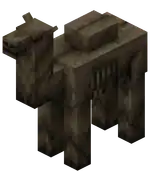
- New undead variant of the camel.
- Spawns at a light level of 0 in deserts.
- Does not burn in sunlight.
- Has 32HP
.png) × 16 health.
× 16 health. - Is hostile if the rider is a hostile mob (similar to the zombie horse). Is passive without a rider.
- Despawns like other hostile mobs, but becomes persistent while ridden by a player.
- Favorite food is rabbit foot, but it cannot be bred.
- Drops 2-3 rotten flesh when killed, with an extra 0-1 for each level of Looting.
- Any husk riding it now has a chance of dropping a rabbit foot on death.
- As a mount, it works similar to a normal camel.

- A new neutral aquatic mob.
- Spawns in all ocean biomes.
- Has 15HP × 7.5 health.
- Attacks using a dash attack, if provoked.
- Occasionally attacks pufferfish within range using the dash attack.
- Takes suffocation damage on land.
- Grants the Breath of the Nautilus effect to mounted players.
- Can be bred and tamed using a pufferfish or a bucket of pufferfish.
- A tamed nautilus can be equipped with a saddle, then the player can ride it.
- While riding it, the player can use its dash attack (similar to camels) by pressing the jump button.
- Once tamed, has a roaming restriction around its home position of 16 blocks with a saddle, and 32 blocks without.
- Has a 5% (1⁄20) chance of dropping a nautilus shell upon death, on a player kill, unaffected by Looting.
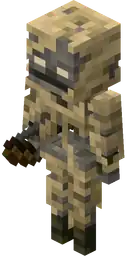
- New variant of the skeleton.
- Spawns at a light level of 0 in deserts replacing some of the regular skeletons.
- Does not spawn in caves, following the husk's spawning rules.
- Does not burn in sunlight.
- Has 16HP × 8 health.
- Shoots arrows of Weakness, and has a chance to drop them as well.
- Has a slower rate of fire compared to a normal skeleton, similar to the bogged.
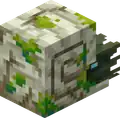
- A new underwater mob that spawns with a Drowned rider wielding a trident.
 Has a coral variant, which appears when spawned in a warm ocean type biome.
- Hostile only if ridden by a hostile mob.
- Behaves similar to the nautilus except that it cannot be bred.
- Burns in sunlight, like other undead mobs.
- Nautilus armor protects it from sunlight damage.
- Does not take suffocation damage on land, as opposed to regular nautilus.
- Drops 0-3 rotten flesh when killed, on a player kill, unaffected by Looting.
Command format
- New command that allows the creation of a stopwatch that keeps track of real time.
- Stopwatches do not depend on game ticks.
- They only run when the server/world is running, even when paused.
- Syntax:
/stopwatch create <id>- creates a stopwatch with the given namespaced ID./stopwatch query <id>- returns the queried value and takes in a newscaleargument.- The returned value will be scaled by that argument and truncated.
- The scale is optional and will default to
1if omitted. - Example:
/stopwatch query foo:bar 20to get the elapsed time in ticks.
/stopwatch restart <id>- restarts the given stopwatch./stopwatch remove <id>- removes the given stopwatch.
Gameplay
- Added the following advancement:
| Icon | Advancement | In-game description | Actual requirements (if different) |
|---|---|---|---|
 | Mob Kabob[upcoming JE 1.21.11] | Hit five mobs in the same Charge attack using the Spear. |  Armor Stand and Armor Stand and  Mannequin also count for this advancement. Mannequin also count for this advancement. |
- Added the following death messages:
- "<player> was speared by <player/mob>"
- "<player> was speared by <player/mob> using <item>"
 Breath of the Nautilus
- Effect that affects mounted players.
- Pauses player oxygen consumption (but does not replenish oxygen).
- Lunge
- A new enchantment that is unique to the spear.
- Only works with the jab attack.
- When doing a jab attack with Lunge, it propels the player horizontally in the view direction.
- The view angle needs to be perfectly leveled horizontally to achieve maximum lunge distance.
- Costs saturation/hunger to use, similar to sprinting or jumping.
- Level I consumes 1 (
.png) ), level II consumes 2 (
), level II consumes 2 (.png) ), and level III consumes 3 ().
), and level III consumes 3 (). - Lunge can only be used if the player has at least 6 () hunger points in their hunger bar.
- Level I consumes 1 (
- There's also a durability cost of 1 for using Lunge across all Enchantment levels.
General
- Provides a data-driven way to control a variety of visual and gameplay systems.
- Each Environment Attribute controls a specific visual or gameplay effect:
- For example,
minecraft:visual/sky_colorcontrols the color of the sky, andminecraft:gameplay/water_evaporatescontrols whether water can be placed at a given location.
- For example,
- Sources
- Environment Attribute values can be provided by the following Environment Attribute sources (in order of low to high priority):
- Dimensions
- Biomes
- The "effective" value of the Environment Attribute (i.e. what will actually show up in game) will be some combination of the values provided by each source according to their priority.
- For example, in the following scenario:
- The overworld dimension provides
sky_color = #00ff00(green) - The plains biome provides
sky_color = #ff0000(red)
- The overworld dimension provides
- When the player is in the plains biome, they will see the red
sky_color, while anywhere else in the overworld they will see green.
- For example, in the following scenario:
- When an Environment Attribute source provides an Environment Attribute, it can:
- Override the value, such as the plains biome overriding the overworld's
sky_colorin the above scenario. - Apply a modifier to a previous value.
- Override the value, such as the plains biome overriding the overworld's
- Environment Attribute values can be provided by the following Environment Attribute sources (in order of low to high priority):
- Modifiers
- An environment attribute source may simply override the value of a particular attribute.
- However, it is sometimes also desirable to rather apply a modifier to a value provided by a source with lower priority.
- For example, in the following scenario:
- The overworld dimension provides
water_fog_radius = 96.0 - The plains biome modifies
water_fog_radiuswith a multiply modifier of0.85
- The overworld dimension provides
- When in the plains biome, the
water_fog_radiuswill be resolved to , while in any other Overworld biome, it will resolve to96.0.
- The kinds of modifiers available depends on the type of Environment Attribute.
- The most basic modifier, supported by every Environment Attribute, is the override modifier.
- This behaves purely as an override of the preceding value.
- If not specified by an Environment Attribute source, the modifier will always be assumed to be override.
- An environment attribute source may simply override the value of a particular attribute.
- Interpolation
- Interpolation describes the combination of values within a source.
- Is performed on values from a source after modifiers have been applied.
- Only some Environment Attributes support interpolation. This allows for the smooth transition between two or more values, such as when moving between two biomes.
- Biomes
sky_coloris one attribute that will transition smoothly based on position.- For example, in the following scenario:
- The plains biome provides
sky_color = #ff0000(red) - The desert biome provides
sky_color = #ffff00(yellow)
- The plains biome provides
- In the above scenario, as a player moves from a plains to a desert biome, the sky color will gradually shift from red to yellow.
- Other attributes, such as
water_evaporates, represent discrete values and will not be smoothly transitioned - only the biome exactly at a subject position will be considered. - Smooth transitions between biomes are based on the biomes within an 8 block radius of the camera. Biomes that occupy a larger portion of that radius and are closer to the camera will have a stronger influence on the final interpolated value.
- Environment Attribute Map
- Dimension Type and Biome definitions contain a new attributes field, enabling them to define Environment Attributes.
- This map generally takes the form of an object mapping between Environment Attribute IDs and their corresponding values, for example:
"attributes": {
"minecraft:visual/fog_color": "#ffaa00",
"minecraft:gameplay/water_evaporates": true
}
- Values defined as above will always be assumed to use the override modifier.
- The value object can however be expanded in order to express different modifiers, in the format of an object with the following fields:
modifier: optional string modifier ID, dependent on the Attribute Type.- Default:
override
- Default:
argument: the modifier argument (format dependent on the chosen modifier).- How the argument is used also depends on the type of modifier.
- For example, the following definition describes multiplying
water_fog_radiusby 85%:
- The value object can however be expanded in order to express different modifiers, in the format of an object with the following fields:
"attributes": {
"minecraft:visual/water_fog_radius": {
"modifier": "multiply",
"argument": 0.85
}
}
- Common Data Types
- The following data types are reused in various parts of the Environment Attributes system.
- RGB Color
- Format can be one of the following:
- A hex color RGB string, in the form
#rrggbb - A float array with 3 components, between
0and1, in the form[r, g, b] - An integer in packed RGB form.
- A hex color RGB string, in the form
- Format can be one of the following:
- ARGB Color
- Format can be one of the following:
- A hex color ARGB string, in the form
#aarrggbb - A float array with 4 components, between
0and1, in the form[a, r, g, b] - An integer in packed ARGB form.
- A hex color ARGB string, in the form
- Format can be one of the following:
- Particle Options
- A full definition of a particle, including any type-specific properties (as in the /particle command).
- For example:
- A full definition of a particle, including any type-specific properties (as in the /particle command).
{
"type": "minecraft:block_crumble",
"block_state": {
"Name": "minecraft:dirt"
}
}
- Common Modifiers
- Every Environment Attribute has a specific value type, which describes how values must be defined as well as what modifiers are available and how they are interpolated.
- Some are very specific, while others are reused across many attributes.
- Modifiers on Boolean Values
- Argument format: boolean
overrideandnandornorxorxnor
- Argument format: boolean
- Modifiers on Float Values
- Argument format: float
overrideaddsubtractmultiplyminimummaximum
- Argument format: float
- Modifiers on Color Values
- Argument format: RGB color (except
alpha_blend)overrideadd- component-wise additive color blendingsubtract- component-wise subtractive color blending..multiply- component-wise multiplicative color blending.alpha_blend- traditional alpha blending that might be seen in image editing software.- Argument format: ARGB Color
- When the argument alpha is
1, it will behave as an override with no blending.
- Argument format: RGB color (except
- Modifiers on ARGB Color Values
override- Argument format: ARGB Color
add- component-wise additive color blending.- Argument format: RGB Color
subtract- component-wise subtractive color blending.- Argument format: RGB Color
multiply- component-wise multiplicative color blending.- Argument format: RGB or ARGB Color
- If specified, the alpha component is multiplied independently just like the other color channels.
alpha_blend- traditional alpha blending that might be seen in image editing software.- Argument format: ARGB Color
- When the argument alpha is
1, it will behave as an override with no blending.
- New Environment Attributes
minecraft:visual/fog_color- The color of fog (when the camera is not submerged in another substance).
- Value type: RGB color
- Default value:
#000000 - Modifiers: Color Modifiers
- Interpolated: yes
- Resolved at the camera's position.
- Replaces Biome
effects.fog_colorfield.
- Note: the final value is also affected by the time of day, weather, and potion effects.
- The color of fog (when the camera is not submerged in another substance).
minecraft:visual/fog_start_distance- The distance in blocks from the camera at which fog starts to have an effect (when the camera is not submerged in another substance). If negative, the fog will start out with density as if it had started that many blocks behind the camera. Note: the final value is also modified by weather.
- Value type: float
- Default value:
0.0 - Modifiers: Float Modifiers
- Interpolated: yes
- Resolved at the camera's position.
- The distance in blocks from the camera at which fog starts to have an effect (when the camera is not submerged in another substance). If negative, the fog will start out with density as if it had started that many blocks behind the camera. Note: the final value is also modified by weather.
minecraft:visual/fog_end_distance- The distance in blocks from the camera at which fog reaches its maximum density (when the camera is not submerged in another substance).
- Value type: non-negative float
- Default value:
1024.0 - Modifiers: Float Modifiers
- Interpolated: yes
- Resolved at the camera's position.
- Note: the final value is also modified by weather.
- The distance in blocks from the camera at which fog reaches its maximum density (when the camera is not submerged in another substance).
minecraft:visual/water_fog_color- The color of fog when submerged in water.
- Value type: RGB color
- Default value:
#050533 - Modifiers: Color Modifiers
- Interpolated: yes
- Resolved at the camera's position.
- Replaces Biome
effects.water_fog_colorfield.
- Note: the final value is also affected by the time of day, weather, and potion effects.
- The color of fog when submerged in water.
minecraft:visual/water_fog_end_distance- The distance in blocks from the camera at which underwater fog reaches its maximum density.
- Value type: non-negative float
- Default value:
96.0 - Modifiers: Float Modifiers
- Interpolated: yes
- Resolved at the camera's position.
- Replaces
#has_closer_water_fogBiome Tag.
- Note: the final value is also modified by how long the player has been underwater.
- The distance in blocks from the camera at which underwater fog reaches its maximum density.
minecraft:visual/water_fog_start_distance- The distance in blocks from the camera at which underwater fog starts to have an effect. If negative, the fog will start out with density as if it had started that many blocks behind the camera.
- Value type: float
- Default value:
-8.0 - Modifiers: Float Modifiers
- Interpolated: yes
- Resolved at the camera's position
- The distance in blocks from the camera at which underwater fog starts to have an effect. If negative, the fog will start out with density as if it had started that many blocks behind the camera.
minecraft:visual/sky_color- The color of the sky. This color is only visible for the overworld sky.
- Value type: RGB color
- Default value:
#000000 - Modifiers: Color Modifiers
- Interpolated: yes
- Resolved at the camera's position.
- Replaces Biome
effects.sky_colorfield.
- Note: the final value is also affected by the time of day and weather.
- The color of the sky. This color is only visible for the overworld sky.
minecraft:visual/sky_fog_end_distance- The distance in blocks from the camera at which the fog that affects the sky reaches its maximum density (when the camera is not submerged in another substance).
- Value type: non-negative float
- Default value:
512.0 - Modifiers: Float Modifiers
- Interpolated: yes
- Resolved at the camera's position.
- Note: this value is restricted by the Render Distance option.
- The distance in blocks from the camera at which the fog that affects the sky reaches its maximum density (when the camera is not submerged in another substance).
minecraft:visual/cloud_fog_end_distance- The distance in blocks from the camera at which the fog that affects clouds reaches its maximum density (when the camera is not submerged in another substance).
- Value type: non-negative float
- Default value:
2048.0 - Modifiers: Float Modifiers
- Interpolated: yes
- Resolved at the camera's position.
- Note: this value is restricted by the Cloud Distance option.
- The distance in blocks from the camera at which the fog that affects clouds reaches its maximum density (when the camera is not submerged in another substance).
minecraft:visual/cloud_color- The color of the clouds. If fully transparent, clouds are entirely disabled and happy ghasts will not regenerate health faster when at cloud height.
- Value type: ARGB color
- Default value:
#00000000 - Modifiers: ARGB Color Modifiers
- Interpolated: yes
- Resolved at the camera's position for rendering, or at the position of a happy ghast for regeneration.
- The color of the clouds. If fully transparent, clouds are entirely disabled and happy ghasts will not regenerate health faster when at cloud height.
minecraft:visual/cloud_height- The height at which all clouds appear.
- Value type: float
- Default value:
192.33 - Modifiers: Float Modifiers
- Interpolated: yes
- Resolved at the camera's position for rendering, or at the position of a happy ghast for regeneration.
- Replaces Dimension Type
cloud_heightfield.
- The height at which all clouds appear.
minecraft:visual/default_dripstone_particle- The default particle to be dripped from dripstone blocks when no fluid is placed above.
- Value type: Particle Options
- Default value:
{type:"minecraft:dripping_dripstone_water"} - Modifiers:
override - Interpolated: no
- Resolved at the position of the dripstone block.
- Replaces Dimension Type
ultrawarmfield.
- The default particle to be dripped from dripstone blocks when no fluid is placed above.
minecraft:visual/ambient_particles- Controls ambient particles that randomly spawn around the camera.
- Value type: list of objects with fields
particle: Particle Options to spawn.probability: float between 0 and 1, the probability to spawn the particle in an empty space when randomly ticked.
- Default value:
[] - Modifiers:
override - Interpolated: no
- Resolved at the camera's position.
- Replaces Biome
effects.particlefield.
- Value type: list of objects with fields
- Controls ambient particles that randomly spawn around the camera.
minecraft:audio/background_music- Controls how and which background music is played.
- Value type: object with fields
default: optional object with fields:sound: Sound Event to play.min_delay: int, minimum delay in ticks between tracks.max_delay: int, maximum delay in ticks between tracks.replace_current_music: optional boolean, whether this track can replace whatever is currently playing.- Default: false
- If not defined and not overridden, no music will start playing while this attribute is active.
underwater: optional object with fields in the same format as default - if present and the player is underwater, will override default.creative: optional object with fields in the same format as default - if present and the player is in Creative Mode, will override default.
- Default value:
{} - Modifiers:
override - Interpolated: no
- Resolved at the camera's position.
- Replaces Biome
effects.musicfield.
- Value type: object with fields
- Controls how and which background music is played.
minecraft:audio/music_volume- The volume at which music should play. Any music playing will fade over time to this value.
- Value type: float between 0 and 1
- Default value:
1.0 - Modifiers: Float Modifiers
- Interpolated: no
- Resolved at the camera's position.
- Replaces Biome
effects.music_volumefield.
- The volume at which music should play. Any music playing will fade over time to this value.
minecraft:audio/ambient_sounds- Controls which ambient sounds are played around the camera, and when.
- Value type: object with fields
loop: optional Sound Event, sound to be continually looped.mood: object with fields, sounds that will be randomly played based on surrounding darkness.sound: Sound Event to play.tick_delay: int, the number of ticks between mood sounds, assuming a light level of 0.block_search_extent: int, the radius in which light levels are sampled.offset: double, an additional distance offset to apply to sounds produced.
additions: list of objects with fields, sounds that will be randomly played.sound: Sound Event to playtick_chance: float between 0 and 1, probability within a tick to play a given sound.
- Default value:
{} - Modifiers:
override - Interpolated: no
- Resolved at the camera's position.
- Replaces Biome
effects.ambient_sound,effects.mood_sound, andeffects.additions_soundfields.
- Value type: object with fields
- Controls which ambient sounds are played around the camera, and when.
minecraft:gameplay/can_start_raidminecraft:gameplay/water_evaporates- If
true, water cannot be placed with a bucket, melting ice will not produce water, wet sponge will dry out when placed, and dripstone will not produce water from mud blocks.- Value type: boolean
- Default value:
false - Modifiers: Boolean Modifiers
- Interpolated: no
- Resolved at the position of the interaction.
- Replaces Dimension Type
ultrawarmfield.
- If
minecraft:gameplay/bed_rule- Controls whether a bed can be used to sleep, and whether it can be used to set a respawn point.
- Value type: object with fields.
can_sleep: one of:always- the bed can always be used to sleep (assuming the bed is not obstructed and there are no monsters nearby).when_dark- bed bed can only be used to be sleep when the global skylight level is less than 4.never- the bed can never be used to sleep.
can_set_spawn- same ascan_sleepexplodes- optional boolean, if true the bed will explode when interacted with.- Default:
false
- Default:
error_message: optional Text Component, the message to show if the player is unable to sleep or set their spawn.
- Default value:
{type:"can_sleep_when_dark",error_message:{translate:"block.minecraft.bed.no_sleep"}} - Modifiers:
override - Interpolated: no
- Resolved at the head position of the Bed block.
- Replaces Dimension Type
bed_worksfield.
- Value type: object with fields.
- Controls whether a bed can be used to sleep, and whether it can be used to set a respawn point.
minecraft:gameplay/respawn_anchor_works- Controls whether respawn anchors can be used to set spawn (or respawn).
- If false, the respawn anchor will explode once charged.
- Value type: boolean
- Default value:
false - Modifiers: Boolean Modifiers
- Interpolated: no
- Resolved at the position of the Respawn Anchor block.
- Replaces Dimension Type
respawn_anchor_worksfield.
minecraft:gameplay/nether_portal_spawns_piglin- Controls whether nether portal blocks can spawn piglins.
- Value type: boolean
- Default value:
false - Modifiers: Boolean Modifiers
- Interpolated: no
- Resolved at the position of a random Nether Portal block.
- Replaces Dimension Type
naturalfield.
- Controls whether nether portal blocks can spawn piglins.
minecraft:gameplay/fast_lava- Controls whether Lava should spread faster and further, as well as have a stronger pushing force on entities when flowing.
- Value type: boolean
- Default value:
false - Modifiers: Boolean Modifiers
- Interpolated: no
- Resolved for a whole dimension (cannot be specified on a Biome).
- Replaces Dimension Type
ultrawarmfield.
- Controls whether Lava should spread faster and further, as well as have a stronger pushing force on entities when flowing.
minecraft:gameplay/increased_fire_burnout- Controls whether fire blocks burn out more rapidly than normal.
- Value type: boolean
- Default value:
false - Modifiers: Boolean Modifiers
- Interpolated: no
- Resolved at the position of the burning Fire block.
- Replaces
#increased_fire_burnoutBiome Tag.
- Controls whether fire blocks burn out more rapidly than normal.
minecraft:gameplay/piglins_zombifyminecraft:gameplay/snow_golem_melts- Controls whether a snow golem should be damaged.
- Value type: boolean
- Default value:
false - Modifiers: Boolean Modifiers
- Interpolated: no
- Resolved at the position of the snow golem.
- Replaces
#snow_golem_meltsBiome Tag.
- Controls whether a snow golem should be damaged.
- Added
minecraft:fire_spread_radius_around_player- Controls the maximum distance in blocks that fire can spread around a player.
- This replaces the previous
doFireTickandallowFireTicksAwayFromPlayergame rules, which have now been removed. - Setting it to
0will disable fire spreading. - Setting it to
-1will allow fire spreading without players around. - Limit: Minimum
-1
- This replaces the previous
- Controls the maximum distance in blocks that fire can spread around a player.
minecraft:damage_type- Specifies the type of damage this item deals.
- Format: string, damage type identifier.
- e.g.
damage_type='minecraft:spear'
- e.g.
minecraft:kinetic_weapon- Enables a charge-type attack when using the item (primarily for Spears), where, while being used, the damage is dealt along a ray every tick based on the relative speed of the entities.
- Format: object with fields.
min_reach: float, the minimum distance in blocks from the attacker to the target to be considered valid.- Default value:
0.0
- Default value:
max_reach: float, the maximum distance in blocks from the attacker to the target to be considered valid.- Default value:
3.0
- Default value:
hitbox_margin: float, the margin applied to the target bounding box when checking for valid hitbox collision.- Default value:
0.3
- Default value:
delay_ticks: integer, the time in ticks required before weapon is effective.- Default value:
0
- Default value:
dismount_conditions: Indicates the condition to apply dismount. Objects with fields:max_duration_ticks: integer, the ticks after which the condition is no longer checked. This starts after delay has elapsed.min_speed: float, the minimum speed of the attacker, in blocks per second, along the direction that the attacker is looking.- Optional, default value:
0.0
- Optional, default value:
min_relative_speed: float, the minimum relative speed between the attacker and target, in blocks per second, along the direction that the attacker is looking.- Optional, default value:
0.0
- Optional, default value:
knockback_conditions: Indicates the condition to apply knockback. Objects with fields:max_duration_ticks: integer, the ticks after which the condition is no longer checked. This starts after delay has elapsed.min_speed: float, the minimum speed of the attacker, in blocks per second, along the direction that the attacker is looking.- Optional, default value:
0.0
- Optional, default value:
min_relative_speed: float, the minimum relative speed between the attacker and target, in blocks per second, along the direction that the attacker is looking.- Optional, default value:
0.0
- Optional, default value:
damage_conditions: Indicates the condition to apply damage effects. Objects with fields:max_duration_ticks: integer, the ticks after which the condition is no longer checked. This starts after delay has elapsed.min_speed: float, the minimum speed of the attacker, in blocks per second, along the direction that the attacker is looking.- Optional, default value:
0.0
- Optional, default value:
min_relative_speed: float, the minimum relative speed between the attacker and target, in blocks per second, along the direction that the attacker is looking.- Optional, default value:
0.0
- Optional, default value:
forward_movement: float, the distance the item moves out of hand during animation.- Default value:
0.0
- Default value:
damage_multiplier: float, the multiplier for the final damage from the relative speed.- Default value:
1.0
- Default value:
sound: Optional Sound Event to play when the weapon is engaged.hit_sound: Optional Sound Event to play when the weapon hits an entity.contact_cooldown_ticks: integer, the cooldown in ticks after hitting, and loosing contact with an entity before being able to hit it again.- Default value:
10
- Default value:
- e.g.
kinetic_weapon={max_reach:5.0,forward_movement:1.0,delay:20,damage_conditions:{max_duration_ticks:60},knockback_conditions:{max_duration_ticks:40},dismount_conditions:{max_duration_ticks:20}}
- The damage dealt is calculated as where
relative_speedis the difference of speed vectors of the attacker and the target as projected onto the axis of the attacker's view vector.- Any additional damage from enchantments or attribute modifiers is * after this calculation.
minecraft:minimum_attack_charge- Sets the minimum attack charge on the attack indicator required to attack with this item.
- Format: float (
0.0to1.0).0.0: no charge required.1.0: full charge required.
minecraft:piercing_weapon- Enables a quick attack that damages multiple entities along a ray (primarily for Spears).
- Format: object with fields.
min_reach: float, the minimum distance in blocks from the attacker to the target to be considered valid.- Default value:
0.0
- Default value:
max_reach: float, the maximum distance in blocks from the attacker to the target to be considered valid.- Default value:
3.0
- Default value:
hitbox_margin: float, the margin applied to the target bounding box when checking for valid hitbox collision.- Default value:
0.3
- Default value:
deals_knockback: boolean, whether the attack deals knockback.- Default value:
true
- Default value:
dismounts: boolean, whether the attack dismounts the target.- Default value:
false
- Default value:
sound: Optional Sound Event to play when a player attacks with the weapon.hit_sound: Optional Sound Event to play when the weapon hits an entity.- e.g.
piercing_weapon={min_reach:0,max_reach:4,dismounts:true}
minecraft:swing_animation- Specifies the swing animation to play when attacking or interacting using this item.
- Format: object with fields.
type: string, the animation identifier (none,whack,stab).- Default value:
whack
- Default value:
duration: integer, the duration in ticks.- Default value:
6
- Default value:
- e.g.
swing_animation={type:'stab',duration:20}
minecraft:use_effects- Controls how the player behaves when using an item (right mouse click).
- Format: object with fields.
can_sprint: boolean, whether the player can sprint while using this item.- Default value:
false
- Default value:
speed_multiplier: float (0to1), the speed multiplier applied to the player while using this item.- Default value:
0.2
- Default value:
- e.g.
use_effects={can_sprint:true,speed_multiplier:1.0}
minecraft:discard- Replaces any item stack with empty one.
- No fields.
- Added the anisotropic filtering graphics option.
- This new option improves the visual quality of blocks when viewed at a distance or at an angle.
- The default depends on the graphics preset, and the values are "off", "2x", "4x", and "8x".
- If the hardware does not support it, it will not be used.
- This significantly impacts video memory usage (especially combined with a high mipmap count).
- Added the chunk fade time option.
- Located in Video Settings.
- Controls the fade-in time of chunks.
- Added slot sources to allow the location of any inventory slot to be specified within datapacks.
- Format: object with fields.
type: the slot source type.<type-specific>: additional fields depending on the type.
- Format: object with fields.
minecraft:emptyType- Empty selection containing no slots.
minecraft:groupType- Merges several slot sources into one, with the resulting selection containing all slots from each slot source provided.
- If a slot is included in more than one slot source, it will be repeated in the resulting slot source.
- e.g.
[a, b] + [c, a]->[a, b, c, a]
- Format:
terms: list of slot sources to join.
- Can alternatively be written inline as a list of slot sources.
- Merges several slot sources into one, with the resulting selection containing all slots from each slot source provided.
minecraft:slot_rangeType- Selects slots within a slot range from the inventory of an entity or block entity.
- Mirrors the behavior of the
fromargument of the/itemcommand. - Format:
source: an entity or block entity from which the slots will be sourced, from loot context.- Can be
block_entity, this,attacking_entity,last_damage_player,direct_attacker,target_entity, orinteracting_entity
- Can be
slots: a slot range in the format of<slot_type>or<slot_type>.<slot_number>(e.g.armor.chestorcontainer.*).
minecraft:contentsType- Selects all non-empty slots from the inventory component of one or more items.
- If no item is stored inside that component, the resulting selection will be empty.
- The location of the item(s) whose inventory component to use is specified by another slot source.
- If the slot source includes more than one item with that component, the resulting selections will be merged identically as with the
minecraft:grouptype. - e.g.
Bundle [a, b] + Shulker Box [c, d]->[a, b, c, d]
- If the slot source includes more than one item with that component, the resulting selections will be merged identically as with the
- Format:
component: the inventory component to target.- Allowed values are
minecraft:bundle_contents,minecraft:charged_projectiles, andminecraft:container
- Allowed values are
slot_source: a slot source containing slots with item(s) to target.
- Selects all non-empty slots from the inventory component of one or more items.
minecraft:filteredType- Applies a filter to the selected slots, excluding any non-matching slots from the resulting selection.
- Format:
item_filter: an item predicate to match against the items in each slot.slot_source: the slot source to filter.
minecraft:limit_slotsType- Limits the number of slots provided, with the resulting selection containing at most that number of slots.
- Any slots bringing the number of slots above that limit will be excluded, in order of inclusion.
- e.g.
[a, b, c, d]->[a, b, c]if the limit is set to3
- Format:
limit: integer, the maximum number of slots to include in the resulting selection.slot_source: the slot source to limit.
- Limits the number of slots provided, with the resulting selection containing at most that number of slots.
- Example slot source selecting every slot with more than 16 items from the hotbar and armor slots of an entity:
{
    "type": "minecraft:filtered",
    "item_filter": {
        "count": {
            "min": 16
        }
    },
    "slot_source": [
        {
            "type": "minecraft:slot_range",
            "source": "this",
            "slots": "hotbar.*"
        },
        {
            "type": "minecraft:slot_range",
            "source": "this",
            "slots": "armor.*"
        }
    ]
}
- Block Tags
- Added
#can_glide_through.- Contains climbable blocks that can be glided through without stopping.
- Added
- Entity Tags
- Added
#burn_in_daylight- Contains entities that burn in daylight.
- Added
#can_float_while_ridden- Contains entities that can float on water while being ridden.
- Added
#can_wear_nautilus_armor- Contains entities that can equip nautilus armor.
- Added
#nautilus_hostiles- Contains entities that the nautilus will be hostile towards when untamed.
- Added
- Item Tags
- Added
#camel_husk_food- Contains all items that can be used to feed a camel husk.
- Added
#enchantable/lunge- Contains all items that can be enchanted with the lunge enchantment.
- Added
#enchantable/melee_weapon - Added
#nautilus_bucket_food- Contains bucketed fish items that can be used to feed a tamed nautilus and zombie nautilus.
- Added
#nautilus_food- Contains all items that can be used to feed a tamed nautilus and zombie nautilus.
- Added
#nautilus_taming_items- Contains items that can be used to tame a nautilus and a zombie nautilus.
- Added
#spears- Contains all spear weapons.
- Added
#zombie_horse_food- Contains all items that can be used to feed a tamed zombie horse.
- Added
Changes
Items
General
- Items will no longer "bob" whenever their durability changes, such as when losing durability from an attack, or repaired by Mending.
- Players can now glide with elytra through cave vines and similar blocks.[more information needed]
 The textures of zombie horse spawn eggs have been updated to reflect the mob's updated appearance.
Mobs
- No longer spawn more frequently and in higher light levels between October 20 and November 3.
Horses, mules, donkeys, zombie horses, camels, llamas and trader llamas
- No longer sink in water while ridden by a player.
- Now can mimic the sounds of zombie nautilus, zombie horse, camel husk and parched.
- Piglins can now spawn holding golden spears and use its Jab attack.
- Piglins now consider golden spears and golden nautilus armor as items they like.
- Zombies and husks can now spawn holding iron spears and use its Charge attack.
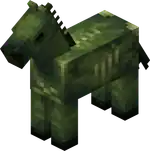
- Texture changed from
 .
. - Now spawns naturally, in plains and savanna biomes.
- Spawns in darkness, and burns in sunlight, like other undead mobs.
- Counts towards the hostile mob cap and spawns with other hostile mobs in the spawning cycle.
- Spawns being ridden by a zombie holding an iron spear, forming a zombie horseman.
- Has 25HP × 12.5 health.
- Can be healed and tempted using red mushrooms.
- Drops 2-3 rotten flesh when killed (instead of 0-2), with an extra 0-1 for each level of Looting.
- The boost from Looting is the same as it was before the update.
- Any zombie riding it now has a chance of dropping a red mushroom on death.[more information needed]
- An unridden zombie horse does not display any hostile behavior towards players.
- If it is ridden by a zombie, the zombie will control its pathfinding and therefore make it hostile.
- Untamed zombie horses despawn like other hostile mobs.
- Tamed zombie horses are persistent and do not despawn.
- Can be tamed in the same fashion as a regular horse, and can then be mounted and controlled by a player.
- Can be equipped with a saddle and horse armor.
- Horse armor protects it from sunlight damage.
- Has variable movement speed and jump strength, determined when it spawns.
- Zombie villagers can now hold Spears and use its Charge attack.
- This change was not mentioned in the changelog.
- Zombified piglins can now spawn holding golden spears and use its Charge attack.
World generation
- Bastion remnant chests can now contain diamond spears.
- Buried treasure chests can now contain iron spears.
- Buried treasure chests can now contain copper, iron, golden and diamond nautilus armor.
- End city chests can now contain diamond spears.
- Ocean ruin chests can now contain stone spears.
- Ocean ruin chests can now contain copper, iron, golden and diamond nautilus armor.
- Shipwreck chests can now contain copper, iron, golden and diamond nautilus armor.
- Weaponsmith chests can now contain copper and iron spears.
Command format
General
- Resource suggestions now show results in any namespace instead of just within
minecraft.
- Added new syntax
/execute execute if unless stopwatch <id> <range> - Allows to compare the elapsed time of a given stopwatch with a floating point value range.
- The stopwatch value is measured in seconds and has an accuracy of at most a millisecond.
- Example:
/execute if stopwatch foo:bar ..10 run say Stopwatch foo:bar has not reached 10 seconds yet.
- Example:
- The stopwatch value is measured in seconds and has an accuracy of at most a millisecond.
- The
timeargument is now given in ticks instead of seconds. - The
timeargument for setting the size can now also specify seconds or in-game days using ansordsuffix. - The
timeargument for setting the warning distance now specifies ticks by default but can also specify seconds or in-game days using ansordsuffix.
Gameplay
- Updated "How Did We Get Here?" to require the Breath of the Nautilus effect.
- Updated "Best Friends Forever" to include the nautilus, zombie nautilus, and zombie horse.
- Updated "The Parrots and the Bats" to include the nautilus.
- Updated "Two by Two" to require the nautilus.
- Updated "Monster Hunter" to include, and "Monsters Hunted" to require the camel husk, parched, zombie horse, and zombie nautilus.
- Updated "A Throwaway Joke", "Take Aim" and "It Spreads" to include the camel husk, parched, nautilus, and zombie nautilus.
- Updated "Oh Shiny" to include the golden spear and golden nautilus armor.
- Cloud movement and position is now tied to the world time, hence the same for all players on a server.
- World border interpolation is now dependent on game ticks instead of real time.
- This means the world border will no longer move when the game is paused.
- It will also respect any changes made by the
/tickcommand.
General
General
- Added support for KQueue on OSX to improve network connection performance.
- Underwater biome fog color and fog distance is now blended based on the player's position between biomes, similarly to regular biome fog and sky colors.
- Added new attributes field for biomes to specify Environment Attributes.
- Note: certain attributes, such as gameplay/fast_lava are not evaluated positionally and thus cannot be set on a Biome.
- Many subfields under effects have been migrated to Environment Attributes:
- Note: the form of these attributes may not be identical to the original fields.
fog_color->minecraft:visual/fog_colorwater_fog_color->minecraft:visual/water_fog_colorsky_color->minecraft:visual/sky_colorparticle->minecraft:visual/ambient_particlesambient_sound,mood_sound,additions_sound->minecraft:audio/ambient_soundsmusic->minecraft:audio/background_musicmusic_volume->minecraft:audio/music_volume
- The following color fields in the
effectsdefinition now support colors as a string in the form "#rrggbb", or a float array in the form[red, green, blue]water_colorfoliage_colordry_foliage_colorgrass_colorgrass_color_modifier
- Now fade in instead of appearing out of nowhere, with the fade-in time adjustable through Video Settings.
- Several uses of the ⌘ Cmd key on Mac have been rebound to Ctrl:
- The input modifier to drop all items.
- The input modifier to include all the data when picking a block.
- The input modifier to change GUI scale in the Video Settings screen.
- Stopping the recipe book from cycling through variations of items.
- Added a new
minecraft:speardamage type.
- The pack format version is now
92.0.- This is due to
/stopwatchbeing added.
- This is due to
Debug renderer
- More debug renderers are now available through the Debug Settings screen.
- Some existing renderers were improved.
- The performance of debug renderers has been significantly improved.
- Added new attributes field for dimensions to specify Environment Attributes.
- Many fields have been migrated to Environment Attributes:
- Note: the form of these attributes may not be identical to the original fields.
ultrawarm->minecraft:gameplay/water_evaporates,minecraft:gameplay/fast_lava,visual/default_dripstone_particlebed_works->minecraft:gameplay/bed_rulerespawn_anchor_works->minecraft:gameplay/respawn_anchor_workscloud_height->minecraft:visual/cloud_heightpiglin_safe->minecraft:gameplay/piglins_zombifyhas_raids->minecraft:gameplay/can_start_raidnatural(note: not removed) ->minecraft:gameplay/nether_portal_spawns_piglin
- Added
exponent- Raises the base to the specified power level.
base- Level-Based Value indicating the base of the exponent.power- Level-Based Value indicating the power of the exponent.
- Raises the base to the specified power level.
- Enchantment Effect Components
minecraft:post_piercing_attack: Effects applying after a piercing attack with an item.
- Enchantment Entity Effects
minecraft:apply_exhaustion: applies exhaustion to the targeted entity.amount- Level-Based Value indicating the amount of exhaustion to apply.- Effective only on players.
minecraft:apply_impulse: applies an impulse to the targeted entity.direction- The first step of determining the impulse is applying this vector as local coordinates (the same used by/tp @s ^ ^ ^) onto the entity look vector.coordinate_scale- The second step is scaling the resulting vector by this vector on each axis in world space, X, Y and Z.magnitude- The third step is scaling the resulting vector by this Level-Based Value.
minecraft:play_sound: can now support a list of sound event identifiers, one for each level of enchantment. If a level is higher than the number of sounds, the last sound in the list is used.
- The
AngryAtfield has been renamed toangry_at. - The
AngerTimefield has been removed. - An
anger_end_time(long) field has been added, containing the time anger ends in game ticks.
- Environmental Fog in the Nether is no longer dependent on the render distance setting, and will consistently be applied from 10 to 96 blocks.
uniformfont has been updated to use Unifont 17.0.01.
- Have been moved into a registry.
- With that, all game rules have been renamed from their previous camel case names to resource locations in snake case.
- Additionally, some game rules have been further renamed:
announceAdvancements->minecraft:show_advancement_messagescommandBlocksEnabled->minecraft:command_blocks_workcommand_modification_block_limit->minecraft:max_block_modificationsdisableElytraMovementCheck->minecraft:elytra_movement_check- The value is inverted accordingly in places that use the resource location.
disablePlayerMovementCheck->minecraft:player_movement_check- The value is inverted accordingly in places that use the resource location.
disableRaids->minecraft:raids- The value is inverted accordingly in places that use the resource location.
doDaylightCycle->minecraft:advance_timedoEntityDrops->minecraft:entity_dropsdoImmediateRespawn->minecraft:immediate_respawndoInsomnia->minecraft:spawn_phantomsdoLimitedCrafting->minecraft:limited_craftingdoMobLoot->minecraft:mob_dropsdoMobSpawning->minecraft:spawn_mobsdoPatrolSpawning->minecraft:spawn_patrolsdoTileDrops->minecraft:block_dropsdoTraderSpawning->minecraft:spawn_wandering_tradersdoVinesSpread->minecraft:spread_vinesdoWardenSpawning->minecraft:spawn_wardensdoWeatherCycle->minecraft:advance_weathermaxCommandChainLength->minecraft:max_command_sequence_lengthmaxCommandForkCount->minecraft:max_command_forksnaturalRegeneration->minecraft:natural_health_regenerationsnowAccumulationHeight->minecraft:max_snow_accumulation_heightspawnRadius->minecraft:respawn_radiusspawnerBlocksEnabled->minecraft:spawner_blocks_work
- Limits
- Some game rules that previously did not have a limited value range now do:
minecraft:max_block_modifications: Minimum1minecraft:max_command_forks: Minimum1minecraft:max_command_sequence_length: Minimum0minecraft:max_entity_cramming: Minimum1minecraft:max_snow_accumulation_height: Minimum0, maximum:8minecraft:players_nether_portal_creative_delay: Minimum0minecraft:players_nether_portal_default_delay: Minimum0minecraft:players_sleeping_percentage: Minimum0minecraft:random_tick_speed: Minimum0minecraft:respawn_radius: Minimum0
- Some game rules that previously did not have a limited value range now do:
- In the
game_rulestest environment the keysbool_ruleandint_rulehave been replaced with a single key rules.- It is a map from game rules resource locations to the game rules value. The value type is either integer or boolean depending on the game rule.
minecraft:consumable- The animation field has been updated:
- Renamed
speartotrident - Added new
spearanimation.
- Renamed
- The animation field has been updated:
minecraft:intangible- Items with this component now show information about it in their tooltip.
- Added new option for all item models:
swap_animation_scale- Defaults to
1.0 - Indicates how fast the item moves up and down when swapping items in hotbar.
- Large speeds can allow items that take more of the screen space to fully duck before swapped into the next item.
- Defaults to
- Added new item model:
spear_in_hand- model for the spear when in hand.
- Added a Debug category category in the key binds screen.
- Keys used to access debug features can now be rebound.
- The debug modifier key can be bound separately from the debug overlay key.
- The key to toggle GUI can now be rebound.
- The key to toggle spectator shader effects, such as when spectating an enderman, can now be rebound.
minecraft:filtered- The field
modifierhas been replaced with two fields:on_pass- function or a list of functions to run whenitem_filterpredicate passes.on_fail- function or a list of functions to run whenitem_filterpredicate fails.
- The field
- Added new
minecraft:slotsloot pool entry.- Provides the items contained within the selected slots to the loot table.
- Format:
slot_source: a slot source describing where the items are located.
- Supports all standard loot pool entry fields.
- Removed
contentsas a supported value for thedynamicloot entry type.- Its behavior of providing the contents of a Shulker Box was made redundant by the addition of the
slotsloot entry type, and can now be replicated with theslot_rangeslot source.
- Its behavior of providing the contents of a Shulker Box was made redundant by the addition of the
- Updated the LWJGL library to version 3.3.6.
Minecraft Server Management Protocol
- The version is now 2.0.0.
- Added a new notification server/activity.
- Indicates that a network connection to the server has been initiated.
- Rate limited to 1 notification per 30 seconds.
- Enable authentication from web browsers.
- Authenticate by passing the token in
Sec-WebSocket-Protocolheader when opening the WebSocket connection.- Example: Sec
-WebSocket-Protocol: minecraft-v1, <token>
- Example: Sec
- Requests authenticating this way are subject to Origin header checks. This requires configuration of allowed origins on the server side using
management-server-allowed-origins. The default value is empty, meaningSec-Websocket-Protocolauthentication is effectively disabled.
- Authenticate by passing the token in
- In the
typed_game_ruleanduntyped_game_ruleschemas, the type of the value field has been changed from string to take either a boolean or an integer.- It now uses the game rule resource location as the key.
- Component Predicates
- Component predicates (predicates field in block, item and entity predicates) now include predicates for checking existence of every component type.
- Those predicates are written as
{<component_type>: {}}. - Such predicate check passes as long as component is present, no matter the actual value.
- Existing predicates for specific components remain unchanged.
- Example:
{predicates:{written_book_content:{author:"foo"}}- existing format for matching books.{predicates:{written_book_content:{}}- special case of above that accepted any value, as long as component existed.{predicates:{instrument:{}}- checks if componentminecraft:instrumentexists (was not allowed before).
- Entity Predicates
- The
flagspredicate now supports new values:is_in_water: when an entity is touching water or a bubble column.is_fall_flying: when an entity is gliding with an elytra.
- The
- Item Predicates
- Item predicate in command form (
<item>[predicate~{...},component={...}]) has been extended to accept empty predicates for any component type. - Similarly to component predicates in data, those empty entries only check for component existence.
- Existing shorter syntax for checking component existence remains unchanged.
- That means
*[instrument]and*[instrument~{}]are equivalent.
- That means
- Item predicate in command form (
- The version is now
72.0.- This is due to Unifont being updated.
- block.vsh/fsh copies terrain.vsh/fsh and handles ad-hoc blocks (e.g. held by entities).
- Added
ChunkSectionuniform, used by terrain.vsh (which replacesDynamicTransforms). - New shaders have been introduced to perform GPU based sprite animations.
Globalsuniform now has camera coordinates.
- Added ClientFps JFR event.
- Experience packets that do not change the player's experience progress or level are no longer sent by the server.
- Client FPS is expected to be higher for most players.
- Graphics modes "Fast", "Fancy", and "Fabulous!" have been replaced with graphics presets with the same names.
- Settings on the Video Settings screen have been reordered and split into 3 sections: "Display", "Quality & Performance", and "Interface".
- The following settings that have been removed from the Video Settings screen, because were duplicating accessibility settings:
- "View Bobbing"
- "Glint Speed"
- "Glint Strength"
- "FOV Effects"
- "Distortion Effects"
- Tweaks that were previously hidden behind the "Graphics" setting have been split out to be configurable independently:
- "See-Through Leaves"
- "Show Vignette"
- "Weather Effect Radius"
- Configures the distance in blocks within which rain and snow are visible.
- "Improved Transparency"
- Resolves some of the transparent geometry rendering issues at a significant GPU cost, previously was hidden behind "Fabulous!".
- A new "Preset" slider was added to the top of the "Quality & Performance" section.
- Presets control most of the "Quality & Performance" settings at once, not only the ones that were previously hidden behind the "Graphics" setting.
- Available presets are "Fast", "Fancy", "Fabulous!" and "Custom"
- The default preset is "Fancy" for new players.
- But for players who are upgrading to this version the preset will be set to "Custom" to preserve the current configuration.
- The following settings that have been removed from the Video Settings screen, because were duplicating accessibility settings:
Shaders & Post-process Effects
- Added
animate_sprite*core shaders, which use a newSpriteAnimationInfouniform.
- Anvil destroy, land, place and use sounds now play at a slightly lower volume.
Sprite Animations
- Sprites (textures as part of a larger atlas) are now animated on the GPU rather than per-tick on the CPU.
- For regular frame-based animations, animate_sprite.vsh and animate_sprite_blit.fsh are used to perform the draw.
- For interpolated animations, animate_sprite.vsh and animate_sprite_interpolate.fsh are used to perform the draw.
- The UBO
SpriteAnimationInfocontains information on where the sprite should be drawn to, within the greater texture atlas.
- Added
minecraft:nautilus_one_cmstatistic (Distance By Nautilus).
- Biome Tags
- Removed
#snow_golem_melts, and#increased_fire_burnout- replaced bygameplay/snow_golem_melts, andgameplay/increased_fire_burnoutEnvironment Attributes. - Removed
#plays_underwater_music- replaced byonly_underwaterfield in theaudio/background_musicEnvironment Attribute. - Removed
#has_closer_water_fog- replaced byvisual/water_fog_radiusEnvironment Attribute.
- Removed
- Damage Tags
- Added
spearto#is_player_attack, and#no_knockbacktags.
- Added
- Enchantment Tags
- Added
lungeto#non_treasure, andtooltip_ordertags.
- Added
- Entity Tags
- Added
camel_husk,nautilus, andzombie_nautilusto#can_equip_saddletags. - Added
nautilusto#can_breathe_under_watertag. - Added
nautilus, andzombie_nautilusto#aquatic,#cannot_be_pushed_onto_boats, and#not_scary_for_pufferfishtags. - Added
zombie_horseto#can_wear_horse_armortag. - Added
parchedto#skeletonstag. - Added
camel_huskzombie_nautilusto#zombiestag.
- Added
- Item Tags
- Added
golden_nautilus_armor, andgolden_spearto#piglin_lovedtag. - Added
#spearsto#enchantable/durabilitytag. - Renamed tag
#enchantable/swordto#enchantable/sweeping. - Renamed
#enchantable/swordto#enchantable/melee_weaponfrom#enchantable/fire_aspecttag. - Renamed
#swordsto#enchantable/melee_weaponfrom#enchantable/sharp_weapontag.
- Added
- celestials.png-atlas
- A new celestials atlas has been introduced, including sprites for objects rendered in the sky such as the Sun and Moon.
- Includes sprites from <namespace>:textures/environment/celestial/<path>.png
- The following textures have been moved or split:
- textures/environment/sun.png -> sun
- textures/environment/end_flash.png -> end_flash
- textures/environment/moon_phases -> moon/full_moon, moon/waning_gibbous, moon/third_quarter, moon/waning_crescent, moon/new_moon, moon/waxing_crescent, moon/first_quarter, moon/waxing_gibbous
- All blocks in the world now have mipmaps applied if enabled in video settings.
- Blocks that did not have mipmaps before, such as different vines, rails, foliage (apart from leaves) and more should look better from higher distances.
texturesection of*.mcmetafiles has a new boolean fielddarkened_cutout_mipmap- The default value is
false - It is set to
truefor the block textures that had mipmaps before this version:- All leaf types and mangrove roots.
- If the field is set to
trueand the texture is cutout the mipmaps will be darkened to emulate the darker interior of the block, this was the behavior for cutout mipmapped blocks before this version. - Leaving the field unset or setting it to
falsewill generate mipmaps without darkening, and it fits well for other types of cutout blocks that do not have dark interior such as flowers, grasses, vines, rails, etc.
- The default value is
- Only mipmaps of level 0 and 1 are now animated for block animated textures.
- Glass and glass panes now support translucent textures.
- The
darkened_cutout_mipmapfield of the texture section of *.mcmeta files has been replaced by a new fieldmipmap_strategywith the following supported values:meanaverages both color and alpha between groups of four pixels for the current mipmap level to generate the next mipmap level pixel. This was and stays the default strategy for most solid or translucent full block textures.dark_cutoutis similar tomean, but blends colors in a way that makes the pixels bordering cutout pixels darker. This was and stays the strategy for leaves and mangrove roots. It simulates dark interior of the blocks.cutoutis a new strategy that always generates a mipmap based on the original texture instead of the previous mipmap. Used for most cutout blocks that became mipmapped in this version.strict_cutoutis a modification ofcutoutthat uses stricter alpha cutoff value leading to the textures using this value disappearing at higher mipmap levels. Is used for flowers and similar blocks to avoid artifacts.autois the default value and will make the game to pickmeanfor textures that do not contain fully transparent pixels andcutoutfor those that do.
- All mipmap levels are once again animated for block animated textures.
- Beacon and redstone dust now support translucent textures.
- Menu sliders will now "stick" to the closest available value when releasing them after dragging with a mouse.
- When using keyboard to change slider values, arrow keys will now move the slider to the next available value, not by one pixel as before.
- The inF3 button in the Debug Option screen has been renamed to inOverlay.
- "Interface" option inside the Video Settings screen has been renamed to "Preferences".
- The Single Biome Customization screen now has a search box.
- The language selection screen now has a search box to filter languages.
UI Sprites
- Added new UI sprite:
- container/slot/nautilus_armor
- container/slot/spear
- Spear icon used in the smithing table screen.
- Added new nine-sliced sprites:
- container/inventory/effect_background
- container/inventory/effect_background_ambient
- Removed the following sprites:
- container/inventory/effect_background_large
- container/inventory/effect_background_small
Fixes
From released versions before 1.21
- MC-2791 – The player model in the inventory screen renders in the wrong orientation when it's not standing up straight.
- MC-22882 – Ctrl + Q doesn't work on Mac.
- MC-53491 – The world border can change in size when the game is paused.
- MC-54989 – Sliders can be moved to positions between available values.
- MC-73186 – Gaps between the faces of item models and complex block models.
- MC-80476 – On macOS, the "drop item stack" shortcut conflicts with the "quit Minecraft" shortcut.
- MC-114265 – Mipmaps are too dark around transparent edges in textures (e.g. side of grass).
- MC-146862 – Long effect names cause text to appear outside the effect box.
- MC-147718 – F1, F3, F3 + [char] combos cannot be rebound.
- MC-149630 – Some particles have very thin, vertical lines that flash in and out around the particles.
- MC-159275 – Map player markers on maps of the nether don't rotate when
doDaylightCycleis disabled. - MC-162573 – A white outline is rendered on composters' edges when viewed from far away.
- MC-171688 – Invisibility status of
LivingEntityis not updated whenActiveEffectsare modified directly. - MC-195505 – Short grass is unaffected by mipmap levels.
- MC-234358 – Moiré patterns / aliasing on certain objects when viewed from a distance.
- MC-237158 – Magma blocks can generate on the ceilings of caves below aquifers.
- MC-241862 – It sometimes requires multiple keyboard inputs to change values on sliders.
- MC-248499 – Potion UIs displayed within the inventory don't have cyan outlines if the effects are granted by beacons or conduits.
- MC-263562 – World types in Realms backup info screen are untranslatable.
- MC-264151 – Glass blocks do not use mipmapping, but glass panes do.
- MC-267364 – Teleporting in the air is considered flying by server.
- MC-271941 – Music discs can sometimes spawn inside jukeboxes when ejected from them.
From 1.21.1
- MC-276445 – Highlighted text within the anvil and creative inventory interfaces renders blue making it difficult to read.
From 1.21.4
- MC-278742 – Creakings cannot be ridden by any entities using commands.
- MC-279076 – Certain mobs will always retarget the player upon reloading the chunks, regardless of distance or gamemode.
From 1.21.5
- MC-295949 – Flying through vines with an elytra cancels the flight.
- MC-296952 – F4 key to toggle shaders cannot be rebound.
- MC-297328 – Unloading and reloading an area causes invisible entities to be visible until you get close enough.
- MC-297367 – Checkbox filled status isn't narrated.
- MC-298767 – Piercing arrows phase through mobs that are in the same block.
From 1.21.6
- MC-298405 – Text components in the "
label" of input controls in dialogs don't support "hover_event". - MC-298915 – Multishot crossbows loaded in survival or adventure mode show their secondary charged projectiles on a separate line in the tooltip.
- MC-298942 – Character body moves instead of the head when riding a happy ghast.
- MC-299196 – Waypoints fade out when an advancement is granted.
From 1.21.8
- MC-299876 – Labels for booleans within dialogs are rendered in a slightly different shade of white than normal.
- MC-300642 – When texture atlases are large, gaps are rendered between blocks that have a low resolution.
- MC-301595 – Music toasts briefly appear in the pause menu after a song has finished.
- MC-301632 – Comparators measuring jukeboxes do not update when a music disc is taken out of a jukebox if the music disc has already finished its song.
- MC-301988 – Buttons in the telemetry screen are not aligned properly in some languages.
From 1.21.9
- MC-300979 – The movement and duration messages in the demo introduction screen now have a text shadow.
- MC-301271 – Object text components do not render in some places unless there are text glyphs on the same line.
- MC-301311 – The “Transfer Now” button no longer renders highlighted when the java realms information box is selected.
- MC-301516 – The mouse cursor doesn’t change to the hand shape when hovering over tabs in the “Create New World” menu and similar screens.
- MC-301517 – The mouse cursor doesn’t change to the hand shape when hovering over arrows in the singleplayer, multiplayer, resource packs, and data packs menus.
- MC-301518 – The mouse cursor doesn’t change to the hand shape when hovering over checkboxes.
- MC-301520 – The mouse cursor doesn’t change to the hand shape when hovering over the difficulty lock button.
- MC-301527 – The mouse cursor doesn’t change to the resize shape when scrolling in the advancements menu.
- MC-301557 – The shading direction of the bolts on single and large copper chests does not match.
- MC-301754 – The hand animation plays when right-clicking shelves with nothing in your hand.
- MC-301763 – The outline of the “Invited” element within the realms “Players” tab renders above other tabs when selected and when a scroll bar is present.
- MC-301805 – Selected item outline on statistics screen renders outside of scissor area.
- MC-301879 – Double weathered and waxed weathered copper chests' bottom texture looks off compared to the other variants.
- MC-302030 – Setting
commandBlocksEnabledto false prevents command blocks from being edited. - MC-302071 – Single and double copper chests have inconsistent side textures.
- MC-302111 – Elements within the resource pack and data pack menus are not selected in order when using the Tab ↹ key.
- MC-302246 – Sprite object component does not render in server list depending on component tree.
- MC-302254 – Cursor changes do not work for command suggestions.
- MC-302288 – All shelves have the oak tan map color.
- MC-302325 – When the player toggles a debug renderer using its hotkey (F3 + B, F3 + G) while in the debug options screen, the corresponding entry is not updated.
- MC-302338 – The narrator button in the Accessibility Settings menu doesn't update upon pressing Ctrl + B.
- MC-302362 – Clicking on "Singleplayer" or "Multiplayer" in the main menu then immediately clicking on a world or server joins it even when not clicking the play button.
- MC-302409 – Lightning that strikes waxed lightning rods do not deoxidize nearby unwaxed copper blocks.
- MC-302482 – Resource and data pack names can overlap selection boxes when the scroll bar is present.
- MC-302549 – Server main thread deadlock during respawn position resolution when the entire world spawn radius is filled with fluids.
- MC-302601 – A white outline is rendered on anvils' top texture when viewed from far away.
From 1.21.10
- MC-302695 – Can use the game mode switcher while the game is paused, and doing so unpauses the game.
- MC-302816 – When running NBT to SNBT conversion, the program waits for 1 minute after completion.
- MC-302854 – Glass is less transparent when viewed from far away.
- MC-303381 – Game crashes when serializing a world spawn point with yaw or pitch values outside of rotation bounds.
- MC-303382 – Player spawn points with rotation values outside of bounds aren't serialized.
Trivia
- 1.21.11 is likely to have the highest minor version number of any Java Edition release version, the previous records being 1.7.10 and 1.21.10.
- This will be also the third Java Edition public release with minor version at "11" overall, following Classic 0.0.11a in 2009 and Alpha v1.0.11 in 2010.
References
- ↑ Article images on minecraft.net have
holiday2025,holidaydrop2025, andMCV_HOL25in its filename.


.png)


