Java Edition Beta 1.8 Pre-release

The pre-reupload server version of this release is lost.
While this version is known to exist, it has not been archived in the launcher or elsewhere, and is therefore considered lost.
If you believe you have a copy of this version, please post it on the talk page of this page.
If you believe you have a copy of this version, please post it on the talk page of this page.

It has been suggested that this page be split.
[discuss]
If this split affects many pages, or may potentially be controversial, do not split until a consensus has been reached.
Reason: Split original and reupload into separate pages
Reason: Split original and reupload into separate pages
Beta 1.8 Pre-release
| Edition | |||||||
|---|---|---|---|---|---|---|---|
| Release date |
September 9, 2011 | ||||||
| Type | |||||||
| Pre-release for | |||||||
| Downloads |
Original: | ||||||
| Protocol version |
15 | ||||||
| Minimum Java version | |||||||
| |||||||
{
    "title": "Beta 1.8 Pre-release",
    "images": [
        "Beta 1.8 Pre-release.png",
        "Beta 1.8 Pre-release menu.png"
    ],
    "rows": [
        {
            "field": "''(link to Java Edition article, displayed as Java Edition)''",
            "label": "(link to Edition article, displayed as Edition)"
        },
        {
            "field": "September 9, 2011",
            "label": "Release date"
        },
        {
            "field": "(link to Pre-release article, displayed as Pre-release)",
            "label": "(link to Version types article, displayed as Type)"
        },
        {
            "field": "(link to Java Edition Beta 1.8 article, displayed as Beta 1.8)",
            "label": "Pre-release for"
        },
        {
            "field": "'''Original:'''<br>\n[https://vault.omniarchive.uk/archive/java/client-beta/b1.8/pre/b1.8-pre1-081459.jar Client]\n([https://meta.omniarchive.uk/versions/v1/b1.8-pre1-081459.json .json]) <br />Original server unavailable<br>\n'''Reupload:'''<br>\n[https://vault.omniarchive.uk/archive/java/client-beta/b1.8/pre/b1.8-pre1-091357.jar Client] \n([https://meta.omniarchive.uk/versions/v1/b1.8-pre1-091358.json .json])\n<br>[https://vault.omniarchive.uk/archive/java/server-beta/b1.8/pre/b1.8-pre1-091358.jar Server]",
            "label": "(link to Tutorial:Installing a snapshot#Manual version installation article, displayed as Downloads)"
        },
        {
            "field": "15",
            "label": "(link to Protocol version article, displayed as Protocol version)"
        },
        {
            "field": "<span class=\"plainlinks\">[https://en.wikipedia.org/wiki/Java_version_history#Java_SE_5 Java SE 5]</span>",
            "label": "<span style=\"white-space: normal;\">Minimum Java version</span>"
        }
    ],
    "invimages": [],
    "footer": "<table style=\"margin: auto; word-break: break-word;\">\n<tr style=\"background: inherit;\">\n<td style=\"padding: 0.4em\" >[[Java Edition  Beta 1.7.3|<span style=\"margin-right:-0.35em\">◄</span>◄   Beta 1.7.3]]</td>\n<td style=\"padding: 0.4em\">'''[[Java Edition Beta 1.8|Beta 1.8]]'''</td>\n<td style=\"padding: 0.4em\" >[[Java Edition  1.0.0|  1.0.0 <span style=\"margin-right:-0.35em\">►</span>►]]</td>\n</tr>\n<tr style=\"background: inherit;\">\n<td style=\"padding: 0.4em\">\n[[Java Edition  Beta 1.8 (preview)|◄   Beta 1.8 (preview)]]\n</td>\n<td style=\"padding: 0.4em\">''' Beta 1.8 Pre-release'''</td>\n<td style=\"padding: 0.4em\">\n[[Java Edition  Beta 1.8 Pre-release 2 ;)|  Beta 1.8 Pre-release 2 ;) ►]]\n</td>\n</tr>\n</table>"
}
Other editions with a version "1.8-pre1":
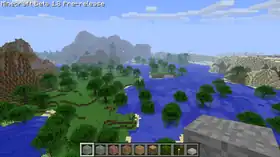
Beta 1.8 Pre-release is the first pre-release for Java Edition Beta 1.8, that was released on September 9, 2011. This is the first pre-release released in 2011.
Beta 1.8 Pre-release was reuploaded approximately 24 hours after its initial release to fix bugs and remove some debug features. See § Reupload.
Additions


Blocks
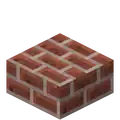
- Crafted using bricks.

_JE1.png)
- Drop brick blocks.
- Crafted using bricks.

- Occur naturally in strongholds.
_JE1_BE1.png)
- Crafted using glass.

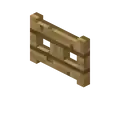


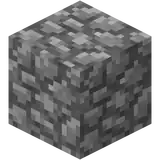
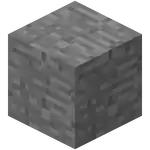
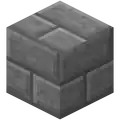
- Spawn silverfish when broken.
- Doesn't drop when broken.
_JE3.png)
- Appear only in strongholds and blacksmith houses.
- Crafted using iron ingots.


- You can't get it.

- Occur naturally in strongholds.
- Crafted using stone.

- Occur naturally in strongholds.
_JE1_BE1.png)
_JE1_BE1.png)
_JE1_BE1.png)
_JE1_BE1.png)
- Drop their corresponding mushroom.
- Generate when the player uses bone meal on a mushroom.

- Occur naturally in strongholds.
- Crafted using stone bricks.
_JE1.png)
- Occur naturally in strongholds.
- Drop stone bricks.
- Crafted using stone bricks.
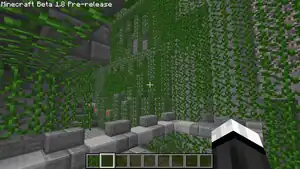
_JE1.png)
- Can grow to nearby blocks.
- Are naturally generated in swamps.
Items

- New food item.
- Restores 6 (
.png) ) hunger.
) hunger.

- Dropped by endermen.
- Has no function.
- Can be planted in farmland to grow melons.
- Crafted from melon slices.

- New food item.
- Drops from melon blocks.
- Restores 2 () hunger.

- Cannot be obtained.
- Can be planted in farmland to grow pumpkins.



- New food item.
- Dropped by zombies and zombie pigmen.
- Restores 4 () hunger.
- Can give the player the hunger effect.

- New food item.
- Restores 8 () hunger.
Mobs
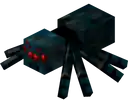
- New variant of the spider.
- Inflicts Poison on the player.
- Has 12HP
.png) × 6.
× 6. - Spawns from spawners in mineshafts.

- It becomes hostile to players that damage it or look directly at its face, using its arms to attack.
- Has the ability to teleport.
- Is able to carry every block.
- Makes zombie sounds.
- Emits smoke particles.
- Has 10HP.
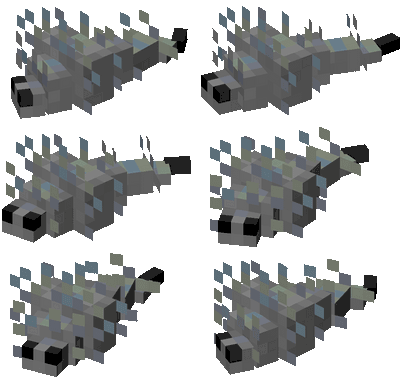
- Appears when the player breaks infested blocks.
- Has 8HP.
Non-mob entities

- Adds to the player's total experience when collected.
- Entity ID is
XPOrb. - Plays low-pitched item pickup sound upon collecting.
- Dropped by monsters and animals when they are killed.
World generation

- Are deep and long cracks breaching the underground layers of the Overworld.

- Does not generate naturally.
- Can be artificially created by applying bone meal to a brown or red mushroom.

- New biome.

- New biome.
- Oceans existed in previous versions, however, now they exist as an actual biome, spanning thousands of blocks.

- New biome.
- Flows through/in between biomes.

- Are underground structures primarily found underground in the Overworld.
- They consist of interlinked 3×3 tunnels with incomplete rail lines running through them, with planks platforms bridging gaps.
- Mineshafts are the only structures where cave spider monster spawners can be found.


- Is a group or complex of buildings and other above ground structures that generate naturally in the Overworld.
Gameplay
- Added Sniper Duel: "Kill a skeleton with an arrow at 50 meters".
Controls Debug keys
- F6 and F7 move time forwards and backwards, respectively.
- F6 disables gravity for the player, it can be canceled by pressing it again.
- H and Y increase and decrease the player's FOV, respectively
- L and J make the player's camera turn right and left, respectively
- I and K make the player's camera turn up or down, respectively
- M and N rotate the player's camera 180° around the Z-axis, respectively.
- Activated by double-tapping W.

- Is a feature exclusive to the player, which is required for natural health regeneration and sprinting.
- Decreases when the player does certain actions, like when being hurt, jumping and mining.
- Food no longer heals directly, but indirectly: if the food meter is above 90%, heals
.png) every 4 seconds.
every 4 seconds. - If the food meter is at 0%, the player starves and loses hearts every 4 seconds.
- It can be restored by eating food.
_Revision_3.png)
- Currently has no use.
- Do more damage depending how close the player was to the ground while falling.
Creative gamemode
- Infinite access to almost every item.
- No health, except when falling into the void.
- Food is not edible.
- Flying by double tapping Space.
- Increased reach.
/gamemode- Changes the gamemode.
- Added obtainable status effects:
- Regeneration, which increases health slowly.
- Obtained after eating a golden apple.
- Hunger, which decreases the hunger bar.
- Obtained after eating rotten flesh or raw chicken.
- Poison, which hurts the player.
- Obtained when being hurt by a cave spider.
- Regeneration, which increases health slowly.
- Added unobtainable status effects:
- Increases darkness at extreme depths.
- Decreases field of vision.
General
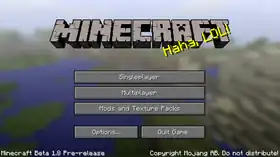
- Revamped the main menu by adding an animated menu panorama.[1]
- The player can now set their field of view in the options via the FOV slider. It can be set from 70 (default) to 110 (Quake Pro).
- "Attack", "Use Item", and "List Players" can now be remapped.
- Added the brightness option.
- Added the field of view option.
- Performing a critical hit on any mob causes 'sparks' to fly.
- Explosion particles are now shockwaves instead of smoke.
- Tiny stationary bubble particles can be seen when underwater.
- Fog is now thicker and darker deep underground, and gives off particles. Due to this, the void appears black.
- The ability to save and view multiple servers has now been added.
- Added the following splash text:
- Jeb has amazing hair!
- Casual gaming!
- Undefeated!
- Kinda like Lemmings!
- Follow the train, CJ!
- Leveraging synergy!
- This message will never appear on the splash screen, isn't that weird? (Unused)
- DungeonQuest is unfair!
- 110813!
- 90210!
- Check out the far lands!
- Tyrian would love it!
- Also try VVVVVV!
- Also try Super Meat Boy!
- Also try Terraria!
- Also try Mount And Blade!
- Also try Project Zomboid!
- Also try World of Goo!
- Also try Limbo!
- Also try Pixeljunk Shooter!
- Also try Braid!
- That's super!
- Bread is pain!
- Read more books!
- Khaaaaaaaaan!
- Less addictive than TV Tropes!
- More addictive than lemonade!
- Bigger than a bread box!
- Millions of peaches!
- Fnord!
- This is my true form!
- Totally forgot about Dre!
- Don't bother with the clones!
- Pumpkinhead!
- Hobo humping slobo babe!
Changes
Blocks

- Now a slice of cake restore 3 (
.png) ), instead of 3HP.
), instead of 3HP.

- Ferns no longer generate naturally.
_JE2.png)
_JE2.png)
- Texture changed from
_JE1.png)
 .
. - Added an opening and closing animation

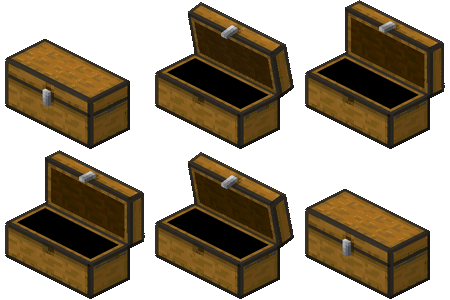 .
. - The chest's texture is no longer in the terrain.png file. Instead, it is in the folder "item" under "chest.png" and "chestlarge.png", with the former being a chest on its own and the latter being the large chest.
- Are now tile entities, which means they no longer show the breaking animation and are also now slightly smaller than they were before.
- Now change the direction they face based on the viewpoint of the player.
- Can now be found in mineshafts and strongholds.
- Use door sounds when opening and closing.
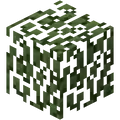

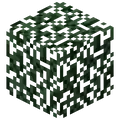
- Player-placed leaves no longer decay.
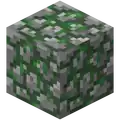
- Texture changed from
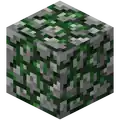 .
.

- Can now be mined by an iron pickaxe or moved by an enderman.

- Can now be placed on fences.

- Their model is no longer always rendered in full brightness.
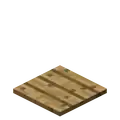
- Can now be placed on fences.
Items

- Now restore 4 (), instead of 4HP.
- Can now be stacked up to 64.
- Now takes 1.6 seconds to consume, accompanied with an animation.

- Behavior has been overhauled; they now need to be charged in order to fire.
- Arrows from bows now damage in accordance with the charging time.
- Added new textures visible in hand, in order to indicate their charge
_JE1_BE1.png)
_JE1_BE1.png)
 .
.

- Now restore 5 (), instead of 5HP.
- Can now be stacked up to 64.
- Now takes 1.6 seconds to consume, accompanied with an animation.

- Now restore 5 (), instead of 5HP.
- Can now be stacked up to 64.
- Now takes 1.6 seconds to consume, accompanied with an animation.

- Changed the texture from
 .
. - Now restore 8 (), instead of 8HP.
- Can now be stacked up to 64.
- Now takes 1.6 seconds to consume, accompanied with an animation.

- Now restore 1 (), instead of 1HP.
- Can now be stacked up to 64.
- Now takes 1.6 seconds to consume, accompanied with an animation.

- Now restore 10 (), instead of 20HP × 10 health points.
- Also give Regeneration for 30 seconds.
- Can now be stacked up to 64.
- Now takes 1.6 seconds to consume, accompanied with an animation.

- Now restore 8 (), instead of 10HP.
- Now takes 1.6 seconds to consume, accompanied with an animation.

- Now restore 2 (), instead of 2HP.
- Can now be stacked up to 64.
- Now takes 1.6 seconds to consume, accompanied with an animation.

- Now restore 3 (), instead of 3HP.
- Can now be stacked up to 64.
- Now takes 1.6 seconds to consume, accompanied with an animation.





- Added blocking.
- Negates 50% of the incoming damage.
Mobs
- No longer despawn.
- Randomly flee if attacked by the player or other mobs.
- Perform attack animations.

- Removed the mob as an entity, however, their AI is still in the code.
- Removed the monster as an entity, however, their AI is still in the code.
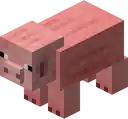
- Their snouts now extrude from their model, rather than being flat.
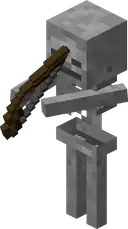
- The bows of skeletons are now larger and held realistically (full-sized bows, two-handed, but don't yet show the arrow pulling back).
- Skeletons now fire arrows slower, but further.
- Skeletons no longer bounce around the player, making them much easier to hit.
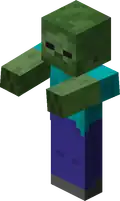
- Now drop rotten flesh instead of feathers.
Non-mob entities

- Hit a mob visually "stick" into the mob rather than just disappear.
- Unarmed damage was decreased from 2HP to 1HP.
World generation
General
- Are now much bigger and more flat.
- Hills and mountains tend not to generate as much, except in the new extreme hills biome.
- They are no longer aligned based on temperature and humidity, instead their distribution is random.
- Now sea level one block lower.

- Larger than before.

- Wolves now spawn more often.

- Larger than before.

- Renamed from "Swampland".
- They are a much more vibrant green color.
- They have a new tree type, which are slightly bigger and have vines hanging from their leaves. They can also generate in shallow water pools.
- They are much more flat.

Gameplay
- Height raised to the top of the map.
- Can no longer phase through blocks.
- Movement now syncs with the game's time.
- Holding the left mouse button with a weapon now only swings once.
- Holding the right mouse button to place blocks is slightly slower than before.
- Player list in multiplayer, defaults to Tab ↹.
- Now emit shockwave particles.
- No longer require chunk updates and is a smooth transition.
- A few tweaks to sunrise and sunset:
- Clouds change color during sunrise and sunset to match the sky color.
- Horizon, specifically haze changes color more vividly during sunset and sunrise.
- Armor bar moved to above hearts, due to hunger bar.
- The version tag appears outside of the debug screen again.
- Entities are now lit in the void.
- Color of the void now changes from blue to black while descending.
- The player's spawn point is now bound to a specific biome rather than to any sand block. The player can spawn in forest, swamp and taiga biomes.
General
- The ability to see the level's seed has now been added to the debug screen.
- Entity numbers being shown above a mob's head have now been removed from the debug screen.
- Implemented a new lighting engine. The lighting on a block is given a tint based on the most prominent source of light.
- Artificial light now gives a very subtle "flicker".
- Removed duplicate "Check it out!"
Removals
World generation
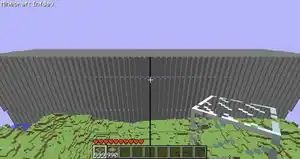


- These did not generate in previous versions, so their removal was not noticeable.


- All removed biomes convert to a new biome (if generated).
Gameplay
- Removed the ability to change the fog level under F
General
- The famous high-distance world rendering offset bug has been fixed (except for moving pistons).
- Redstone repeater top faces are no longer weirdly broken.
- Rails, powered rails and detector rails are no longer stretched.
- Ladders are no longer offset nor stretched.
- Upwards travelling redstone wire no longer appears offset from the block it's on.
- The side faces of flowing water and lava are no longer broken.
- Has now been reduced from 32,000,000 to 30,000,000.
- "Toggle Fog" can no longer be remapped.
Fixes
1 bug fixed
- Fixed stairs, cactus, farmland, pressure plate, fence, cake, snow layer, button, and trapdoor items being too big.
Reupload
Beta 1.8 Pre-release was reuploaded approximately 24 hours after its initial release to fix bugs and remove some debug features. Features and bugs present in the initial version include:
- Villages do not generate correctly. Only the wells, gravel paths, and lampposts generate; houses do not generate.
- The stronghold does not generate correctly. Only the central staircase generates.
- Various models often become corrupted.
- Screenshots can sometimes fail to save, printing an error into the chat:
Failed to save: java.lang.IllegalArgumentException: Number of remaining buffer elements is x, must be at least y. Because at most y elements is required, regardless of actual returned element count, wherexandyare two numbers, withybeing less thanx. This bug seems to occur after changing the resolution of the game window, and can be solved by making the window smaller. - The world can sometimes fail to save, resulting in lost progress when quitting.
- Various debug keys exist.
- F9 freezes the camera in its current position.
- F6, while also turning back time, enables a strange "bouncy" movement. It locks the player's Y coordinate (meaning they cannot jump or fall). It makes the player accelerate relatively slowly when moving. The speed can be changed using mouse scroll, negative speeds revert the controls. Additionally, blocks lose their collision, however the player is still affected by solid blocks trying to push them out (as observed in normal gameplay), though if the player is moving quickly enough they can push all the way through a block. Strangely enough, negative speeds "suck" the player into blocks on collision.
- N and M change the view's rotation clockwise and counterclockwise, respectively. Holding both keys simultaneously resets the rotation.
- Y and H decrease and increase the field of view, respectively. These keys seem to affect the field of view differently to how the FOV option does - the player's hand (or anything the player is holding) also becomes stretched as the field of view increases or decreases, which does not happen if the player changes the FOV option in the menu. Holding both keys simultaneously resets the field of view.
- I makes the player look up, J looks left, K looks down, and L looks right. These movements are normally done by moving the mouse. This setting cannot be reset by holding any keys simultaneously.
- U and O moves the third-person camera forwards and backwards, respectively. This setting cannot be reset by holding both keys simultaneously.
-
 Screenshot with the error message in multiplayer
Trivia
- Beta 1.8 Pre-release is the first pre-release for Minecraft.
- Beta 1.8 Pre-release is also the first publicly released development version of Minecraft.
- This version suffered from many glitches before reupload (see images below).
- This is currently the oldest server version to support Mojang authentication servers. This means any prior version requires setting online-mode in server.properties to false in order to join them.
-
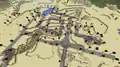 A glitched village.
 -
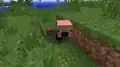 A glitched pig model.
 -
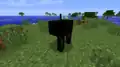 A glitched cow model.
 -
 A glitched chicken model.
 -
 A glitched creeper model.
 -
 A glitched player model.
 -
 Ditto in multiplayer.
 -
 A glitched ghast model.
 -
 A glitched sky.
 -
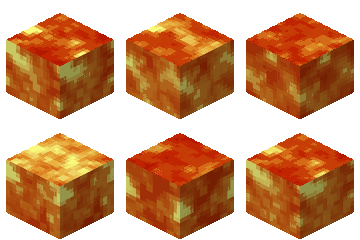
.png) Lava render glitch. (near the crosshair)
Lava render glitch. (near the crosshair)
References
- ↑ "BIG NEWS! We have found the SEED of Minecraft's title-screen background PANORAMA!" – u/Tomlacko on Reddit, July 18, 2020


.png)


