Java Edition 1.21.9
Minecraft 1.21.9


| Edition | ||||||
|---|---|---|---|---|---|---|
| Official name | ||||||
| Release date |
September 30, 2025 | |||||
| Development versions | ||||||
| Downloads | ||||||
| Obfuscation maps | ||||||
| Protocol version |
773 | |||||
| Data version |
4554 | |||||
| Resource pack format |
69.0 | |||||
| Data pack format |
88.0 | |||||
| Minimum Java version | ||||||
| ||||||
{
    "title": "Minecraft 1.21.9",
    "images": [
        "1.21.9 banner image.png",
        "Java Edition 1.21.9.png"
    ],
    "rows": [
        {
            "field": "''(link to Java Edition article, displayed as Java Edition)''",
            "label": "(link to Edition article, displayed as Edition)"
        },
        {
            "field": "(link to The Copper Age article, displayed as The Copper Age)",
            "label": "Official name"
        },
        {
            "field": "September 30, 2025",
            "label": "Release date"
        },
        {
            "field": "<div class=\"hlist\"><span style=\"white-space:nowrap;\">(link to :Category:Java Edition 1.21.9 snapshots article, displayed as '''Snapshots''') (9) </span><br/><span style=\"white-space:nowrap;\">(link to :Category:Java Edition 1.21.9 pre-releases article, displayed as '''Pre-releases''') (4) </span><br/><span style=\"white-space:nowrap;\">(link to :Category:Java Edition 1.21.9 release candidates article, displayed as '''Release candidates''') (1) </span><br/>((link to Java Edition 1.21.9/Development versions article, displayed as View all))</div>",
            "label": "<span style=\"white-space: normal;\">Development versions</span>"
        },
        {
            "field": "[https://piston-data.mojang.com/v1/objects/ce92fd8d1b2460c41ceda07ae7b3fe863a80d045/client.jar Client] ([https://piston-meta.mojang.com/v1/packages/5ec1a8f499396c99b4971eb05658fbcf1545e5d0/1.21.9.json .json])<br />[https://piston-data.mojang.com/v1/objects/11e54c2081420a4d49db3007e66c80a22579ff2a/server.jar Server]",
            "label": "(link to Tutorial:Installing a snapshot#Manual version installation article, displayed as Downloads)"
        },
        {
            "field": "[https://piston-data.mojang.com/v1/objects/3641ccb54eac2153c7e8274823c5a8e046beaba0/client.txt Client]<br />[https://piston-data.mojang.com/v1/objects/587e016fe8a876cbc1cc98d73f9d0d79bfb32b2c/server.txt Server]",
            "label": "(link to Obfuscation map article, displayed as Obfuscation maps)"
        },
        {
            "field": "773",
            "label": "(link to Protocol version article, displayed as Protocol version)"
        },
        {
            "field": "4554",
            "label": "(link to Data version article, displayed as Data version)"
        },
        {
            "field": "69.0",
            "label": "<span style=\"white-space: normal;\">(link to Pack format#List of resource pack formats article, displayed as Resource pack format)</span>"
        },
        {
            "field": "88.0",
            "label": "<span style=\"white-space: normal;\">(link to Pack format#List of data pack formats article, displayed as Data pack format)</span>"
        },
        {
            "field": "<span class=\"plainlinks\">[https://en.wikipedia.org/wiki/Java_version_history#Java_SE_21_.28LTS.29 Java SE 21]</span>",
            "label": "<span style=\"white-space: normal;\">Minimum Java version</span>"
        }
    ],
    "invimages": [],
    "footer": "<table style=\"margin: auto; word-break: break-word;\">\n<tr style=\"background: inherit;\">\n<td style=\"padding: 0.4em\" >[[Java Edition  1.21|<span style=\"margin-right:-0.35em\">◄</span>◄   1.21]]</td>\n<td rowspan=\"2\" style=\"padding: 0.4em\">''' 1.21.9'''</td>\n<td style=\"padding: 0.4em\" ></td>\n</tr>\n<tr style=\"background: inherit;\">\n<td style=\"padding: 0.4em\">\n[[Java Edition  1.21.8|◄   1.21.8]]\n</td>\n\n<td style=\"padding: 0.4em\">\n[[Java Edition  1.21.10|  1.21.10 ►]]\n</td>\n</tr>\n</table>"
}
 There is a guide for this update!
See Java Edition guides/The Copper Age for a guide to all of the new features introduced in The Copper Age.
1.21.9, the release of The Copper Age, is a game drop for Java Edition released on September 30, 2025.[1] It adds copper tools and armor, copper golems, various copper blocks and items, shelves, and new options for the debug screen.
Additions


Blocks
_JE1.png)
_JE1.png)
_JE2.png)
_JE1.png)
- Functions like the existing iron bars, but can be waxed.
- Crafted from copper ingots, and oxidizes over time.
- Sixteen copper bars can be crafted using six copper ingots.
| Ingredients | Crafting recipe |
|---|---|
| Copper Ingot |
_JE1_BE1.png)
_JE1_BE1.png)
_JE1_BE1.png)
_JE1_BE1.png)
- Functions like the existing iron chain, but can be waxed.
- Crafted from copper ingots and copper nuggets, and oxidizes over time.
- Copper chains can be crafted using a copper ingot and two copper nuggets.
| Ingredients | Crafting recipe |
|---|---|
| Copper Nugget + Copper Ingot |
 |
_BE1.png)
_BE1.png)
_BE1.png)
_BE1.png)
- A new type of chest that has waxed and oxidized variants.
- Copper chests oxidize over time and can be waxed like other copper blocks.
- Copper chests can be crafted using a chest and copper ingots.
| Ingredients | Crafting recipe |
|---|---|
| Copper Ingot + Chest |
 |
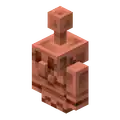


- A decorative block which has waxed and oxidized variants.
- Copper golem statue oxidizes over time and can be waxed like copper blocks.
- The pose of the block can be changed by interacting with it.
- If the copper golem statue has no oxidation when interacted with using an axe, the block will turn into a copper golem again.
- When connected to a redstone comparator, the copper golem statue block emits a redstone signal based on its current pose.
- They always drop as item when mined.
- They pop off as an item when pushed by a piston.

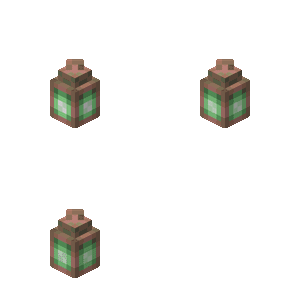


- Crafted using copper nuggets and one copper torch.
- The lantern itself oxidizes, changing its look as it ages.
- Can be waxed.
- Functionally identical to the lantern.
| Ingredients | Crafting recipe |
|---|---|
| Copper Nugget + Copper Torch |
|

- A green variant of the torch crafted from a copper nugget, coal or charcoal, and stick.
- Functionally identical to the torch.
| Ingredients | Crafting recipe |
|---|---|
| Copper Nugget + Coal or Charcoal + Stick |


_JE1.png)
_JE1.png)
_JE1.png)
- Added exposed, weathered, and oxidized variants and their respective waxed variants.
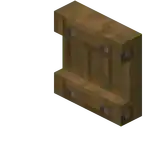
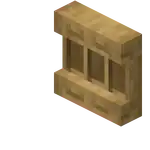
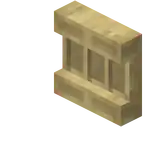
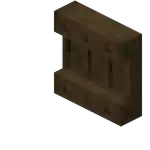
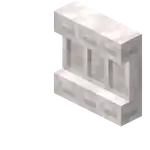

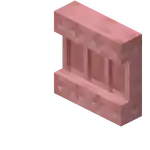

- A decorative block which comes in all wood variants.
- Can be crafted from six matching blocks of any stripped log, stripped stem, or block of stripped bamboo, filling the top and bottom row, producing 6 shelves.
| Ingredients | Crafting recipe |
|---|---|
| Matching Stripped Log or Block of Stripped Bamboo or Matching Stripped Stem |


- The shelf can store up to 3 item stacks:
- Interacting with any of the 3 slots on its front swaps the player's main hand item with the content of that slot.
- The shelf displays all items it contains in front of it, similar to an item frame.
- Items in the shelf will render in the middle of the shelf.
- While a shelf is powered by redstone, its front texture changes to reflect that it's powered; when placed next to each other, up to 3 powered shelves will connect.
- Interacting with a single powered shelf swaps all its contents with the 3 rightmost items in the player's hotbar.
- Interacting with two connected shelves swaps their contents with the 6 rightmost items in the player's hotbar.
- Interacting with three connected shelves swaps their contents with all items in the player's hotbar.
- It does not matter which of the connected shelves the player interacts with.
- Powered shelves can only connect to other powered shelves facing the exact same direction.
- They provide a signal value to redstone comparators placed at the back: the strength of the signal is a binary number based on the filling state of the slot, with the left slot being the least significant bit and the right slot being the most significant bit.
Items
_JE1_BE1.png)
_JE1_BE1.png)
_JE1_BE1.png)
_JE1_BE1.png)
- Added copper helmets, copper chestplates, copper leggings, and copper boots.
- Copper armor has higher durability than leather and gold, but less than iron. Copper armor enchantability sits slightly lower than with iron.
| Ingredients | Crafting recipe |
|---|---|
| Copper Ingot | |
_JE1_BE1.png)
- A new variant of horse armor.
- Has the same loot table and chance of generating as iron horse armor.
- Has an armor value of 4 (
.png) ).
). - Cannot be crafted.

- Added copper nuggets.
- Copper equipment turns into copper nuggets when smelted.
- Copper nuggets can be crafted by using a copper ingot.
| Ingredients | Crafting recipe |
|---|---|
| Copper Ingot |


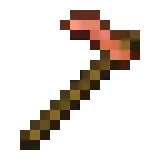
- Added copper axes, copper hoes, copper pickaxes, copper shovels, and copper swords.
- More enchantable than diamond tools, but slightly less than iron tools.
- Possess identical damage and attack speed to stone tools.
- Cannot mine any more blocks than stone tools can.
| Ingredients | Crafting recipe |
|---|---|
| Copper Ingot + Stick |
 |
 Added copper golem spawn egg.
Mobs

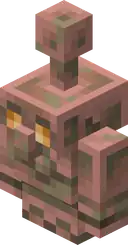


- A new mob which can be spawned by placing a jack o'lantern or carved pumpkin on top of a copper block.
- Has 12HP
.png) × 6 health points.
× 6 health points. - Drops 1 to 3 copper ingots when killed.
- They are immune to fall damage, and do not drown underwater.
- Copper golems oxidize over time and can be waxed like copper blocks.
- Lightning bolts clean oxidation off copper golems.
- Copper golems take on the oxidization state of the copper block used to make them.
- If the copper golem has fully oxidized and is not waxed, it will turn into a copper golem statue block.
- When turned into a copper golem statue, the copper golem will drop any item it may be holding.
- A copper golem turned into a copper golem statue will keep its name if named with a name tag.
- Copper golems can help with sorting items into chests.
- If it is not holding an item, it will look for a nearby copper chest and pick up items from that chest.
- The copper golem will look in any oxidized and waxed copper chest variant to pick up items.
- It can pick up at most 16 items in a stack at a time.
- Any item in a copper chest can be picked up.
- Interacting with the copper golem with an empty hand will make it drop its carried item.
- If it is holding an item, it will look for nearby wooden chests to try to place the item into.
- The copper golem will look in chests and trapped chests to try to place items.
- It can only place an item in a chest if the chest is empty or contains the same type, name and enchantments of item the golem is holding in its hand.
- It will visit a max of 10 copper chests when looking for items to pick up, and a max of 10 chests when looking for somewhere to put the items.
- If no matching chest is found, the copper golem will idle for 7 seconds before trying again.
- The search area for chests from the copper golem's position is horizontally 32 blocks and vertically 8 blocks.
- Decorative flowers can be planted on them by iron golems.
- Copper golems are able to open doors.
Non-mob entities
_JE2.png)
- Added a new type of technical entity called
minecraft:mannequinwhich can only be spawned with summon commands.- A mannequin is a player avatar without a connected player.
- Mannequins function as living entities, like armor stands.
- They can hold and wear equipment, have attributes & effects, take damage, etc.
- Mannequins' description text can be configured.
- They accept
minecraft:profilecomponent from spawner items. - Data Fields:
profile- Which profile to show on the entity. This is a Player profile (same format as aminecraft:profilecomponent, which has been extended to allow overrides).- Defaults to
{}(i.e. static profile with bothidandnamemissing).
- Defaults to
hidden_layers- List of outer skin layers to hide.- Valid entries:
cape,jacket,left_sleeve,right_sleeve,left_pants_leg,right_pants_leg,hat.
- Valid entries:
main_hand- Which hand is the main hand of the mannequin.- One of
leftandright.
- One of
pose- The pose of the mannequin.- Valid entries:
standing,crouching,swimming,fall_flying,sleeping.
- Valid entries:
immovable- Optional boolean specifying that the mannequin cannot be moved (defaults tofalse).description- Optional text component shown where a player'sbelow_scorescore would show.- The default "NPC" (
entity.minecraft.mannequin.label) text is shown if omitted.
- The default "NPC" (
hide_description- Optional boolean specifying that no description should be shown at all.- A mannequin with the description hidden displays as if a player had no
below_scoredisplay.
- A mannequin with the description hidden displays as if a player had no
- This entity highly resembles the Mob entity removed long ago in Beta 1.2, as it is has a player skin and has no movement AI.
Command format
- New command that fetches the contents of a player profile from Minecraft servers.
- Since the operation might take some time, it works asynchronously.
- Results will be printed only when operation finishes, but the game will keep running unpaused.
- After successful completion, a message will be printed that lets users copy the contents of a fully resolved
minecraft:profilecomponent or/give @s minecraft:player_headwith said component.- It also prints a clickable text to summon a mannequin with the resolved profile.
- Since the result is not known at the time of execution, this command always returns
1. - Syntax:
/fetchprofile name <player name>: resolves profile by username (case-insensitive)./fetchprofile id <uuid>: resolves profile by UUID.
General
- Unsent chat messages now get saved as chat drafts if the chat was forcibly closed.
- This includes it being closed by external sources such as dying or a dialog opening, but not the player intentionally closing their chat.
- Any existing chat draft will get pre-filled into the message box the next time the chat is opened.
- Draft text has a grayed-out appearance until fully restored.
- Draft text can be restored as regular text by interacting with it:
- Typing additional text.
- Moving the text cursor using the arrow keys.
- Clicking it.
- Highlighting it.
- Pressing ↵ Enter on a chat draft prior to it being restored sends it like a normal chat message.
- Pressing ← Backspace on a chat draft prior to it being restored deletes it.
- Draft text can be restored as regular text by interacting with it:
- The End dimension now has skylight.
- Normally the skylight does not affect how the dimension looks.
- Every 30 seconds, flashes in the sky happen.
- When they happen, skylight intensity increases flooding the dimension with purple light.
- While the ender dragon fog effect is active, the flash source in the sky is not visible and the brightness of the light affecting the world is reduced.
- Last between 5 and 19 seconds.
- Added
allowEnteringNetherUsingPortalsgame rule controlling if the Nether can be entered through portals.- Defaults to
true.
- Defaults to
- Added
commandBlocksEnabledgame rule controlling if command blocks should be enabled or not.- Defaults to
true.
- Defaults to
- Added
pvpgame rule controlling whether players can deal damage to other players.- Defaults to
true.
- Defaults to
- Added
spawnMonstersgame rule controlling if monsters should spawn naturally.- Defaults to
true.
- Defaults to
- Added
spawnerBlocksEnabledgame rule controlling if spawner blocks should be enabled or not.- Default to
true.
- Default to
- Added Halychian language support.
Minecraft Server Management Protocol
- Added a server management API (JSON-RPC over WebSocket) for dedicated servers.
- The API is disabled by default and can be enabled in the server properties file.
management-server-enabled=truemanagement-server-host=localhostmanagement-server-port=25585
- The API is accessible at
ws://<management-server-host>:<management-server-port>when enabled. - Supports querying and updating of server state (players, allowlist, operators, settings, game rules).
- Sends notifications on state changes (e.g. player joins, game rule updates).
- Calling
{"id":1,"method":"rpc.discover"}returns an API schema containing supported methods and notifications of the currently running server. - The Data Generator produces an API schema (
json-rpc-api-schema.json) in the reports output folder mirroring the contents returned by therpc.discovermethod. - The API adheres to the JSON-RPC 2.0 specification.
- Uses namespaced methods and the reserved namespaces are
minecraft(e.g.minecraft:players,minecraft:allowlist/add) and notification (e.g.notification/players/joined).- Extensible via custom namespaces for additional methods and events.
- Core method groups: players, allowlist, operators, server (save, stop), server settings, game rules.
- Example method call:
- Request:
{"method":"minecraft:allowlist/add","id":1,"params":[[{"name":"jeb_"}]]} - Response:
{"jsonrpc":"2.0","id":1,"result":[{"id":"853c80ef-3c37-49fd-aa49-938b674adae6","name":"jeb_"}]}
- Request:
- Example notification:
{"jsonrpc":"2.0","method":"notification/players/joined","params":[{"id":"853c80ef-3c37-49fd-aa49-938b674adae6","name":"jeb_"}]}
- Example error:
- Request:
{"method": "minecraft:foo/bar","id": 1} - Response:
{"jsonrpc":"2.0","id":1,"result":{"jsonrpc":"2.0","id":1,"error":{"code":-32601,"message":"Method not found","data":"Method not found: minecraft:foo/bar"}}} - Errors and error codes follow JSON-RPC 2.0 error object format.
- Request:
- The API is disabled by default and can be enabled in the server properties file.
- Clients must authenticate to access the API.
- Clients should supply an Authorization bearer token header with a server specific secret.
- The secret is configured in the server properties file:
management-server-secret=- The secret should be exactly 40 alphanumeric characters (A-Z, a-z, 0-9).
- The secret will be automatically generated if the server property is empty.
- Unauthorized requests are rejected with 401 Unauthorized.
- TLS is enabled by default.
- Can be disabled in the server properties file:
management-server-tls-enabled=false
- Requires a keystore file to be set in the server properties file.
management-server-tls-keystore=path/to/keystore.p12
- The keystore file must be in PKCS12 format.
- Keystore password can be set in the following ways, in order of priority.0
- Environment variable:
MINECRAFT_MANAGEMENT_TLS_KEYSTORE_PASSWORD - JVM argument:
-Dmanagement.tls.keystore.password= - Server property:
management-server-tls-keystore-password=
- Environment variable:
- Can be disabled in the server properties file:
- Added "Invert Mouse X" option to the Mouse Settings screen, which inverts the mouse x-axis.
- Added "Sprint Window" option to the Controls screen, which represents the time window in ticks where double-tapping the forward key activates sprint.
- Added an option to the Chat Settings menu that enables saving unsent chat messages by default.
- With this option enabled, unsent messages will always get saved as chat drafts, even if the player intentionally closed their chat.
- Added "Allow Cursor Changes" option in "Mouse Settings" menu.
- Added
copper_fire_flame.
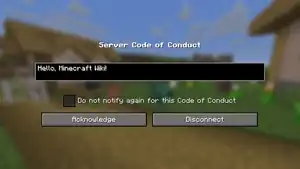
Server Code of Conduct
- When connecting to a server, a Code of Conduct screen can now be shown.
- Accepting the Code of Conduct is required to play on the server.
- A checkbox is available for not showing the same Code of Conduct in the future.
- If the Code of Conduct changes, it will be shown again.
- Block Tags
- Added
#bars- Contains all bar blocks.
- Added
#chains- Contains all chain blocks.
- Added
#copper- Contains all copper blocks.
- Added
#copper_chests- Contains all copper chest blocks.
- Added
#copper_golem_statues- Contains all copper golem statue blocks.
- Added
#incorrect_for_copper_tool- Contains all blocks which will not drop items with a copper tool.
- Added
#lanterns- Contains all lantern blocks.
- Added
#lightning_rods- Contains all lightning rods.
- Added
#wooden_shelves- Contains all shelves.
- Added
- Entity Type Tags
- Added
#accepts_iron_golem_giftentity type tag.- Contains all mob types an iron golem can place a poppy on the head of.
- Added
#candidate_for_iron_golem_giftentity type tag.- Contains all entity types an iron golem may offer a poppy.
- Added
#cannot_be_pushed_onto_boatsentity type tag.- Contains entity types that do not automatically enter boats.
- Added
- Item Tags
- Added
#bars- Contains all bar block items.
- Added
#chains- Contains all chain block items.
- Added
#copper- Contains all copper block items.
- Added
#copper_chests- Contains all copper chest block items.
- Added
#copper_golem_statues- Contains all copper golem statue items.
- Added
#copper_tool_materials- Contains all copper tool materials.
- Added
#lanterns- Contains all lantern block items.
- Added
#lightning_rods- Contains all lightning rods.
- Added
#repairs_copper_armor- Contains all items which repair copper armor.
- Added
#shearable_from_copper_golem- Contains all items that can be removed from the copper golem's head slot via shears.
- Added
#wooden_shelves- Contains all shelves.
- Added
object- New text component with type
objecthas been added. - This component will display a single sprite from sprite atlas as a character.
- Sprites are always rendered as a rectangle, 8x8 pixels in size.
- Format:
atlas- namespaced ID of a sprite atlas, default value:minecraft:blockssprite- namespaced ID of a sprite in atlas, for exampleitem/porkchop
- General note about atlas contents:
- Sprite Atlases contain textures for items, blocks, mob effects, GUI elements, etc.
- Contents are controlled by files in
assets/minecraft/atlases/directory in a resource pack. - Current contents can be reviewed with the F3 + S key combination.
- New text component with type
- Added environment/end_flash.png
Changes
Blocks
- The crafting recipe now uses 4 copper ingots, instead of 6.
- The old recipe is now used by copper bars.
- The crafting recipe now produces 1 copper trapdoor instead of 2.
| Ingredients | Crafting recipe |
|---|---|
| Copper Ingot |  |
- Mob heads now preserve any custom name when they are placed and then mined again.
- Renamed from "Chain".
- Now oxidize like other copper blocks and the lightning rod on the copper golem.
- Can now be waxed.

- Test instance blocks now preserve error markers between world reloads.
Items
















- Dye colors now have updated icons.
- The goal with these is to enhance visual cohesion across the dye set while maintaining distinct shapes to support colorblind accessibility.
- Monster spawn eggs now have a tooltip warning when the difficulty is set to Peaceful.
- The mob no longer spawns for one tick when an attempt is made to use the spawn egg.
Mobs
General
- Logic for choosing type of equipment for geared mobs has been tweaked to add copper as a possibility.
- Is now audible from 64 blocks.
- Riding sound volume is slightly increased.
- Now sometimes plant a decorative flower onto a nearby copper golem.
Command format
General
- Server commands now run from the respawn dimension by default instead of always the Overworld.
- Is no longer limited to the Overworld.
- This means players can respawn e.g. in the Nether when they have no bed or respawn anchor.
- It now also takes in an optional
pitchargument.
- Now optionally takes in a pitch argument.
- Now fails when trying to summon monsters while the difficulty is set to Peaceful.
Gameplay
- Sounds for chests now play at a lower volume.
- The volume at which a sound is played at now respects the sound source volume value.
- The "Voice/Speech" sound source has been renamed to "Narrator/Voice".
- Added new sound events:
block.copper_chest.open,block.copper_chest.close,block.copper_chest_weathered.open,block.copper_chest_weathered.close,block.copper_chest_oxidized.open,block.copper_chest_oxidized.close,entity.copper_golem.step,entity.copper_golem.hurt,entity.copper_golem.death,entity.copper_golem.spin,entity.copper_golem_weathered.step,entity.copper_golem_weathered.hurt,entity.copper_golem_weathered.death,entity.copper_golem_weathered.spin,entity.copper_golem_oxidized.step,entity.copper_golem_oxidized.hurt,entity.copper_golem_oxidized.death,entity.copper_golem_oxidized.spin,item.armor.equip_copper,entity.copper_golem.spawn,entity.copper_golem.no_item_get,entity.copper_golem.no_item_not_get,entity.copper_golem.item_drop,entity.copper_golem.item_no_drop,entity.copper_golem_become_statue,block.copper_golem_statue.break,block.copper_golem_statue.place,block.copper_golem_statue.hit,block.copper_golem_statue.fall,block.copper_golem_statue.step,block.shelf.activate,block.shelf.deactivate,block.shelf.multi_swap,block.shelf.place_item,block.shelf.single_swap,weather.end_flash.
General
run_commandclick event- Previously, if the command field contained a command that required a signed message (
/say,/me,/msg,/tell,/w,/teammsg,/tm), it would be silently discarded.- Instead, a screen will be shown that lets the user insert the command into the chat window or copy the command to their clipboard if the chat window can't be opened.
- Previously, if the command field contained a command that required a signed message (
minecraft:skull- The
profilefield has been changed to matchminecraft:profilecomponent.- That means that it also becomes immutable and is resolved only when necessary.
- The
- It is now possible to start chatting while standing inside a Nether portal.
- The chat will now remain open and unchanged if the player was chatting before being transferred to another dimension.
- The concept of fixed "spawn chunks" has been removed.
- A dimension that has any player activity, forceloaded chunks, active portals, or ender pearls in flight will be considered "active" and will keep processing chunks and entities.
- Previously, this would only apply if a player was in the dimension or a chunk was forceloaded.
- The game will ensure that the following chunks are fully loaded before the player joins or the server starts, in the same way as spawn chunks formerly were:
- Chunks loaded by the
/forceloadcommand. - Chunks active due to portal activity.
- Thrown ender pearls (Singleplayer only).
- The small area of chunks around the player (Singleplayer only).
- Chunks required to assign the global world spawn (World creation only).
- Chunks loaded by the
blocks_attacksitem component.- If the damage reduced in an attack is
0, for example by angle threshold not matching, the item can no longer get disabled in the attack, nor cause knockback due to blocking.
- If the damage reduced in an attack is
minecraft:profile- Player profiles in data components and block entities no longer resolve automatically.
- Previously contents of this component would permanently change when profile was resolved, i.e. downloaded from Minecraft service.
- To avoid issues with this unexpected change, the resolved value is no longer stored and contents of the profile will always remain unchanged.
- This component has now two behaviours:
- Static: when it has
propertiesfield or when bothnameandidare present or when both are missing.- In this state, profile will always render as-is.
- If
propertiesfield is missing, a default skin will be used (selected based onid, same as in offline mode). - That means skin will be frozen at the moment of component creation.
- This option is preferred for decorational uses.
- Dynamic: when it has either
nameorid(but not both).- When an item containing this profile is rendered on the client side, the profile will be resolved to most recent value.
- This means that this item will always render with current skin of targeted player.
- If a player changes skin while game is running, change will not be visible unless clients restart.
- Resolution might happen with a delay, during which item will render with a default skin.
- Profile name will replace item name only when it's present.
- Items with just
idwill show default name.
- Items with just
- Items will dynamic profiles be distinguished from static ones with label in tooltip.
- Static: when it has
- Items stack based on exact contents, so even if a dynamic component is eventually resolved to the same profile as a static one, they won't stack together.
- Player heads in older maps that have not been loaded in never versions yet will usually be converted to dynamic contents.
- Profiles can now also have additional fields that can replace various values used for rendering.
- If any of the fields are omitted, the value from the resolved profile is used, even if the profile resolved to the default skin.
- New fields:
texture- Optional namespaced ID of the skin texture to use for rendering.- The skin is specified relative to the
texturesfolder and with a .png suffix. - e.g.
entity/player/wide/stevewill use the default wide Steve skin.
- The skin is specified relative to the
cape- Optional namespaced ID of the cape texture to use for rendering.- When specified, uses the same format as the
texturefield.
- When specified, uses the same format as the
elytra- Optional namespaced ID of the elytra texture to use for rendering.- When specified, uses the same format as the
texturefield. - If this value is not present either as override or in player profile, mannequins using this profile will use the cape texture, or if that is also not present, the default elytra texture when wearing elytra.
- When specified, uses the same format as the
model- Optional model type, one ofwideandslim.
- The pack format version is now
88.0. - Renamed
chaintoiron_chain.
- Some debug features that were previously removed during compilation are now preserved and can be used by players.
- Individual values can be enabled with JVM properties:
- First, a global debug flag must be enabled with
-DMC_DEBUG_ENABLEDor-DMC_DEBUG_ENABLED=true. - Then, a specific feature can be enabled, for example
-DMC_DEBUG_BRAINor-DMC_DEBUG_BRAIN=true. - To get the list of all available debug properties, add
-DMC_DEBUG_PRINT_PROPERTIES.
- First, a global debug flag must be enabled with
- Warning: this is debug code. It must be handled with extreme care.
- This is an advanced feature, meant to help modders - it should not be used for normal play.
- Features not guaranteed to work as intended.
- It might crash the player's game or corrupt their worlds.
- Individual options might be added, changed or removed without a notice.
- Was reworked to be less cluttered and more configurable.
- It can now be accessed from everywhere in the game, not only when in a game world.
- It now displays less information by default.
- Added a new Debug Options screen which can be opened by pressing F3 + F6.
- It can be used to configure which debug information should be displayed.
- For each item the player can choose if it should be turned off, visible when the debug screen (F3) is open, or it should always be visible, even when the debug screen is closed.
- Some debug features that were previously available, like chunk border rendering or entity hitbox rendering, can now be toggled through this debug options screen.
- Some debug features that were not previously available to the community, like Octree visualization, are now accessible through the debug options screen.
- The state of the debug options screen is saved between the launches of the game.
- The debug options screen has the following preset profiles:
Defaultresets everything to the default state.Performanceshows simple performance metrics, including the FPS meter always visible on screen.
- Added
minecraft:find_top_surface- Approximates the topmost surface of a given density function.
- It scans from an upper bound to a lower bound to find the point at which the density changes from negative to positive.
- The upper bound should be as close to the actual surface for best performance.
- The upper bound should never be lower than the actual surface.
- Fields:
density- density function to approximate the surface of.upper_bound- 2D density function providing the highest possible y-value.lower_bound- integer, lowest possible y-value.cell_height- positive integer defining the grid resolution on which to scan.
- Added
minecraft:invert- Resolves to
1/argument - Fields:
argument- density function.
- Resolves to
explodeentity effects- New field:
block_particles[note 1]- Specifies per-block particles. Each block particle is randomly chosen according to weights. A set limit of block particles is spawned each tick from all explosions that tick.
- Format: List of entries.
weight: Non-negative integer representing the random weight for this entry being chosenparticle: The particle to spawnscaling: Optional scaling to apply between explosion center and block position, or1.0if not specifiedspeed: Optional scaling to apply to the speed of the particle, or1.0if not specified
- New field:
minecraft:player- Changes to the
respawnobjectanglehas been renamed toyawand is now a required field.pitchhas been added as a required field.dimensionis now a required field.
- Changes to the
Game library updates
- Rendering is now using OpenGL 3.3 core profile.
- The game rule
spawnChunkRadiuswas removed.
- The
max_distance_from_centerfield may now specify a different restriction on the vertical axis from horizontal.- This can be specified by an object with fields:
horizontal- required integer between1and128.vertical- optional integer between1and4096(default:4096).- e.g:
"max_distance_from_center": { "horizontal": 20, "vertical": 500 }.
- e.g:
- The previous format of a single inline value specifying both horizontal and vertical distance is still supported.
- This can be specified by an object with fields:
- Multiple key binds that have the same key assigned to them can now work together, while before only one would work.
- For example, it's now possible to bind the d key to Jump and Strafe Left, to jump and strafe left at the same time.
- The red warning for assigning the same key to multiple key binds is changed to yellow.
- Added a Spectator category in the key binds screen, alongside the pre-existing Highlight Players key bind.
- The spectator hotbar menu key can now be rebound.
- Ambient lighting on entities has been adjusted to be more visually in line with blocks and other parts of the game.
- The underside of flat surfaces will now be lit from that direction, instead of the opposite direction.
- This mainly affects models containing cubes that are either flat or "hollow" such as: worn armor, worn elytra, the outside layers on player skins, the ribcages of skeletons or skeleton horses, the feet of chickens or frogs, the wings of phantoms or the ender dragon, the fins on fish, and more.
- The world loading screen now shows the chunks that the player is about to be placed into, rather than chunks loaded around world spawn.
- The loading screen additionally now includes a progress bar.
- This progress bar accounts for all kinds of chunk loading as mentioned above.
- It was in versions before 1.3.1 with a slightly different texture.
minecraft:copy_name- The
sourcefield now accepts new context values:direct_attackertarget_entityinteracting_entity
- The
minecraft:copy_components- The
sourcefield now accepts new context values:thisattackerdirect_attackerattacking_playertarget_entityinteracting_entitytool
- The
- Added
minecraft:entity_interactloot table type which takes the following parameters:target_entity, the entity being interacted with.interacting_entity, the optional entity that is interacting with thetarget_entity.tool, the tool used to interact withtarget_entity.
- Added
minecraft:block_interactloot table type which takes the following parameters:block_state, the block state of the block entity being interacted with.block_entity, the optional block entity being interacted with.interacting_entity, the optional entity that is interacting with theblock_state.tool, the optional tool used to interact withblock_state.
- Fields that specify a target entity in a loot table, such as
entity_properties.entity, can additionally target thetarget_entityandinteracting_entityparameter types. - Added
charged_creeper/rootloot table for drops when an entity is killed by a charged creeper.- This loot table dispatches on the mob that was killed, to the following loot tables:
charged_creeper/piglincharged_creeper/creepercharged_creeper/skeletoncharged_creeper/wither_skeletoncharged_creeper/zombie
- Once any mob killed drops an item from this loot table, other mobs killed by the same creeper will not drop from this loot table.
- This loot table dispatches on the mob that was killed, to the following loot tables:
- Added
brush/armadilloloot table for drops when an armadillo is brushed. - Added
gameplay/turtle_growloot table for drops when a turtle grows into an adult. - Added
harvest/beehiveloot table for drops when a beehive or bee nest is harvested using shears. - Added
harvest/cave_vineloot table for drops when a cave vine with glowberries is harvested by interacting with it. - Added
harvest/sweet_berry_bushloot table for drops when a sweet berry bush with sweet berries is harvested by interacting with it. - Added
carve/pumpkinloot table for drops when a pumpkin is carved using shears.
Mouse cursor
- Some UI components will now change shape of mouse cursor.
- Examples: text inputs, numeric sliders, buttons, scroll bars.
- Additionally, clickable parts of text labels (like links) will now change cursor to the "hand" shape.
- This feature can be disabled with "Allow Cursor Changes" option in "Mouse Settings..." menu.
- A button leading to the Controls screen has been added to the Accessibility Settings screen.
- The "Auto-Jump" option, as well as the "Sneak" and "Sprint" toggles have been removed from the Accessibility Settings screen.
- The "Show Subtitles" option has been renamed to "Closed Captions".
- The "Attack/Destroy" and "Use Item/Place Block" keybinds are now toggleable, meaning they can be set to either "Hold" or "Toggle" in the Controls screen.
- The "Hide Lightning Flashes" accessibility setting has been renamed to "Hide Sky Flashes" and now also disables the End Flashes.
- When the flash is disabled by the setting the world will not be lit by the flash, but the flash source will still be visible in the sky and the sound effect will still play.
- Some sound sliders in the Music & Sound options now play a preview sound when adjusting the setting outside a world.
- The Resource Pack and Data Pack selection screens now have a search box.
- The pack versions for data packs and resource packs now have minor versions.
- A minor version increment of the game's pack version is backwards-compatible, meaning all packs made for previous iterations of the same major version will keep working.
- Packs can set compatibility requirements on minor versions in case they rely on resources introduced in a minor version.
- The
pack.mcmetaformat has been updated:- The
supported_formatsfield has been removed.- If the pack declares support for a pack version with the previous format (data pack <
82, resource pack <65), it is still required. - Otherwise, it is not allowed and must be removed.
- If the pack declares support for a pack version with the previous format (data pack <
- The
pack_formatfield is now optional.- If the pack declares support for a pack version with the previous format (data pack <
82, resource pack <65), it is still required.
- If the pack declares support for a pack version with the previous format (data pack <
- Added required field
min_format- specifies the minimum version supported.- A full version is specified as a list of two integers, e.g
[74, 1] - Specifying a single integer is interpreted as that major version, e.g.
74is the same thing as[74, 0]. - Specifying a list of a single integer is interpreted the same as specifying that integer alone.
- A full version is specified as a list of two integers, e.g
- Added required field
max_format- specified the maximum version supported.- A full version is specified as a list of two integers, e.g
[74, 1] - Specifying a single integer is interpreted as any minor version, i.e. the minor version is
0x7fffffff. - Specifying a list of a single integer is interpreted the same as specifying that integer alone.
- A full version is specified as a list of two integers, e.g
- For overlay entries:
- The
formatsfield has been removed.- If the pack includes any overlay range that includes a pack version with the previous format (data pack < 82, resource pack < 65), it is still required for all overlay definitions.
- Otherwise, it is not allowed and must be removed.
- Added required field
min_formatandmax_formatwith the same formats the fields above with the same name for thepacksection.
- The
- The
- Updated the main menu panorama to show a village with copper golems.
dragon_breathnow optionally takes apowerparameter (float, default1.0), which is multiplied onto its initial velocity, after all randomness.instant_effectandeffectnow optionally takepower(float, default1.0) andcolor(rgb, default0xFFFFFF) parameters.flashnow requires acolorparameter (argb).
- Entity rendering order was improved for significantly better performance.
- Areas with lots of mobs, like mob farms, will have a smoother gameplay.
- FPS will not improve much if most of the lag comes from things other than entities, like playing with high render distance while not being near many mobs.
- Particles outside of players view are not rendered anymore, which provides a performance improvement in some cases.
- The version is now
69.0. - Added new block sprites:
acacia_shelf,bamboo_shelf,birch_shelf,cherry_shelf,copper,copper_bars,copper_chain,copper_lantern,copper_left,copper_right,copper_torch,crimson_shelf,dark_oak_shelf,exposed_copper,exposed_copper_bars,exposed_copper_chain,exposed_copper_lantern,exposed_copper_left,exposed_copper_right,jungle_shelf,mangrove_shelf,oak_shelf,oxidized_copper,oxidized_copper_bars,oxidized_copper_chain,oxidized_copper_lantern,oxidized_copper_left,oxidized_copper_right,pale_oak_shelf,spruce_shelf,warped_shelf,weathered_copper,weathered_copper_bars,weathered_copper_chain,weathered_copper_lantern,weathered_copper_left,weathered_copper_right - Added new entity sprites:
copper_chain,copper_lantern,copper_golem,copper_golem_eyes,exposed_copper_chain,exposed_copper_lantern,exposed_copper_golem,exposed_copper_golem_eyes,oxidized_copper_chain,oxidized_copper_lantern,oxidized_copper_golem,oxidized_copper_golem_eyes,weathered_copper_chain,weathered_copper_lantern,weathered_copper_golem,weathered_copper_golem_eyes - Added new item sprites:
copper_axe,copper_boots,copper_chestplate,copper_golem_spawn_egg,copper_helmet,copper_hoe,copper_leggings,copper_nugget,copper_pickaxe,copper_shovel,copper_sword - Added new display transform
on_shelf- Used for displaying items on the Shelf.
- Renamed the following block sprites:
chaintoiron_chain. - Renamed the following item sprites:
chaintoiron_chain.
- A new boolean field has been added to server.properties called
enable-code-of-conduct.- Setting it to
truewill make the server look for code of conduct files in the codeofconduct subfolder in the same folder as server.properties - Each file in the folder should have the form <language_code>.txt
- The language shown will attempt to match the player's language.
- If it doesn't exist, the en_us code of conduct will be used.
- If that also doesn't exist, an arbitrary available entry is used.
- Setting it to
- Several server properties were removed in favour of making them into game rules, allowing these settings to be changed while the server is running.
- Removed server property
allow-netherin favor of new game rule. - Removed server property
enable-command-blockin favor of new game rule. - Removed server property
pvpin favor of new game rule. - Removed server property
spawn-monstersin favor of new game rule. - Added server property
management-server-enabledcontrolling whether the new Minecraft Server Management Protocol is enabled or not.- Defaults to
false.
- Defaults to
- Added server property
management-server-hostcontrolling with what host the new Minecraft Server Management Protocol is started.- Defaults to
localhost.
- Defaults to
- Added server property
management-server-portcontrolling on what port the Minecraft Server Management Protocol is started.- Defaults to
0, assigning an available port each time management server is started.
- Defaults to
- Added server property
management-server-tls-enabledcontrolling whether the Minecraft Server Management Protocol uses TLS or not.- Defaults to
true.
- Defaults to
- Added server property
management-server-tls-keystorecontrolling the path to the keystore file used for TLS.- Defaults to an empty string.
- A dedicated server won't start when TLS is enabled and no keystore is provided.
- Added server property
management-server-tls-keystore-passwordcontrolling the password to the keystore file used for TLS.- Defaults to an empty string.
- Added server property
status-heartbeat-intervalcontrolling the interval the management server sends heartbeat notifications to connected clients.- Defaults to
0, meaning it’s disabled.
- Defaults to
Server Code of Conduct
- Formatting codes are now stripped from code of conduct files.
Shaders & Post-process effects
- The following unused shaders have been removed:
- core/position_color_lightmap.vsh
- core/position_color_lightmap.fsh
- core/position_color_tex_lightmap.vsh
- core/position_color_tex_lightmap.fsh
- Minor change to uv calculations in the
minecraft_sample_lightmapfunction in thecore/terrain.vshprogram. - Full Screen Passes
- The following vertex shaders have been removed, and replaced by core/screenquad.vsh:
- core/blit_screen.vsh
- post/blit.vsh
- post/blur.vsh
- post/invert.vsh
- post/sobel.vsh
- post/screenquad.vsh
- Vertex shaders for post-processing effects, as well as lightmap generation and full screen blits are no longer are passed the
Positionattribute, and instead must assign vertex coordinates bygl_VertexID. - These passes furthermore are only executed with 3 vertices, instead of a full quad
- The following vertex shaders have been removed, and replaced by core/screenquad.vsh:
- A new
PER_FACE_LIGHTINGflag has been added to the following shaders:- core/entity.vsh
- core/entity.fsh
- When set, cardinal lighting will be computed separately for front- and back-faces.
- As the game now requires OpenGL 3.3, the version of all shaders are bumped from
150to330.
- Players that have joined a server are now always shown in the Social Interactions screen of that server even if they are offline.[verify for Java Edition]
- Changed the splash "Now on OpenGL 3.2 core profile!" to "Now on OpenGL 3.3 core profile!"
- The Statistics screen now uses the same type of tabs as the Create New World screen instead of buttons.
- Biome Tags
- Added
cherry_groveto#stronghold_biased_totag.
- Added
- Block Tags
- Added
#copper_cheststo#guarded_by_piglinstag. - Added
barrierto#impermeabletag. - Added
#wooden_shelvesto#mineable/axetag. - Added
#bars,#chains,#copper_chests,#copper_golem_statues,#lanterns, and#lightning_rodsto#mineable/pickaxetag, and removedchain,iron_bars,lantern,lightning_rod, andsoul_lantern. - Added
#copper_chests, and#lightning_rodsto#needs_stone_tooltag, and removedlightning_rod. - Added
copper_torchto#wall_post_overrideblock tag.
- Added
- Entity Tags
- Added
copper_golemto#can_breathe_under_water, and#fall_damage_immunetags.
- Added
- Item Tags
- Added
copper_axeto#axestag. - Added
copper_chestplateto#chest_armortag. - Added
copper_pickaxeto#cluster_max_harvestables, and#pickaxestags. - Added
copper_bootsto#foot_armortag. - Added
copper_helmetto#head_armortag. - Added
copper_hoeto#hoestag. - Added
copper_leggingsto#leg_armortag. - Added
crimson_shelf, andwarped_shelfto#non_flammable_woodtag. - Added
copper_shovelto#shovelstag. - Added
copper_swordto#swordstag.
- Added
- Bold and italics styles are ignored when drawing sprites.
- object Text Component
- This component has been updated to support displaying other non-character objects as a part of text.
- New format:
object: type of object, string, see below for values.<type-specific>: additional fields depending on object type.
- Similarly to
nbttext componentobjectfield can be omitted.- However, it's recommended to provide it for error checking.
- atlas Object Type
- Behaves the same way as the
objectcomponent did previously, but is now a separate object type. - Uses the same format as before.
- Behaves the same way as the
- player Object Type
- Renders player head.
- If partial profile is given, skin is resolved in the same way as
minecraft:profilecomponent on player head. - Format:
player: player profilename: player name, optional stringid: player uuid, optional UUIDproperties: profile properties, optional map
hat: controls rendering of a hat layer, boolean, defaulttrue
- Moved the result slot of gui/container/villager.png up by one pixel.
- The following texture atlases no longer have unused mipmapped versions generated:
- When adding a new server to the server list, the name is no longer prefilled. When left empty the default name is used.
- More text inputs now support selecting text by mouse dragging.
- Double-clicking a word in edit box now selects it.
- The world border is now dimension-specific.
- This means that each dimension can have its own world border size, position, etc.
- The
initial_density_without_jaggednessfield innoise_settingsdefinitions has been replaced with apreliminary_surface_levelfield.initial_density_without_jaggednesswas a 3D density function that was used to determine an approximate surface level by scanning for the first point with a density greater than0.390625.preliminary_surface_levelis a 2D density function that should produce the y-level of the approximate surface.- The
minecraft:find_top_surfacedensity function can be used to replicate the previous scanning.
Fixes
From released versions before 1.21
- MC-383 – In the world selection screen, world names/versions/timestamps can overflow the list to the right.
- MC-26334 – Chat UI is forcibly cleared when killed.
- MC-36783 – Item frames/Glow item frames don't change their hitbox if they contain a map.
- MC-46503 – You can retain entities' shaders by running the
/killcommand while in spectator mode. - MC-46634 – Thunder volume is not affected by weather volume settings.
- MC-59413 – Water and lava can drip from barriers.
- MC-69216 – Switching to spectator mode while fishing keeps rod cast.
- MC-73881 – Summoning monsters in peaceful difficulty spawns monster for 1 tick.
- MC-89142 – Changing jump key to "Enter" let player jump after completing chat line.
- MC-94610 – Missing loot table entries for mob heads from charged creepers.
- MC-98200 – All sound sliders except master are ignored by high-volume
/playsound. - MC-98322 – Flying after shifting between Creative/Spectator.
- MC-99785 – You can leash entities in spectator mode.
- MC-119417 – A spectator can occupy a bed if they enter it and then are switched to spectator mode.
- MC-147784 – Fletching table flashes crafting table's GUI for about a second upon right-clicking it in spectator mode.
- MC-160528 – End portals do not negate fall damage.
- MC-163218 – Players with the Sneak option set to "Toggle" can sneak while in GUIs.
- MC-165991 – TNT explosion no longer shows additional smoke particles since 1.15 Pre-release 1.
- MC-173730 – Shift-clicking water buckets against a waterloggable block doesn't place the water beside the waterloggable block.
- MC-174759 – Dragon eggs can be teleported to a height below void.
- MC-183776 – After switching game modes using F3 + F4, you need to press F3 twice to toggle the debug screen.
- MC-183784 – Visual bug to the Game Mode Switcher debug menu after resizing the window.
- MC-187850 –
run_commandclick_eventdoesn't work in written books if chat is hidden. - MC-191669 – Sprinting is disabled when switching your gamemode to spectator while sprinting into a block or general obstruction.
- MC-192907 – The F3 debug menu cannot be toggled while chat is open.
- MC-196443 – When reducedDebugInfo is true, hitting F3 + B and F3 + G would still tell the player in chat that they are being toggled, despite nothing happening.
- MC-197247 – Using F3 + D to clear pending lines keeps the previous delay for a new message.
- MC-203401 – Double-tapping forward button to sprint cannot be disabled/reconfigured.
- MC-217956 – Number keys do not work on the game menu with the debug pie.
- MC-220842 – Opening game mode switcher while spectating a mob with shader effect toggles the effect.
- MC-220913 – Parity issue: Adjusting slider in the sound settings when not being in a world does not play a sound of that category.
- MC-223142 – Player can move while spectating a marker.
- MC-225088 – Overworld surface is darker than before on low brightness.
- MC-232968 – Spectators can prevent the closing animation of a chest/barrel when viewing it at the same time as a non-spectator.
- MC-234479 – You can invite the same player multiple times to your realm even if they've already received an invitation or have already joined it.
- MC-234737 – Typo in exception message: "
EmtyPoolElement". - MC-235780 – The beacon GUI incorrectly displays the "Beacon" tooltip when the mouse cursor is held over the "Done" or "Cancel" buttons.
- MC-236508 – The title within the "Add Server" menu is displayed as "Edit Server Info".
- MC-237016 – The chat delay function continues to print messages despite the game being paused.
- MC-237590 – The word "chunks" is improperly capitalized within the render and simulation distance sliders.
- MC-237843 – Players can be idle kicked whilst viewing the end credits.
- MC-238146 – When you switch to Spectator mode while sleeping, the night never skips.
- MC-238273 – "Locked by another running instance of Minecraft" lacks punctuation.
- MC-243759 – Explosions won't damage an entity if the distance to its eyes is 0.
- MC-249205 – "
minecraft.used:minecraft.potion" increases by a value of two when using water bottles to create mud in creative mode. - MC-250062 – Several strings throughout the game contain comma splices.
- MC-250193 – Server log does not use the string representation of a player's GameProfile on a disconnect during encryption.
- MC-254052 –
/locatedoesn't work outside build limit. - MC-254668 – Pressing Escape on the death screen's title screen warning respawns the player.
- MC-257540 – Sheep eat half as often as they did before 21w39a.
- MC-257792 – Output slot for trading menu is off-center.
- MC-258191 – Root system feature allows hanging root vertical span of
0, causing error. - MC-259347 – Height limit warning message is shown when right-clicking the top of a block at the build height limit with a bucket.
- MC-259571 – Last player game mode not saved after player dies or the game is reloaded.
- MC-259673 – Tab selection works differently in world creation and statistics screens.
- MC-259692 – Sneaking and sprinting states are activated or toggled unexpectedly when releasing their input keys while an interface was just previously closed.
- MC-259935 – It can snow even when biome precipitation is set to NONE.
- MC-260591 –
/execute on originand/execute on owner} fail to find the targeted entity when it is in a separate dimension. - MC-260822 – The "Done" and "Cancel" buttons within the beacon GUI no longer display tooltips when the mouse cursor is held over them.
- MC-260920 – Statistics screen columns are not accessible through keyboard navigation.
- MC-261387 – Redundant
block_predicate_filtercheck in mangrove tree placement. - MC-262000 – Unused texture:
misc/white.png. - MC-262370 – Some multiplayer strings are untranslatable.
- MC-263597 – The ender dragon's respawning noise cannot be turned down by the Hostile Mobs volume slider.
- MC-264962 – Strings that contain two inputs for a given action have inconsistent spacing and apostrophes.
- MC-265290 – Elements within the command block interface are not selected in order when using the Tab ↹ key.
- MC-265807 – Mobs don't drown if their
AirNBT is less than-19. - MC-269838 – Pumpkin seeds drop from sheared pumpkins is hardcoded.
- MC-269839 – Honeycomb drop from sheared bee nests and beehives is hardcoded.
- MC-270172 – Client and server desync for hooked players when changing gamemode to spectator.
- MC-270190 – Hovering over banner patterns in the loom UI does not display tooltips.
- MC-270669 – Incorrect argument order in translation key
argument.block.property.novalue. - MC-270918 – Loot tables for mob heads are missing
copy_componentsloot function forcustom_name. - MC-272584 – Fireballs redirected by explosions caused by player owned entities no longer carry player ownership.
From 1.21
- MC-273943 – Sweet berries drop from harvested bushes is hardcoded.
From 1.21.1
- MC-275244 – Setting "
width_smoothness" in fileconfigured_carverto0causes the game to freeze or crash. - MC-275432 – Subtitles are difficult to see within screens.
- MC-276431 – Dragon egg teleports above the build height limit and deletes itself.
- MC-276568 – Mipmapped versions of the armor trims atlas are generated.
- MC-276629 – Glow berries drop from cave vines appears to be hardcoded.
- MC-276931 – Enchanted books have the wrong rarity.
- MC-277447 – Minecraft generates mipmapped textures for chests, but does not use them.
- MC-277450 – Minecraft generates mipmapped textures for shulker boxes, but does not use them.
- MC-277470 – Minecraft generates mipmapped textures for beds, but does not use them.
- MC-277471 – Minecraft generates mipmapped textures for signs, but does not use them.
- MC-277473 – Minecraft generates mipmapped textures for decorated pots, but does not use them.
- MC-277481 – Minecraft generates mipmapped textures for banners, but does not use them.
- MC-277483 – Minecraft generates mipmapped textures for shields, but does not use them.
- MC-277770 – Processor type
block_agealways modifies slabs property "type" to bottom.
From 1.21.2
- MC-276759 – Scute drop from brushing armadillos is hardcoded.
From 1.21.3
- MC-278435 – Mushroom Fields biome doesn't generate pumpkin patches despite being specified in vanilla datapack.
- MC-278550 – While flying in creative or spectator mode, the surface of water can prevent you from sprinting.
From 1.21.4
- MC-277975 – The first line of the command execution warning in an item's tooltip is missing punctuation.
- MC-278965 – Cherry Grove is not part of the
#stronghold_biased_totag. - MC-279123 – Some strings that reference Minecraft Realms use inconsistent or missing verb forms.
- MC-279153 – Some strings that mention the base values of attributes are missing articles.
- MC-279173 – The "
chat.disabled.invalid_command_signature" string is missing an article before the word "Command". - MC-279174 – The "
gamerule.spawnChunkRadius.description" string is missing an article before the word "Amount". - MC-279175 – Some multiplayer disconnection strings are missing articles and demonstratives.
- MC-279176 – The "
gamerule.commandModificationBlockLimit.description" string is missing an article before the word "Number". - MC-279212 – Some narration strings are missing articles and possessive determiners.
- MC-279793 – Mounting horses, donkeys, mules, zombie horses, skeleton horses, and camels no longer forces you to face forward.
- MC-289348 – Ender pearls stop loading chunks in The End after relog, if there are no players in that dimension.
From 1.21.5
- MC-279548 – TNT minecart does not remember ignition source when exploding from a fall.
- MC-295829 – Test instance block GUI uses "Batch" instead of "Environment".
- MC-295841 – Interactive collision check path is broken.
- MC-296054 – Fast non-projectile entity movements may fail to apply block effects from blocks around the starting position when moving in positive directions.
- MC-296055 – Slow non-projectile entity movements may fail to apply block effects from origin block.
- MC-296057 – Sideways non-projectile movements may fail to apply block effects from blocks around start of sideways motion.
- MC-296372 – Teleport duration is unreliable as of 1.21.5.
- MC-296789 – The color of text within the test instance block interface is inconsistent with other similar interfaces.
- MC-298274 – Certain invalid commands give "see below for error" with no additional information.
- MC-298805 – Axes disable shields even when the shield does not block the attack.
From 1.21.6
- MC-297126 – "Failed to read field..." error spam when upgrading a 25w15a or 25w16a world.
- MC-297496 – Text inside the middle of the java realms information box completely disappears when selected.
- MC-297593 – Cauldrons now apply the effect of the substance they're filled with when contacted from the underside.
- MC-297898 – Entering a dialog temporarily closes the chat and clears anything the player was currently typing.
- MC-298605 – When creating a Water World superflat world, the player spawns at the bottom of the sea.
- MC-298732 – The cursor is no longer shown at the end of lines that aren't the final one.
- MC-298883 – The active world slot is not highlighted when selected via TAB navigation in Realms.
- MC-299067 – Arrows can lose ownership on disconnection in multiplayer.
- MC-299105 – Tears and Lava Chicken music disc 'desc' translations are unused.
- MC-299115 – Arrows lose their owner tag when deflected while the owner is offline.
From 1.21.7
- MC-299314 – Breaking jukeboxes in certain ways doesn't stop the music.
- MC-299450 – You can no longer double-click to select characters in the book and quill interface.
- MC-299451 – Pages in book and quills are no longer automatically focused when switching pages.
- MC-299548 –
run_commanddialog actions don't work if chat is hidden. - MC-299566 – The cursor in the book and quill interface is positioned too far to the left.
- MC-299627 – Entity interpolation for high speed projectiles is wildly inaccurate.
- MC-299628 – Mounted players/mobs trigger sculk sensors on world load.
- MC-299770 – Chunks loaded by ender pearls permanently unload upon player death even when
enderPearlsVanishOnDeathis set tofalse. - MC-299782 – Zombie villagers saved in jigsaw structures forget their biome variant and profession upon world generation.
From 1.21.8
- MC-299823 – Minecraft shaders cause C7050 warnings.
- MC-299837 – Running two or more
/rotatecommands in the same tick only applies the rotation of the last command. - MC-299872 – The freezing overlay flashes when a freezing player touches fire.
- MC-299873 – Selection boxes of plain messages within dialogs can get cut off.
- MC-299896 – You can switch the worlds of expired realms to empty slots, which misleadingly prompts world creation despite no active realms subscription.
- MC-299913 – The "You don't seem to have a Realm..." focusable text widget now has a black background.
- MC-300021 – Some elements of the villager interface are now rendered above the cursor item.
- MC-300034 – Dolphins can ride boats.
- MC-300092 – F3 pie chart particle entries are missing names.
- MC-300340 – Continuously clicking "Continue" on the welcome page resets the button disappearance animation progress.
- MC-300457 – Dialog is unescapable when action or
exit_actionis set torun_commandwith a command that would produce a signed chat message. - MC-300856 – I-beam cursor in book signing screen has wrong color.
- MC-301494 – Falling particles no longer appear from floating sand or gravel.
- MC-301510 – GUI sprites nine slice performance regression.
- MC-301619 – Game mode translation key is used in the console message sent when a player tries to switch their game mode without permission.
- MC-301770 – The
below_nameplate is not displayed higher for players and mannequins named “deadmau5”. - MC-301883 – Entities going through portals with their
Motionset to more than10on an axis have theirMotiontag reset.
Videos
Videos made by Slicedlime:
Trivia
- This is the first Java Edition 1.x.9 release since 1.8.9, which released in December 2015.
- It is also the fourth 1.x.9 release overall, following Alpha v1.0.9 (2010), 1.7.9 (2014) and 1.8.9 (2015).
Notes
- ↑ Incorrectly called
block_effectsin the official changelog.
References
- ↑ "Minecraft Java Edition 1.21.9" – Minecraft.net, September 30, 2025.


.png)


.png)


