{
"title": "''Minecraft Classic''",
"rows": [
{
"field": "(link to File:Mojang Studios logo.svg article, displayed as x20px|link=Mojang Studios) (link to Mojang Studios article, displayed as Mojang Studios)",
"label": "Author(s)"
},
{
"field": "(link to wikipedia:Web browser article, displayed as Web browser)",
"label": "Platform(s)"
},
{
"field": "(link to File:JavaScript.svg article, displayed as x20px|JavaScript|link=wikipedia:JavaScript) (link to wikipedia:JavaScript article, displayed as JavaScript)",
"label": "Written in"
},
{
"field": "<sup class=\" nowrap Inline-Template \" title=\"\">[<i>(link to Special:TalkPage/Minecraft Classic (JavaScript remake) article, displayed as <span >more information needed</span>)</i>]</sup>(link to Category:Information needed article, displayed as Category:Information needed)",
"label": "Latest version"
},
{
"field": "May 7, 2019",
"label": "Release date"
},
{
"field": "8.92 MB",
"label": "Size"
},
{
"field": "No",
"label": "<span style=\"white-space:normal\">Source available</span>"
},
{
"field": "\n* [https://classic.minecraft.net Website]",
"label": "Links"
}
],
"invimages": [],
"images": [
"0.0.23a_01 (remake).png"
]
}
Minecraft Classic is a JavaScript remake of Classic 0.0.23a_01, made to celebrate 10 years of Minecraft and was uploaded to the Minecraft website.[1] This version was built with the BabylonJS library, and can be played at classic.minecraft.net for free.
The world size can be changed when generating a new level from the pause screen, with Small (127x127 blocks), Normal (255x255 blocks), and Huge (511x511 blocks) options.
World height for all three map sizes is 63 blocks, with bedrock sea level at 30 blocks.
Drained ocean before flooding it.Ability to copy the URL link to give to other players for them to join.
For browsers that do not support WebRTC, the URL link and "Copy" button have been replaced with the "Save level" and "Load level" buttons.
Clicking on any of these buttons will show the text "<html>" instead of the buttons that allowed the player to save or load a level.
Bugs
Drained ocean after flooding it.The high peak.
When exiting and entering the world, the top textures of all blocks that were at altitude became invisible.
The human mob model is glitched.
Unloaded chunks turned white.
The generated sea level sometimes doesn't match the bedrock sea level.
FPS counter is inaccurate on some browsers and will sometimes display random numbers.
Zooming in and out will sometimes cause a huge drop on FPS, this will cause an performance impact, and this will make all blocks disappear, and display an error icon.
On some old and slow computers, generating a new world in a huge size causes the game to crash.
The game has performance issues on some computers that do not support the correct files in-game.
If the player spawns numerous mobs, scrolling through the hotbar or right clicking to toggle to mine or place blocks can cause huge lag spikes.
The game can fail to load the player's current world and instead generates a new one. In this case, any modified blocks (even air) from the previous map are carried over to the newly-generated map, overwriting any otherwise-generated blocks making certain structures that players have built to be underground, or in the sky.
The lava's model faces are culled incorrectly.
The music sometimes overlaps with other music and keeps building up.
Block updates are only performed when a player places or breaks a block, for those blocks and directly adjacent blocks, and the only data saved for blocks are the position and identity of changed blocks. This means that block updates can be prevented: naturally generated blocks will never update (for example, dirt that generates exposed to the sky will never grow grass, and water or lava that generates next to air blocks will not spread into them), and player-caused block updates can be cancelled by simply reloading the game before the update happens.
There doesn't seem to be a cap for the player's falling speed.
The player's speed is not reset after respawning. This is most obvious if the player's respawn point is set in the air (e.g. by pillaring up, setting the spawn point, and then breaking the pillar) and the player is repeatedly respawned before landing.
Differences and inaccuracies from the original
General
Since this is a remake and not a port from the original, the code, apart from the terrain generation code, which is the only ported code in the game, is completely different from the original and as such there may be many minor gameplay inaccuracies.
Because of this, reloading or exiting then reopening the website on the same browser will load the same world and seed, along with player-made modifications, provided that the browser's local storage isn't cleared.
Physics are very different from the original.
New level format.
Block IDs in this remake do not line up with the original.
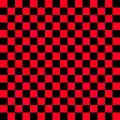
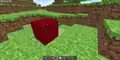
The missing texture exists in this version, despite it not existing in Java Edition until Beta 1.4. The texture is red and black instead of the more familiar magenta and black, and is also of a higher frequency (the grid is 16×16 rather than 2×2).
This texture is part of the BabylonJS engine itself and can be seen in other, unrelated programs that use it.[4]
Rather than being generated by the code or stored as a texture file, it is stored as JPEG data in the engine code.[5]
The missing texture.
A block with graphic files removed, forcing the missing texture to appear.
Human mobs
They have a strange appearance compared to the original version's humans, likely unintentionally as the result of an update.
They have a different, less random and frantic AI.
Their texture has no beard, even though Steve's texture at the time had one.
They can cross the world border, revealing that unlike the original, the bedrock and water beyond the border are actually tangible and are actual blocks rather than a rendered flat plane.
They will fall through the world after going too far.
They can be spawned in multiplayer, although they will only appear on the client side.
GUI
The blue gradient, seen in the inventory, pause menu and other menus in the original, is replaced with simply a transparent gray color, reminiscent of modern Minecraft.
The red gradient, seen on the crash/kicked from server screens in the original, is replaced with the same dirt background as seen on the generating level screen in both the original and the remake.
The font is different, and is also rendered anti-aliased on most browsers. This is because it is in a vector format (WOFF).
The remake uses the incorrect font (Minecraftia). This difference can be easily seen by looking at shape of the "t" letter, which is raised one pixel higher than it should be.
Graphics
Lighting is very different compared to the original, appearing more flat.
Oddly, blocks appear to have a slight shine when looking down at them.
Block textures are stored separately rather than on a terrain.png file.
Many filenames are different from the actual name.
Inventory/hotbar block previews are pre-rendered textures unlike the original.
Because of this, they appear pixelated at high resolutions.
Particles rotate to face the camera's position like in Bedrock Edition, instead of always being parallel to the camera.
Sound
Sounds are stored in MP3 format rather than Ogg Vorbis format.
Music can be enabled in settings.
Are the Volume Alpha soundtrack versions.[verify]
Many sound effects are missing.
There are no walking sound effects.
Breaking wool and glass uses the normal grass and stone sound effects respectively. The original used higher pitched versions of the grass and stone sound effects for those blocks.
Breaking leaves plays a new sound that was not heard before in the original.
Multiplayer
There is a new menu when the user starts up the game, allowing to choose a username, and gives the user an invitation link to invite people to a server.
The invitation link also appears on the pause menu.
Other players take the same, glitched appearance as the human mobs.
The name tag above players is also more reminiscent of modern Minecraft rather than 0.0.23a.
The command set is highly limited compared to the original.
The player can also use commands and chat in singleplayer, unlike the original version.
The username in offline singleplayer mode is temp.
Trivia
Models stored on the bottom corner of the world, underneath the bedrock layer.The lava model's faces are culled incorrectly.
Going past the world border in the X or Z direction by a distance at or below 32 blocks will instantly push the player towards the closest in-bounds location, if possible.
If the X or Z distance from border is above 32 blocks, the player will be unable to move or place blocks.
If the Y distance is above 95 or below 0, the player will be unable to move or place blocks. If they are above Y=95, they will remain stationary in the air.
The render limit for the bedrock layer is X=±544, Z=±544.
Despite not being mentioned in /help, the commands /ban, /banip, /say, /op, /deop, /solid, /unban return "Command disabled."
Iron ore is called "bronze rock" internally.
Models are stored in the bottom corner of the world, underneath the bedrock layer.
The player's nametag is a separate entity. Its position is stored approximately 1.62 blocks above the player's.
Savegames are stored as a delta; they store the world seed, size, and the blocks changed that are different from the world seed.
Lava's block model is incorrectly made: the N/S/E and Bottom faces are inverted and cull when viewed head-on. Only the West and Top faces are correct.
History
Minecraft Classic (JavaScript remake)
May 7, 2019
Initial release.
May 8, 2019
Unannounced update.
May 10, 2019
Unannounced update.
October 15, 2019
Replaced the human model with a broken one.
May 23, 2025
Unannounced update.
May 28, 2025
Unannounced update.
June 9, 2025
Removed multiplayer. Previously, the multiplayer server was up, although nonfunctional, however at some point in time it was taken down, leading to a crash. By removing multiplayer, this removes the dependency on that server, and fixes the crash.
Gallery
Pixel art, specifically a crewmate from Among Us and a trollface.
Mushroom surrounded by water.
Mushroom surrounded by water.
Grass blocks in shadows eventually change to dirt.
A view of a cave.
A human.
Humans in a house made by a player.
Humans can go outside of the world border.
A human in a default idle state.
A view of the outer render limit of the border.
Error screen shown when the website is loaded without a keyboard
Lava flooding, placed by editing the save file.
Artwork of a computer playing the game, used for the original release in 2019.
Artwork for the 15th anniversary rerelease of the game, showing it running on what appears to be M.A.R.I.L.L.A.
.png)


_inventory.png)
 Air
Air Grass Block
 Stone
Stone Dirt
Dirt Planks
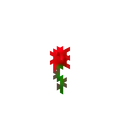 Rose
Rose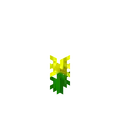 Dandelion
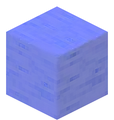 Water
Water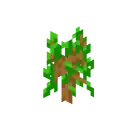 Sapling
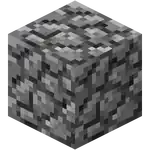 Cobblestone
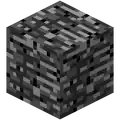 Bedrock
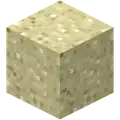 Sand
Sand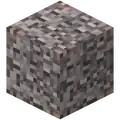 Gravel
_JE5_BE2.png) Wood
Wood Leaves
 Red Mushroom
 Brown Mushroom
 Lava
Lava Gold Ore
 Iron Ore
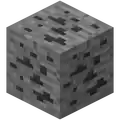 Coal Ore
 Block of Gold
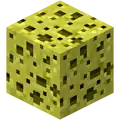 Sponge
 Glass
Glass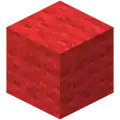 Red Cloth
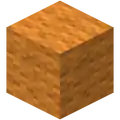 Orange Cloth
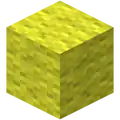 Yellow Cloth
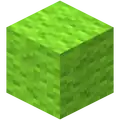 Chartreuse Cloth
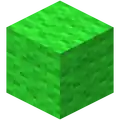 Green Cloth
 Spring Green Cloth
 Cyan Cloth
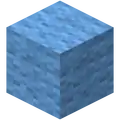 Capri Cloth
 Ultramarine Cloth
 Violet Cloth
 Purple Cloth
 Magenta Cloth
 Rose Cloth
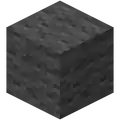 Dark Gray Cloth
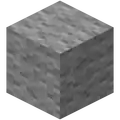 Light Gray Cloth
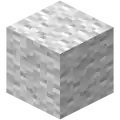 White Cloth
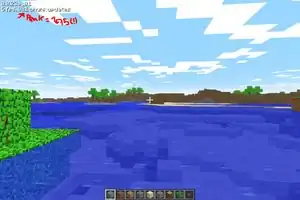

 The missing texture.
 A block with graphic files removed, forcing the missing texture to appear.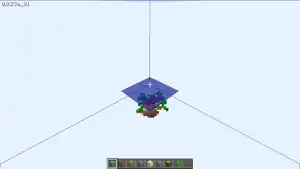
_water_lava_comparison.png)
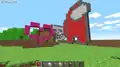 Pixel art, specifically a crewmate from Among Us and a trollface.
 Mushroom surrounded by water.
 Mushroom surrounded by water.
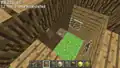 Grass blocks in shadows eventually change to dirt.
 A view of a cave.
_Human.png) A human.
A human.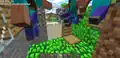 Humans in a house made by a player.
 Humans can go outside of the world border.
_Humans_walk_past_the_world_border.png)
_Human_view.png) A human in a default idle state.
A human in a default idle state._render_limit.png) A view of the outer render limit of the border.
A view of the outer render limit of the border. Error screen shown when the website is loaded without a keyboard
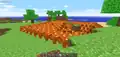 Lava flooding, placed by editing the save file.
 Artwork of a computer playing the game, used for the original release in 2019.
 Artwork for the 15th anniversary rerelease of the game, showing it running on what appears to be M.A.R.I.L.L.A.


.png)


.png)


.png)