/camera

/camera| Permission level required |
1 |
|---|---|
| Restrictions |
Cheat only |
{
    "title": "<code>/camera</code>",
    "rows": [
        {
            "field": "1",
            "label": "(link to Permission level article, displayed as Permission level<br>required)"
        },
        {
            "field": "(link to Options article, displayed as Cheat) only<br>",
            "label": "(link to Commands#Restrictions article, displayed as Restrictions)"
        }
    ],
    "invimages": [],
    "images": []
}
Modifies player's camera view.
Syntax
/camera <players: target> ...... attach_to_entity <entity: target>... clear... detach_from_entity... fade ...... color <red: int> <green: int> <blue: int>... time <fadeInSeconds: float> <holdSeconds: float> <fadeOutSeconds: float> ...... [color <red: int> <green: int> <blue: int>]
... fov_clear [fovEaseTime: float] [fovEaseType: Easing]... fov_set <fov_value: float> [fovEaseTime: float] [fovEaseType: Easing]... remove_target... set <preset: string> ...... [default: default]... ease <easeTime: float> <easeType: Easing> ...... [default: default]... facing ...... <lookAtEntity: target>... <lookAtPosition: x y z>
... pos <position: x y z> ...... facing ...... <lookAtEntity: target>... <lookAtPosition: x y z>
... rot <xRot: value> <yRot: value>
... rot <xRot: value> <yRot: value>
... entity_offset <xEntityOffset: float> <yEntityOffset: float> <zEntityOffset: float>... facing ...... <lookAtEntity: target>... <lookAtPosition: x y z>
... pos <position: x y z> ...... [facing ...]... <lookAtEntity: target>... <lookAtPosition: x y z>
... rot <xRot: value> <yRot: value>
... rot <xRot: value> <yRot: value> ...... entity_offset <xEntityOffset: float> <yEntityOffset: float> <zEntityOffset: float>... view_offset <xViewOffset: float> <yViewOffset: float> ...... entity_offset <xEntityOffset: float> <yEntityOffset: float> <zEntityOffset: float>
... view_offset <xViewOffset: float> <yViewOffset: float> ...... entity_offset <xEntityOffset: float> <yEntityOffset: float> <zEntityOffset: float>
... target_entity <entity: target> ...... [target_center_offset <xTargetCenterOffset: float> <yTargetCenterOffset: float> <zTargetCenterOffset: float>]
- Syntax displayed in various ways
Simplified tree: camera <players: target> ...... attach_to_entity <entity: target>... clear... detach_from_entity... fade ...... color <red: int> <green: int> <blue: int>... time <fadeInSeconds: float> <holdSeconds: float> <fadeOutSeconds: float> [color <red: int> <green: int> <blue: int>]
... fov_clear [fovEaseTime: float] [fovEaseType: Easing]... fov_set <fov_value: float> [fovEaseTime: float] [fovEaseType: Easing]... remove_target... set <preset: string> ...... [default: default]... ease <easeTime: float> <easeType: Easing> ...... [default: default]... facing <lookAtEntity: target>... facing <lookAtPosition: x y z>... pos <position: x y z> ...... [facing <lookAtEntity: target>]... facing <lookAtPosition: x y z>... rot <xRot: value> <yRot: value>
... rot <xRot: value> <yRot: value>
... entity_offset <xEntityOffset: float> <yEntityOffset: float> <zEntityOffset: float>... facing <lookAtEntity: target>... facing <lookAtPosition: x y z>... pos <position: x y z> ...... [facing <lookAtEntity: target>]... facing <lookAtPosition: x y z>... rot <xRot: value> <yRot: value>
... rot <xRot: value> <yRot: value> [view_offset <xViewOffset: float> <yViewOffset: float>] ...... entity_offset <xEntityOffset: float> <yEntityOffset: float> <zEntityOffset: float>
... view_offset <xViewOffset: float> <yViewOffset: float> [entity_offset <xEntityOffset: float> <yEntityOffset: float> <zEntityOffset: float>]
... target_entity <entity: target> [target_center_offset <xTargetCenterOffset: float> <yTargetCenterOffset: float> <zTargetCenterOffset: float>]
Minimised tree: camera <players: target> ...... clear... fade [color <red: int> <green: int> <blue: int>|time <fadeInSeconds: float> <holdSeconds: float> <fadeOutSeconds: float> [color <red: int> <green: int> <blue: int>]]... remove_target... set <preset: string> ...... [default: default]... ease <easeTime: float> <easeType: Easing> ...... [default: default]... facing <<lookAtEntity: target>|<lookAtPosition: x y z>>... pos <position: x y z> [facing <<lookAtEntity: target>|<lookAtPosition: x y z>>|rot <xRot: value> <yRot: value>]... rot <xRot: value> <yRot: value>
... entity_offset <xEntityOffset: float> <yEntityOffset: float> <zEntityOffset: float>... facing <<lookAtEntity: target>|<lookAtPosition: x y z>>... pos <position: x y z> [facing <<lookAtEntity: target>|<lookAtPosition: x y z>>|rot <xRot: value> <yRot: value>]... rot <xRot: value> <yRot: value> [view_offset <xViewOffset: float> <yViewOffset: float>] ...... entity_offset <xEntityOffset: float> <yEntityOffset: float> <zEntityOffset: float>
... view_offset <xViewOffset: float> <yViewOffset: float> ...... entity_offset <xEntityOffset: float> <yEntityOffset: float> <zEntityOffset: float>
... target_entity <entity: target> [target_center_offset <xTargetCenterOffset: float> <yTargetCenterOffset: float> <zTargetCenterOffset: float>]
Maximised: camera <players: target> attach_to_entity <entity: target>camera <players: target> clearcamera <players: target> detach_from_entitycamera <players: target> fadecamera <players: target> fade color <red: int> <green: int> <blue: int>camera <players: target> fade time <fadeInSeconds: float> <holdSeconds: float> <fadeOutSeconds: float>camera <players: target> fade time <fadeInSeconds: float> <holdSeconds: float> <fadeOutSeconds: float> color <red: int> <green: int> <blue: int>camera <players: target> remove_targetcamera <players: target> set <preset: string> [default: default]camera <players: target> set <preset: string> ease <easeTime: float> <easeType: Easing> [default: default]camera <players: target> set <preset: string> ease <easeTime: float> <easeType: Easing> facing <lookAtEntity: target>camera <players: target> set <preset: string> ease <easeTime: float> <easeType: Easing> facing <lookAtPosition: x y z>camera <players: target> set <preset: string> ease <easeTime: float> <easeType: Easing> pos <position: x y z>camera <players: target> set <preset: string> ease <easeTime: float> <easeType: Easing> pos <position: x y z> facing <lookAtEntity: target>camera <players: target> set <preset: string> ease <easeTime: float> <easeType: Easing> pos <position: x y z> facing <lookAtPosition: x y z>camera <players: target> set <preset: string> ease <easeTime: float> <easeType: Easing> pos <position: x y z> rot <xRot: value> <yRot: value>camera <players: target> set <preset: string> ease <easeTime: float> <easeType: Easing> rot <xRot: value> <yRot: value>camera <players: target> set <preset: string> entity_offset <xEntityOffset: float> <yEntityOffset: float> <zEntityOffset: float>camera <players: target> set <preset: string> facing <lookAtEntity: target>camera <players: target> set <preset: string> facing <lookAtPosition: x y z>camera <players: target> set <preset: string> pos <position: x y z>camera <players: target> set <preset: string> pos <position: x y z> facing <lookAtEntity: target>camera <players: target> set <preset: string> pos <position: x y z> facing <lookAtPosition: x y z>camera <players: target> set <preset: string> pos <position: x y z> rot <xRot: value> <yRot: value>camera <players: target> set <preset: string> rot <xRot: value> <yRot: value>camera <players: target> set <preset: string> rot <xRot: value> <yRot: value> entity_offset <xEntityOffset: float> <yEntityOffset: float> <zEntityOffset: float>camera <players: target> set <preset: string> rot <xRot: value> <yRot: value> view_offset <xViewOffset: float> <yViewOffset: float>camera <players: target> set <preset: string> rot <xRot: value> <yRot: value> view_offset <xViewOffset: float> <yViewOffset: float> entity_offset <xEntityOffset: float> <yEntityOffset: float> <zEntityOffset: float>camera <players: target> set <preset: string> view_offset <xViewOffset: float> <yViewOffset: float>camera <players: target> set <preset: string> view_offset <xViewOffset: float> <yViewOffset: float> entity_offset <xEntityOffset: float> <yEntityOffset: float> <zEntityOffset: float>camera <players: target> target_entity <entity: target>camera <players: target> target_entity <entity: target> target_center_offset <xTargetCenterOffset: float> <yTargetCenterOffset: float> <zTargetCenterOffset: float>
Arguments

players: target: CommandSelector<Player>
- Specifies the player that the camera will be modified.
- Must be a player name or a target selector.
entity: target: CommandSelector<Actor>
- Specifies the entity to which the camera will be attached.
- Must be a player name or a target selector.
red: int: int, green: int: int, and blue: int: int
- Specifies the camera RGB color.
- Must be a [Int]32-bit integer number (from -2147483648 (-231) to 2147483647 (231-1) ). And must be between 0 and 255 (inclusive).
fadeInSeconds: float: float, holdSeconds: float: float, and fadeOutSeconds: float: float
- Specifies the camera fade in, hold, and fade out duration, the unit is seconds.
- Must be a [Float]Single-precision floating-point number (from -(2-2-23)×2127 (≈-3.4×1038) to (2-2-23)2×127 (≈3.4×1038) ). And must be between 0.0 and 10.0 (inslusive).
fov_value: float: float
- Specifies the camera FOV.
- Must be a [Float]Single-precision floating-point number (from -(2-2-23)×2127 (≈-3.4×1038) to (2-2-23)2×127 (≈3.4×1038) ). Due to game restrictions, the actual valid values range is between 30 and 110 (inslusive).
fovEaseTime: float: float
- Specifies the duration of the camera FOV smooth transition (seconds), the default is 0.
- Must be a [Float]Single-precision floating-point number (from -(2-2-23)×2127 (≈-3.4×1038) to (2-2-23)2×127 (≈3.4×1038) ).
fovEaseType: Easing: enum
- Specifies an easing function/type to use for the camera FOV, the default is
linear. - Must be one of
in_back,in_bounce,in_circ,in_cubic,in_elastic,in_expo,in_out_back,in_out_bounce,in_out_circ,in_out_cubic,in_out_elastic,in_out_expo,in_out_quad,in_out_quart,in_out_quint,in_out_sine,in_quad,in_quart,in_quint,in_sine,linear,out_back,out_bounce,out_circ,out_cubic,out_elastic,out_expo,out_quad,out_quart,out_quint,out_sine, andspring.
preset: string: basic_string
- [more information needed]
- A camera view/preset.
- Must be one of the following:
minecraft:control_scheme_camera— Control scheme camera.["Experimental Creator Camera Features" Experiment only]minecraft:first_person— First Person View.minecraft:fixed_boom— Fixed boom view's orbit camera.minecraft:follow_orbit— Orbit camera.minecraft:free— Free View.minecraft:third_person— Third Person View Back.minecraft:third_person_front— Third Person View Front.
easeTime: float: float
- Specifies the duration of the camera smooth transition (seconds). Only valid when using
minecraft:freepreset. - Must be a [Float]Single-precision floating-point number (from -(2-2-23)×2127 (≈-3.4×1038) to (2-2-23)2×127 (≈3.4×1038) ).
easeType: Easing: enum
- Specifies an easing function/type to use for the camera. Only valid when using
minecraft:freepreset. - Must be one of
in_back,in_bounce,in_circ,in_cubic,in_elastic,in_expo,in_out_back,in_out_bounce,in_out_circ,in_out_cubic,in_out_elastic,in_out_expo,in_out_quad,in_out_quart,in_out_quint,in_out_sine,in_quad,in_quart,in_quint,in_sine,linear,out_back,out_bounce,out_circ,out_cubic,out_elastic,out_expo,out_quad,out_quart,out_quint,out_sine, andspring.
default: default: enum
- Specifies change the position and facing of free view to the default value (camera position (0,0,0), rotation
xRot=0,yRot=0) [more information needed]. Only valid when usingminecraft:freepreset. - Must be
default.
lookAtEntity: target: CommandSelector<Actor>
- Specifies the entity to make the camera facing to. Only valid when using
minecraft:freepreset. - Must be a player name or a target selector.
lookAtPosition: x y z: CommandPositionFloat
- Specifies the coordinates to make the camera facing to. Only valid when using
minecraft:freepreset. - Must be three-dimensional coordinates with single-precision floating-point number elements. Accepts tilde and caret notations.
position: x y z: CommandPosition
- Specifies the camera position. Only valid when using
minecraft:freepreset. - Must be a three-dimensional coordinates composed of
<X>,<Y>and<Z>, each of which must be a single-precision floating-point number or tilde and caret notation.
xRot: value: RelativeFloat
- Specifies the camera vertical rotation. Under using
minecraft:follow_orbitpreset, will also modified the player's facing. - Must be a [Float] float. Accepts tilde notation. And must be between -90 and 0 (inslusive).
yRot: value: RelativeFloat
- Specifies the camera horizontal rotation. Under using
minecraft:follow_orbitpreset, will also modified the player's facing. - Must be a [Float] float. Accepts tilde notation.
xViewOffset: float: Float and yViewOffset: float: Float
- Specifies the offset of the camera. Only valid when using
minecraft:follow_orbitpreset. - Must be a [Float]Single-precision floating-point number (from -(2-2-23)×2127 (≈-3.4×1038) to (2-2-23)2×127 (≈3.4×1038) ). And must be between -64 and 64 (inslusive).
xEntityOffset: float: Float, yEntityOffset: float: Float, and zEntityOffset: float: Float
- Specifies the offset of the camera from an entity. Only valid when using
minecraft:follow_orbitpreset. - Must be a [Float]Single-precision floating-point number (from -(2-2-23)×2127 (≈-3.4×1038) to (2-2-23)2×127 (≈3.4×1038) ). And must be between -64 and 64 (inslusive).
entity: target: CommandSelector<Actor>
- Specifies the entity to focus the camera on. Only valid when using
minecraft:freepreset. - Must be a player name or a target selector.
xTargetCenterOffset: float: Float, yTargetCenterOffset: float: Float, and zTargetCenterOffset: float: Float
- Specifies the offset of the camera from the center of a focused/targeted entity. Only valid when using
minecraft:freepreset. - Must be a [Float]Single-precision floating-point number (from -(2-2-23)×2127 (≈-3.4×1038) to (2-2-23)2×127 (≈3.4×1038) ).
Result
| Command | Trigger | Bedrock Edition |
|---|---|---|
| Any | the arguments are not specified correctly | Unparseable |
players: target fails to resolve to one or more online players | Failed | |
entity: target or lookAtEntity: target fails to resolve to an entity (named player must be online) | ||
/camera ... fov_clear | fovEaseTime: float is not greater than 0 | |
| Any | Otherwise | Successful |
Output
| Command | Edition | Situation | Success Count |
|---|---|---|---|
| Any | Bedrock Edition | On fail | 0 |
| On success | The number of players who are selected |
Examples
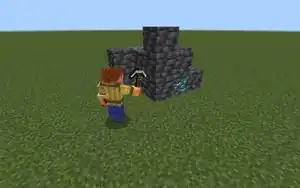
/camera- Set yourself to last for 5 seconds, The easing mode is
in_out_circ, Rotateminecraft:free(Free View) camera view 90 degrees around the X-axis in 5 grids above the current position:
/camera @s set minecraft:free ease 5 in_out_circ pos ~ ~5 ~ rot 90 0
- Clear all players' camera effects:
/camera @a clear
- Fade a random player's camera to white in 2 seconds, last for 1 second, and fade out for 3 seconds:
/camera @r fade time 2 1 3 color 255 255 255
- Cooperate with the
/executecommand, assign "Over Shoulder View" for nearest players (Must be executed in repeating command block):
/execute as @p at @s run camera @s set minecraft:free ease 0.25 in_out_quad pos ^-2 ^2 ^-4 facing ^ ^ ^5
History
| Bedrock Edition | |||||||
|---|---|---|---|---|---|---|---|
| ? | ? | Added /camera as a developer command. | |||||
| 1.20.0 Experiment | Preview 1.20.0.22 | /camera is now behind the "Experimental Cameras" experimental toggle. | |||||
| 1.20.10 Experiment | Preview 1.20.10.20 | Added example:example_player_listener camera preset.
| |||||
| The color fade values are now integers between 0 and 255 instead of 0.0 to 1.0. | |||||||
| The camera fade in, hold, and fade out duration must be between 0.0 and 10.0 seconds. | |||||||
| Preview 1.20.10.23 | Added facing option.
| ||||||
Added example:example_player_effects camera preset. | |||||||
| 1.20.30 | Preview 1.20.20.22 | /camera is now available without using the "Experimental Cameras" experimental toggle.
| |||||
Removed example:example_free, example:example_player_effects, and example:example_player_listener camera presets. | |||||||
| 1.21.20 Experiment | Preview 1.21.10.20 | Added view_offset option.
| |||||
Added minecraft:follow_orbit camera preset. | |||||||
| 1.21.20 Experiment | Preview 1.21.20.22 | Added remove_target, target_center_offset, and target_entity option. | |||||
| 1.21.40 Experiment | Preview 1.21.40.20 | Added entity_offset option. | |||||
| 1.21.40 | Preview 1.21.40.22 | entity_offset and view_offset option and minecraft:follow_orbit camera preset are now available without using the "Creator Cameras: New Third-Person Presets" experimental toggle. | |||||
| 1.21.50 Experiment | Preview 1.21.50.20 | Added minecraft:fixed_boom camera preset. | |||||
| 1.21.50 | Release | view_offset option is now available without using the "Creator Cameras: New Third-Person Presets" experimental toggle. | |||||
| 1.21.60 | Preview 1.21.60.25 | The changes in 1.21.20.22 is now available without using the "Creator Cameras: Focus Target Camera" experimental toggle. | |||||
| 1.21.70 | Preview 1.21.70.24 | minecraft:fixed_boom camera preset is now available without using the "Creator Cameras: New Third Person Presets" experimental toggle. | |||||
| 1.21.80 Experiment | Preview 1.21.80.25 | Added minecraft:control_scheme_camera camera preset. | |||||
| 1.21.100 Experiment | Preview 1.21.100.20 | Added fov_clear and fov_set option, Used to Control the camera FOV. | |||||
| Preview 1.21.100.23 | Added parameter that used to control the camera easing for fov_clear and fov_set option. | ||||||
| 1.21.120 | Preview 1.21.120.24 | Added attach_to_entityprettydetach_from_entity option, Used to attach or detach the camera to an entity. | |||||
External links
- "
/cameraCommand" – Microsoft Learn, April 3, 2025.