The camera can be obtained in the Creative inventory in Minecraft Education. It can be obtained by either NBT editors, inventory editors, or glitches in Bedrock Edition.
Usage
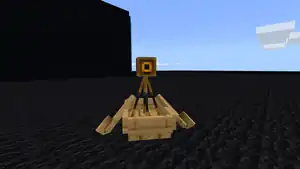
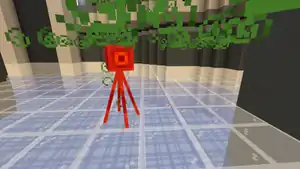
Using a camera from one's inventory captures a first-person screenshot. It may also be placed, creating a camera entity that can track the user, and take pictures from the camera's perspective. Photos that are taken with the camera appear in the portfolio.
Close-up snapshots of an item on the ground can be taken by holding the Shift key while right-clicking.
Cameras are mostly inanimate entities, but they occasionally move when falling and they move at the player's direction when they take a picture.
Cameras are classified as mobs in the game code, they obey gravity, allowing them to fall and having effects common to all other entities. Cameras can be affected by status effects. They can be killed by Harming and Decay splash/lingering potions, and they play the player death sound and fall to their side and disappear, dropping no item. Cameras can't be leashed but they can ride on boats and minecarts.
The textures and model of the camera can be found in the game files.[2][3]
Two Java methods named saveScreenshot and postScreenshotToFacebook exist for saving images to the device and to Facebook respectively, though only the former contains code.
To use a camera, equip it in the player's hand, then look in the direction the player wants the picture to be taken. Long-press the screen, and a camera drops to the ground where the player are standing. Step back, then press on the camera until it starts emitting smoke particles. The smoke means a picture has been taken, and the camera may disappear immediately afterward.
The camera entity has been removed. Tommaso also stated: "It doesn't mean that it's dead forever, in fact I have a lot of ideas for it! I think it will be back when have shaders, sharing and redstone."[5]
The camera item ID has been changed to 498, but it cannot be used at the moment. The entity can now be spawned with a spawn egg with a damage value of 62.
According to the language files of the game, the empty label that shows up whenever hovering a finger to a camera would now say "Take Picture". However, the button doesn't do anything.
At the Minecraft Pocket Edition panel at MINECON 2012, as well as one of Jbernhardsson's livestreams, it was stated that future plans include trying to have a proper use for cameras, perhaps an easier way to take screenshots and share them with others.[6] In the BlockTalk Q&A, the camera was briefly mentioned as part of a broader "sharing" theme planned for Bedrock Edition in the future.[7]
It later got implemented into Minecraft Education, using the camera to make screenshots and share them in a special book.
Issues
Issues relating to "Camera" are maintained on the bug tracker. Issues should be reported and viewed there.
Trivia
A camera prevents a book and quill from working. Attempting to craft it or obtain it by commands gives a regular book instead, due to non-implementation of photo attaching to written books.[verify]
The camera can take a screenshot, which appears a bit smaller with a thick paper outline having cuts on its edges, making it look like an old photograph.
Gallery
Renders
A recreation of a potential camera animation, using an unused texture from Pi Edition.




.png)

 Block
Block Item
Item Entity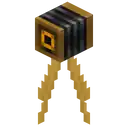
_BE0.png) The textures and model of the camera can be found in the game files.[2][3]
The textures and model of the camera can be found in the game files.[2][3]

 Added cameras.
 The camera now uses an egg texture in the inventory.
_BE2.png) The camera entity has been re-added with a new model and item texture.
The camera entity has been re-added with a new model and item texture.
.png) instead 4HP
instead 4HP A row of cameras, as seen in v0.3.0.
 Example image taken by the camera entity.
 The first method of using cameras.
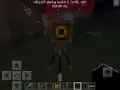 The second method of using cameras.
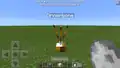 A camera spawned using a spawn egg named "Dinnerbone" in the v0.15.0 beta.
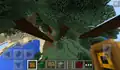 A camera falling from a tree.
 A recreation of a potential camera animation, using an unused texture from Pi Edition.
 A camera being damaged by lava.
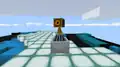 A camera sitting in a minecart.
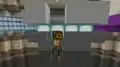 A camera with slow falling effect.
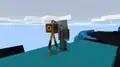 A vindicator named Johnny attacking a camera.
 The camera and camera block placed in a world along with other Education Edition features.
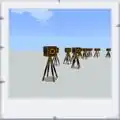 An example of the screenshot taken by a camera in beta 1.13.0.1.
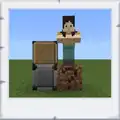 Another example of a screenshot taken by a camera in 1.21.51.
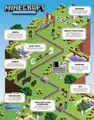 The camera in promotional artwork for Minecraft Education.


.png)


.png)
.png)


.png)


.png)


 Blocks


.png)


