Realms
Your Friends, Your Server
| Hosts | |
|---|---|
| Website | |
| Reddit community | |
| Support address | |
| Latest version |
Java Edition: 1.21.10 |

{
    "title": "Minecraft Realms",
    "rows": [
        {
            "field": "(link to File:Mojang Studios logo.svg article, displayed as x20px|link=Mojang Studios) (link to Mojang Studios article, displayed as Mojang Studios)",
            "label": "Hosts"
        },
        {
            "field": "[https://minecraft.net/realms minecraft.net]",
            "label": "Website"
        },
        {
            "field": "[https://reddit.com/r/realms r/realms]",
            "label": "Reddit community"
        },
        {
            "field": "[https://help.minecraft.net ''Minecraft'' Help Center]",
            "label": "Support address"
        },
        {
            "field": "''(link to Java Edition article, displayed as Java Edition)'': (link to Java Edition_1.21.10 article, displayed as 1.21.10)<br>''(link to Bedrock Edition article, displayed as Bedrock Edition)'': (link to Bedrock Edition_1.21.121 article, displayed as 1.21.121)<br> ''(link to Minecraft Preview article, displayed as Minecraft Preview)'': (link to Bedrock Edition_Preview 1.21.130.26 article, displayed as Preview 1.21.130.26)",
            "label": "Latest version"
        }
    ],
    "invimages": [],
    "images": []
}
Minecraft Realms is an official subscription-based server hosting service that allows players to create and manage their own private Minecraft servers. Hosted by Mojang Studios, Realms provides a simple way to create servers and allows the owner to manage them from inside the game, without knowledge of hosting on the internet. Minecraft Realms also provides additional features such as player-made maps and Realms Stories. Only one player needs to own the subscription, while other players can be invited to a Realm for free. Realms are not intended for large public servers, but for groups of friends or as a family server.[1]
Realms internally uses Bedrock Dedicated Server on Bedrock Edition[2], and server.jar on Java Edition[note 1].
Requirements
Realms is a service that can be used only by players who meet these requirements:[3]
- The player must have purchased the full version of Java Edition or Bedrock Edition and must be signed in with a Microsoft account.
- The player must have a stable Internet connection.
- Parental consent is required for players under the age of 16 in the US and the EU, or 19 in South Korea.[4][verify]
- If using a console, the player must also have an active subscription to either:
- Xbox Game Pass Core or Xbox Game Pass Ultimate if using an Xbox console.
- Nintendo Switch Online if using a Nintendo Switch.
- PlayStation Plus if using a PlayStation console.
Subscriptions
- Manage the Realms subscriptions here.
Realms is a subscription-based service. The link above goes to the player's Minecraft account page, which offers options to extend a current subscription or buy a new one. One player can have multiple active Realms subscriptions.
.png)
There are two types of subscriptions in Bedrock Edition: Realms Core (US$3.99 per month) and Realms Plus (US$7.99 per month).[5] The main difference is that Realms Core is limited to 2 players at a time active in a world, and Realms Plus is limited to 10 players. Realms Plus also includes a subscription to the Marketplace Pass, and a one-time 30 day free trial for each account. Realms Core subscriptions can be upgraded to Realms Plus at any time without the loss of the Realms server.
Any Realms subscription in Bedrock Edition also includes a free Realms server for Minecraft Preview, which exists separately from the default Realm but is connected to the same subscription.

There are two types of subscriptions in Java Edition (also known as Java Realms): a reoccurring monthly charge that automatically renews the subscription every 30 days (this can be canceled at any time), or a one-time charge that comes in 30-day, 90-day, and 180-day packages and needs to be renewed manually. Both subscriptions cost US$7.99 per month.[5] All players are able to have a 30-day free Realms trial, providing they have not already had a free trial on their account before.
Only the owner of a Realm needs a subscription to be able to manage the Realm. Other players can join the Realm for free if they have access granted by the owner.
Usage
The main menu for Minecraft Realms, accessible from the title screen in Java Edition and the play screen in Bedrock Edition shows all Realms servers the player owns or has joined. A new Realms subscription can be purchased from this menu, and the player can join new Realms from invites or invite links.[BE only] Invites sent by a Realms owner can be found in the invitations menu in the Realms screen in Java Edition and in the inbox screen in Bedrock Edition. In Bedrock Edition, the player can also enter an invite link provided by a Realms owner to join a Realm without an invite.
The main page of a Realm shows the Realm's name and description, as well as online players and the option to manage the Realm or leave the Realm. A Realm can be joined by pressing the "Play" button on a Realm, or by selecting the Realm through Quick Play in the Minecraft Launcher. Additionally, in Bedrock Edition, the player can create a desktop shortcut which lets the player directly join the Realm. The player needs to create an internet shortcut with minecraft://connectToRealm/?realmId= followed by the Realm's ID (or minecraft-preview://connectToRealm/?realmId= for Preview Realms), found in the URL of the Realm's page on minecraft.net.
Worlds
.png)
A Realms server can store up to three worlds, from which one can be activated at a time. The Realms owner can select which world is activated and edit a world's settings (including add-ons),[BE only] or manage the world files. Not all options from the regular edit world screen are available for Minecraft Realms, but this can be bypassed by uploading a local world to the Realm. A world slot on the Realm can be replaced by any local world of the Realms owner. The owner can also choose to download a world, or reset the world slot to a new default world. In Bedrock Edition, most world settings can also be changed from the pause menu while playing on the Realm.
In Bedrock Edition, any Realms subscription also allows access to the Realms Celebration Map, which is enabled in the third world slot by default.
Backups
Java Realms automatically creates a backup every few hours when players are online. Each backup shows the time it was made and its size.
The owner of the Realm can choose to replace the world slot with the world data stored on a backup. Each backup can also be downloaded to the device as a singleplayer world.
Realms saves

.png)
In addition to the three Realm slots, multiple world saves can be stored on Realms. Automatic saves are taken at the end of every Realms play session when the server shuts down, or every 30 minutes during a play session, and are only retained for a limited time.
Players can also manually save backups on the Realm. These saves are retained as long as the Realm exists. Automatic saves can be turned into manual saves to retain them for longer. However, the maximum storage for each Realm is limited for manual saves. Realms Plus subscriptions have 10GB of manual save storage, and Realms Core subscriptions have 5GB.
The owner of the Realm can find the Realms saves in the general Realm settings screen. The player can choose to replace a world slot with a save, or to download the save to the device.
Members
The owner of the Realm can invite players by adding their player name to the Realm in Java Edition, or by adding an Xbox friend in the "Members" tab of the Realm's settings in Bedrock Edition. Players can be added as friends by entering the gamertag in the "Search for players" screen which can also be accessed from the "Members" tab.
Individual players can be removed at any time from the Realm, and they can also be banned to prevent them from joining with an invite link. For each player, the Realm owner can set the permission level or player permissions. In Java Edition, the owner can also promote players to grant them the right to change permission levels.
Members can also be managed from the pause menu in Bedrock Edition while playing on the Realm.
Invite links
The owner of the Realm can create and activate invite links for the Realm. Any player can join the Realm by entering it in the "Join a Realm" screen in-game, or by entering https://realms.gg/ in the browser's search bar followed by the invite link. Invite links automatically expire in 7 days, but this can be disabled or set to a different time between 30 minutes and 7 days, with limited options. The owner can also enable or disable invite links directly.
Maps
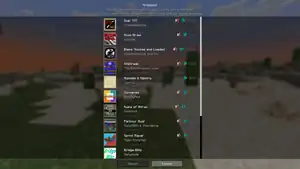
On Java Edition, besides generating new worlds and uploading singleplayer worlds, Realm owners can also choose to install a premade map from a curated selection. All available maps are ensured to be compatible with the latest stable version (which a Realm must always run on), have been reviewed by Mojang and published through the Java Realms Content Creator Program.
The full list of maps that have been submitted through the program, as well as whether they're currently available for install on Realms, can be found here.
A Realm can have three world slots that the owner can switch between at any time. An additional temporary world slot is reserved for premade maps categorized as Minigames. Unlike regular worlds, minigames do not save players' progress, and they reset whenever all players log out.
Realms Stories
.png)
In Bedrock Edition, all members of a Realm have access to Realms Stories, an in-game social platform which allows players to communicate outside of the world. Players can post comments and screenshots, and like comments from other players. The game also creates stories known as Realm Events, which document an important event in the world, such as when a player defeats the Ender Dragon.
Players that are opted in also have access to the Timeline, a table which shows the playing activity for all members on the Realm. All players can also open each other's profile screens and view player permissions from the Members tab.
The Realm owner can also manage some settings related to Realms Stories, such as whether players are required to opt in to the Timeline to play on the Realm, whether Realm Events are enabled, and whether coordinates of Realm Events are shown.
Realms Stories can also be accessed from the pause menu while playing on the Realm.
Settings
Exclusive settings exist for the Realm's owner to manage the Realm, including Realm name and description, and server region. The Realm owner can also choose to close the Realms server, which makes members unable to play on the Realm.
A custom server region for the Realm can be configured through the Realm's settings menu. The owner can choose whether Realms should automatically select the server region with the lowest ping for the first player to join a session, or always select a specific server region. The selected server region is shown in the loading world screen when joining a Realm.
In Java Edition, players can toggle the profanity filter in the in-game chat from the account settings on minecraft.net. In Bedrock Edition, the profanity filter can be toggled from the in-game settings.
On the profile page on minecraft.net, all owned Realms can be viewed and managed. Most Realm-wide settings can also be changed here, including name and description, invite links, activated world, and player permissions. Friends can be invited and members can be removed or banned.
Limitations
Although Realms is hosted by Mojang Studios, it has some limitations. These limitations can be avoided by using standalone server software or a third-party hosting website.
- In all versions and plans, the Realm has a player slot reserved for the owner only. The amount of other players who can play simultaneously are as follows:[6]
- In Bedrock Edition, Realms Core allows up to 2 other players, while Realms Plus allows up to 10.
- In Java Edition, a Realm can have up to 10 other players.
- In Java Edition only:
- To invite or uninvite a player, or give or revoke operator status, the operator/owner must quit to menu and open the Realm's config menu from there.
- If a minigame is being played, all players have permission level 0 including the owner.
- When not playing a minigame, the owner's operator status cannot be revoked.[more information needed]
- Worlds on Realms cannot use experimental settings. This applies to all user-uploaded worlds, as well as maps published through the Java Realms Content Creator Program.
- Mods and plugins cannot be installed.
- The render distance is always set to 12 chunks.[7][verify]
- In Bedrock Edition only:
- The render distance is always limited to 24 chunks.
- The simulation distance is always limited to 4 chunks.
- The player can't enable experiments, custom add-ons, and world creation options such as world seed, flat world, starting map, and bonus chest. However, all of these options are still available on Realms by uploading a local world with these options enabled to the Realm.
- The world seed can't be viewed in the edit world screen for worlds on the Realm. The only way for a player to view the seed is by downloading the world.
- The game must be running to configure the player's Realm.
- Realms must always use the latest stable or Preview version of the game,[8] except when the latest server version is backward-compatible with a client version.
- Players get kicked after 15 minutes of inactivity. This can be bypassed with an Endless circling pool.
- Servers reset at midnight.[more information needed][verify for Bedrock Edition]
- Users under the age of 16 need parental consent to play on Realms.
- This is due to the General Data Protection Regulation.
- To set up parental consent on an account, visit minecraft.net/update-account.
History
Minecraft version history
Originally, Realms updates were tied into regular Minecraft updates, until the release of 1.7.10. Below is a changelog of all those updates.
Java Edition
| Java Edition | |||||||
|---|---|---|---|---|---|---|---|
| 1.5 | Added Minecraft Realms Alpha, which was accessible only to 100 alpha testers. | ||||||
| 1.5.1 | Changed Realm List Layout to show the player's owned Realms first, then ones they are invited to. | ||||||
| Overhauled Configuration screen, changing layout. | |||||||
| Changed the way Realms show up on the main list. | |||||||
| Updated "More Info" link. | |||||||
| 1.6.4 | More alpha testers chosen, using the same algorithm as the first round of testers were picked with. | ||||||
| 1.7.4 | Configuration screen layout changed | ||||||
| Updated Realms list to include a picture of the owner's face as the server logo. | |||||||
| 1.7.5 | Added Minigames feature. | ||||||
| 1.7.6 | Added the ability to promote other players to Operators via the configuration screen. | ||||||
| Added "Changes since last backup" feature. | |||||||
| 1.7.9 | Added the Minecraft Realms button into the title screen. | ||||||
| 1.7.10 | Moved all Realms related modules into a separate library. | ||||||
| Improvements in Realms UI. | |||||||
| 1.8.8 | Realms now has the ability to serve Realm-wide resource packs. | ||||||
| 1.8.9 | Realms invites from friends are now shown on the main menu. | ||||||
| 1.20.3 | 23w41a | Realms is now available in snapshots, pre-releases, and release candidates. | |||||
| 1.21.2 | 24w38a | Now uses the normal, fully featured world creation screen. | |||||
| Hardcore mode is now available in Realms and is accessible by creating a new world or recreating an existing one. | |||||||
| 24w40a | The game mode for the last active world on a Realm will now be visible on the main Realms screen if applicable. | ||||||
| 1.21.5 | 25w02a | Uploading a world to Realms will now enable command blocks by default. | |||||
| It's now possible to upload hardcore singleplayer worlds to Realms. | |||||||
| 1.21.6 | 25w17a | Changed the layout of the Realms configuration screen to use tabs. | |||||
| Introduced a Region Preference setting that allows for more granular control over what region a Realm is started. | |||||||
| Changed the wording for Close/Open Realm to Temporarily close/Reopen Realm. | |||||||
| 25w20a | Added the Realms logo to the Realms loading screens. | ||||||
| Added region information when connecting to a Realm. | |||||||
Bedrock Edition
| Pocket Edition Alpha | |||||||
|---|---|---|---|---|---|---|---|
| v0.7.0 | Added Pocket Realms, accessible only to the testers of the Java Edition. | ||||||
| v0.7.6 | Moved Realms login button to the settings menu. | ||||||
| "Play on Realms" button appears only if a tester is signed in. | |||||||
| Realms are shut down for maintenance. | |||||||
| v0.15.0 | Realms build 1 | Readded Realms. | |||||
| Users can now test Realms Alpha for free. | |||||||
| Players have to sign into Xbox Live to use Realms. | |||||||
| Realms build 2 | Fixed crashes related to realms. | ||||||
| Bedrock Edition | |||||||
| 1.13.1 | December 3, 2019 | Mojang states that Realms (for 10 players) is no longer supported and replaced with Realms Plus. | |||||
| 1.17.10 | July 13, 2021 | Realm subscriptions now have three world upload slots to switch between. | |||||
| 1.18.2 | January 25, 2022 | Realms that have been cancelled or have expired are now deleted after 18 months of inactivity. | |||||
| 1.20.60 | February 12, 2024 | Increased Render Distance to 20 chunks. | |||||
| 1.20.80 | April 23, 2024 | Added Realms Stories as a social hub for Bedrock Realms. | |||||
| 1.21.2 | ? | Minecraft Realms (for 2 Players) has been renamed to Realms Core. | |||||
| Preview 1.21.110.20 | New Edit World page available to try, available in Preview only. | ||||||
| 1.21.120 | Preview 1.21.120.25 | Replaced the backups system with "Realms saves", a feature that lets players save backups manually in addition to the automatic backups. | |||||
| Moved Realms saves to the general Edit Realm screen, from the world-dependent edit screen. | |||||||
| Realms saves will also now list the world name and the packs that were applied at the time of the save. | |||||||
Realms version history

Reason:
- There are maybe other updates.
Java Edition
Since Java Edition 1.7.10, Realms has had its own versioning system. Below is a changelog of these updates:
| Realms | |||||||
|---|---|---|---|---|---|---|---|
| 1.0.0 | Redesigned configuration menu. | ||||||
| Added "Player Activity" section. | |||||||
| Added ability to toggle PvP, spawning of Animals, Monsters, and NPCs, Command Blocks, Spawn Protection, and some others. | |||||||
| Added the ability for the player to upload their own worlds. | |||||||
| Fixed crash while using a Resource Pack | |||||||
| Fixed white heads glitch. | |||||||
| 1.2.5 | Enabled more logging for Realms, which ends up in the launcher development console. | ||||||
| 1.2.6 | Fixed issue with world uploading on Windows. | ||||||
| 1.2.7 | Stored Realms library version in the library jar so it can be displayed by the launcher. | ||||||
| 1.2.8 | Fixed backups screen scrolling | ||||||
| Added indicator colors for each player in the activity monitor. | |||||||
| 1.2.9 | World map is now downloaded directly to the Minecraft saves directory. | ||||||
| 1.2.10 | Configure button is now disabled if Realm is in admin mode. | ||||||
| 1.3.0 | Localization of Realms error messages. | ||||||
| 1.3.1 | Fixed an issue with Invite Screen that wouldn't display Realms error messages on screen | ||||||
| Refactoring of error handling in Realms http client. | |||||||
| 1.3.2 | Fixed an issue with world downloading on Windows. | ||||||
| 1.3.4 | Realms considers modded clients to be outdated. | ||||||
| 1.5.2 | Unknown | ||||||
| 1.5.4 | Unknown | ||||||
| 1.5.5 | Moved "What is Realms?" button to the top-left of the Realms home screen. | ||||||
| 1.5.9 | Unknown. | ||||||
| 1.7.3 | New world configuration layout. Ability to have three worlds saved to the Realm with the ability to switch between them at any time. | ||||||
| 1.8.9 | New realm logos, and changed "What is Realms?" button into a yellow "?". | ||||||
| 1.9.4 | The invite list cap is lifted from 200 to "an arbitrarily large, but maybe reachable number."[9] | ||||||
| 1.9.5 | The world upload limit is lifted to 5GB.[10][11] | ||||||
| 1.10.10 | When new content is loaded into Realms, and an announcement blog post is posted, a newspaper icon now shows on the home screen 'Minecraft Realms' button. These notifications can be toggled on and off.[12][13] | ||||||
| 1.10.11 | Added Experiences as a new map category. | ||||||
| Renamed Adventure Maps to Adventures.[14][15] | |||||||
| 1.10.16 | Added Inspiration as a new map category.[16] | ||||||
| 1.10.17 | Minor GUI component changes. | ||||||
| 1.10.18 | Refactoring of world uploader. | ||||||
| 1.10.19 | Added 6 new images into the What is realms? popup. | ||||||
| 1.10.20 | Updated parental consent screen to comply with the GDPR. | ||||||
| 1.10.21 | Updated parental consent screen again: changed message and added link to https://minecraft.net/privacy/gdpr/. | ||||||
| 1.10.22 | Temporarily disabled player activity feed. | ||||||
| 1.13.0 | GUI code refactored to work with Java Edition 1.13. | ||||||
| Added error and empty text in world template selection screen. | |||||||
| Tasks with a loading screen do not crash the client anymore if an unhandled error occurs, instead it keeps the loading screen displayed until the Cancel button is clicked. | |||||||
| Reduced the file size of some images in the What is realms? popup. | |||||||
| 1.13.1 | Improved the visibility handling of the list in the Realms home screen. | ||||||
| 1.13.2 | Minor fix of the Realms home screen code. | ||||||
| 1.13.3 | Fixed bugs where Realms altered some chunks of 1.13 single-player worlds upon world upload. Fixed bugs where Realms would delete zipped data packs and functions from unzipped data packs. | ||||||
| 1.13.9 | Fixed REALMS-979 – "Difficulty Won't Change". | ||||||
| 1.13.10 | Unknown. | ||||||
| 1.14.0 | Unknown. | ||||||
| 1.14.1 | Unknown. | ||||||
| 1.14.2 | Unknown. | ||||||
| 1.14.3 | Fixed REALMS-1607 – "'Incompatible client' screen is missing the return button". | ||||||
| 1.14.4 | Unknown. | ||||||
| 1.14.5 | Unknown. | ||||||
| 1.14.6 | Unknown. | ||||||
| 1.14.7 | Unknown. | ||||||
| 1.14.8 | Unknown. | ||||||
| 1.14.9 | Unknown. | ||||||
| 1.14.10 | Unknown. | ||||||
| 1.14.11 | Unknown. | ||||||
| 1.14.12 | Unknown. | ||||||
| 1.14.13 | Fixed REALMS-1710 – "Realms page UI isn't aligned properly" and REALMS-1692 – "'Buy a realm' popup shows up when trying to join a realm". | ||||||
| 1.14.14 | Fixed bug REALMS-1709: Spawn protection is not pressed in realms world settings, REALMS-1700: Realms Menu Gradient Off-Center, and REALMS-1414: Error 500 when trying to upload a world. | ||||||
| 1.14.15 | Unknown. | ||||||
| 1.14.16 | Unknown. | ||||||
| 1.14.17 | Unknown. | ||||||
Bedrock Edition
| Realms | |||||||
|---|---|---|---|---|---|---|---|
| 1.10 | Fixed REALMS-1467 – "Feed items always say they were posted a the same date" and REALMS-1539 – "Downloaded realm 'A newer version of the game has saved this level. It cannot be loaded'." | ||||||
Availability
The following chart shows when Realms was introduced in the respective countries.
| Country/Region | Available since |
|---|---|
| Afghanistan | 2014-05-06 |
| Aland Islands | 2014-04-24 |
| Albania | 2014-05-06 |
| Algeria | 2014-05-19 |
| Andorra | 2014-05-06 |
| Angola | 2014-05-19 |
| Antigua & Deps | 2014-05-19 |
| Argentina | 2014-05-19 |
| Armenia | 2014-05-19 |
| Australia | 2014-05-09 |
| Austria | 2014-05-06 |
| Azerbaijan | 2014-05-19 |
| Bahamas | 2014-05-19 |
| Bahrain | 2014-05-19 |
| Bangladesh | 2014-05-19 |
| Barbados | 2014-05-19 |
| Belarus | 2014-05-06 |
| Belgium | 2014-04-24 |
| Belize | 2014-05-19 |
| Benin | 2014-05-19 |
| Bhutan | 2014-05-19 |
| Bolivia | 2014-05-19 |
| Bosnia Herzegovina | 2014-05-06 |
| Botswana | 2014-05-19 |
| Brazil | 2014-05-19 |
| Brunei | 2014-05-19 |
| Bulgaria | 2014-04-24 |
| Burkina | 2014-05-19 |
| Burundi | 2014-05-19 |
| Cambodia | 2014-05-19 |
| Cameroon | 2014-05-19 |
| Canada | 2014-04-01 |
| Cape Verde | 2014-05-19 |
| Cayman Islands | 2014-04-24 |
| Central African Rep | 2014-05-19 |
| Chad | 2014-05-19 |
| Chile | 2014-05-19 |
| China | 2014-05-19 |
| Colombia | 2014-05-19 |
| Comoros | 2014-05-19 |
| Congo | 2014-05-19 |
| Congo (Democratic Rep) | 2014-05-19 |
| Cook Islands | 2014-05-09 |
| Costa Rica | 2014-05-19 |
| Croatia | 2014-04-24 |
| Cuba | 2014-05-19 |
| Cyprus | 2014-05-06 |
| Czech Republic | 2014-05-06 |
| Denmark | 2014-02-26 |
| Djibouti | 2014-05-19 |
| Dominica | 2014-05-19 |
| Dominican Republic | 2014-05-19 |
| East Timor | 2014-05-19 |
| Ecuador | 2014-05-19 |
| Egypt | 2014-05-06 |
| El Salvador | 2014-05-19 |
| Equatorial Guinea | 2014-05-19 |
| Eritrea | 2014-05-19 |
| Estonia | 2014-04-24 |
| Ethiopia | 2014-05-19 |
| Faroe Islands | 2014-02-26 |
| Fiji | 2014-05-09 |
| Finland | 2014-02-26 |
| France | 2014-05-06 |
| Gabon | 2014-05-19 |
| Gambia | 2014-05-19 |
| Georgia | 2014-05-19 |
| Germany | 2014-05-06 |
| Ghana | 2014-05-19 |
| Gibraltar | 2014-05-06 |
| Greece | 2014-04-24 |
| Greenland | 2014-02-26 |
| Grenada | 2014-05-19 |
| Guam | 2014-05-09 |
| Guatemala | 2014-05-19 |
| Guernsey | 2014-05-06 |
| Guinea | 2014-05-19 |
| Guinea-Bissau | 2014-05-19 |
| Guyana | 2014-05-19 |
| Haiti | 2014-05-19 |
| Honduras | 2014-05-19 |
| Hungary | 2014-04-24 |
| Iceland | 2014-02-26 |
| India | 2014-05-19 |
| Indonesia | 2014-05-19 |
| Iran | 2014-05-06 |
| Iraq | 2014-05-06 |
| Ireland (Republic) | 2014-03-25 |
| Isle of Man | 2014-04-24 |
| Israel | 2014-04-24 |
| Italy | 2014-05-06 |
| Ivory Coast | 2014-05-19 |
| Jamaica | 2014-05-19 |
| Japan | 2014-05-19 |
| Jersey | 2014-05-06 |
| Jordan | 2014-05-06 |
| Kazakhstan | 2014-05-19 |
| Kenya | 2014-05-19 |
| Kiribati | 2014-05-09 |
| Korea North | 2014-05-19 |
| Korea South | 2014-05-19 |
| Kosovo | 2014-05-19 |
| Kuwait | 2014-05-19 |
| Kyrgyzstan | 2014-05-19 |
| Laos | 2014-05-19 |
| Latvia | 2014-04-24 |
| Lebanon | 2014-05-19 |
| Lesotho | 2014-05-19 |
| Liberia | 2014-05-19 |
| Libya | 2014-05-19 |
| Liechtenstein | 2014-05-06 |
| Lithuania | 2014-04-24 |
| Luxembourg | 2014-04-24 |
| Macedonia (Republic) | 2014-05-06 |
| Madagascar | 2014-05-19 |
| Malawi | 2014-05-19 |
| Malaysia | 2014-05-19 |
| Maldives | 2014-05-19 |
| Mali | 2014-05-19 |
| Malta | 2014-04-24 |
| Marshall Islands | 2014-05-09 |
| Mauritania | 2014-05-19 |
| Mauritius | 2014-05-19 |
| Mexico | 2014-04-24 |
| Micronesia | 2014-05-09 |
| Midway Islands | 2014-05-09 |
| Middle East | 2014-05-19 |
| Moldova (Republic) | 2014-05-06 |
| Monaco | 2014-05-06 |
| Mongolia | 2014-05-19 |
| Montenegro | 2014-05-06 |
| Morocco | 2014-05-19 |
| Mozambique | 2014-05-19 |
| Myanmar, (Burma) | 2014-05-19 |
| Namibia | 2014-05-19 |
| Nauru | 2014-05-09 |
| Nepal | 2014-05-19 |
| Netherlands | 2014-03-25 |
| New Caledonia | 2014-05-09 |
| New Zealand | 2014-05-09 |
| Nicaragua | 2014-05-19 |
| Niger | 2014-05-19 |
| Nigeria | 2014-05-19 |
| Niue | 2014-05-09 |
| Norfolk Island | 2014-05-09 |
| Norway | 2014-02-26 |
| Oman | 2014-05-06 |
| Pakistan | 2014-05-06 |
| Palau | 2014-05-09 |
| Panama | 2014-05-19 |
| Papua New Guinea | 2014-05-09 |
| Paraguay | 2014-05-19 |
| Peru | 2014-05-19 |
| Philippines | 2014-05-19 |
| Pitcairn Islands | 2014-05-09 |
| Poland | 2014-05-06 |
| Polynesia | 2014-05-09 |
| Portugal | 2014-05-06 |
| Puerto Rico | 2014-05-06 |
| Qatar | 2014-05-19 |
| Romania | 2014-04-24 |
| Russian Federation | 2014-05-06 |
| Rwanda | 2014-05-19 |
| St Kitts & Nevis | 2014-05-19 |
| St Lucia | 2014-05-19 |
| Saint Vincent & the Grenadines | 2014-05-19 |
| Saipan | 2014-05-09 |
| Samoa | 2014-05-09 |
| San Marino | 2014-05-06 |
| Sao Tome & Principe | 2014-05-19 |
| Saudi Arabia | 2014-05-06 |
| Senegal | 2014-05-19 |
| Serbia | 2014-05-06 |
| Seychelles | 2014-05-19 |
| Sierra Leone | 2014-05-19 |
| Singapore | 2014-05-19 |
| Slovakia | 2014-04-24 |
| Slovenia | 2014-04-24 |
| Solomon Islands | 2014-05-09 |
| Somalia | 2014-05-19 |
| South Africa | 2014-04-24 |
| Spain | 2014-05-06 |
| Sri Lanka | 2014-05-19 |
| Sudan | 2014-05-19 |
| Suriname | 2014-05-19 |
| Svalbard | 2014-05-06 |
| Swaziland | 2014-05-19 |
| Sweden | 2013-12-19 |
| Switzerland | 2014-05-06 |
| Syria (Republic) | 2014-05-06 |
| Taiwan | 2014-05-19 |
| Tajikistan | 2014-05-19 |
| Tanzania | 2014-05-19 |
| Thailand | 2014-05-19 |
| Togo | 2014-05-19 |
| Tokelau | 2014-05-09 |
| Tonga | 2014-05-09 |
| Trinidad & Tobago | 2014-05-19 |
| Tunisia | 2014-05-19 |
| Türkiye | 2014-05-06 |
| Turkmenistan | 2014-05-06 |
| Tuvalu | 2014-05-09 |
| Uganda | 2014-05-19 |
| Ukraine | 2014-05-06 |
| United Arab Emirates | 2014-04-24 |
| United Kingdom | 2014-03-25 |
| United States | 2014-04-24 |
| Uruguay | 2014-05-19 |
| Uzbekistan | 2014-05-19 |
| Vanuatu | 2014-05-09 |
| Vatican City | 2014-05-06 |
| Venezuela | 2014-05-19 |
| Vietnam | 2014-05-19 |
| Wallis Futuna Islands | 2014-05-09 |
| Yemen | 2014-05-06 |
| Zambia | 2014-05-19 |
| Zimbabwe | 2014-05-19 |
Issues
Issues relating to "Realms" are maintained on the bug tracker. Issues should be reported and viewed there.
Trivia
- The Mojang blog closing signature was signed "// The Minecraft and Minecraft Realms teams" instead of the usual "// The Minecraft team" starting with the blog Minecraft Snapshot 13w09a.[17]
- The world selection menu for Bedrock Edition Realms on minecraft.net shows the discontinued "Cliffside Village" seed template thumbnail.
Gallery
Artwork
-
 Minecraft Realms logo
 -
 Official Realms artwork.
 -
 The original Java Edition Realms banner
 -
 The original Realms official artwork (it can be still can be seen when a person invites their friends via a link).
 -
 Art used for Pocket and Windows 10 Realms
 -
 Variant used in gift cards
 -
 This is another one of the original Realms official artworks.
 -
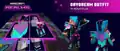 Promotional render of Efe wearing the Day Dream outfit, the first set of character creator items to be distributed through the service.
 -
![Pixel art of Zuri leaping out of a portal with Efe and Noor nearby, representing Realms.[18]](./_assets_/5af80496508534f4cdd561aac15bbc50/Play_With_Friends_Realms_672x360.png)
-

-

Realms Plus
-
 Minecraft Realms Plus logo
 -
 Minecraft Realms Plus artwork
 -

-

-

-

Minecraft Launcher
-
_-1.png) The Minecraft Launcher in the "Realms" tab, if Realms has not yet been bought and invites to Realms have not yet been sent.
The Minecraft Launcher in the "Realms" tab, if Realms has not yet been bought and invites to Realms have not yet been sent. -
 The Minecraft Launcher in the "Realms" tab when Realms is bought or a Realms invite has been received.
Java Edition
-
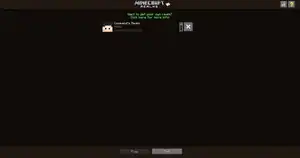 The main screen that appears when the player clicks the "Minecraft Realms" button on the main menu.
 -
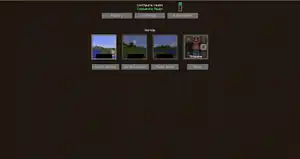 Minecraft Realms configuration screen. The player can completely manage the Realm from here.
 -
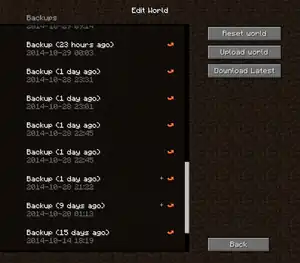 List of backups of the player's Realm.
 -
 Old reset world menu.
 -
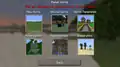 Menu that allows the player to reset their Realms with new conditions.
 -
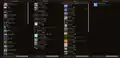 The list of World templates, Minigames, Adventures, and Experiences the player can play or use.
 -
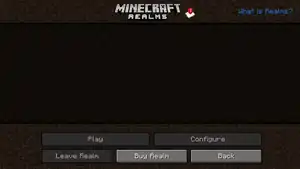 Main Realms menu for players that have been invited to a Realm and have not yet accepted.
 -
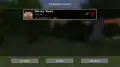 List of Realms the player has been invited to, if any.
 -
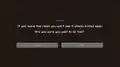 Warning message that displays if the player wishes to leave a Realm.
 -
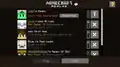 The new realm interface. Note that two realms expired.
 -
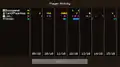 Player activity tracker.
 -
 Settings tab in the new 25w17a UI.
 -
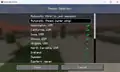 Region selection screen.
 -
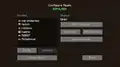 Configure Realm screen.
Bedrock Edition
-
.png) The main menu, with the Minecraft Realms button.
The main menu, with the Minecraft Realms button. -
.png) The main screen that appears when the player clicks the "Minecraft Realms" button on the main menu.
The main screen that appears when the player clicks the "Minecraft Realms" button on the main menu. -
"Choose Your Plan" page opens when you click on "Buy now" button on the Minecraft Realms screen.
-
Minecraft Realms configuration screen. The player can completely manage the Realm from here.
-
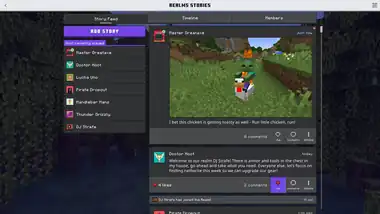 Realms Stories, a social media like for Realms in Bedrock Edition.
 -
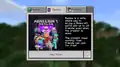 The original Realms tab in the play screen.
 -
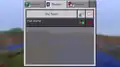 Realms list (old UI).
 -
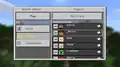 Invited friends list (old UI).
 -
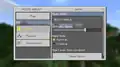 World settings (old UI).
 -
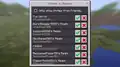 Invites list (old UI).
 -
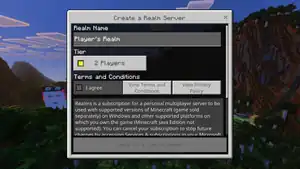 The purchase screen for Realms Core.
 -
 The Realms Plus tab in the Marketplace.
 -
 The Minecraft Realms loading world screen.
 -
.png) The Realms tab in the Play screen.
The Realms tab in the Play screen. -
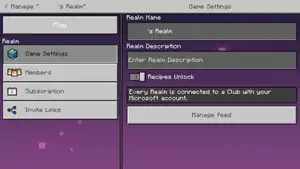 The Realms settings.
 -
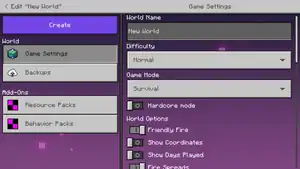 The world settings.
 -
.png) The Ore UI version of the edit world screen for Minecraft Realms in Minecraft Preview.
The Ore UI version of the edit world screen for Minecraft Realms in Minecraft Preview.
Development screenshots
-
![A sneak peek of the Realms Stories in "Timeline" tab opt in to timeline message.[19]](./_assets_/5af80496508534f4cdd561aac15bbc50/Ore_UI_development_realms_stories_in_%22timeline%22_tab_-_opt_in_to_timeline_message.jpg) A sneak peek of the Realms Stories in "Timeline" tab opt in to timeline message.[19]
A sneak peek of the Realms Stories in "Timeline" tab opt in to timeline message.[19] -
![A sneak peek of the Play Screen in "Realms" tab - "Add Members" button.[20]](./_assets_/5af80496508534f4cdd561aac15bbc50/Ore_UI_development_play_screen_in_%22realms%22_tab_-_%22Add_Members%22_button.jpg) A sneak peek of the Play Screen in "Realms" tab - "Add Members" button.[20]
A sneak peek of the Play Screen in "Realms" tab - "Add Members" button.[20]
Notes
- ↑ Settings internal to Realms can be found in server.properties.
References
- ↑ "Quick info: Minecraft Realms isn't built for huge public servers. The sweetspot is a group of invited friends or a family server." – @danfrisk (Daniel Frisk) on X (formerly Twitter), March 12, 2013
- ↑ https://x.com/CornerHardMC/status/1857460825822474734
- ↑ "Realms!" – @Marc_IRL (Marc Watson) on X (formerly Twitter), May 19, 2014
- ↑ "Set Up Microsoft Family Groups for Parental Controls in Minecraft: Bedrock Edition" – Minecraft Help Center.
- ↑ a b https://minecraft.net/realms
- ↑ https://www.minecraft.net/en-us/realms
- ↑ https://x.com/CornerHardMC/status/1559305720230662144
- ↑ MC-121287 — Minecraft Realms button does absolutely nothing
- ↑ "The whitelist limit for PE and PC Realms has now been raised to an arbitrarily large, but maybe reachable number. Good luck hitting it now!" – @Marc_IRL (Marc Watson) on X (formerly Twitter), August 15, 2016
- ↑ "The PC Realms world upload limit has been bumped up significantly. Go nuts uploading those big city builds!" – @Marc_IRL (Marc Watson) on X (formerly Twitter), August 16, 2016
- ↑ "@OrbanAdrien 5GB" – @Marc_IRL (Marc Watson) on X (formerly Twitter), August 16, 2016
- ↑ "When we load new content into PC Realms, we'll now let you know when the new announcement blog post arrives. Informational!" – @Marc_IRL (Marc Watson) on X (formerly Twitter), January 12, 2017
- ↑ "As always, if you're not into Realms notifications (trial, invitations, and now news), you can turn 'em off here:" – @Marc_IRL (Marc Watson) on X (formerly Twitter), January 12, 2017
- ↑ "Mapmakers: we're launching a new category of maps on Realms called Experiences. Read on to learn more." – @Marc_IRL (Marc Watson) on X (formerly Twitter), January 18, 2017
- ↑ "Drop" – @Marc_IRL (Marc Watson) on X (formerly Twitter), January 20, 2017
- ↑ "I wrote about @MCNoodlor's ChunkWorld, and opened up a new category of Realms content. https://minecraft.net/article/chunkworld-now-pc-realms" – @Marc_IRL (Marc Watson) on X (formerly Twitter), January 18, 2017
- ↑ Minecraft Snapshot 13w09a by Jens Bergensten. Mojang.com, February 26, 2013
- ↑ https://www.minecraft.net/en-us/about-minecraft
- ↑ "Realms upcoming feature sneak peek 👀
Bedrock Realm owners will have the option to require that players opt-in to the Realm's Timeline if they want to play on the Realm." – @CornerHardMC on X (formerly Twitter), May 16, 2025 - ↑ "Small Realms improvement coming in 1.21.90: there's a new "Add Members" button that takes you directly to the screen that allows you to add members to your Realm" – @CornerHardMC on X (formerly Twitter), May 24, 2025
| General mechanics | |
|---|---|
| Technical mechanics | |
| Survival |
|
| Combat | |
| Environment |
More |
| Movement | |
| User interface | |
| Visuals | |
| Removed | |
| Unintended | |


.png)

.png)


.png)


.png)


| Editions |
| ||||||
|---|---|---|---|---|---|---|---|
| Development |
| ||||||
| Technical |
| ||||||
| Multiplayer | |||||||
| Exclusive features |
| ||||||
| Removed | |||||||










.png)


.png)