Bedrock Edition 1.21.111

| Edition | ||||||
|---|---|---|---|---|---|---|
| Official name | ||||||
| Release date |
September 30, 2025 | |||||
| Server version | ||||||
| Editor version | ||||||
| Build version |
37061704 & 37061719 | |||||
| Internal version |
Windows, Xbox: 1.21.11101.0 | |||||
| Version code |
Android: | |||||
| Development versions | ||||||
| Downloads |
Server (1.21.110.2) | |||||
| Protocol version |
844 | |||||
| ||||||
{
    "title": "v1.21.111",
    "images": [
        "Bedrock 1.21.111.png"
    ],
    "rows": [
        {
            "field": "''(link to Bedrock Edition article, displayed as Bedrock Edition)''",
            "label": "(link to Edition article, displayed as Edition)"
        },
        {
            "field": "(link to The Copper Age article, displayed as The Copper Age)",
            "label": "Official name"
        },
        {
            "field": "September 30, 2025",
            "label": "Release date"
        },
        {
            "field": "(link to Bedrock Dedicated Server 1.21.110.2  article, displayed as 1.21.110.2 )–(link to Bedrock Dedicated Server  1.21.111.1 article, displayed as  1.21.111.1)",
            "label": "Server version"
        },
        {
            "field": "(link to Bedrock Editor 1.1.0 article, displayed as 1.1.0)",
            "label": "(link to Bedrock Editor article, displayed as Editor) version"
        },
        {
            "field": "37061704 & 37061719",
            "label": "Build version"
        },
        {
            "field": "'''Windows, Xbox''': 1.21.11101.0<br>'''ChromeOS, Android, iOS, iPadOS, Fire''': 1.21.111.1<br>'''PlayStation 4''': 3.20<br>'''PlayStation 5''': 1.029.000<br>'''Nintendo Switch''': v130",
            "label": "Internal version"
        },
        {
            "field": "<small>'''Android''':<br>\n952111101 (armeabi-v7a, 34)<br>\n962111101 (x86, 34)<br>\n972111101 (arm64-v8a, 34)<br>\n982111101 (x86_64, 34)</small>",
            "label": "Version code"
        },
        {
            "field": "<div class=\"hlist\"><span style=\"white-space:nowrap;\">(link to :Category:Bedrock Edition 1.21.111 previews article, displayed as '''Previews''') (6) </span><br/><span style=\"white-space:nowrap;\">(link to :Category:Bedrock Edition 1.21.111 betas article, displayed as '''Betas''') (6) </span><br/>((link to Bedrock Edition 1.21.111/Development versions article, displayed as View all))</div>",
            "label": "<span style=\"white-space: normal;\">Development versions</span>"
        },
        {
            "field": "'''Server (1.21.110.2)'''<br>\n[https://www.minecraft.net/bedrockdedicatedserver/bin-win/bedrock-server-1.21.110.2.zip Windows]<br>\n[https://www.minecraft.net/bedrockdedicatedserver/bin-linux/bedrock-server-1.21.110.2.zip Linux]<br>\n'''Server (1.21.111.1)'''<br>\n[https://www.minecraft.net/bedrockdedicatedserver/bin-win/bedrock-server-1.21.111.1.zip Windows]<br>\n[https://www.minecraft.net/bedrockdedicatedserver/bin-linux/bedrock-server-1.21.111.1.zip Linux]",
            "label": "Downloads"
        },
        {
            "field": "844",
            "label": "(link to Protocol version article, displayed as Protocol version)"
        }
    ],
    "invimages": [],
    "footer": "<table style=\"margin: auto; word-break: break-word;\">\n<tr style=\"background: inherit;\">\n<td style=\"padding: 0.4em\" >[[Bedrock Edition  1.21.0|<span style=\"margin-right:-0.35em\">◄</span>◄   1.21.0]]</td>\n<td rowspan=\"2\" style=\"padding: 0.4em\">''' 1.21.111'''</td>\n<td style=\"padding: 0.4em\" ></td>\n</tr>\n<tr style=\"background: inherit;\">\n<td style=\"padding: 0.4em\">\n[[Bedrock Edition  1.21.101|◄   1.21.101]]\n</td>\n\n<td style=\"padding: 0.4em\">\n[[Bedrock Edition  1.21.112|  1.21.112 ►]]\n</td>\n</tr>\n</table>"
}

 There is a guide for this update!
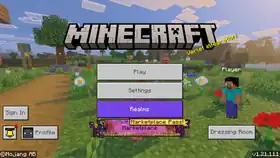
1.21.111, the release of The Copper Age, is a game drop for Bedrock Edition released on September 30, 2025.[2][3] It adds copper armor and tools, copper nuggets, various copper decorations, copper golems, and shelves.
This version was reuploaded on Xbox One on October 14, as Bedrock Edition 1.21.113, which had been sent out to that platform the day before, was unplayable on Xbox One.[more information needed]
Additions


Blocks
- Functions like the existing iron bars, but can be waxed.
- Crafted from copper ingots, and oxidizes over time.
- Sixteen copper bars can be crafted using six copper ingots.
| Ingredients | Crafting recipe |
|---|---|
| Copper Ingot |
- Functions like the existing iron chain, but can be waxed.
- Crafted from copper ingots and copper nuggets, and oxidizes over time.
- Copper chains can be crafted using a copper ingot and two copper nuggets.
| Ingredients | Crafting recipe |
|---|---|
| Copper Nugget + Copper Ingot |
 |
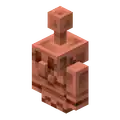


- The block form of a copper golem.
- Oxidizes over time and can be waxed like copper blocks.
- The pose can be changed by interacting with it.
- Using an axe on it when it is unoxidized and unwaxed turns it back into a copper golem.
- When connected to a redstone comparator, the copper golem statue block emits a redstone signal based on its current pose.
- Crafted using copper nuggets and one copper torch.
- The lantern itself oxidizes, changing its look as it ages.
- Can be waxed.
- Functionally identical to the lantern.
| Ingredients | Crafting recipe |
|---|---|
| Copper Nugget + Copper Torch |
|
- A green variant of the torch crafted from a copper nugget, coal, and stick.
- Functionally identical to the torch.
| Ingredients | Crafting recipe |
|---|---|
| Copper Nugget + Coal or Charcoal + Stick |


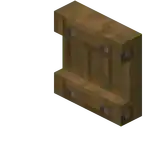
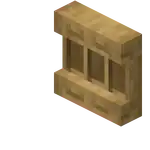
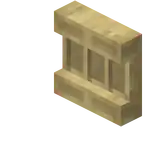
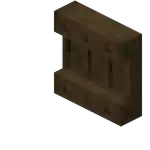
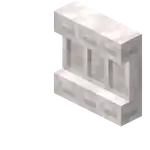
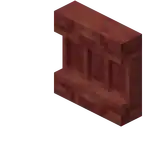
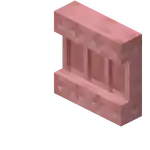

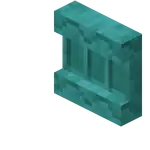
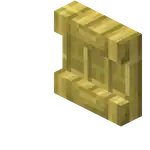
- A new type of decorative storage block which comes in all wood variants.
- Crafted from stripped logs.
| Ingredients | Crafting recipe |
|---|---|
| Matching Stripped Log or Block of Stripped Bamboo or Matching Stripped Stem |


- Can store up to 3 item stacks:
- Interacting with a slot swaps the player's main hand item with the content of that slot.
- The shelf displays all items it contains in front of it, similar to an item frame.
- When powered by redstone:
- The slots of the shelf connect together, and shelves of the same type connect too.
- These can be used to connect 3, 6, or 9 slots of the hotbar at a time.
Items

- A new variant of horse armor.
- Has the same loot table and chance of generating as iron horse armor.
- Has an armor value of 4 (
.png) ).
). - Cannot be crafted.
General
- Added an option (called "Hide Sky Flashes") to hide End flashes when playing with Vibrant Visuals.
Changes
Blocks
- Double chests now visually open when a copper golem opens the second half.
- Copper doors can now be opened by villagers and copper golems.
- The crafting recipe now uses 4 copper ingots, instead of 6.
- The old recipe is now used by copper bars.
- The above change has not been mentioned in the changelog.
| Ingredients | Crafting recipe |
|---|---|
| Copper Ingot |

- Some blocks that could catch fire with flint and steel, like the top stone slab or wood stair, will now also catch fire during fire explosion, such as those from fireballs.
- Glass blocks will now catch fire with flint and steel or fire explosion.
- Renamed from "Chain" due to the addition of the copper chain.
- Lightning rods now oxidize like other copper blocks and the lightning rod on the copper golem.
- All lightning rods now flash white when hit by lightning like in Java Edition.
- Prevented wall blocks from connecting to crimson fungus, warped fungus and bamboo.
Items
Copper armor and tools
- Hostile monsters now have a chance to spawn with copper armor equipped.
- Hostile monsters can pick up and use copper weapons and armor.
















- Dye colors now have updated icons.
- The goal with these is to enhance visual cohesion across the dye set while maintaining distinct shapes to support colorblind accessibility.
Mobs
- If the copper golem has fully oxidized it will turn into a copper golem statue block.
- When turned into a copper golem statue block, it will freeze in a random pose.
- When turned into a copper golem statue the copper golem will drop any item it may be holding.
- A copper golem turned into a copper golem statue will keep its name if named with a name tag.
- When leashed the copper golem will no longer try and transport items.
- Reduced the collision box so the copper golem can fit through doors properly like other mobs.
- The copper golem will now queue next to the chest or copper chest when it is opened by a player.
- The copper golem will now look towards the container it is walking towards.
- Decorative flowers can now be planted on them by iron golems.
- Copper golems can now pathfind through 1 block high passages.
- The copper golem will no longer interact with chests and copper chests that it cannot see.
- Chests now close immediately when a copper golem starts panicking while looking inside.
- Foxes now consider honey bottles to be a food item and will prioritize picking them up the same way it does other food items.
- They will sometimes plant a decorative flower onto a nearby copper golem.
- No longer start shaking off water if they are already shaking off water.
Gameplay
Camera
- Rider rotation lock now applies to cameras when using camera relative movement.
General
- Text to Speech support has been added to all dressing room pages.
Blending
- Enabled blending for legacy chunks.
- This fixes an issue where blocks were missing from the terrain after loading into the world on some starter biomes.
- Removed the "Drop 3 2025" and "Custom Biome" experimental toggle.
Graphical
- Update volumetric fog configs for PC to have more consistent steps in performance impact, while also maximizing image quality for cost.
- Added support for subsurface scattering on particle textures.
- Updated max render distance to 28 on PC for Vibrant Visuals.
- Increased thickness on block selection wireframe to make it more visible in Vibrant Visuals especially with TAAU enabled.
- Updated the panorama to show a scene with copper golems in a village.
UI
- Resized the "Textures & More" button icon to be in line with the other button icons.
- Updated the Marketplace Pass chevron on tiles and the purchase buttons to have the correct scaling.
- Resized the icons on the marketplace sidebar to match the icon's proper size.
- Resized the icons on the inventory category selection to match the icon's proper size.
- Added a properly sized "My Library" button for the top bar to use.
- Changed a couple locations where the information bulb appears to be the correct resolution.
- Updated the Marketplace error animations to display at the correct resolution.
- Added new icons for the Sale banners to fit the pixelated style of the UI.
Technical
Add-Ons and Script Engine
- Moved the properties
ash,red_spores,blue_spores, andwhite_ashfrom theminecraft:climatebiome component to the new client biome componentminecraft:precipitation.
AI Goals
- Made the schemas for the following goals stricter when parsing and will fail to load an entity json that has invalid data in versions
1.21.110and newer:minecraft:behavior.roarminecraft:behavior.slime_attackminecraft:behavior.slime_floatminecraft:behavior.slime_keep_on_jumpingminecraft:behavior.slime_random_directionminecraft:behavior.sniffminecraft:behavior.sonic_boomminecraft:behavior.stay_near_noteblockminecraft:behavior.swim_idleminecraft:behavior.swim_up_for_breathminecraft:behavior.swim_wanderminecraft:behavior.swoop_attack
- Transport Items Goal
- Mobs with the goal will now queue when players are interacting with their target container if
allow_simultaneous_interactionistrue.
- Mobs with the goal will now queue when players are interacting with their target container if
- The
minecraft:behavior.transport_itemsAI goal now checks that the entity can see the container it tries to interact with:- It checks once before starting to queue at the container and once before starting to interact.
- If it does not see the container, it fails to open it.
@minecraft/server
- Added
@minecraft/serverversion2.3.0-beta. - Added
@minecraft/serverversion2.2.0. - Enabled
Player.applyImpulseandPlayer.clearVelocity. - class
AimAssistRegistry- Added readonly property
DefaultCategoryId.
- Added readonly property
- Updated
System.sendScriptEventto be able to be called in "before" events. - Moved
LootTableManagerAPI from beta into 2.2.0. - Changed the following methods on
Dimensionto have the read-only privilege so they can be called in "before" events:getWeather,findClosestBiome,getBlockAbove,getBlockBelow,getTopmostBlock,getLightLevel,getSkyLightLevel.
- Moved
ItemBookComponentfrombetatoV2.2.0. - Moved
BookErrorfrombetatoV2.2.0. - Moved
BookPageContentErrorfrombetatoV2.2.0. - Moved
BookErrorReasonfrombetatoV2.2.0. - Moved
InvalidItemStackErrorfrombetatoV2.2.0. - Camera
- Moved
setFov(fovCameraOptions?: CameraFovOptions): voidfrombetatoV2.2.0.- Moved
setLore(loreList?: (RawMessagestring)[]): voidfrombetatoV2.2.0. - Moved
getRawLore(): RawMessage[]frombetatoV2.2.0.
- Moved
ContainerSlot- Moved
setLore(loreList?: (RawMessagestring)[]): voidfrombetatoV2.2.0. - Moved
getRawLore(): RawMessage[]frombetatoV2.2.0.
- Moved
- Moved
- Added content errors in server side biome components that were missing them to more easily identify issues and how to fix them.
- Pre Caves and Cliffs components
minecraft:overworld_generation_rulesandminecraft:multinoise_generation_rulesdo nothing with biome generation and will return a content error when used in custom biomes. - Custom biomes are now out of experimental.
- Added
underwater_musicparameter tominecraft:biome_musicclient biome component that enables the underwater music for the biome. - Added
max_puddle_depth_below_sea_levelto thesurface_builderbiome component for the swamp builder type. The component will set the search depth for how far below sea level to search for a surface to add a puddle. - Removed support for loading custom biomes for base game versions 1.21.100 and below.
- Removed the 1.20.60 format version for server side biome JSON files. All server side biome JSON files should be version 1.21.110 or higher.
- Updated the server side biome file format version to be 1.21.110.
- Custom block geometry no longer produces a warning when fully contained within the first or last 1/16ths of the unit cube volume in any axis.
- A warning is still produced if the geometry doesn't have at least one corner overlapping the unit cube volume, not counting its boundary.
- Added
mossy_stone_brick_double_slab,smooth_quartz_double_slab,normal_stone_double_slab,cut_sandstone_double_slab, andcut_red_sandstone_double_slabdefinitions toblocks.json.
- Updated
/locate biometo support underground biomes:- Y axis is more accurate to exactly where the biome is.
Components
- Content warnings will log missing references in
Jigsaw Structure,Processor List,Template Pool, andStructure SetsJSON. - Content warnings will log missing references in
Camera Preset,Camera List,Aim Assist Preset, andAim Assist CategoriesJSON. - Content warnings will log missing item references in
Crafting Items CatalogJSON. - Changes to
minecraft:input_air_controlled.- Renamed to
minecraft:free_camera_controlled. - Removed upward movement behaviour when holding the jump action from this component.
- Renamed to
- Added new component
minecraft:vertical_movement_action.- Adds the functionality of upward or downward movement when holding the jump action.
- This component is automatically added to any entity that uses the old
minecraft:input_air_controlledwith format version 1.21.100 or older.
- Updates to
minecraft:dash.- Renamed to
minecraft:dash_actionto improve clarity.
- Renamed to
- Updates to
minecraft:dash_action:- Added new field
directiontaking eitherentityorpassengeras its value. Defaults toentity:entity:- Behaves like before.
passenger:- Momentum applied from the dash action will now instead be applied in the view direction of the passenger entity, using the
horizontal_momentumas forward momentum andvertical_momentumas upward momentum in the direction of the passenger. Short of it: looking up with horizontal momentum will launch you upwards.
- Momentum applied from the dash action will now instead be applied in the view direction of the passenger entity, using the
- Old schemas with format version older than
1.21.110will automatically receive theentitydirection.
- Added new field
Entity Components
- Added
slot.weapon.mainhandandslot.weapon.offhandas valid slots forminecraft:interactcomponent operations. - Changed the schema for the
minecraft:experience_rewardentity component so that theon_bredandon_deathmembers no longer accept arrays; only single Molang expressions are now supported for each member.
Entity Event Responses
- Added the
drop_itementity event response, which allows an entity to drop its item in a given slot.
Experimental
- Camera custom FOV command no longer requires the "Experimental Creator Cameras" experimental toggle.
- The experimental "Custom Biomes" option has been removed.
- This change has not been mentioned in the changelog.
- From
1.21.110onward, the free camera and fixed boom cameras use camera relative strafe as default scheme.
General
- Adding custom biomes to a world that already has custom biomes is more stable now.
Graphical
- Changed defaults for color grading contrast and saturation fields to 1. Previously the defaults were 1.2 and 1.05 respectively.
Item Components
- Repairing an item using the
minecraft:repairableitem component no longer fails when a stack larger than strictly needed is used as repair material. - Added the new
minecraft:fire_resistantitem component, which determines whether an item is immune to burning when dropped in fire or lava.- Functions like netherite items.
- Setting the
minecraft:use_modifierscomponent'smovement_modifierfield to 1.0 now allows using the item while sprinting, and starting to sprint while using the item. poly_meshis no longer treated or documented as an experimental feature.texture_meshesis no longer treated or documented as an experimental feature.- The
scalefield can now adjust the depth oftexture_meshes, since its value is no longer ignored. - Added the
use_pixel_depthoption totexture_meshesto control how geometry depth relates to texture resolution.- If set to
true, the geometry will have a depth of one pixel (in entity space, not texture space).- This causes textures with a resolution different from 16×16 to appear stretched.
- If set to
false, the geometry will be built from perfectly cubic voxels, regardless of the texture's aspect ratio. - Defaults to
trueto ensure backward compatibility.
- If set to
poly_meshis now documented as a deprecated feature:- It was already treated as deprecated, but the documentation did not reflect this.
texture_meshesis no longer documented as an experimental feature:- It was already treated as non-experimental, but the documentation did not reflect this.
- All items that can be eaten now have the tag
minecraft:is_food, exceptglow_berries. - Merged the inventory item for the iron chain (
chain) with the direct item form of the iron chain block (item.chain). The merged item now has the IDiron_chain(due to the renaming of the chain to iron chain) and has the numeric ID of the formeritem.chain.
- The
minecraft:shareablescomponent now also accepts item entries specifying item tags to name all items tagged as that to become shareable with the given settings. - Foxes now use the
minecraft:is_foodtag instead of listing all foods manually, exceptglow_berrieswhich is still listed manually.
Molang
- Renamed
query.is_cooldown_typetoquery.is_cooldown_category, to better reflect what it does.
Network Protocol
- Modified the binary format of
PlayerArmorDamagePacket.
Experimental
These additions and changes are accessible by enabling the "Beta APIs", and "Upcoming Creator Features" experimental toggles.
Additions
Technical
API
@minecraft/server
- Added methods to
Dimensionscripting API that allows creators to get the total light level and the sky light level at a specific position. - Added
Dimension.getBiome(location: Vector3)which can be used to locate the biome of a given location. - Added
Entity.getBlockStandingOn(options?: GetBlocksStandingOnOptions): Blockundefinedmethod tobeta. - Added
Entity.getAllBlocksStandingOn(options?: GetBlocksStandingOnOptions): Block[];methods tobeta. - Added
GetBlocksStandingOnOptionsinterface:- Optional parameter
blockFilter?: BlockFilterfilters the block being returned. - Optional parameter
ignoreThinBlocks?: booleandetermines if blocks of height 0.2 or lower are ignored.
- Optional parameter
- Added method
Camera.setCameraWithEase(cameraPreset: string, easeOptions: EaseOptions): voidtobeta.
@minecraft/diagnostics
- Added method
captureExceptionto Sentry which allows capturing of exceptions that are gracefully caught with a try/catch block. - Added methods
setAfterBatchMethodandsetBeforeBatchMethodtoGameTest, which can be used to add methods that will be run before and after test batches. - Added methods to Block scripting API that allows creators to get the total light level and the sky light level at a specific position.
- Added
InvalidPotionDeliveryTypeErrorandInvalidPotionEffectTypeErrorerrors tobeta. - Potions
- Added
resolve(potionEffectType: PotionEffectType | T, potionDeliveryType: PotionDeliveryType | U): ItemStackmethod tobeta.- This replaces the
createPotion(options: PotionOptions): ItemStackthat was removed fromItemStack.
- This replaces the
- Added
getAllDeliveryTypes(): PotionDeliveryType[]method tobeta.- This returns all the potion delivery types.
- Added
getAllEffectTypes(): PotionEffectType[]method tobeta.- This returns all the potion effect types.
- Added
PotionEffectType- Added
readonly durationTicks?: numberproperty tobeta.- This is the number of ticks the effect will last for. Undefined means the effect does not expire.
- Added
- Added new method
isChunkLoadedtoDimensionwhich returns true if a chunk at an area is loaded and ticking. - Added enum
HeldItemOptiontobetaforPlayerSwingEventOptions. This specifies options related to the item currently being held at the time of a player swing:
export enum HeldItemOption {
    AnyItem = 'AnyItem',
    NoItem = 'NoItem'
}
- Added interface
PlayerSwingEventOptionstobeta. Event options/filters forPlayerSwingStartAfterEvent. - FieldheldItemOption?: HeldItemOption- Added class
PlayerSwingStartAfterEventtobeta. This contains information regarding a player starting to swing their arm:- Field
heldItemStack?: ItemStack. - Field
player: Player.
- Field
- Added class
PlayerSwingStartAfter.EventSignaltobeta. This event is fired at the start of a player's swing (e.g. attacking, using an item, interacting). It can be subscribed/unsubscribed viaworld.afterEvents.playerSwingStartand optionally filtered by passing inPlayerSwingEventOptions.
- Added class
- Added component
minecraft:redstone_producerbehind the Upcoming Creator Features toggle.
Components
- Added new block component
minecraft:flower_pottable:- It is an empty component defined as such:
minecraft:flower_pottable: {}. - When the component is present on the block, > a player can interact with an empty flowerpot when holding the block in order to embed it.
- Similar to other Vanilla pottable blocks, a player can remove the potted block by interacting with the pot with an empty hand.
- The component requires the Upcoming Creator Features toggle.
- Pottable not potable.
- It is an empty component defined as such:
- Added new block component
minecraft:embedded_visual:- The component has two required fields,
geometryandmaterial_instances, similarly tominecraft:item_visual. - When the component is present on the block, it defines which
geometryandmaterial_instancesto use when the block is embedded into another block, eg. into a flowerpot.- If the component is not present, embedded blocks fallback to their innate
geometryandmaterial_instances. - The component cannot be defined in the
permutationssection; only one embedded visual can be achieved per block type.
- If the component is not present, embedded blocks fallback to their innate
- The component requires the Upcoming Creator Features toggle.
- The component has two required fields,
- Added new field
embeddedto theitem_display_transformsobject:- The field defines the overall transformation this geometry should be subject to when embedded into a block, eg. a flowerpot.
- If the field is not defined, the default transformation is a 0.75x scale, similar to the one applied to most Vanilla flowers.
Changes
Technical
API
@minecraft/server-gametest
GameTestobjects will now throw aGameTestCompletedErrorif accessed after completion for support functions or during clean up for test based functions.
@minecraft/diagnostics
- Renamed enum
SentryBreadcrumbLeveltoSentryEventLevel. - Updated methods on Sentry to be callable in all contexts, including read-only (before events).
- Removed
PotionModifierTypefrombeta. - Removed
PotionOptionsfrombeta. - Renamed
PotionLiquidTypetoPotionDeliveryTypeinbeta. - Potions
- Removed
getPotionModifierType(potionModifierId: string): PotionModifierType | undefinedfrombeta. - Renamed
getPotionEffectTypetogetEffectTypeinbeta. - Renamed
getPotionLiquidTypetogetDeliveryTypeinbeta.
- Removed
ItemPotionComponent- Removed
readonly potionLiquidType: PotionLiquidTypeproperty inbeta. - Renamed
readonly potionLiquidType: PotionLiquidTypeproperty toreadonly potionDeliveryType: PotionDeliveryTypeinbeta.
- Removed
PotionEffectType- Removed
static createPotion(options: PotionOptions): ItemStackmethod frombeta.- This was replaced by
Potions.resolve.
- This was replaced by
- Removed
- Expanded
LootTableManagerbetafunctionality, which now allows for loot table discovery via the newgetLootTablemethod.
Components
- Modified
minecraft:material_instancesto support weighted variations textures with these requirements:format_versionmust be greater than or equal to1.21.110.- World must have "Upcoming Creator Features" experiment enabled.
Fixes
From released versions before v1.21.111
- MCPE-62252 – Block directional placement is asymmetrical for command blocks when certain coordinates are negative
- MCPE-63099 – Arrow icon in furnace still appears filled after smelting an item
- MCPE-135298 – Pick block doesn't work on light blocks.
- MCPE-136930 –
/getlocalplayernameand/geteduclientinfocommands are available outside of Education Edition - MCPE-152962 – Armor pieces don't display toughness stat
- MCPE-177977 – Planks and Stone variants haven't been given separate definitions in
blocks.json. - MCPE-179110 – Invert Y-Axis for touch controls does not work in Spectator mode
- MCPE-181306 – Paintings randomly breaking after reloading chunks
- MCPE-181924 – Scrolling Down the List of Any Featured Server Brings You Back to the Very Top When Message of the Day Updates
- MCPE-184808 – "Switch sneaking and jumping" option also changes flying and swimming up
- MCPE-184856 – Fly, swim and entity dismount buttons cannot be hidden using
/hud. - MCPE-184858 – Horse jump/Camel dash bar cannot be hidden using
/hud. - MCPE-186346 – Text shadows are missing on action bar background and text background.
- MCPE-189106 – Upon loading dimension, Nether Portal offsets player towards NW
- MCPE-189611 – Copper block group order in creative inventory is wrong
- MCPE-189996 – Updating the world causes some loaded unchanged chunks to regenerate incorrectly.
- MCPE-190430 – Secondary material in non-opaque custom blocks may not render.
- MCPE-218044 – Using a bucket on a waterlogged block does not pick up the water server side
- MCPE-218184 – Breaking particles render too dark when they are inside of a block
- MCPE-220172 – Using right click to equip armor while aiming at an entity will create a ghost item in hand
- MCPE-221341 – Vibrant Visuals: Nether Portal screen effect is black in the Overworld
- MCPE-221572 – Husk appears with a white box around its head in the official Classic Texture Pack
- MCPE-222113 – Ambient Music only playing from one spot in the world
- MCPE-222162 – Music Disc "Tears" audio is not categorized as "Jukebox/Note Blocks" when played from a jukebox
- MCPE-223011 – Parity issue: Glass blocks held by endermen are visually opaque
- MCPE-223147 – Some Camera Easing Types Cause a Massive Lag-Spike or Crashes Game
- MCPE-223559 – 3D export from structure blocks shows missing texture
- MCPE-223737 – Copper chests make stone stepping sounds.
- MCPE-223744 – The title inside Copper Chest container is incorrect
- MCPE-223746 – Copper Golems saved from death with a Totem of Undying will stop working
- MCPE-223747 – Copper golems make equipping sounds when picking up equippable items
- MCPE-223753 – Copper golem is spawned in the air when built sideways.
- MCPE-223754 – Copper golem loses oxidation level when built sideways.
- MCPE-223755 – Copper Golem will not match an item with a different durability
- MCPE-223758 – Copper golems ignore trapped chests
- MCPE-223764 – Copper golem chest animation won't stop if hit
- MCPE-223790 – Upper part of the bottom of copper chest has a wooden texture
- MCPE-223825 – All copper chests' inner textures are incorrectly mirrored
- MCPE-223833 – Copper Golem does not sort empty bundles
- MCPE-223837 – Copper Golems can include chests they can't pathfind to in their list of 10 chests.
- MCPE-223857 – There's a
_in the file name ofcopper_golem/regular/step4_.fsb. - MCPE-223867 – You can hear the sounds of the copper golems from too far
- MCPE-223876 – Copper Golem takes fall damage
- MCPE-223910 – Grass color in the Swamp and Mangrove Swamp biomes is now much more green than it should be
- MCPE-223966 – The closing sound of copper chests isn't perfectly synced with their animations
- MCPE-224011 – Copper chest opening and closing sounds are too loud
- MCPE-224403 – After killing the ender dragon in the End, it freezes, preventing me from getting the egg and leaving the End
- MCPE-224504 – Music Disc "Lava Chicken" audio is not categorized as "Jukebox/Note Blocks" when played from a jukebox
- MCPE-226102 –
c=-1target selector is broken
Other
- Unwaxing or scraping the copper golem using an axe now affects the durability of the axe.
- Copper golem now sorts differently named items of the same type together.
- Copper golem chest interaction sounds now match the animation more closely.
- The copper golem now turns its head when looking at the player.
- Fixed an issue where the player sleeping animation would start before the player climbed into bed.
- Fixed rain and snow lighting up far above the light source in Vibrant Visuals.
- Fixed an issue causing chests to appear desaturated while held in hand in Vibrant Visuals.
- Fixed an issue causing attachables such as bows to appear desaturated in Vibrant Visuals.
- Fixed bug where vanilla mob flame textures are missing.
- Progress of leaves turning white in snow is now correctly set when entering a world, and this color change now works correctly in custom biomes.
- Fixed unlit candles not casting shadows.
- Fixed unlit cake candles not casting shadows.
- Fixed glass block depth issues with candles.
- Fixed water depth buffer issues with cake candles.
- Fixed infinite duration blindness effect visuals.
- The RTX and Marketplace Pass icon will no longer show up on the same item.
- The RTX Chevron will now show up correctly on the Marketplace search screen.
- Recipe book can no longer show duplicate icons if user has recipe book hidden when acquiring new recipes.
- Fixed Marketplace pass chevron priority on hero row items.
- Fixed Blade row missing Marketplace pass chevron.
- Fixed a bug that caused default editor movement speed to initialize incorrectly.
- Fixed the documentation of
minecraft:on_deathclaiming the component only works on the Ender dragon, it works on all entities. - Fixed an issue where the player behaved incorrectly with the fixed boom camera when using the
locked_player_relative_strafecontrol scheme. Player movement is now consistent with the free camera in this scenario. - Fixed сandles not casting point light shadows.
- Fixed position of copper golem spawn egg to be after the iron golem spawn egg.
- Fixed issue with being unable to continue destroying valid blocks in adventure mode when they are behind water.
- Fixed the shelf place and take item sounds not playing.
- Fixed the shelf power on and off sounds not playing.
- Fixed attempting to place a painting on a block that already has a painting spamming its place sound effect even though it cannot be placed.
- Colored text on signs no longer appear dark in Vibrant Visuals.
- Fixed Realms crash in liquid sensing system.
- Fixed crash when wearing some character creator pieces that support custom colorization.
- Fix for custom biomes no longer appearing in game.
- Fixed the pose of the statue not always updating in multiplayer and split screen.
- Fixed only unoxidized lightning rods emitting a redstone signal when struck by lightning.
- Fixed not being able to leash copper golems to other entities.
- Fixed position when sitting in boats.
- Fixed the copper golem cloning its item when turning into a statue.
- Fixed the copper golem attempting to pathfind to any block below a floating copper chest that is too far for it to open.
- Fixed bug where custom items'
menu_categoryis_hidden_in_commandsvalue was not sent to client and the items would show up in commands' autocomplete when they shouldn't. - Fixed a bug where the
minecraft:shareablescomponent would mix attributes of duplicated entries in itsitemslist. E.g. theprioritywould be taken from the first duplicated element and themax_amountfrom the last, now the firstmatchingentry will fully shadow those coming after it. Consider this items list in aminecraft:shareablesusing the newtagfunctionality:Previously"items": [ { "item": "minecraft:apple", "priority": 1, "max_amount": 2 }, { "item": "minecraft:is_food", "priority": 0, "max_amount": 1 }]
minecraft:applewould have hadpriority1 butmax_amount1 instead of 2, now it will correctly use all data from that first item apple entry. - Fixed the copper torch recipe only giving one torch instead of four.
- Fixed an issue where the control scheme set via control scheme commands would not be retained if a later-activated camera did not support it. The scheme will now persist as intended until explicitly cleared via
/controlscheme clear, beginning since base game version 1.21.110. - Fixed block breaking texture being double the size for shelf blocks.
- Fixed issue preventing
/placefrom working correctly in flat worlds. - Fixed an issue where using
/reloadin the command console throws aGametesterror if using theGameTest.setAfterBatchCallbackmethod. - Fix for biome music component being removed from some biomes.
- Fixed issue where a default surface builder was not chosen leading to bare surfaces in some biomes.
- Fixed a bug where setting the precipitation of a biome to 0 in
biome.jsonfiles would not stop rain from occurring in the biome. - Fixed a bug where putting items in a bundle as it is being transferred from one Hopper to another would delete the item.
- Fixed a crash that occurred when treatment packs were removed while loading game or loading into a world.
- Fixed a crash when downloading packs from a multiplayer world on Xbox.
Video
- Updates for Creators
Trivia
- 1.21.111 is the first non-experimental content update named Bedrock Edition with a version number that does not end with a 0 on any platform.
- If including Pocket Edition, it is the first such version to be released since Pocket Edition 1.1.3.
- According to Mojang employee David Carlton, the reason for this is that there was "one more fix to add".[4]
References
- ↑ MCPE-228500
- ↑ "Minecraft: Bedrock Edition 1.21.111 - The Copper Age" – Minecraft Feedback, September 30, 2025.
- ↑ "Minecraft Bedrock 1.21.110 Update Notes for Creators" – Microsoft Learn, September 30, 2025.
- ↑ "We had one more fix to add" – @CornerHardMC on X (formerly Twitter), October 2, 2025