Bedrock Edition 1.21.120
| Edition | ||||||
|---|---|---|---|---|---|---|
| Release date |
October 28, 2025 | |||||
| Server version | ||||||
| Editor version | ||||||
| Build version |
38170373 | |||||
| Internal version |
Windows, Xbox: 1.21.12004.0 | |||||
| Version code |
Android: | |||||
| Development versions | ||||||
| Downloads | ||||||
| Protocol version |
859 | |||||
| ||||||
{
    "title": "v1.21.120",
    "images": [
        "Bedrock 1.21.120 PatchNotes.jpg",
        "Bedrock 1.21.120.png"
    ],
    "rows": [
        {
            "field": "''(link to Bedrock Edition article, displayed as Bedrock Edition)''",
            "label": "(link to Edition article, displayed as Edition)"
        },
        {
            "field": "October 28, 2025",
            "label": "Release date"
        },
        {
            "field": "(link to Bedrock Dedicated Server 1.21.120.4 article, displayed as 1.21.120.4)",
            "label": "Server version"
        },
        {
            "field": "(link to Bedrock Editor 1.1.5 article, displayed as 1.1.5)",
            "label": "(link to Bedrock Editor article, displayed as Editor) version"
        },
        {
            "field": "38170373",
            "label": "Build version"
        },
        {
            "field": "'''Windows, Xbox''': 1.21.12004.0<br>'''ChromeOS, Android, iOS, iPadOS, Fire''': 1.21.120.4<br>'''PlayStation 4''': 3.23<br>'''PlayStation 5''': 1.033.000<br>'''Nintendo Switch''': v133",
            "label": "Internal version"
        },
        {
            "field": "<small>'''Android''':<br>\n952112004 (armeabi-v7a, 35)<br>\n962112004 (x86, 35)<br>\n972112004 (arm64-v8a, 35)<br>\n982112004 (x86_64, 35)</small>",
            "label": "Version code"
        },
        {
            "field": "<div class=\"hlist\"><span style=\"white-space:nowrap;\">(link to :Category:Bedrock Edition 1.21.120 previews article, displayed as '''Previews''') (6) </span><br/><span style=\"white-space:nowrap;\">(link to :Category:Bedrock Edition 1.21.120 betas article, displayed as '''Betas''') (6) </span><br/>((link to Bedrock Edition 1.21.120/Development versions article, displayed as View all))</div>",
            "label": "<span style=\"white-space: normal;\">Development versions</span>"
        },
        {
            "field": "'''Server'''<br>[https://www.minecraft.net/bedrockdedicatedserver/bin-win/bedrock-server-1.21.120.4.zip Windows]<br>\n[https://www.minecraft.net/bedrockdedicatedserver/bin-linux/bedrock-server-1.21.120.4.zip Linux]",
            "label": "Downloads"
        },
        {
            "field": "859",
            "label": "(link to Protocol version article, displayed as Protocol version)"
        }
    ],
    "invimages": [],
    "footer": "<table style=\"margin: auto; word-break: break-word;\">\n<tr style=\"background: inherit;\">\n<td style=\"padding: 0.4em\" >[[Bedrock Edition  1.21.0|<span style=\"margin-right:-0.35em\">◄</span>◄   1.21.0]]</td>\n<td rowspan=\"2\" style=\"padding: 0.4em\">''' 1.21.120'''</td>\n<td style=\"padding: 0.4em\" ></td>\n</tr>\n<tr style=\"background: inherit;\">\n<td style=\"padding: 0.4em\">\n[[Bedrock Edition  1.21.114|◄   1.21.114]]\n</td>\n\n<td style=\"padding: 0.4em\">\n[[Bedrock Edition  1.21.121|  1.21.121 ►]]\n</td>\n</tr>\n</table>"
}
1.21.120 is a minor update for Bedrock Edition released on October 28, 2025, which redesigns the pause menu and fixes bugs.[2][3]
Additions
General
- Added a toggle to the accessibility settings to enable/disable the dithering effect on blocks like glass panes and sugar cane.
- Added a toggle to the accessibility settings to enable/disable the dithering effect on mobs.
- Added splash "Music made by Hyper Potions!".
Changes
Blocks
- Double copper chest textures' diagonal glint direction now match its single chest counterpart.
- Bolts on single and double copper chests are now shaded in the same way.
- Double and single copper chests now have consistent shading.
- Weathered double copper chest bottom textures are now consistent with other double copper chests.
Copper Lantern and Copper Torch
- Copper lantern and copper torch have new textures to make them easier to distinguish from regular lantern and torch.
Glass and Glass Pane
- Glass blocks and panes will now become slightly transparent if the camera is very close to them.
- Adding or removing redstone power to or from the shelf now emits vibrations.
- When a player places/removes/swaps an item on an unpowered shelf, a vibration of frequency 3 is emitted.
- When a player places/removes an item on a powered shelf, a vibration of frequency 3 is emitted.
- When a player swaps item with one on a powered shelf, a vibration of frequency 6 is emitted.
- Water now reduces the light level by one instead of two units per block.
General
Camera
- The first person camera will now offset backwards slightly when facing and climbing blocks such as ladders and vines.
Graphical
- Added TAA upscaling to weather effects like rain and snow.
- Improved quality of gamma correction on PC and Consoles.
- Mobs will now become slightly transparent when the camera gets too close or passes through them.
- Adjusted rendering settings in Vibrant Visuals.
- Starting a world with a missing Marketplace template will now correctly redownload the template and start the world.
- Marketplace content can now be searched for using graphics filters for RTX and Vibrant Visuals.
.png)
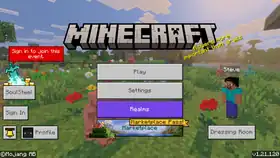
- The pause menu has been updated with a new layout and design.
.png)
- The backups system has been replaced with a general "Saves" system. There are two types of Realms saves:
- Automatic saves are functionally the same as the previous backups system:
- They are taken at the end of every Realms play session when the server shuts down, or every 30 minutes during a play session.
- They are only retained for a limited time, according to the retention policy (which has not changed with this update).
- They do not count towards the bank of cloud storage.
- They are on by default and can't be turned off.
- All previous Realms backups will be converted to automatic saves.
- Manual saves are created by the Realm owner and count towards a bank of storage that comes with the Realms subscription.
- Manual saves are retained as long as the Realm exists. They are not automatically deleted by the retention policy, but Realm owners can delete manual saves if they want to free up storage space.
- Realms Plus subscriptions come with 10GB of manual save storage and Realms Core subscriptions come with 5GB.
- Automatic saves can be turned into manual saves by the Realm owner.
- Realms saves can be found in the Realms settings menu accessed via the "Edit Realm" button rather than the Realms world settings menu that backups used to show up in. While playing on the Realm, saves can also be found in the in-game settings menu for the Realm owner.
- Realms saves will also now list the world name and the packs that were applied at the time of the save.
- Automatic saves are functionally the same as the previous backups system:
Storage
- Shifted download storage on PlayStation 4 to new location. Players may need to redownload Marketplace content.
GDK
- Minecraft for Windows now runs on the latest GDK (Game Development Kit).
- This update brings the game in line with the standard distribution model on Windows platforms.
- File paths have been updated, and on first installation of this version of Minecraft, existing worlds and content will be changed to:
%AppData%\Minecraft Bedrock\Users\Shared\games\com.mojang- is the new place to store packs.%AppData%\Minecraft Bedrock\Users\<randomnumbers>\games\com.mojang- is the new place to store worlds and settings.C:\XboxGames\Minecraft for Windows\Content\data- is the new place for the internal files.
Note: when not logged in into the Microsoft account, the packs will instead be stored at C:\XboxGames\Minecraft for Windows\Content
UI
- Brightness adjustment was renamed to gamma adjustment in Vibrant Visuals.
- A "Reset to Defaults" button was added to the gamma adjustment screen in Vibrant Visuals.
- The slider widget that controls the Vibrant Visuals gamma value shows the current gamma value, and the center of the slider corresponds to the default value.
Mobs
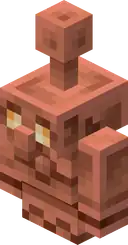
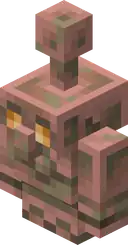
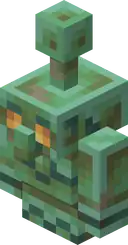

- Copper golem step and spin sounds now use a natural attenuation curve.
- Copper golems with a poppy on their head now drop it when becoming a statue.
- When interacting with a copper golem, scraping and waxing particles now appear at the copper golem's location instead of at the location of the block it is standing in.
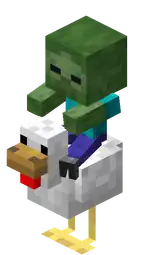
- Zombie chicken jockeys now drop the lava chicken music disc when killed by a tamed wolf.
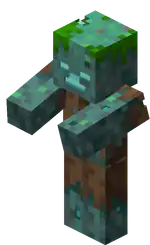
- Can now spawn with enchanted tridents.
- This change was not mentioned in the changelog.
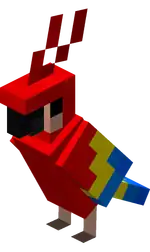
- Parrots imitating hostile mob sounds are now affected by the "Friendly Creatures" volume slider in settings.
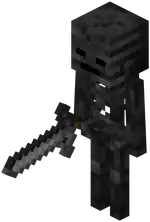
- Wither skeletons can now pick up copper swords.
World generation
- Structures no longer build on top of features (e.g. trees) at chunk borders.
Technical
AI Goals
- Made the schemas for the
minecraft:behavior.dig,minecraft:behavior.drink_milk,minecraft:behavior.avoid_block, andminecraft:behavior.avoid_mob_typestricter when parsing and will fail to load an entity JSON that has invalid data in versions 1.21.120 and newer.
- Optionally set version property to
betato always choose the latest beta version of the module. Example frommanifest.json:
"dependencies": [
{
  "module_name": "@minecraft/server",
  "version": "beta"
}
LootTableManager's loot generation methods now properly recognize tools enchanted with looting.- Moved type
ScriptBiomeTypefrombetainto2.3.0. - Moved API
Dimension.getBiome(location: Vector3)frombetainto2.3.0. - Released
initialRotationmember ofSpawnEntityOptionsto2.3.0. - Released
initialPersistencemember ofSpawnEntityOptionsto2.3.0. - Releasing the light detection API from experimental to stable.
- Removed entity override limit on Player method
setPropertyOverrideForEntity. - Released
setDynamicPropertiesmethod onEntity,ContainerSlot,ItemStackandWorldto 2.3.0. - Dimension
- Moved
isChunkLoaded(location: Vector3): booleanfrombetato v2.3.0.
- Moved
ContainerRulesError- Moved property
reason: ContainerRulesErrorReasonfrombetatov2.3.0.
- Moved property
- Moved enum
ContainerRulesErrorReasonfrombetatov2.3.0. - Moved interface
ContainerRulesfrombetatov2.3.0. Container- Moved property
readonly containerRules?: ContainerRulesfrombetatov2.3.0. - Moved property
readonly weight: numberfrombetatov2.3.0. - Moved property
readonly weight: numberfrombetatov2.3.0.
- Moved property
- Moved class
ItemInventoryComponentfrombetatov2.3.0.
Biome Components
- Added
underwater_addition,underwater_loop, andunderwater_moodfields tominecraft:ambient_sounds. They will be played when the audio listener position is inside of water.underwater_additionandadditionnow take both an asset and chance, the chance determines the chance for the sound to be played.- Format versions before
1.21.120will automatically set the underwater versions to the same as the normal ones, and the chance to the previously hardcoded chance of0.0111.
- Custom blocks using a non-opaque
render_methodin theminecraft:material_instancescomponent that are placed above water will no longer incorrectly cull the top face of the water block. - Custom blocks with textures in the
variationsarray no longer require the Upcoming Creator Features experimental toggle to work properly.[verify for Bedrock Edition] - Custom blocks with textures in the
variationsarray no longer require the Upcoming Creator Features experiment toggle to work properly. - The parameter
sampleWidthwas removed from the water configuration JSON file, and consequently the file has a new format and was upgraded to version 1.21.120. - Removed Upcoming Creator Features toggle requirement from the
minecraft:redstone_producercomponent. - Component
minecraft:embedded_visualno longer requires the "Upcoming Creator Features" toggle. - Component
minecraft:flower_pottableno longer requires the "Upcoming Creator Features" toggle.
Block Components
- Added
emissivefield tominecraft:material_instancesblock component with these requirements.- World must enable Upcoming Creator Features experiment for emissive face materials to work.
- Block
format_versionmust be greater than or equal to1.21.120.
Components
- The
all_slots_empty,any_slot_empty,has_equipmentfilters now supportmain_handas an equipment location.
Entity Components
- Added
apply_knockback_to_blocking_targetsproperty toimpact_damageinminecraft:projectile.
General
- Network changes may result in better download speeds on Windows devices.
Item Components
- Items with the new
minecraft:fire_resistantitem component no longer visually disappear on the client when thrown in fire while persisting on the server, as the property is now synced correctly across both. - Added the new
minecraft:swing_durationitem component, which defines the duration, in seconds, of the item's swing animation when mining or attacking.- The duration is specified in the component's
valuefield. - Affects visuals only and does not impact attack frequency or gameplay mechanics.
- The duration is specified in the component's
- The
minecraft:fire_resistantitem component no longer accepts a direct value assignment and now requires the value to be specified through thevaluefield. - Added the
emit_vibrationsfield to theminecraft:use_modifiersitem component, which controls whether an item emits vibrations when it starts or stops being used.
- The dophin's bubble particle emissions have been updated and are now emitted through its animation controller.
- Added 31 new Molang expressions:
math.inverse_lerp(start, end, value), returns the normalized progress between start and end given value.math.ease_in_quad(start, end, 0_to_1), output goes from start to end via0_to_1, starting slow and accelerating toward the end.math.ease_out_quad(start, end, 0_to_1), output goes from start to end via0_to_1, starting fast and decelerating toward the end.math.ease_in_out_quad(start, end, 0_to_1), output goes from start to end via0_to_1, starting slow, accelerating in the middle, then slowing again at the end.math.ease_in_cubic(start, end, 0_to_1), output goes from start to end via0_to_1, starting slow and accelerating strongly toward the end.math.ease_out_cubic(start, end, 0_to_1), output goes from start to end via0_to_1, starting fast and decelerating strongly toward the end.math.ease_in_out_cubic(start, end, 0_to_1), output goes from start to end via0_to_1, starting slow, accelerating strongly in the middle, then slowing again at the end.math.ease_in_quart(start, end, 0_to_1), output goes from start to end via0_to_1, starting slow and accelerating rapidly toward the end.math.ease_out_quart(start, end, 0_to_1), output goes from start to end via0_to_1, starting fast and decelerating rapidly toward the end.math.ease_in_out_quart(start, end, 0_to_1), output goes from start to end via0_to_1, starting slow, accelerating rapidly in the middle, then slowing again at the end.math.ease_in_quint(start, end, 0_to_1), output goes from start to end via0_to_1, starting slow and accelerating sharply toward the end.math.ease_out_quint(start, end, 0_to_1), output goes from start to end via0_to_1, starting fast and decelerating sharply toward the end.math.ease_in_out_quint(start, end, 0_to_1), output goes from start to end via0_to_1, starting slow, accelerating sharply in the middle, then slowing again at the end.math.ease_in_sine(start, end, 0_to_1), output goes from start to end via0_to_1, starting slow and accelerating smoothly toward the end.math.ease_out_sine(start, end, 0_to_1), output goes from start to end via0_to_1, starting fast and decelerating smoothly toward the end.math.ease_in_out_sine(start, end, 0_to_1), output goes from start to end via0_to_1, starting and ending slow, with smoother change in the middle.math.ease_in_expo(start, end, 0_to_1), output goes from start to end via0_to_1, starting slow and accelerating very rapidly toward the end.math.ease_out_expo(start, end, 0_to_1), output goes from start to end via0_to_1, starting fast and decelerating gradually toward the end.math.ease_in_out_expo(start, end, 0_to_1), output goes from start to end via0_to_1, starting and ending slow, with very rapid change in the middle.math.ease_in_circ(start, end, 0_to_1), output goes from start to end via0_to_1, starting slow and accelerating along a circular curve toward the end.math.ease_out_circ(start, end, 0_to_1), output goes from start to end via0_to_1, starting fast and decelerating along a circular curve toward the end.math.ease_in_out_circ(start, end, 0_to_1), output goes from start to end via0_to_1, starting and ending slow, with circular acceleration and deceleration in the middle.math.ease_in_bounce(start, end, 0_to_1), output goes from start to end via0_to_1, starting with bounce oscillations and settling into the end.math.ease_out_bounce(start, end, 0_to_1), output goes from start to end via0_to_1, approaching the end with bounce oscillations that diminish over time.math.ease_in_out_bounce(start, end, 0_to_1), output goes from start to end via0_to_1, starting and ending with bounce oscillations, smoother in the middle.math.ease_in_back(start, end, 0_to_1), output goes from start to end via0_to_1, overshooting backward before accelerating into the end.math.ease_out_back(start, end, 0_to_1), output goes from start to end via0_to_1, overshooting past the end before settling into it.math.ease_in_out_back(start, end, 0_to_1), output goes from start to end via0_to_1, overshooting at both start and end, with smoother change in the middle.math.ease_in_elastic(start, end, 0_to_1), output goes from start to end via0_to_1, starting with elastic oscillations before accelerating into the end.math.ease_out_elastic(start, end, 0_to_1), output goes from start to end via0_to_1, overshooting the end with elastic oscillations before settling.math.ease_in_out_elastic(start, end, 0_to_1), output goes from start to end via0_to_1, oscillating elastically at both start and end, with stable change in the middle.
- Added
query.base_swing_duration, which returns the duration of the mob's swing/attack animation, determined by the carried item and unmodified by effects applied on the mob. - Added
query.modified_swing_duration, which returns the duration of the mob's swing/attack animation, determined by the carried item and modified by effects applied on the mob.
Network
- The following level events now emit particles at the exact specified position instead of at the center of the matching block position:
WaxOn,WaxOff,Scrape.
- Data driven jigsaw structures can now be used outside of experiments.
Experimental
These additions and changes are accessible by enabling the "Beta APIs", "Upcoming Creator Features", "Render Dragon Features for Creators", and "Experimental Creator Cameras Features" experimental toggles.
Additions
Technical
API
- Added
Dimension.getGeneratedStructures(location: Vector3)which can be used to locate the Structures(Pillager Outpost, Mineshaft, etc.)of a given location. - Added
worldAfterEvents.playerUseNameTagwhich fires when a Player uses a named NameTag Item on an Entity. - Added
ControlSchemestring enum. - Added method
Player.setControlScheme(controlScheme?: string): void; tobeta. - Added method
Player.getControlScheme(): ControlScheme;tobeta. - Added the
BlockRedstoneProducerComponenttobeta.- Added
powerread-only property. - Added
getStronglyPoweredFacemethod. - Added
getConnectedFacesmethod.
- Added
- Added
Control Schemestring enum.- Added method
setControlScheme(controlScheme?: string): void;tobeta. - Added method
getControlScheme(): ControlScheme;tobeta.
- Added method
- Added Scripting API for
BlockPrecipitationInteractionscomponent.- This API includes a component class for the
BlockPrecipitationInteractionscomponent and the two methods (accumulatesSnowandobstructsRain) of said component.
- This API includes a component class for the
- Loot table discovery API now includes information about Loot Item Conditions:
- Modified method from
setControlScheme(controlScheme?: string): void;tosetControlScheme(controlScheme?: ControlScheme): void;inbeta.
- Modified method from
- Added
getBlockStandingOn(options?: GetBlocksStandingOnOptions): Blockundefinedmethod tobeta. - Added
getAllBlocksStandingOn(options?: GetBlocksStandingOnOptions): Block[];methods tobeta. - Added
GetBlocksStandingOnOptionsinterface. - Added
AABBinterface which defines an axis-aligned bounding box tobeta.- Added parameter
center:Vector3which defines the centerpoint of the box. - Added parameter
extent:Vector3which defines the distance from the centerpoint to the edges of the box. - Added method
getAABB(): AABBtobeta.
- Added parameter
- Added
unbreakableproperty toItemDurabilityComponentinbeta. - (Beta) Player method
clearPropertyOverridesForEntitycan now take an Entity or Entity ID as valid arguments. - Added the
BlockComponentBlockBreakEventCustom Component Event tobeta. This event is called when a specific block is broken by either the player or other entity, a block (such as fire or water), or from a script or command that removes or destroys the block.- Added
entitySourceread-only property. This contains the entity that caused the block's destruction. - Added
blockDestructionSourceread-only property. This contains the block that caused the block's destruction. - Added
brokenBlockPermutationread-only property. This contains the block permutation this custom component exists on.
- Added
- Added the ability for the custom creator camera to move on a spline.
- Added method
playAnimation(splineType: CatmullRomSplineLinearSpline, cameraAnimationOptions: AnimationOptions): voidtobetato play an animation curve. Only works when used on theminecraft:freecamera preset. - Added class
CatmullRomSplinetobetato create catmullrom splines forminecraft:freecamera preset. - Added class
LinearSplinetobetato create linearly interpolated splines forminecraft:freecamera preset. - Added interface
AnimationOptionstobetafor creating and playing a spline on theminecraft:freecamera preset. - Added interface
ProgressKeyFrametobetafor setting progress key frames on a spline. - Added interface
RotationKeyFrametobetafor setting rotation key frames on a spline. - Added interface
SplineAnimationtobetafor storing spline key frames.
- Added method
- Allow items referencing a pottable block in their
minecraft:block_placercomponent to be pottable whenreplace_block_itemis true. - Added
minecraft:precipitation_interactionscomponent.- This component allows creators to determine whether a block should obstruct precipitations or not. And if it does, whether falling snow should accumulate on the block or not like in vanilla.
- Added boolean field
alpha_masked_tintto materials inminecraft:material_instancescomponent.- Defaults to
false. - When true, the alpha channel of the texture will be used to multiply the tint to the albedo of the texture.
- Requires
format_version>= 1.21.120 - Requires "Upcoming Creator Features" toggle.
- Requires
tint_methodother thannone. - Requires
render_methodto beopaque.
- Defaults to
- Added
attach_to_entityanddetach_from_entitycamera commands forminecraft:fixed_boomandminecraft:follow_orbitpresets.- Accessible under the Experimental Creator Cameras experimental toggle.
- Added an offset and alignment property to the summon tool so that creators can more easily position entities at specific locations.
Graphical
- Deprecated
point_lights/global.jsonin favor of a new file and schema,local_lighting/local_lighting.json. Creators can still make use ofpoint_lights/global.json, but are encouraged to migrate to the new schema.- Extended per-block local lighting information to include a
light_typewhich can be eitherstatic_lightorpoint_light.- A block will only be considered for point lighting if its
light_typeis set topoint_light. static_lightis currently unused.
- A block will only be considered for point lighting if its
- The
light_colorproperty is now optional. If unprovided, the block will use a fallback light color instead. - A sample
local_lighting.jsoncould look like this:format_version:1.21.120,minecraft:local_light_settings:minecraft:torch:light_color:#EFE39D,light_type:point_light.
- Extended per-block local lighting information to include a
- Added
query.entity_biome_has_any_identifier,query.entity_biome_has_any_tags, andquery.entity_biome_has_all_tagsmolang query functions to Upcoming Creator Features.- These queries only work in resource packs (client-side), and are not supported in behavior packs.
entity_biome_has_any_identifier('namespace:biome_name')takes a list of biome identifiers and checks if any are the specified biome the entity is in.entity_biome_has_any_tags('my_tag_name')takes a list of biome tags and checks if the biome the entity is in matches any.entity_biome_has_all_tags('my_tag_name')takes a list of biome tags and checks if the biome the entity is in matches all.
Changes
Technical
API
- Dimension
- Removed
CompoundBlockVolumeparameter fromfillBlocksinbeta.
- Removed
- Loot table discovery API now includes information about Loot Item Conditions.
Graphical
- Updated point light tracking to be able to link to custom blocks.
Fixes
From released versions before 1.21.80
- MCPE-19393 – Clients disconnect when window focus changes on remote host/server (Windows 10)
- MCPE-43953 – Item outlines in some UIs still use old textures.
- MCPE-51173 – No Suspicious Stew in the Creative menu.
- MCPE-55449 – Golden Apples give 8 Absorption hearts if eaten after Enchanted Golden Apple.
- MCPE-79532 – Ambience sounds missing in the nether and water.
- MCPE-82082 – Issue with the drowned model.
- MCPE-89643 – Soul lantern animation not mapped in
flipbook_textures.json - MCPE-105710 – Keyboard button for mobile devices in chat still exists on Windows, and Console.
- MCPE-105889 – Items cannot be transported to hotbar slots using their corresponding hotkeys.
- MCPE-108989 – "score" text component does not accept names containing non-alphanumeric characters.
- MCPE-147418 – Shield does not glow in glow item frame.
- MCPE-154318 – Tadpole shadow is too big.
- MCPE-154327 – llama uses pre-texture update chest texture.
- MCPE-155739 – A Drowned that picks up a Nautilus Shell drops weapons.
- MCPE-159992 –
/locate biome deep_darksometimes sent you to the wrong coordinates of the biome. - MCPE-161168 – Drowneds never spawns with enchanted tridents
- MCPE-165390 – Skeleton/Zombie Horse's & Donkey/Mule's saddles and chests are outdated or errors.
- MCPE-166776 – The ears of donkeys have a miscoloured top and bottom.
- MCPE-169440 – Drowned has an transparent pixels in inner body texture.
- MCPE-177866 – Custom items can't be used in commands if their menu category is "none" or undefined.
- MCPE-180489 – Custom blocks do not have a quick move animation.
- MCPE-183832 – Player sleep message says Users instead of Players.
- MCPE-185069 – Sneak button is cut off.
- MCPE-186409 – Clicking text to reposition caret is wrong if the text box isn't scrolled fully right.
- MCPE-190339 – Shield loses 2 durability after breaking a block.
- MCPE-190569 – Enchantment glint animation still plays when the game is paused.
- MCPE-191379 –
/damagecan damage end crystals even though the chat says it cannot. - MCPE-208089 – Vibrant Visuals: Being underwater in a cave is extremely bright.
- MCPE-219845 – Stencil state causes glitches with Vibrant Visuals enabled.
- MCPE-220700 – Vibrant Visuals: Water reflections incorrect with Nausea effect.
- MCPE-220733 – Skeletons with Punch bows can knock players back while blocking with a shield.
- MCPE-220830 – Particle opacity is too intense with Vibrant Visuals.
- MCPE-221279 – [Vibrant Visuals] Water surface appears noisy and jittery when using packs with water waves enabled.
- MCPE-222915 – Vibrant Visuals: Sky appears black on certain Android devices.
- MCPE-224011 – Copper chest opening and closing sounds are too loud.
- MCPE-225212 – The invicon for the copper golem statue making a star pose has a disjointed arm.
- MCPE-225213 – Copper golem statue item is offset when dropped.
- MCPE-225249 – Items held by copper golems can't be taken when the player has an item in the offhand.
- MCPE-225309 – Some items stick out too far from shelves.
- MCPE-225669 – Parity Issue: Copper golem statue hitbox is too large.
- MCPE-225997 – Tadpoles spawn in the upper northwest corner of the frogspawn block, often causing them to die out of the water.
- MCPE-225999 – Sitting Copper Golem Statue has inconsistent UV mapping.
- MCPE-226081 – Sleeping in a bed after dying shows the death screen for a few ticks.
- MCPE-226142 – Copper Lantern textures isn't animated.
- MCPE-226160 – Smooth lighting on partial blocks is broken after 1.21.100 update.
- MCPE-226250 – Hopper destroys bundle contents.
- MCPE-226332 – Copper chest loses its unique name when the world is reloaded.
- MCPE-226433 – Vibrant Visual: Gray Dye and Light Blue Dye have incorrect MERS texture.
- MCPE-226550 – Vibrant Visuals: Copper Golem eye glow disappears when seen through water.
- MCPE-226651 –
/aimassist setcommand produces "player camera not supported" error in first person on nintendo switch, regardless of target. - MCPE-226702 –
player.applyImpulsecauses the player to phase through blocks. - MCPE-226829 – Items can’t be moved from creative inventory to player inventory.
- MCPE-226999 – Can't delete miscellaneous in storage.
- MCPE-227014 – Invite player screen can be accessed from Social menu with multiplayer disabled
- MCPE-227208 – Lead does not moves with copper golem head.
- MCPE-227586 – Placing sound spams when holding right click with an empty hand on an empty shelf slot.
- MCPE-227714 – Copper golem statue names are not converted to and from items.
- MCPE-227741 – Pressing the windows key during gameplay causes the cursor to freeze up.
- MCPE-227893 – Parity issue: Copper trapdoor's recipe still outputs 2 items.
- MCPE-228233 – Paste Coordinates button pastes coordinates twice in the chat
- MCPE-228500 – World Deleted/Reset on Load.
- MCPE-229046 – Opening chat does not automatically select the chat box anymore
Other
- Fixed an issue with being unable to continue destroying valid blocks in Adventure Mode when they are behind water.
- Fixed loading of text for sign blocks from very old worlds.
- Fixed snowflakes flickering during player movement.
- Fixed the brightness of creeper textures in the gamma calibration screen in Vibrant Visuals.
- Fixed a bug that could cause armor trims to appear applied to untrimmed armor in the inventory.
- Fixed issue where worlds backed by Xbox cloud storage would show a default tile when local data was present but invalid.
- Fixed
Player.graphicsModenot returning the correct graphics mode when a player has switched to Vibrant Visuals. - Fixed
query.graphics_mode_is_anynot being correct when switching to Vibrant Visuals. - Weathered copper bars no longer have pixels that look out of place.
- Tilling coarse dirt no longer sometimes tills the block twice converting it directly to farmland.
- Copper golem statues now glow when placed in glow item frames.
- Improved stability around hopper block destruction.
- Fixed a bug with the biome blending system in Vibrant Visuals that caused non-surface biomes to be ignored.
- Fixed a bug where a sound played on certain screens after an invalid navigation with gamepad or keyboard even when Text To Speech was disabled.
- Fixed a crash occurring on mobs running the
minecraft:behavior.delayed_attackAI goal. - Fixed some scenarios where the additional context information for error messages was inaccurate after previously catching an exception.
- Fixed use of a default surface builder by some recent preview builds, biomes no longer require a surface builder. Surfaces in distant chunks now appear correctly when playing on Realms.
- Fixed an issue when inserting items into storage items through the UI. Previously the items inserted could result in gaps in the container stack when it was previously modified through the ItemInventoryComponent API. The storage container now sorts items to remove gaps prior to an item being inserted via the UI.
- Fixed missing pixels on copper, iron, gold, and diamond horse armor textures.
- Fixed issue that could cause excess critical hit particles to spawn.
- Fixed structure block preview GUI misplacing custom blocks.
- Fixed an issue where the replacement biomes were not read for client side chunk generation.
- Fixed a crash that occurs when selecting Vibrant Visuals panel settings.
- Fixed ambient occlusion for custom blocks displayed in HUD.
- Fixed a crash when using
%.<number>sspecifier with a length longer than the multiplied string. - Fixed a crash where it prompts a user to install
GameInputRedist.msiif they are missing it during boot of the game on Windows.
From released versions before 1.21.80
- REALMS-12993 – Using End Gateways while lying down (e.g using trapdoor or swimming) results in being launched into the void
Video
- Creators Update:
References
- ↑ MCPE-230423 — resolved as "Invalid".
- ↑ "Minecraft - 1.21.120 (Bedrock)" – Minecraft Feedback, October 28, 2025.
- ↑ "Minecraft Bedrock 1.21.120 Update Notes for Creators" – Microsoft Learn, October 28, 2025.