Title Screen
The title screen (or main menu) is one of Minecraft's several menu screens. Acting as an introductory interface, it permits access to gameplay and most other menu screens.
The game's logo is prominently displayed on the title screen, accompanied with a randomly-selected splash, and is also backed with a panorama which is changed every version since 1.13 to match each update's theme.
Java Edition
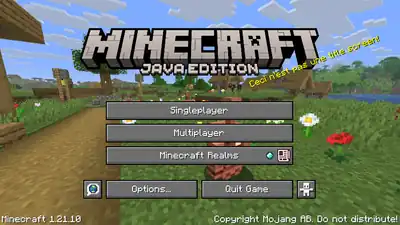
| Option | Description |
|---|---|

|
Select a world to play in singleplayer or create a new one. |

|
Play in multiplayer by choosing a LAN world or joining a server. |

|
Opens the main Minecraft Realms menu. |

|
Opens language settings. |

|
Opens the main Options menu. |

|
Closes the game. |

|
Opens accessibility settings. |
Bedrock Edition
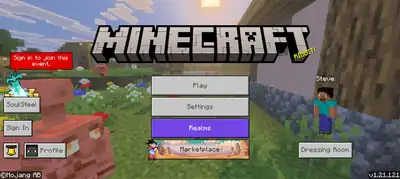
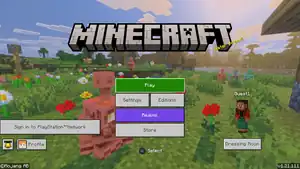
| Option | Description |
|---|---|

|
Select a world or realm to play, create one, or join a server. |

|
Opens the settings menu. |
|
Opens the Minecraft Realms purchase screen.[note 1] |
|
Lets the player buy worlds, resource packs, skin packs, and other community-created content. The button is sometimes textured and animated, depending on what's currently being promoted on the Marketplace. |

|
Switches the game to Legacy Console Edition.[note 2] |
.png)
|
Opens the friends drawer, where all offline and online friends are shown, with their profiles, and a button to search for players. This button is only available on certain devices. |
|
Choose, or create a skin. |

|
Lets the player sign in with their Microsoft account to unlock several online features. |

|
Shows the player's Minecraft profile, including their statistics, screenshots, and achievements. It also shows their profile on the Xbox network, such as their gamertag, online status, friends and followers. |

|
Opens the Inbox screen which shows Realms invites from friends and news about the game. |
Pressing Esc opens a menu with a button to close the game.
Quick world creation
.png)
Upon opening Minecraft for the first time after installing, a variant of the main menu opens with an interface to quickly create a new world. The player can choose to create a new world with the options to select the game mode and the difficulty, while all other world options remain in their default state. The player can then choose one of the nine default skins and select the touch control mode when playing on a touch device.
Minceraft

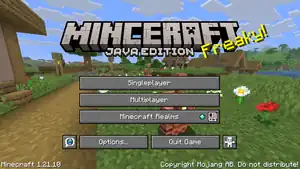
There is a 0.01% (1⁄10000) chance for the title screen to display "Minceraft" instead of "Minecraft".[1] Notch implemented this as an Easter egg, and kept it as a small secret, enjoying that he was the only one who knew of its existence. After stating a secret was in Minecraft undiscovered, the community sought out to find it. Soon after, Notch posted "a post-mortem of Minceraft" on Reddit.[2]
Additionally, in crash logs, a reference to Minceraft may appear as a joke, stating "You should try our sister game, Minceraft!"
Getting Minceraft can be simulated by replacing the minecraft.png file with the minceraft.png file. The texture file is located in textures/gui/title/minceraft.png.
Sounds
| Sounds | ||||||||
|---|---|---|---|---|---|---|---|---|
| Sound | Subtitles | Source | Description | Resource location | Translation key | Volume | Pitch | Attenuation distance |
| None | Music | While in the title screen | music | None | 1.0 [sound 1] | 1.0 | 16 | |
| None | UI | When a menu button is clicked | ui | None | 0.25 | 1.0 | 16 | |
- ↑ Except for "Below and Above", "Broken Clocks", "Fireflies", "Lilypad", and "O's Piano", which are 0.4
| Sounds | |||||
|---|---|---|---|---|---|
| Sound | Source | Description | Resource location | Volume | Pitch |
| Music | While in the main menu | music | 0.3 | 1.0 | |
| Sound | When a menu button is clicked | random | 1.0 | 1.0 | |
History
Java Edition
| Java Edition Indev | |||||||
|---|---|---|---|---|---|---|---|
| 0.31 | 20100131-2156 |  The title screen was added. The title screen was added. | |||||
| 20100206-2034 | The background of the title screen no longer scrolls. | ||||||
| Java Edition Infdev | |||||||
| 20100327 | The "Generate new level..." button was replaced with the Single player button. | ||||||
| The "Load level.." button was replaced by a Multi player button, which wasn't playable at the time. | |||||||
| 20100629 |  Added the "Loading..." screen. Added the "Loading..." screen. | ||||||
| Java Edition Alpha | |||||||
| v1.0.4 |  Replaced the "Loading..." screen with a Mojang splash screen. Replaced the "Loading..." screen with a Mojang splash screen. | ||||||
| v1.0.10 | The Multiplayer button was no longer grayed out as SMP was added, although it was only for testing at this stage. | ||||||
 Removed the spaces on the Singleplayer and Multiplayer buttons. Removed the spaces on the Singleplayer and Multiplayer buttons. | |||||||
| v1.0.13_01 | Changed the Minecraft logo from  to to  in a reupload. in a reupload. | ||||||
| v1.0.14 | Reverted the Minecraft logo to the previous version. | ||||||
| v1.2.0 | preview | RAM usage information no longer shows up on the top right corner. | |||||
| v1.2.2 | 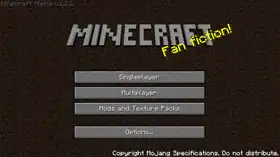 Replaced the "Play tutorial level" button with "Mods and Texture Packs". Replaced the "Play tutorial level" button with "Mods and Texture Packs". | ||||||
| Java Edition Beta | |||||||
| 1.0 | 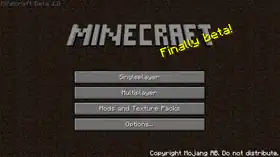 The "Options..." button was made much closer to the "Mods and Texture Packs" button. The "Options..." button was made much closer to the "Mods and Texture Packs" button.
| ||||||
 Added the "Quit Game" button, however, it's not properly enabled and stays unused. Added the "Quit Game" button, however, it's not properly enabled and stays unused. | |||||||
| 1.3 | 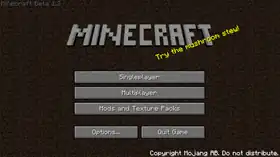 The "Quit Game" button is now properly enabled for launcher users. In web applet, it remains hidden. The "Quit Game" button is now properly enabled for launcher users. In web applet, it remains hidden. | ||||||
| 1.4 | 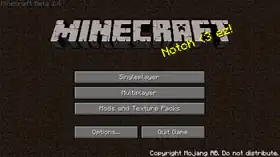 Changed the logo. Changed the logo. | ||||||
| 1.8 | (preview) | 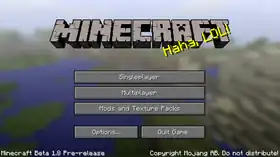 The background was replaced with a panorama. The background was replaced with a panorama.
| |||||
| The version tag was moved to the bottom left corner. | |||||||
| Java Edition | |||||||
| 1.0.0 | Beta 1.9 Prerelease 2 |  Added the Minceraft easter egg. Added the Minceraft easter egg. | |||||
| Beta 1.9 Prerelease 6 | 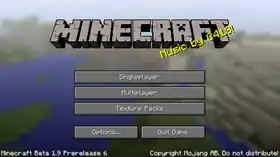 The "Mods and Texture Packs" button was changed to "Texture Packs". The "Mods and Texture Packs" button was changed to "Texture Packs". | ||||||
| 1.1 | 11w49a | 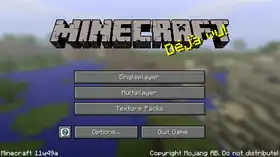 Added the language selection button. Added the language selection button. | |||||
| 1.5 | 13w03a | 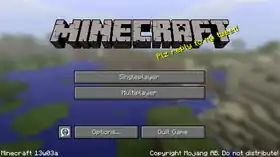 The "Texture Packs" button has been moved to the "Options..." screen. The "Texture Packs" button has been moved to the "Options..." screen. | |||||
| 2013 Music Update | Added menu music, which includes "Mutation", "Beginning 2", "Moog City 2" and "Floating Trees". | ||||||
| 1.7.9 | 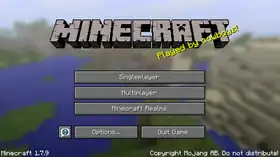 The "Minecraft Realms" button is moved to the main screen, taking the spot of the "Texture Packs" button. The "Minecraft Realms" button is moved to the main screen, taking the spot of the "Texture Packs" button. | ||||||
| 1.12 | pre6 | Added the ability to view the credits when clicking the copyright text. | |||||
| 1.12.2 | pre1 | 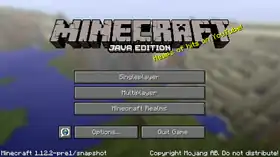 Added "Java Edition" to the game logo. Added "Java Edition" to the game logo. | |||||
| 1.14 | 19w06a | Added loading bars while loading the game and reloading resources. | |||||
| 19w11a | Added Tab ↹ support for the title screen. | ||||||
| 19w13a |  Added the "Accessibility Options" button to the title screen. Added the "Accessibility Options" button to the title screen. | ||||||
| 1.15.2 | pre1 | Clicking the "Multiplayer" button from the title screen now displays a disclaimer stating that "Online play is not rated". | |||||
| 1.16 | 20w21a |  Changed the logo. Changed the logo. | |||||
| 1.17 | 21w03a | Holding ⇧ Shift while clicking menu buttons now cycles through options in the reverse order. | |||||
| 1.18 | 21w42a | "Infinite Amethyst", "Left to Bloom", "One More Day", "Stand Tall" and "Wending" can now play in the title screen. | |||||
| 1.19 | 22w16a | "Aerie", "Firebugs" and "Labyrinthine" can now play in the title screen. | |||||
| "Infinite Amethyst", "Left to Bloom", "One More Day", "Stand Tall" and "Wending" can no longer play in the title screen. | |||||||
| 1.19.4 | 23w03a | Added keyboard support for the title screen. | |||||
| 1.20 | 23w14a | 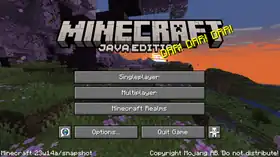 The Minecraft and the Minecraft Realms logos were changed. The Minecraft and the Minecraft Realms logos were changed. | |||||
| The Minceraft easter egg now has its own logo texture. Before this change, slices of the logo texture were rendered in a shuffled order, swapping the right side of the E and C letters. | |||||||
| The format of the Invite icon was slightly changed. | |||||||
| 23w17a | "A Familiar Room", "Bromeliad", "Crescent Dunes", and "Echo in the Wind" can now play in the title screen. | ||||||
| "Aerie", "Firebugs", and "Labyrinthine" can no longer play in the title screen. | |||||||
| pre2 | The game now displays a message box on startup if user enabled text-to-speech functionality, but it is not available. | ||||||
| 1.21 | 24w18a | "Deeper", "Featherfall", "Eld Unknown", "Endless", "pokopoko", "komorebi", "Puzzlebox", "Watcher", and "yakusoku" can now play in the title screen. | |||||
| "A Familiar Room", "Bromeliad", "Crescent Dunes", and "Echo in the Wind" can no longer play in the title screen. | |||||||
| 1.21.6 | 25w20a | "Below and Above", "Broken Clocks", "Fireflies", "Lilypad", and "O's piano" can now play in the title screen. | |||||
| "Deeper", "Featherfall", "Eld Unknown", "Endless", "pokopoko", "komorebi", "Puzzlebox", "Watcher", and "yakusoku" can no longer play in the title screen. | |||||||
| pre3 | The button clicking sound is now controlled by the "UI" source. | ||||||
Bedrock Edition
| Pocket Edition Alpha | |||||||
|---|---|---|---|---|---|---|---|
| Pre-release | 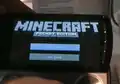 Added the title screen. Added the title screen. | ||||||
| v0.1.0 | original | .png) Changed the title screen. Changed the title screen. | |||||
| v0.1.0 | Touch Prototype | .png) Added a touchscreen version of the title screen. Added a touchscreen version of the title screen. | |||||
| v0.1.1 | 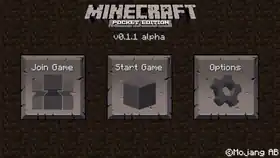 Changed the texture of the buttons. Changed the texture of the buttons. | ||||||
| v0.7.0 | 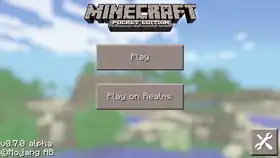 Replaced the dirt background with a new background. Replaced the dirt background with a new background.
| ||||||
| The version tag was moved to the bottom left corner. | |||||||
| v0.7.1 | 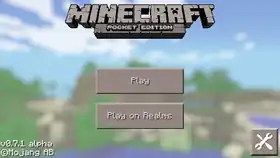 The logo was changed. The logo was changed.
| ||||||
| The buttons were moved further down. | |||||||
| v0.7.3 | 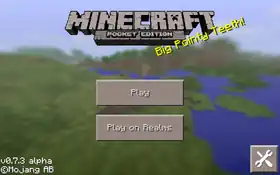 Added the splash text. Added the splash text.
| ||||||
| Replaced the background with a panorama. | |||||||
| v0.7.6 | 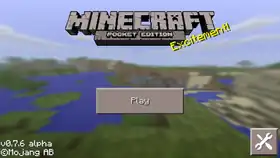 Removed the "Play on Realms" button from the title screen. Removed the "Play on Realms" button from the title screen. | ||||||
| v0.11.0 | build 1 | Renamed "Title screen" to "Main menu". | |||||
 Added a language button to the main menu. Added a language button to the main menu. | |||||||
| v0.13.1 | 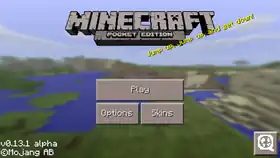 Moved the skins button to the main menu. Moved the skins button to the main menu.
| ||||||
| The Options button no longer appears as a wrench icon but a label. | |||||||
| v0.14.0 | build 1 | 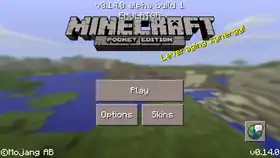 Changed the layout of the main menu. Changed the layout of the main menu. | |||||
| v0.15.0 | build 1 |  Revamped the main menu.
 | |||||
| The texture of the buttons has changed to white. | |||||||
| The Skin button now appears as a hanger icon below the player's model. | |||||||
| v0.15.0 | 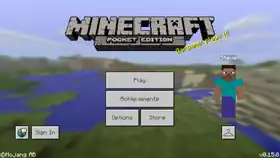 Add a store button.
 | ||||||
| v0.16.0 | build 1 |  Changed the button sizes. Changed the button sizes. | |||||
| Renamed "Options" to "Settings". | |||||||
| build 4 |  Removed the language button. Removed the language button.
| ||||||
| Changed the signed-in button to link to feedback.minecraft.net instead of the Minecraft page in the Xbox app. | |||||||
| build 5 |  Moved Sign In/signed-in button, upscaled Skin button. Moved Sign In/signed-in button, upscaled Skin button. | ||||||
| Pocket Edition | |||||||
| 1.0.0 | alpha 0.17.0.2 | 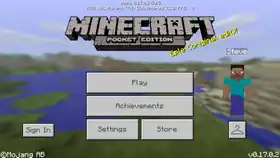 The sign in button size is now smaller. The sign in button size is now smaller. | |||||
| Bedrock Edition | |||||||
| 1.5.0 | beta 1.5.0.10 | 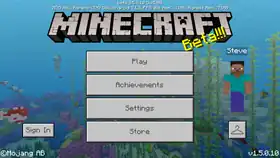 The main menu buttons were reorganized. The Store button was moved below the Settings button. The main menu buttons were reorganized. The Store button was moved below the Settings button. | |||||
| 1.12.0 | beta 1.12.0.4 |  Renamed "Store" to "Marketplace". Renamed "Store" to "Marketplace". | |||||
| 1.13.0 | beta 1.13.0.9 | 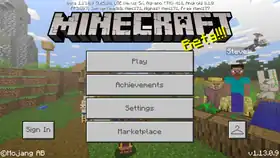 The sign in button is now larger, matching with Pocket Edition v0.16.0 Alpha.
 | |||||
| beta 1.13.0.15 | 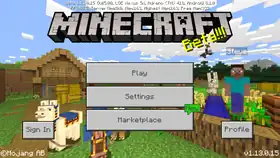 The Achievement and Skin buttons have been integrated and moved into a new "Profile" button. The Achievement and Skin buttons have been integrated and moved into a new "Profile" button. | ||||||
| 1.16.200 | beta 1.16.200.55 | 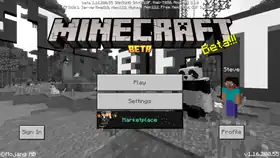 Added a UI startup screen to inform players if they are on outdated graphics drivers. Added a UI startup screen to inform players if they are on outdated graphics drivers. | |||||
| 1.17.30 | beta 1.17.30.20 | 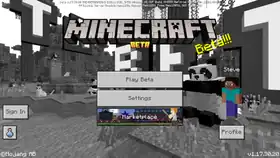 The feedback button now appears at the bottom left as an icon. The feedback button now appears at the bottom left as an icon. | |||||
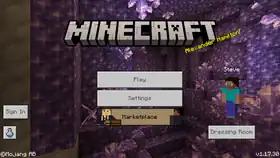 Changed the logo.
 | |||||||
| The Achievement button is now individual again. It now appears besides the feedback button as a water bottle icon when signed in, along with the Invite button. | |||||||
| beta 1.17.30.22 | 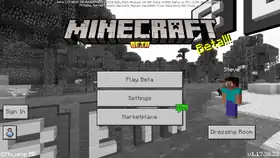 Renamed "Profile" to "Dressing Room". Renamed "Profile" to "Dressing Room". | ||||||
| 1.18.20 | Preview 1.18.20.22 | 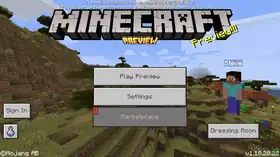 Added the preview logo. Added the preview logo. | |||||
| 1.20.20 | Preview 1.20.20.20 | 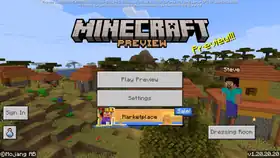 Changed the preview logo. Changed the preview logo. | |||||
| 1.20.60 | Preview 1.20.60.22 | 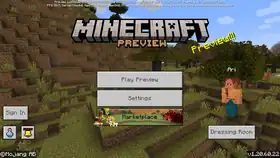 Changed the Invite button to the Inbox button, which has a bell icon. Changed the Invite button to the Inbox button, which has a bell icon. | |||||
| Preview 1.20.60.25 | .png) .png) .png) Added a quick world creation feature for players that open Minecraft for the first time after installing. Added a quick world creation feature for players that open Minecraft for the first time after installing. | ||||||
| 1.20.80 | Preview 1.20.80.20 | 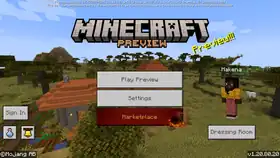 Removed the Feedback button when logged in. Removed the Feedback button when logged in. | |||||
| 1.21.0 | ? | 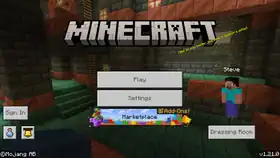 A new Realms button now shows up in accent color when logged in. A new Realms button now shows up in accent color when logged in. | |||||
| 1.21.20 | ? | 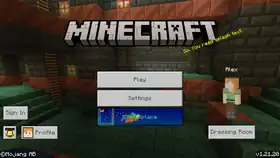 The Achievement button is replaced by a new Profile button. This change is visible to previously-logged-in players who have logged out. The Achievement button is replaced by a new Profile button. This change is visible to previously-logged-in players who have logged out. | |||||
| 1.21.90 | Preview 1.21.90.25 | .png) .png) Expanded the quick world creation feature with options to select a default character. Expanded the quick world creation feature with options to select a default character. | |||||
Legacy Console Edition
| Legacy Console Edition | |||||||
|---|---|---|---|---|---|---|---|
| Xbox 360 | Xbox One | PS3 | PS4 | PS Vita | Wii U | Switch | |
| 1.66.0016.0 | CU1 | 1.00 | 1.00 | 1.00 | Patch 1 | 1.0.1 |  Added the menu screen. Added the menu screen. |
| 1.66.0033.0 | 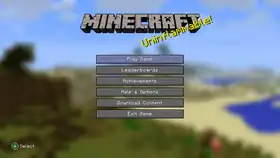 Removed the grayed-out "Multiplayer" button. Removed the grayed-out "Multiplayer" button. | ||||||
| 0.66.0054.0 | 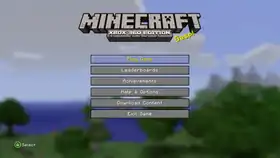 Changed the logo. Changed the logo.
| ||||||
| Extended the menu buttons. | |||||||
| The button hint was moved. | |||||||
| Added menu music. | |||||||
| TU1 |  Changed the button textures. Changed the button textures. | ||||||
| TU8 | 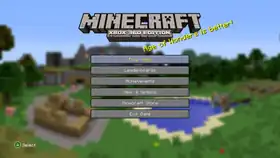 Renamed "Download Content" to "Minecraft Store". Renamed "Download Content" to "Minecraft Store". | ||||||
| TU14 | 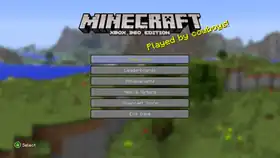 Changed the logo. Changed the logo. | ||||||
| TU36 | CU25 | 1.28 | 1.28 | 1.28 | Patch 7 | 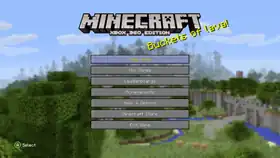 Added mini games to the main menu. Added mini games to the main menu. | |
| TU57 | CU49 | 1.57 | 1.56 | 1.56 | Patch 27 | 1.0.7 | 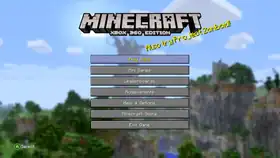 Changed the button textures. Changed the button textures. |
| 1.0.16 | 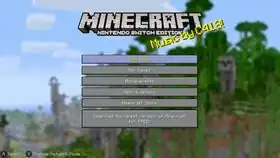 The "Download the latest version of Minecraft for FREE!" button was added. The "Download the latest version of Minecraft for FREE!" button was added. | ||||||
| CU58 | Removed the "Download the latest version of Minecraft for FREE!" button from the menu and pause screen, but kept it in the options menu. | ||||||
| 1.99 | 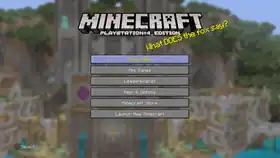 The "Launch New Minecraft" button was added. The "Launch New Minecraft" button was added. | ||||||
| 1.84 | 2.06 | 1.84 | The ability to transfer worlds from PlayStation 3 Edition and PlayStation Vita Edition to the Legacy Console version of the PlayStation 4 has been removed. | ||||
| CU59 | Removed the "Download the latest version of Minecraft for FREE!" button from the options menu. | ||||||
Minecraft Education
| Minecraft Education | |||||||
|---|---|---|---|---|---|---|---|
| v1.0.0 | v0.14.2 | 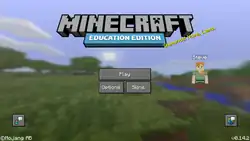 Added the main menu. Added the main menu. | |||||
| v0.16.0 | 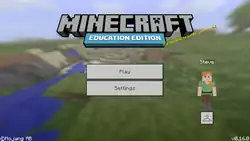 Changed the buttons. Changed the buttons. | ||||||
| v1.0.21 | 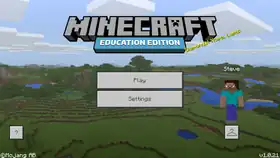 Added the ? button to the main menu. Added the ? button to the main menu. | ||||||
| v1.0.27 | 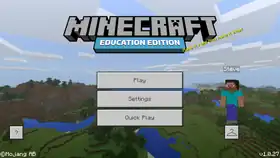 Added the Quick Play button to the main menu. Added the Quick Play button to the main menu. | ||||||
| v1.4 | 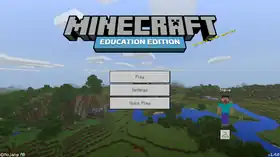 Removed the ? button. Removed the ? button. | ||||||
| v1.7 | 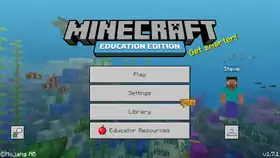 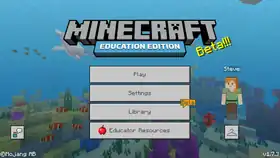 Added the Library and the Educator Resources buttons. Added the Library and the Educator Resources buttons.
| ||||||
| Added the talk button as the replacement of the ? button. | |||||||
| v1.9 | v1.8.0 | 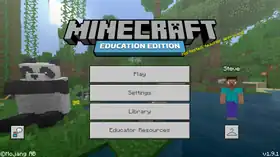 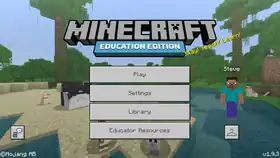 Removed the apple from Educator Resources button. Removed the apple from Educator Resources button.
| |||||
| Removed the "Beta" speech bubble next to the Library button indicating that it is a feature in beta testing. | |||||||
| v1.12.0 | 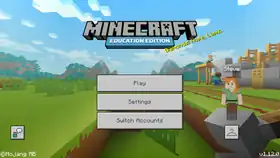 Replaced the Educator Resources and the Library buttons with the Switch Accounts button. Replaced the Educator Resources and the Library buttons with the Switch Accounts button. | ||||||
| v1.14.70 | v1.14.60 | 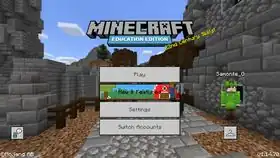 Added the New & Featured button. Added the New & Featured button. | |||||
| v1.17.30 | v1.17.30.2 | 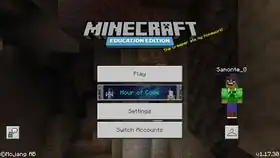 Added the Hour of Code button, which replaces the New & Featured button. Added the Hour of Code button, which replaces the New & Featured button. | |||||
| v1.18.32 | v1.18.10.04 | 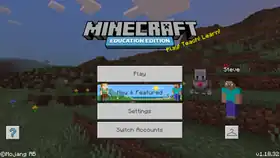 Replaced the talk button with the ? button, with a different texture compared to when it was first implemented. Replaced the talk button with the ? button, with a different texture compared to when it was first implemented.
| |||||
| Reverted the change in 1.17.30. | |||||||
Issues
Issues relating to "Title Screen" or "Main menu" are maintained on the bug tracker. Issues should be reported and viewed there.
Gallery
Quick world creation
-
.png) The game mode options.
The game mode options. -
.png) The Survival difficulty options.
The Survival difficulty options. -
.png) The default character options.
The default character options. -
.png) The control mode screen.
The control mode screen. -
.png) The final screen of quick world creation before a world can be generated.
The final screen of quick world creation before a world can be generated.
Notes
- ↑ Only available when signed in with a Microsoft Account, and not available when already subscribed to Realms.
- ↑ PlayStation 4 only. Appears only if Minecraft: PlayStation 4 Edition was previously owned.
References
- ↑ MC-44089 — resolved as "Works As Intended".
- ↑ "Minceraft, a post mortem" by Markus Persson – Reddit, 10 March 2012.
| |||||||||||||||||||||||
| |||||||||||||||||||||||