Bedrock Edition Preview 1.21.120.25
Preview 1.21.120.25
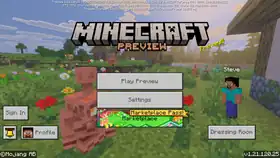
| Edition | ||||||
|---|---|---|---|---|---|---|
| Release date |
October 7, 2025 | |||||
| Server version | ||||||
| Build version |
37440161 | |||||
| Internal version |
Windows, Xbox: 1.21.12025.0 | |||||
| Version code |
Android: | |||||
| Type |
Preview | |||||
| Preview for | ||||||
| Downloads | ||||||
| Protocol version |
859 | |||||
| ||||||
{
    "title": "Preview 1.21.120.25",
    "images": [
        "Bedrock 1.21.120.25.png"
    ],
    "rows": [
        {
            "field": "''(link to Bedrock Edition article, displayed as Bedrock Edition)''",
            "label": "(link to Edition article, displayed as Edition)"
        },
        {
            "field": "October 7, 2025",
            "label": "Release date"
        },
        {
            "field": "(link to Bedrock Dedicated Server 1.21.120.25 article, displayed as 1.21.120.25)",
            "label": "Server version"
        },
        {
            "field": "37440161",
            "label": "Build version"
        },
        {
            "field": "'''Windows, Xbox''': 1.21.12025.0<br>\n'''Android''': 1.21.120.25",
            "label": "Internal version"
        },
        {
            "field": "<small>'''Android''':<br />\n952112025 (armeabi-v7a, 35)<br />\n962112025 (x86, 35)<br />\n972112025 (arm64-v8a, 35)<br />\n982112025 (x86_64, 35)</small>",
            "label": "Version code"
        },
        {
            "field": "Preview",
            "label": "(link to Version types article, displayed as Type)"
        },
        {
            "field": "(link to Bedrock Edition 1.21.120 article, displayed as 1.21.120)",
            "label": "Preview for"
        },
        {
            "field": "'''Server'''<br>[https://www.minecraft.net/bedrockdedicatedserver/bin-win-preview/bedrock-server-1.21.120.25.zip Windows]<br>[https://www.minecraft.net/bedrockdedicatedserver/bin-linux-preview/bedrock-server-1.21.120.25.zip Linux]",
            "label": "Downloads"
        },
        {
            "field": "859",
            "label": "(link to Protocol version article, displayed as Protocol version)"
        }
    ],
    "invimages": [],
    "footer": "<table style=\"margin: auto; word-break: break-word;\">\n<tr style=\"background: inherit;\">\n<td style=\"padding: 0.4em\" >[[Bedrock Edition  1.21.114|<span style=\"margin-right:-0.35em\">◄</span>◄   1.21.114]]</td>\n<td style=\"padding: 0.4em\">'''[[Bedrock Edition 1.21.120|1.21.120]]'''</td>\n<td style=\"padding: 0.4em\" rowspan=\"2\">[[Bedrock Edition  1.21.121|  1.21.121 <span style=\"margin-right:-0.35em\">►</span>►]]</td>\n</tr>\n<tr style=\"background: inherit;\">\n<td style=\"padding: 0.4em\">\n[[Bedrock Edition  Preview 1.21.120.24|◄   Preview 1.21.120.24]]\n</td>\n<td style=\"padding: 0.4em\">''' Preview 1.21.120.25'''</td>\n</tr>\n</table>"
}
Beta 1.21.120.25 (ChromeOS, Android) or Preview 1.21.120.25 (Windows, iOS, iPadOS, Xbox, PlayStation) is the sixth and final beta/Preview version for Bedrock Edition 1.21.120,[1] released on October 7, 2025, which adds Realms Saves and fixes bugs.
Changes
General
.png)
- The backups system has been replaced with a general "Saves" system. There are two types of Realms saves:
- Automatic saves are functionally the same as the previous backups system:
- They are taken at the end of every Realms play session when the server shuts down, or every 30 minutes during a play session.
- They are only retained for a limited time, according to the retention policy (which has not changed with this update).
- They do not count towards the bank of cloud storage.
- They are on by default and can't be turned off.
- All previous Realms backups will be converted to automatic saves.
- Manual saves are created by the Realm owner and count towards a bank of storage that comes with the Realms subscription.
- Manual saves are retained as long as the Realm exists. They are not automatically deleted by the retention policy, but Realm owners can delete manual saves if they want to free up storage space.
- Realms Plus subscriptions come with 10GB of manual save storage and Realms Core subscriptions come with 5GB.
- Automatic saves can be turned into manual saves by the Realm owner.
- Realms saves can be found in the Realms settings menu accessed via the "Edit Realm" button rather than the Realms world settings menu that backups used to show up in. While playing on the Realm, saves can also be found in the in-game settings menu for the Realm owner.
- Realms saves will also now list the world name and the packs that were applied at the time of the save.
- Automatic saves are functionally the same as the previous backups system:
Fixes
From released versions before 1.21.120
- MCPE-220830 – Particle opacity is too intense with Vibrant Visuals.
- MCPE-226250 – Hopper destroys bundle contents.
- MCPE-228500 – World Deleted/Reset on Load.
From the 1.21.120 development versions
- MCPE-227859 – Chinese IME does not work correctly in GDK Preview.
- MCPE-227872 – Preview with the latest GDK dosen't have window animations under circumstances.
- MCPE-228007 – Game window reverts to unmaximized when restarting the game.
- MCPE-228272 – Mouse input still interacts with the game, even though it's focused on other programs (i.e. File Explorer, etc.).
- MCPE-228275 – Quick move animation does not play when moving items from the output. slot of the crafting grid or cartography table to hotbar slots using the number keys.
- MCPE-228539 – Pressing number keys for item transport (1-9) while not hovering over an inventory slot causes the game to crash.
- MCPE-228671 – Keyboard hotkeys 1-9 can no longer remove the output item from the Crafting Grid or Cartography Table
Other
- Fixed a crash when using
%.<number>sspecifier with a length longer than the multiplied string. - Fixed a crash where it prompts a user to install
GameInputRedist.msiif they are missing it during boot of the game on Windows.
References
- ↑ "Minecraft Beta & Preview - 1.21.120.25" – Minecraft Feedback, October 7, 2025.