Shrub


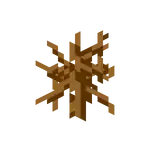
Java Edition
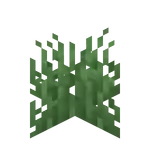
Bedrock Edition

PlayStation 4 Edition

Every other Legacy Console Edition


| Renewable |
No |
|---|---|
| Stackable |
Yes (64) |
| Tool |
|
| Blast resistance |
0 |
| Hardness |
0 |
| Luminous |
No |
| Transparent |
Yes |
| Flammable |
Yes (60) |
| Catches fire from lava |
Yes |

{
    "extratext": "View [[#Gallery|all renders]]",
    "title": "Shrub",
    "images": [
        "Shrub.png",
        "Grass.png",
        "Shrub LCE3.png",
        "Green Shrub JE2.png"
    ],
    "rows": [
        {
            "field": "No",
            "label": "(link to Renewable resource article, displayed as Renewable)"
        },
        {
            "field": "Yes (64)",
            "label": "Stackable"
        },
        {
            "field": "<span class=\"sprite-file\" style=\"height:32px;width:32px;--vertical-align:middle\">(link to File:Invicon Shears.png article, displayed as 32x32px|link=Shears|alt=|class=pixel-image|This block can be broken with any tool, but shears are the quickest)</span>",
            "label": "Tool"
        },
        {
            "field": "0",
            "label": "(link to Explosion#Blast resistance article, displayed as Blast resistance)"
        },
        {
            "field": "0",
            "label": "(link to Breaking#Blocks by hardness article, displayed as Hardness)"
        },
        {
            "field": "No",
            "label": "(link to Light article, displayed as Luminous)"
        },
        {
            "field": "Yes",
            "label": "(link to Opacity article, displayed as Transparent)"
        },
        {
            "field": "Yes (60)",
            "label": "(link to Flammable article, displayed as Flammable)"
        },
        {
            "field": "Yes",
            "label": "Catches fire<br>from (link to lava article, displayed as lava)"
        }
    ],
    "invimages": [
        "Shrub",
        "Shrub BE",
        "Shrub LCE"
    ]
}
The shrub is an unused variant of short grass exclusive to the Legacy Console Edition that does not generate naturally. It was also present in both Java and Bedrock editions, where, in the latter, it used the name fern and took the appearance of short grass.
Obtaining
In Legacy Console Edition, the shrub can be obtained only through the creative menu. In Java and Bedrock editions, it could be obtained only by using commands such as /give or placed in the world using commands such as /setblock.
Breaking
When broken normally, shrubs have a 1⁄8 chance of dropping wheat seeds, due to being a type of grass. This drop rate is affected by Fortune like normal grass as well. Shrubs can be obtained as an item using shears.
Usage
Bone meal
Bone meal can be used on short grass to create large fern.
Appearance
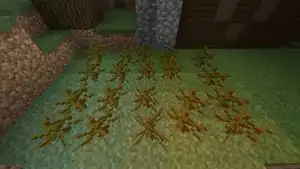
In Java Edition, the shrub uses the texture of dead bushes. The only visual difference between the shrub and the dead bush is that the shrub appears randomly off-centered and sunk into the ground, like short grass and ferns.
In Bedrock Edition, the "fern" uses the texture of short grass.
In Legacy Console Edition, shrubs appear similar to Java Edition, but they change color based on the biome they are placed in, similar to the green shrub.
| Biome | Color | Colormap
Coordinate |
Renders |
|---|---|---|---|
 Badlands Badlands
|
#90814D |
N/A | 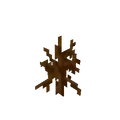
|
 Desert Desert Desert Hills Desert Hills
|
#BFB755 |
(0, 255) | 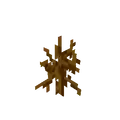
|
 Jungle Jungle |
#59C93C |
(12,36) | 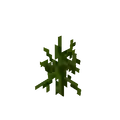
|
 Jungle Edge Jungle Edge |
#64C73F |
(12, 61) | 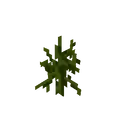
|
 Forest Forest |
#79C05A |
(76, 112) | 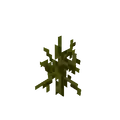
|
 Birch Forest Birch Forest |
#88BB67 |
(101, 163) | 
|
 Dark Forest Dark Forest |
#507A32 |
(76, 112)
w/ additional tint |

|
 Swamp Swamp |
#6A7039 |
N/A | 
|
#4C763C |
.png)
| ||
 Plains Plains |
#91BD59 |
(50, 173) | 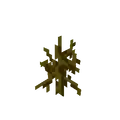
|
 Ocean Ocean |
#8EB971 |
(127, 191) | 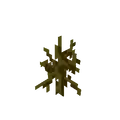
|
 Mushroom Fields Mushroom Fields |
#55C93F |
(25, 25) | 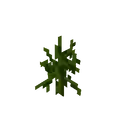
|
 Mountains Mountains |
#8AB689 |
(203, 239) | 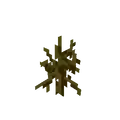
|
 Snowy Beach Snowy Beach
|
#83B593 |
(242, 251) | 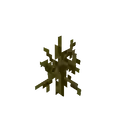
|
 Giant Tree Taiga Giant Tree Taiga |
#86B87F |
(178, 193) | 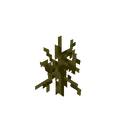
|
 Taiga Taiga
|
#86B783 |
(191, 203) | 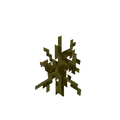
|
 Snowy Tundra Snowy Tundra
|
#80B497 |
(255, 255) | 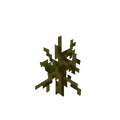
|


Sounds
 grass sound type | ||||||||
|---|---|---|---|---|---|---|---|---|
| Sound | Subtitles | Source | Description | Resource location | Translation key | Volume | Pitch | Attenuation distance |
| Block broken | Blocks | Once the block has broken | block | subtitles | 1.0 | 0.8 | 16 | |
| Block placed | Blocks | When the block is placed | block | subtitles | 1.0 | 0.8 | 16 | |
| Block breaking | Blocks | While the block is in the process of being broken | block | subtitles | 0.25 | 0.5 | 16 | |
| Something falls on a block | Entity-Dependent | Falling on the block with fall damage | block | subtitles | 0.5 | 0.75 | 16 | |
| Footsteps | Entity-Dependent | Walking on the block | block | subtitles | 0.15 | 1.0 | 16 | |
grass sound type | |||||
|---|---|---|---|---|---|
| Sound | Source | Description | Resource location | Volume | Pitch |
| Blocks | Once the block has broken | dig | 0.7 | 0.8–1.0 | |
| Blocks | When the block is placed | use | 0.8 | 0.8–1.0 | |
| Blocks | While the block is in the process of being broken | hit | 0.3 | 0.5 | |
| Players | Falling on the block with fall damage | fall | 0.4 | 1.0 | |
| Players | Walking on the block | step | 0.3 | 1.0 | |
| Blocks | Jumping from the block | jump | 0.11 | 1.0 | |
| Blocks | Falling on the block without fall damage | land | 0.21 | 1.0 | |
Data values
ID
Java Edition (until 17w47a):
| Name | Identifier | Numeric ID | Translation key |
|---|---|---|---|
 Shrub Shrub | tallgrass | 31 | tile |
Bedrock Edition (until preview 1.21.0.20):
| Name | Identifier | Numeric ID | Translation key |
|---|---|---|---|
| Fern | tallgrass | 31 | tile |
Block data
| DV | Description | |
|---|---|---|
|
0 | Shrub (identical in appearance to block dead bush when placed, but acts like grass or fern) |
|
1 | Grass |
 |
2 | Fern |
 |
3 | Grass (identical to the shrub, but colors are affected by biome) |
Block states
| Name | Default value | Allowed values | Description |
|---|---|---|---|
| type | ?
| dead_bush | Shrub
|
fern | Fern
| ||
tall_grass | Grass
|
| Name | Metadata Bits | Default value | Allowed values | Values for Metadata Bits |
Description |
|---|---|---|---|---|---|
| tall_grass_type | 0x10x2 | default
| default | 0 | Fern (Unused variant which looks identical to grass, but turns into a large fern when bone meal is used) |
tall | 1 | Grass | |||
fern | 2 | Fern | |||
snow | 3 | Fern (looks identical to actual fern, but turns into double tallgrass when bone meal is used) |
History

| Java Edition Beta | |||||||
|---|---|---|---|---|---|---|---|
| 1.6 | Test Build 3 | Added shrubs.
| |||||
_JE1_BE1.png) The item form has no name, and uses the grass texture instead. The item form has no name, and uses the grass texture instead. | |||||||
| 1.8 | Pre-release | Shrubs can now be harvested with shears, allowing for its acquisition from its block form. | |||||
_JE2.png) The item now appears with the correct sprite in the inventory, and, unlike its block form, is tinted with The item now appears with the correct sprite in the inventory, and, unlike its block form, is tinted with #7cbd6b. | |||||||
| Pre-release 2 ;) | The item is now called "Grass" in the inventory. | ||||||
| Java Edition | |||||||
| 1.0.0 | Beta 1.9 Prerelease 6 | _JE1_BE1.png) Shrubs are no longer tinted as items. Shrubs are no longer tinted as items.
| |||||
| The item is now called "Shrub" in the inventory. | |||||||
| 1.8 | 14w07a | 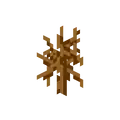 The texture planes and pixels of shrubs are now completely square. The texture planes and pixels of shrubs are now completely square. | |||||
| 14w10a |  _JE2.png) Shrubs no longer have a model. Shrubs no longer have a model. | ||||||
| 14w25a | Shrubs now have a model again. The texture planes are slightly stretched once again, and affected by directional shading. | ||||||
| 14w26a | Shrubs are no longer subject to shading. | ||||||
| 1.13 | 17w47a | Removed shrubs. Existing shrub blocks and items in old worlds are converted into dead bushes. | |||||
| Pocket Edition Alpha | |||||||
| v0.4.0 | Added shrubs.
| ||||||
_BE1.png) The item form uses the grass texture and it renders with the red background in the inventory and the hotbar. The item form uses the grass texture and it renders with the red background in the inventory and the hotbar. | |||||||
| v0.5.0 | With the addition of tooltips, the block now displays the name "Grass". | ||||||
| v0.8.0 | build 1 | The shrub now uses the name "Fern". | |||||
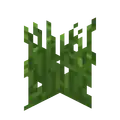 The texture of shrubs has been changed. The texture of shrubs has been changed.
| |||||||
| Shrubs are now affected by biome coloring. | |||||||
_BE2.png) Shrubs are tinted and no longer render with a red background in the inventory.[more information needed] Shrubs are tinted and no longer render with a red background in the inventory.[more information needed]
| |||||||
| Shrubs are still not tinted when held in first or third person view. | |||||||
| v0.9.0 | build 1 | 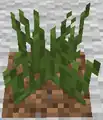 The grass texture has been brightened, changing the shrub's appearance as a result. The grass texture has been brightened, changing the shrub's appearance as a result.
| |||||
| The tint of ferns now changes depending on the biome. | |||||||
| build 3 | Bone meal can now be applied to shrub to create large ferns. | ||||||
| v0.11.0 | build 14 | Shrub now have a random height. | |||||
| v0.12.1 | build 1 | Shrub can now be snowlogged. | |||||
| Shrub are obtainable by mining grass or actual ferns with a Silk Touch-enchanted tool. | |||||||
| build 2 | Shrub are no longer obtainable through Silk Touch. | ||||||
| v0.14.0 | build 3 | The shrub's hitbox no longer occupies an entire block. | |||||
| Pocket Edition | |||||||
| 1.0.0 | alpha 0.17.0.2 | Shrubs are now properly tinted when held in first or third-person view. | |||||
| Bedrock Edition | |||||||
| 1.10.0 | beta 1.10.0.3 | 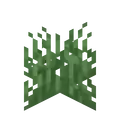 [verify] The texture of grass has been changed, changing the shrub's appearance as a result. [verify] The texture of grass has been changed, changing the shrub's appearance as a result. | |||||
| 1.11.0 | beta 1.11.0.1 | Shrubs can now be used to fill a composter. | |||||
| 1.16.220 Experiment | beta 1.16.220.52 | Applying bone meal to moss blocks can cause shrubs to generate on surrounding blocks.[1] | |||||
| 1.17.0 Experiment | beta 1.16.230.54 | Applying bone meal to moss blocks now generates grass instead of shrubs. | |||||
| 1.17.40 | beta 1.17.40.20 | Shrubs are able to generate naturally in meadow biomes. | |||||
| 1.21.0 | Preview 1.21.0.20 | Removed shrubs. Existing unused shrubs in old worlds are converted into short grass. | |||||
| Legacy Console Edition | |||||||
| Xbox 360 | Xbox One | PS3 | PS4 | PS Vita | Wii U | Switch | |
| TU1 | CU1 | 1.00 | 1.00 | 1.00 | Patch 1 | 1.0.1 | Added shrubs.
|
_JE2.png) The item form is named "Tall Grass", uses the short grass texture, and is tinted with The item form is named "Tall Grass", uses the short grass texture, and is tinted with #7cbd6b while in the inventory. | |||||||
| TU5 | Shrubs can be obtained from the Creative inventory, or harvested with shears once placed. | ||||||
| The item now appears with the correct sprite in the inventory, and, unlike its block form, it is still tinted. | |||||||
| TU7 | Shrubs are no longer tinted as items.
| ||||||
| The item is now called "Shrub" in the inventory. | |||||||
| TU24 | CU12 | 1.16 | 1.16 | 1.16 | Shrubs can now be placed in flower pots. | ||
| TU31 | CU19 | 1.22 | 1.22 | 1.22 | Patch 3 | Shrubs can no longer be placed in flower pots. Potted shrubs in old worlds are retained. | |
| TU46 | CU36 | 1.38 | 1.38 | 1.38 | Patch 15 | The block model of shrubs is now affected by biome colors. The item form remains unaffected. | |
| TU60 | CU51 | 1.64 | 1.64 | 1.64 | Patch 30 | 1.0.11 | The item form is once again tinted with #7cbd6b. |
| 1.90 | _LCE5.png) The texture of shrubs has been changed. The texture of shrubs has been changed. | ||||||
Data history
| Java Edition | |||||||
|---|---|---|---|---|---|---|---|
| 1.13 | 17w47a | The ID of shrubs has now been merged with the regular dead bush's (dead_bush), effectively removing the shrub completely. Shrubs placed before 17w47a are converted to dead bushes. | |||||
| Bedrock Edition | |||||||
| 1.21.0 | Preview 1.21.0.20 | The ID of the unused fern has now been merged with the regular short grass (short_grass), effectively removing the unused fern completely. Unused ferns placed before the preview 1.21.0.20 are converted to short grass. | |||||
Issues
Shrub is a removed block and as such issues relating to it cannot be fixed.
Trivia
- Shrubs can be seen on the cliff edge at the beginning of the Glide map "Cavern" in Legacy Console Edition.
Gallery
Renders
Java Edition
-
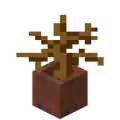 Potted Shrub
Bedrock Edition
-
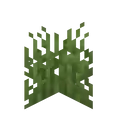 Plains Fern
 -
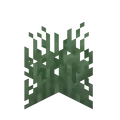 Taiga Fern
 -
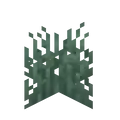 Snowy Plains Fern
 -
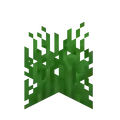 Jungle Fern
 -
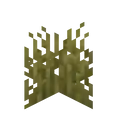 Desert Fern
 -
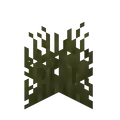 Swamp Fern
 -
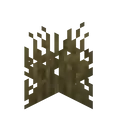 Badlands Fern
Legacy Console Edition
-
Plains Shrub
-
Taiga Shrub
-
Snowy Plains Shrub
-
Jungle Shrub
-
Desert Shrub
-
Swamp Shrub
-
Badlands Shrub
PlayStation 4 Edition
Screenshots
-
 Shrubs placed in the world before 17w47a.
See also
- Bush (conceptually the same as a shrub)


.png)


.png)


| Java Edition |
| ||||||||||
|---|---|---|---|---|---|---|---|---|---|---|---|
| Bedrock Edition |
| ||||||||||
| MinecraftEdu |
| ||||||||||
| Legacy Console | |||||||||||


- ↑ "[MCPE-122800] Grass generated through moss block bonemeal turns into tall fern - Jira" – Mojira, March 27, 2021. Accessed July 3, 2024. Resolved as "Fixed".