Education Edition early access
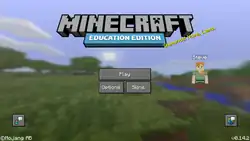
| Starting version |
v0.14.2 (June 28, 2016) |
|---|---|
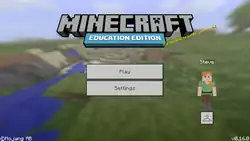
| Latest version |
v0.16.0 (October 2, 2016) |
| Paid |
No |
| Website | |
{
    "title": "Early Access",
    "images": [
        "Education Edition 0.14.2.png",
        "Education Edition 0.16.0.png"
    ],
    "rows": [
        {
            "field": "v0.14.2 (June 28, 2016)",
            "label": "Starting version"
        },
        {
            "field": "v0.16.0 (October 2, 2016)",
            "label": "Latest version"
        },
        {
            "field": "No",
            "label": "Paid"
        },
        {
            "field": "https://education.minecraft.net/",
            "label": "Website"
        }
    ],
    "invimages": [],
    "footer": "<div style=\"display:inline-block\">\n<div style=\"display:inline-block;padding:0 .4em\">[[MinecraftEdu 1.8.9 Build 1|<span style=\"margin-right:-0.35em\">◄</span>◄ 1.8.9 Build 1]]</div>\n<div style=\"display:inline-block;padding:0 .4em\">[[MinecraftEdu 1.8.9 Build 3|◄ 1.8.9 Build 3]]</div>\n</div><div style=\"display:inline-block\">\n\n<div style=\"display:inline-block;padding:0 .4em\">[[Education Edition 1.0.0|1.0.0 <span style=\"margin-right:-0.35em\">►</span>►]]</div>\n</div>"
}
The Education Edition early access are development versions for Minecraft: Education Edition.[1][2] 0.14.2 released on June 28, 2016[verify]. 0.16.0 released on October 2, 2016.
Features
General
- Simple, Secure Sign-In
- Individual student and teacher logins help identify each player in the game, and ensure data privacy & security while playing Minecraft: Education Edition.
- Single sign-on (SSO) capabilities are supported, so no additional passwords or accounts are required.
- All features prior to Pocket Edition v0.14.2/v0.16.0 alpha.
Blocks
Items
Entities
- Camera
- Non-Player Characters (NPC)
Reviews
I was impressed with how easy Minecraft: Education Edition was to setup. Within 45 minutes of the download being provided to me, I was able to get it installed and my students logged in and playing in a world together. No server setup, or networking configuration required.
One of my favorite features of the new Minecraft: Education Edition is the camera and portfolio. I showed my students how to take pictures of their projects and save into their portfolio of work with captions – and they absolutely loved it! And actually they were the ones who discovered that you could place the camera and take selfies of themselves and their classmates… we had a lot of fun in class that day!
Our teachers had been using the MinecraftEdu version for the past couple of years, and were excited to try the new Minecraft: Education Edition. The Minecraft Education team were very supportive and helpful through the Beta program. The tutorial and new features and functionality in Minecraft: Education Edition are awesome. Several of our students also enjoyed being part of the Beta program and sharing their thoughts with the Minecraft Education team. It has been a powerful, real-world learning opportunity for them.


