Firstly, I have installed VirtualBox throught the terminal. After that installed Genymotion. My OS is Ubuntu 16.04. But Genymotion tells that I need to install VirtualBox. What can be the reason for that?
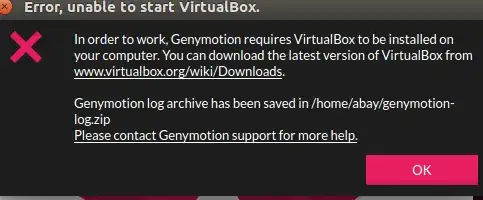
Firstly, I have installed VirtualBox throught the terminal. After that installed Genymotion. My OS is Ubuntu 16.04. But Genymotion tells that I need to install VirtualBox. What can be the reason for that?
I get this when I've used up all 128 of my host-only NAT adapters,
I've searched the web and there doesn't seem to be way to a) remove them all in a batch or b) make Genymotion use the same one instead of creating a new one every time it starts. (Although one page I read made it sound like that is supposed to be the case!)
The fix for me:
Although you could just remove one and then start Genymotion - but you'd have to do it again next time! :)
Now if anyone knows how to stop Genymotion creating them ...

If you downloaded/installed GenyMotion first then installed VirtualBox. Try rebooting your system, then relaunching GenyMotion. After doing this I was able to get the emulator up and working.
For me it worked by reinstalling VirtualBox to the newest version BUT NOT with the .deb, but using the apt repos (if I was trying with official .deb through dpkg the problem persisted). So this worked like a charm:
remove virtualbox:
sudo apt remove virtualbox* --purge
install virtualbox:
sudo apt install virtualbox
Note: I recently was upgrading packages and after that I got this compatibility error. So I assume something messed up my VirtualBox installation and only apt was able to reconfigure it properly.


