My boot and login are a lot slower than a fresh install.
How do I trace the boot and login processes to figure out what programs are taking a long time to load?
My boot and login are a lot slower than a fresh install.
How do I trace the boot and login processes to figure out what programs are taking a long time to load?

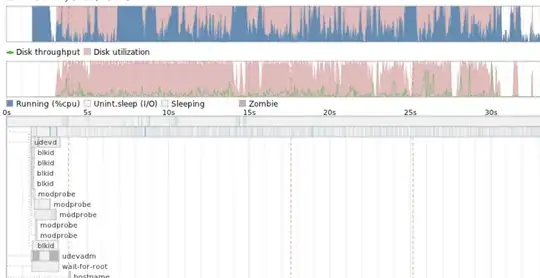
One way is to use the bootchart package - this produces a .png image file showing what processes are being started and how long these processes run for. It also describes disk-throughput which shows how efficient information is fetched from your disk.
To install -
sudo apt-get install bootchart pybootchartgui
Reboot and login.
Look in /var/log/bootchart for the image file.
for example - part of my bootchart looks like:
To uninstall -
sudo apt-get remove bootchart pybootchartgui
Possible causes of a slow boot
First check if you are running any unnecessary processes - for example bluetooth, modemmanager. Also check what processes are running after login.
Its also worth re-caching your ureadahead cache files - these files are used to speed up your boot. Remember, remove bootchart first, reboot, remove the *.pack files and reboot twice again before reinstalling bootchart.

