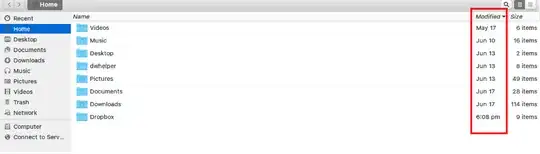
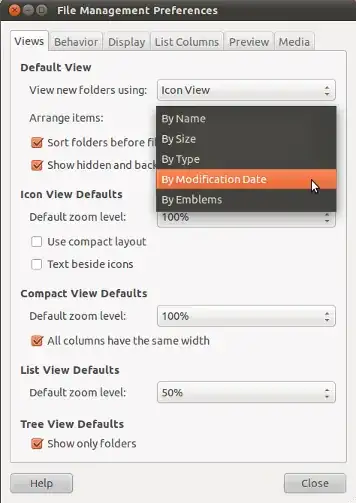
Choose Edit -> Preferences and set your preferred layout:
Update
If the First one didn't work(that worked for me) you can try the second-one.
There's an additional parameter default-sort-in-reverse-order that doesn't appear to be accessible from the in-application preferences menu, but can be set in the dconf database.
There is a GUI dconf-editor that allows you to modify such hidden settings - it's not installed by default but available by installing the dconf-tools package. Alternatively you can set it from the command line using gsettings
$ gsettings set org.gnome.nautilus.preferences default-sort-in-reverse-order true
If the dconf-tools package is installed, there is an equivalent dconf command line
$ dconf write /org/gnome/nautilus/preferences/default-sort-in-reverse-order
You can revert the change any time with
$ gsettings reset org.gnome.nautilus.preferences default-sort-in-reverse-order
or
$ dconf reset /org/gnome/nautilus/preferences/default-sort-in-reverse-order
Note that it applies to whatever the default sort order is, so for example if you change back to sort-by-name that will be reversed as well - there doesn't seem to be a way to specify the sort direction individually.
Credits