12

I'm on a 10.04 machine with MPlayer, version SVN-r1.0~rc3+svn20090426-4.4.3.

When you invoke MPlayer from the command line to show a file, it displays the file within a window. This bar has a title, "MPlayer".
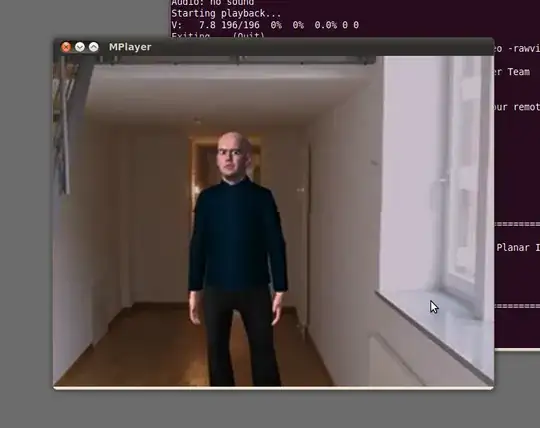
enter image description here

How can I disable this bar, entirely? I don't want to remove the title only, but the complete window bar. It's probably not an MPlayer option, but rather something with the window toolkit?

slhck
  • 940

4 Answers4

28

If it's just for MPlayer you could use the -noborder argument. ;)

mplayer -noborder my_video.ogg

Screenshot of How fast.ogg

As a more general option, if you're using Compiz (default), you can:

  1. Install and launch the CompizConfig Settings Manager (Install)
  2. Select the Window Decoration plugin and hit the "plus" sign next to "Decoration Windows".
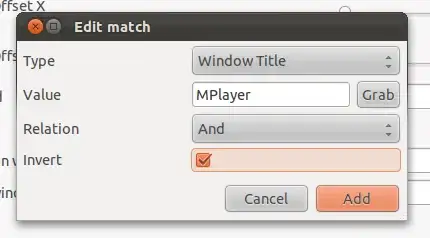
  3. Describe the type of window you do not want title bars on with an "And" relationship, and mark "Invert". For example:

Window Class: MPlayer, And relation, Inverted

Click "Add" and enjoy!

Jjed
  • 14,064
6

One can remove the border of all windows, it is however a little hacky. I described the process a bit at:

http://grumbel.blogspot.com/2011/06/forcing-fullscreen-in-linux-for-apps.html

And have some code floating around at:

https://github.com/Grumbel/fullscreen-tools

Using the code from the git repository you can do:

./windowtool.py --decorations 0 ACTIVE

Which will deactivate the border, using 1 instead of 0 will reactivate it. ACTIVE refers to the window that has currently the focus, you can also give the window id which you can obtain via:

wmctrl -l

PS: The code isn't pretty and the README in there is a bit out of date.

Grumbel
  • 4,879
1

Here's how to remove the title bar, that should work with almost all window managers in X11 :

xprop -name 'My window name' -format _MOTIF_WM_HINTS 32i -set _MOTIF_WM_HINTS 2

where My window name is your window name.

You can specify the window id instead, with the -id option.

If you omit the -name option, you will have to select the window whose title bar you want removed, by clicking on it.

NovHak
  • 779
1

You can use the -title option:

mplayer -title ' ' file.avi
enzotib
  • 96,093