3

I just upgraded to Mythbuntu 11.10, and everything is working great, except for one snag.

Automatic login has gone away.

When I try to call up the interface for setting it, the option to make the setting is grayed out, as shown in the picture below.

I have tried running the mythbuntu-control-centre as a regular user, and as root, and either way, I can't access the settings.

How do I get my autologin function back?
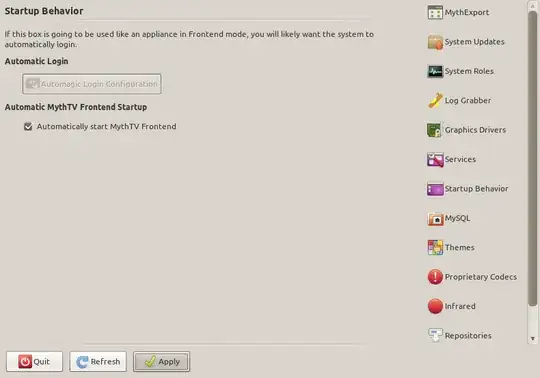
greyed out autologin

Questioner
  • 6,959

2 Answers2

5

I played with the lightdm.conf (the one located at /etc/lightdm/lightdm.conf not the one in /etc/init/) and got the auto login working for me:

[SeatDefaults]
user-session=mythbuntu
allow-guest=false
autologin-user=your username
greeter-session=mythbuntu-lightdm-gtk-greeter

Think that the greeter-session needed to be updated for mythbuntu.

Marco Ceppi
  • 48,827
JasM
  • 66
1

I believe this is because Ubuntu switched from GDM to LightDM - the button in that dialog essentially configures GDM, which is now missing. I'm not sure what are the plans of Mythbuntu developes regarding this missing feature

Mythtv website has a wiki page about auto-login methods, some of them are not dependent on a particular login manager: http://www.mythtv.org/wiki/Frontend_Auto_Login

Here are some instructions on how to enable auto-login with LightDM in Ubuntu (which may or may not be slightly different than in Mythbuntu)

Sergey
  • 44,353