0

I am using Ubuntu 12.04 32-bit. I have two(2) accounts.

  • admin01 is for administrator, Account type is Administrator. and the other,
  • user01 is for computer user, Account type is Standard.

I want to see only user01 in the login screen. And I want to access admin01 by typing the username and password.

How can I achieve this?

Zanna
  • 72,312
Jerker
  • 33

1 Answers1

1

Add the desired user under hidden-users in file /etc/lightdm/users.conf. Open it with sudo -H gedit /etc/lightdm/users.conf

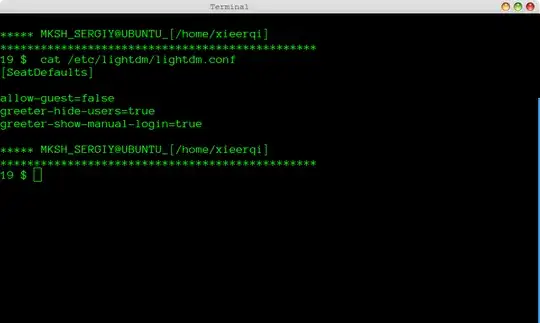
For manual login you will need line greeter-show-manual-login=false in /etc/lightdm/lightdm.conf file. You can open it with sudo -H gedit /etc/lightdm/lightdm.conf

enter image description here enter image description here

Update

So, turns out the accepted method doesn't work in Ubuntu 14.04, however this answer right here seems to work. Edit a file for user you want to hide in /var/lib/AccountsService/users/, specifically line SystemAccount=true. Restart lightdm with sudo service lightdm restart

Zanna
  • 72,312