9

I am getting the message below each time I am logging in. I am using Ubuntu 14.04 x64.

The message first appeared after I tried to install Elementary OS Pantheon session, which didn't work. I had to completely reinstall my system, but the message keeps appearing. Therefore, it probably created something in my home folder, but I don't know what and where to look.

Anyone got any hints? I didn't find any elementary folder in my /home. I also checked .profile and startup applications, but nothing.
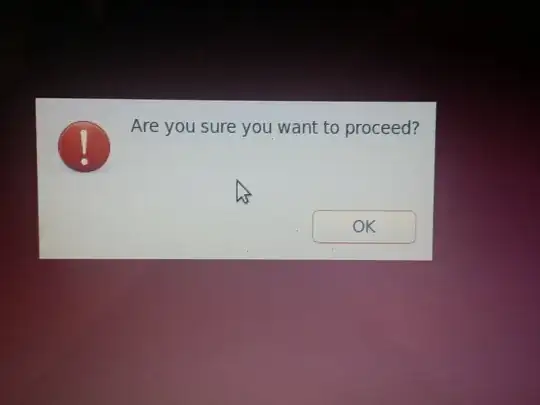
enter image description here

Alex Burdusel
  • 1,663
  • 2
  • 18
  • 25

3 Answers3

5

I figured it out after some digging. I have a script in my .profile file that changes some settings for touchpad and keyboard. I've been using it for a few years, but didn't get this error before.

Some of the commands from the script seem not to be working anymore:

xinput set-int-prop "VertResolution" 7
xinput set-int-prop "HorizResolution" 5
xinput --set-prop --type=float "Logitech Unifying Device. Wireless PID:4013" "Device Accel Constant Deceleration"

E.g.:

$ xinput set-int-prop "VertResolution" 7
Usage: xinput set-int-prop <device> <property> <format (8, 16, 32)> <val> [<val> ...]

I assume that when .profile is loaded and those errors are returned, the system pops that message, because when I run them manually, I don't get the pop-up.

Anyway, I commented them out and I don't get the message anymore.

So the source of problems was in my .profile

Alex Burdusel
  • 1,663
  • 2
  • 18
  • 25
3

I got the same thing starting yesterday when I installed updates. I found that any command in .profile that generates output causes this. If you eliminate the output, the commands still run and this dialog doesn't appear. For example, I had a line like this:

xgamma -gamma 0.7

I changed it to this and the mysterious dialog no longer appears:

xgamma -gamma 0.7 >& /dev/null

I don't know why this happens, it looks like a bug. But at least this makes it go away.

1

I had the same problem when upgrading to the latest Ubuntu 20.04. But I was not even able to click on the OK button, thus not able to login at all.

How I solved it:

  1. Switched to the text console by hitting Ctrl+Alt+F4 (switching back with Ctrl+Alt+F7).

  2. Tried to login with my username and password in the console. It indicated an error while login (some problem with thefuck).

  3. I reinstalled the package and rebooted the system.

  4. Problem solved!

It's probably a good idea for you to login over the text console because it may indicate the underlying problem.