So I changed my background on my computer to an image I liked on the internet. However unlike on my laptop, the background image doesn't display for the login to my user account. Is there a way to fix this on 14.04?
Asked
Active
Viewed 3,205 times

5 Answers
2
You can set it through var/lib/AccountsService/users/yourusername, under [User] section. I use this very same file to set a login background different from desktop.
Here's how mine looks like. Notice the Background= line
[com.canonical.indicator.sound.AccountsService]
PlayerName=''
Timestamp=0
Title=''
Artist=''
Album=''
ArtUrl=''
PlayerIcon=<('themed', <['application-default-icon', 'application-default', 'application']>)>

[User]
Language=en
FormatsLocale=en_US.UTF-8
XSession=gnome
Background=/usr/share/backgrounds/LOGIN-WARNING.png
Icon=/usr/share/pixmaps/faces/penguin.jpg
SystemAccount=false

[InputSource0]
ibus=pinyin

[InputSource1]
xkb=us

[InputSource2]
xkb=ru

Sergiy Kolodyazhnyy
- 107,582
1
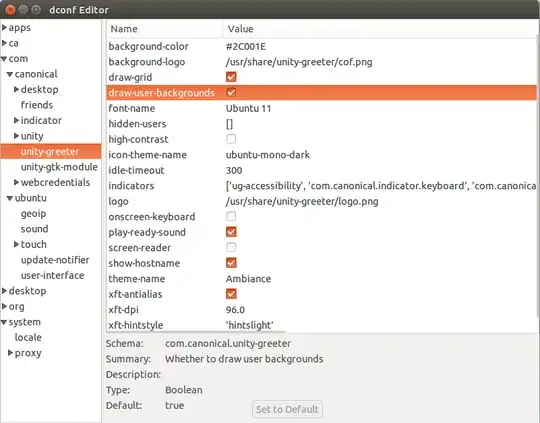
Install dconf-editor either via the Ubuntu Software Center or CLI.
In dconf-editor go to: com > canonical > unity > unity-greeter
and then make sure that the tick box draw-user-backgrounds is set to True.

Minos
- 1,821
1
Follow these steps to configure your background image:
- If your wallpaper is in another partition, kindly copy it to your home folder - like inside the pictures folder.
- Right click on it and choose
Propertiesthen select thepermissionstab. Set the permissions as:
owner - Read and Write
Group - Read and Write
Others - Read only
- Open up your wallpaper in Image Viewer (EOG) then right click and choose
Set as Wallpaper
(At this stage you can try and logout and check if the image has appeared as the login background image). If not, continue - though there would be no harm in continuing all the same.
- Install Ubuntu Tweak
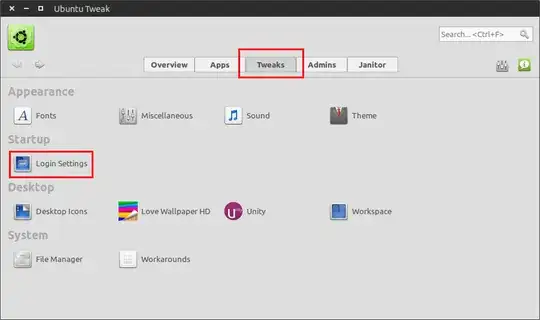
- Open up Ubuntu Tweak and choose the
Tweakstab then theLogin Settingssection - see screenshot below:
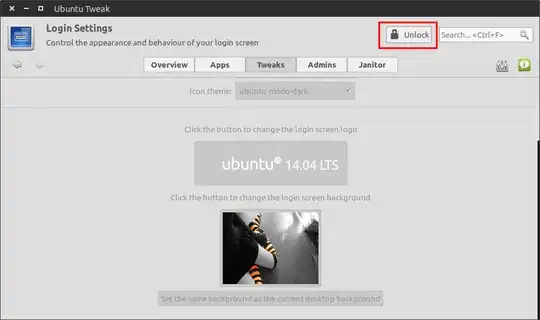
- Unlock the settings using your password - see screenshot below:
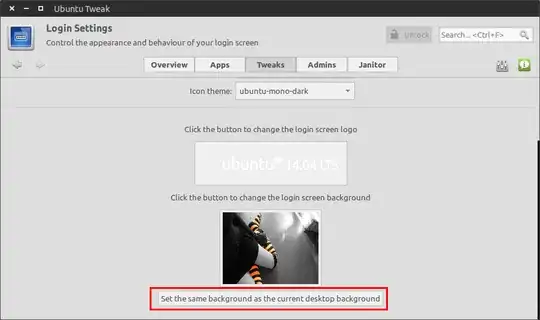
- Scroll down and press the
Set the same background as the current desktop backgroundbutton - see screenshot below:
- And that's it, the wallpaper has been set as the login background.
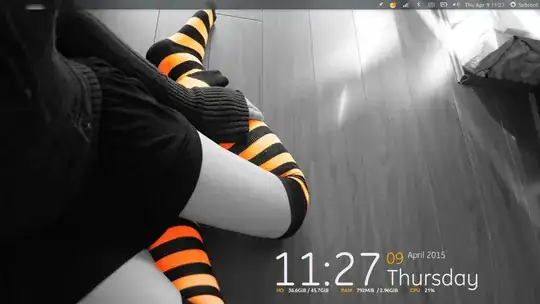
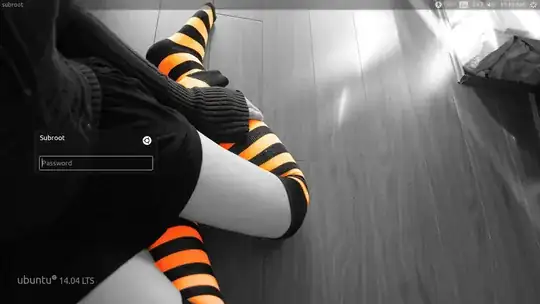
Here's my setup:
Desktop:
Login Screen:
https://askubuntu.com/a/607095/163331


1
Another reason for this could be wrong permissions on the image file and/or the folder it is inside. This has happened to me.
The permissions for folders should be 775(rwxrwxr-x) and for image files 664(rw-rw-r--).
For example, if you have:
./wallpapers/animals/cat_0.jpg
wallpapers and animals must have permissions 775 and cat_0.jpg - 664.
You can set permissions using chmod:
chmod 775 [folder/file name]

aastefanov
- 1,399

Minas Mina
- 839
0
if all else fails convert the graphic to a different format.. in the the past there have been graphics that would display as the wallpaper while logged in but would not work for the login screen until the format was changed.. forget what the valid format was but sure that you can figure that one out with a little experimentation.
oh.. and forgot about this.. but if you use a separate desktop environment instead of unity then you must change the background wallpaper in unity because unity greeter does not care what background that you use in other desktop environments. for myself there is lxde so always have to remember to change my wallpaper in unity to the same as my background in lxde.

miykaEl yisraEl
- 1
- 2