I have downloaded UBUNTU 13.10 32 Bit version and installed it. I would like to have it in the German language but dont't know how to change the language. Prior to that I had the 64 Bit version in German installed, but had to uninstall it because the computer ist too slow. If there is no other way, I can use it in English too, but it would be more comfortable for me to use the German language. Thank for any help! Bringfried
Asked
Active
Viewed 312 times

2 Answers
2
Open your control center:
gnome-control-center &
Find the Language Support tool (under Personal settings).
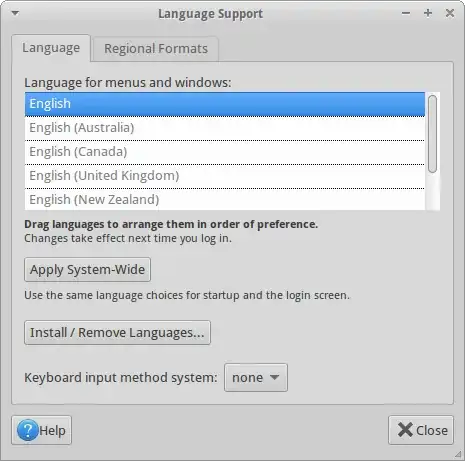
Click on Install/Remove Languages.... Find German and select it.
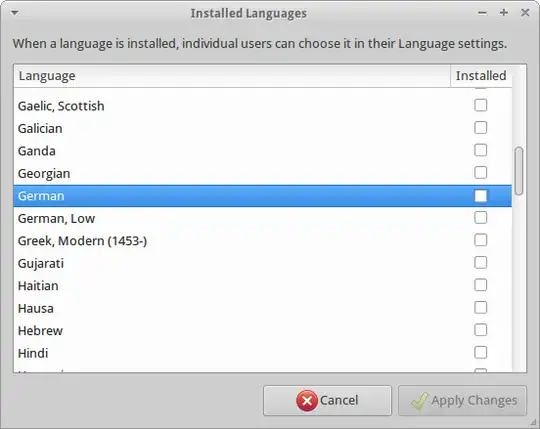
Click Apply Changes
After the procedure you will be able to select German as the primary language.

Danatela
- 13,384
1
Did you install the language packs?
sudo apt-get install language-pack-de
sudo apt-get install language-pack-de-base
After that you should be able to change the language in the options (unity menu, search for "language")

j0hn
- 54