10

I had to make some changes to the xmodmap in my home directory. When I execute xmodmap ./.Xmodmap everything works as expected. But I can't figure out how to apply this permanently. I tried to add it to a file called .xinitrc like suggested in other questions here but it's just not working.

My system is freshly installed 13.04 64bit.

Pompan
  • 15
Chris
  • 291

2 Answers2

4

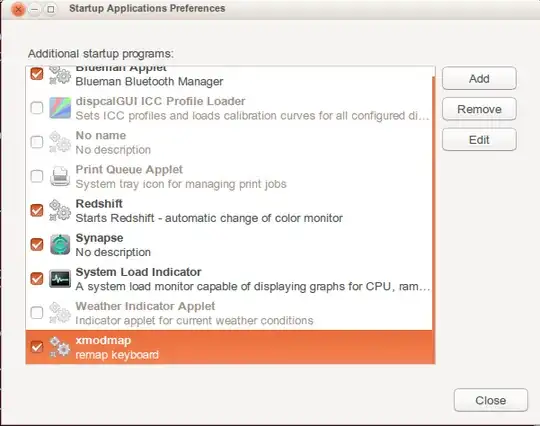
You can use gnome-session-properties (in the Dash can be found by typing Startup - it will find the Startup Applications Preferences application:

see:

screenshot

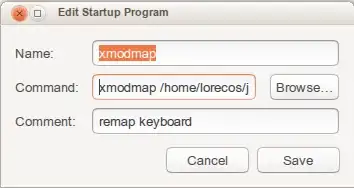
Then add a new command for xmodmap. Use the absolute path to the file you want to launch with xmodmap:

see:

screenshot

You can also switch back to a “normal” layout using: setxkbmap -layout fr (replace “fr” with “us” or your keyboard layout variant).

guntbert
  • 13,475
2

Any changes to the key bindings using xmodmap or xkb will be trampled if you suspend or change keymap. Also, on login, they won't work in the first few seconds (since GNOME will load its own keymap later).

See here for details and a few workarounds; personally I'm using dedalu's script.