I'm trying to find a way to make the login screen a KDE session in Ubuntu 10.04 while maintaining a Gnome Session after logging in. The reason for this is to change the login screen I detest. Any help on how this could be accomplished would be great. Thank you.
Asked
Active
Viewed 1,032 times

1 Answers
1
I haven't used Kde in awhile, but I think you need to do something like this.
Run: sudo dpkg-reconfigure gdm a screen will pop up giving information about display managers.
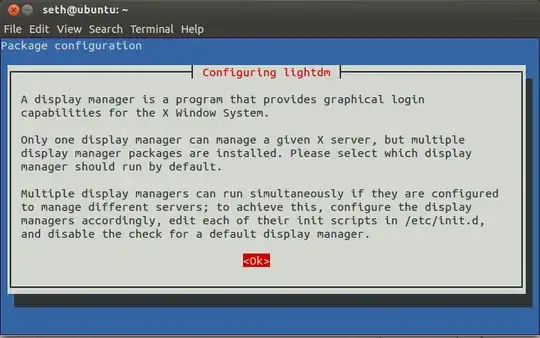
Hit Enter, then use the arrow keys to highlight kdm and then press Enter. This will change your display manager to KDE's default KDM. Restart your computer for the changes to take effect.
NOTE
You might need to install Kdm with sudo apt-get install kdm

Seth
- 59,332