1

Just installed Ubuntu 12.04 and I can't connect to my wireless network. My network doesn't even appear. I have a message it says:

device not ready firmware missing.

This is what I get when I run, lspci -nn | grep 0280 in terminal:

03:00.0 Network controller [0280]: Broadcom Corporation BCM4331 802.11a/b/g/n [14e4:4331] (rev 02)

Please help me to get this working.

jokerdino
  • 41,732

3 Answers3

3

You need to manually install the b43 driver.

Open Ubuntu Software Centre and search for b43 and click to install it.
Then reboot and the wifi should be working.

enter image description here

2

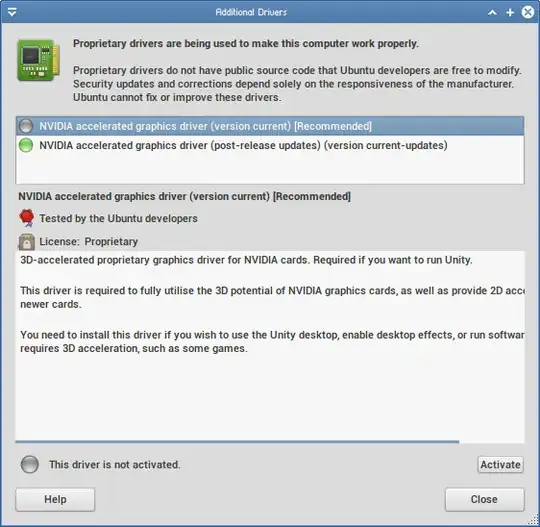
Try running jockey-gtk and see if it offers you to install a proprietary driver for your network card. You will need an Internet connection to install the driver, so connect your PC to your home network with an ethernet cable.

Here is what the jockey-gtk utility looks like, the proprietary driver for your card should be in this list:

jockey-gtk interface

jeremija
  • 3,358
0

The official Broadcom STA/wl driver DOES NOT support monitor mode. You are using the Broadcom STA (wl) official driver; this does not support monitor or promiscuous modes (regardless of whatever airmon-ng tells you.) For this you need the b43 driver, which can be installed with

sudo apt-get install b43-fwcutter firmware-b43-installer

You can unload one and load the other with

sudo rmmod wl; sudo modprobe b43     # or vice versa 

Note that b43 and wl have their own advantages and disadvantages, so you may want to google before choosing one or the other.

Jjed
  • 14,064