I have had the same problem in Xubuntu as documented in
But now I am facing the same issue in Lubuntu as well. I can't find "Enable display compositing" in Lubuntu though.
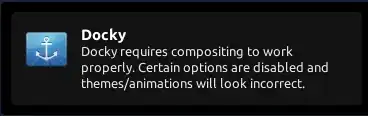
Look at the image for the error message:
I have had the same problem in Xubuntu as documented in
But now I am facing the same issue in Lubuntu as well. I can't find "Enable display compositing" in Lubuntu though.
Look at the image for the error message:
Lubuntu, does not use Composition, you can a very basic compositing manager in the form of xcompmgr just make it auto start when you log in.
sudo apt-get install xcompmgr will Install it.

XCompMgr works, but a great alternative is compton.
To install, open a terminal (Ctrl+Alt+T) and execute the following commands:
sudo add-apt-repository ppa:richardgv/compton
sudo apt-get update && sudo apt-get install compton
and then
sudo leafpad /etc/xdg/lxsession/Lubuntu/autostart
and add the line
@compton -c -r 16 -l -24 -t -12 -G -b
Then reboot and you should be good to go.


