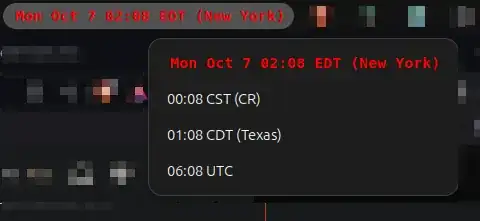
First question
The Argos extension does not allow the filename to be hidden. Instead, you can follow these steps to hide the filename:
Edit the file button.js which is located in ~/.local/share/gnome-shell/extensions/argos@pew.worldwidemann.com
Comment these which will be present at the bottom of the file:
/*
 *     if (dropdownLines.length > 0)
 *       this.menu.addMenuItem(new PopupMenu.PopupSeparatorMenuItem());
 *
 *     let menuItem = new PopupMenu.PopupMenuItem(this._file.get_basename(), {
 *       style_class: "argos-menu-item-edit"
 *     });
 *     menuItem.connect("activate", Lang.bind(this, function() {
 *       Gio.AppInfo.launch_default_for_uri("file://" + this._file.get_path(), null);
 *     }));
 *     this.menu.addMenuItem(menuItem);
 */
After saving the file, restart the GNOME using Alt+F2, entering "r" and press enter or logging out your current session.
Second question
You gave the color attribute in the wrong format for your second issue. Upon referring to README.md file on their repository, you might need to edit your script file as follows:
#!/usr/bin/env bash
start bold
echo -n "\033[1m";
DATETIME=$(TZ='America/New_York' date +"%a %b %-d %H:%M %Z")
echo " <span color='red'><tt>$DATETIME (New York)</tt></span>";
end bold
echo -n "\033[0m";
DATETIME=$(TZ='America/Costa_Rica' date +%H:%M\ %Z) ;
echo "$DATETIME (CR)";
DATETIME=$(TZ='America/Chicago' date +%H:%M\ %Z) ;
echo "$DATETIME (Texas)";
DATETIME=$(TZ='UTC' date +%H:%M\ %Z) ;
echo "$DATETIME";
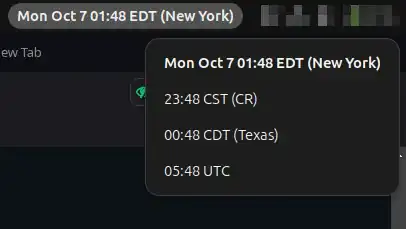
This will give you an output like this: