I have been working on a laptop and after the hard drive stopped working, I made an installation of Ubuntu 22.04 on an external 3TB HDD drive. The drive had about 500GB of data and I couldn't move it. I made custom partitions and install everything well. The partions are as follows:
/dev/sda1 - efi, boot partition
/dev/sda2 - NTFS with previous data
/dev/sda3 - Swap area
/dev/sda4 - root partition
/dev/sda5 - home partition
In the installation process, in the drop-down for selecting which device to install the bootloader, selecting /dev/sda would cause an OS panic but after a reinstall and selecting /dev/sda1 everything worked.
The OS worked very well until I ran
sudo apt upgrade and I noticed some output about updating of initramfs(shown in the images)
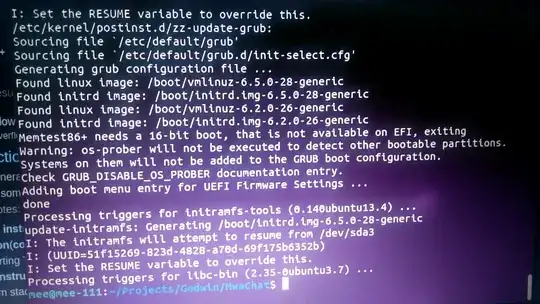
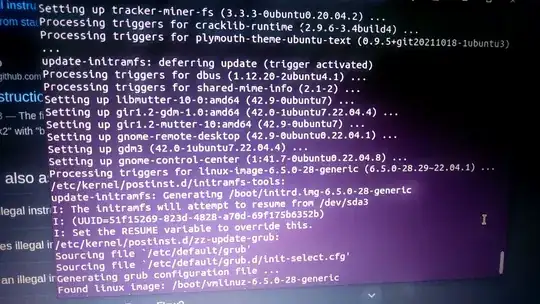
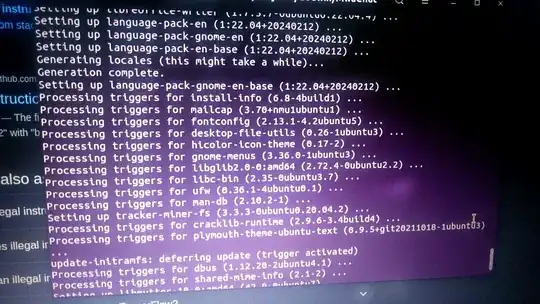
I cannot paste the logs as text since I cannot get into the system. Everything worked and I even used the laptop for over 10 hours. I shutdown the laptop and after starting it, I click Ubuntu and get
error: attempt to read or write outside of disk `hd0`.
error: you need to load the kernel first.
Press any key to continue...
Recovery mode doesn't work and trying to load the kernel from the grub menu gives the same read or write error. This is when I use all versions of vmlinuz found in /boot/. Only
linux /boot/vmlinuz.old
does not give that error. Vmlinuz, vmlinuz-6.2.0-26-generic and vmlinuz-6.5.0-28-generic all error out. When I try running
initrd /boot/initrd.img after the successful vmlinuz.old command, I get the same read or write error.
How can I fix this? I cannot currently access a live cd/usb due to many challenges so any help that doesn't need one will be really helpful.


