It, most certainly, is possible to change both the description and serial number (which is used for the name listed in /dev) in the EEPROM of the FTDI chip - at least on OS X - which should also show up in Ubuntu.
Note: I've not been able to check it as my Ubuntu box has just suddenly died (PSU failure)..!
This method uses an application for OS X, so there is probably a similar application for Ubuntu - I've just not found one yet. There is also an "official" tool (for Windows) on the FTDI website - There is even one for FreeBSD, but sadly there doesn't appear to be one for Ubuntu.
On OS X
From Pirate Rename – Get a nicely named serial device and using Bus Pirate:
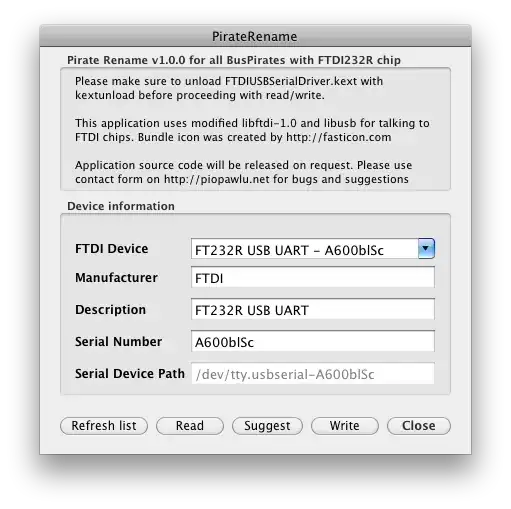
Original description and serial number
Modified description and serial number:
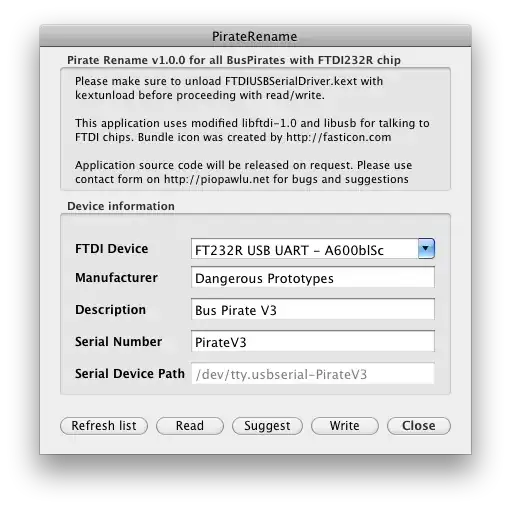
Once saved, the FTDI device should now show up as
On Windows
One of the Windows utilities on the FTDI utilities webpage:
- FTD2XXST - EEPROM Programmer and Test Utility for FT232/FT245 Devices, or;
- FT_PROG 3.12.11.594 - EEPROM Programming Utility
You may see an error, such as
Program execution is not possible because FTD2XX.dll is not found
In which case you are missing a driver. You can get the required DLL from the FTDI drivers page. Put the .dll file in the same directory as the application, it should find it (hopefully).


