for Ubuntu 20.04 default shell theme, the css file is
Yaru/gnome-shell.css from the gresource file /usr/share/gnome-shell/theme/Yaru/gnome-shell-theme.gresource
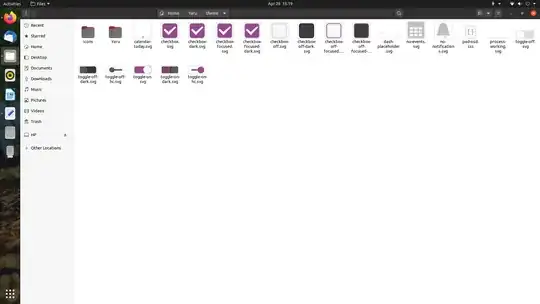
For panel menu background, lookinto this part of the .css file
.popup-menu-boxpointer, .candidate-popup-boxpointer {
  -arrow-border-radius: 6px;
  -arrow-background-color: red;
  -arrow-border-width: 1px;
  -arrow-border-color: rgba(0, 0, 0, 0.35);
  -arrow-base: 24px;
  -arrow-rise: 12px;
  -arrow-box-shadow: 0 1px 3px rgba(0, 0, 0, 0.5); }
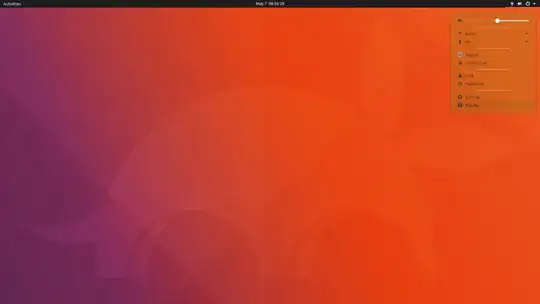
for changing the slider-background color: search for these fields..
.slider {
  height: 15px;
  -barlevel-height: 3px;
  -barlevel-background-color: #e1e1e1;
  -barlevel-border-width: 1px;
  -barlevel-border-color: #c7c7c7;
  -barlevel-active-background-color: #924D8B;
  -barlevel-active-border-color: #81447b;
  -barlevel-overdrive-color: #c7162b;
  -barlevel-overdrive-border-color: #b51427;
  -barlevel-overdrive-separator-width: 1px;
  -slider-handle-radius: 7.5px;
  -slider-handle-border-width: 1px;
  -slider-handle-border-color: #b5b5b5;
for changing the background color of "search entry" in overview..
.search-entry {
  width: 320px;
  padding: 7px 9px;
  border-radius: 18px;
  color: rgba(61, 61, 61, 0.7);
  background-color: #FAFAFA;
  border-color: #c7c7c7; }
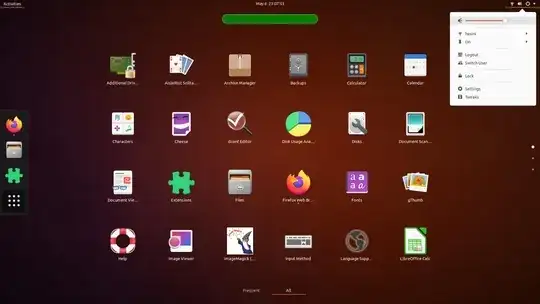
Search Field Unfocused.. Green Color


