I have I issue with my ubuntu (v.19.something) install. I attempted to permanently activate numpad by executing a script I found on in a thread on this page (picture of script below):
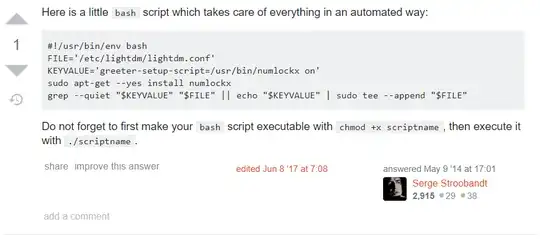
I executed the script as instructed. All seemed fine until I logged off. However, I am now unable to log in with the boot caught in a loop. This is what is displayed:

I tried to find a solution by using google, unfortunately pressing "ctrl + F1", "ctrl + alt + F1/F2", etc when in the mode in the above shown picture does not grant me access to the terminal.
I have no idea how to fix this and I would immensely appreciate help! I am fairly new to Linux by the way so bare with me.
