I want to auto-start unity-launcher in a stand alone session without loading the top panel with it, like in this picture:
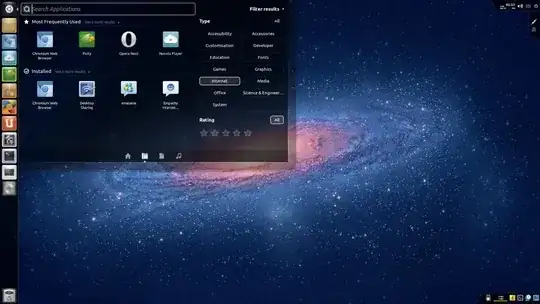
So how to do this?
I want to auto-start unity-launcher in a stand alone session without loading the top panel with it, like in this picture:
So how to do this?


That setup is actually using the Unity 2D launcher. The Unity launcher and top panel are tied together in a Compiz plugin and can not be used separately. Luckily, the 2D launcher aims to be nearly identical to the normal one.
In order to use the Unity 2D launcher with a different panel, you need to create a custom session which you will load a login time.
First you need to create a desktop file that LightDM will read. Open your new file with a terminal using:
gksu gedit /usr/share/xsessions/custom-session.desktop
Then add this text:
[Desktop Entry]
Name=Custom Session
Comment=This is my custom desktop
Exec=/usr/local/bin/custom-session
Type=Application
This will add a new login option to the login screen. It will run the contents of /usr/local/bin/custom-session Now create that file:
gksu gedit /usr/local/bin/custom-session
Add:
#!/bin/bash
if test -z "$DBUS_SESSION_BUS_ADDRESS"; then
eval `dbus-launch --sh-syntax --exit-with-session`
fi
compiz --replace ccp & wmpid=$!
sleep 1
if [ -f ~/.custom-session ]; then
source ~/.custom-session &
else
xterm &
fi
wait $wmpid
This will launch a compiz and run the contents of ~/.custom-session which will define the other programs you want to have started. But first, lets make this executable:
sudo chmod 755 /usr/local/bin/custom-session
Now we'll create ~/.custom-session:
gedit ~/.custom-session
Now we'll add the programs that need to run on login:
#!/bin/bash
gnome-settings-daemon &
unity-2d-panel &
nautilus -n &
nm-applet &
You'll also need to add what ever program you want to provide the top panel to that file.

You can add the unity launcher to any desktop environment! Currently I am using it with Xubuntu.
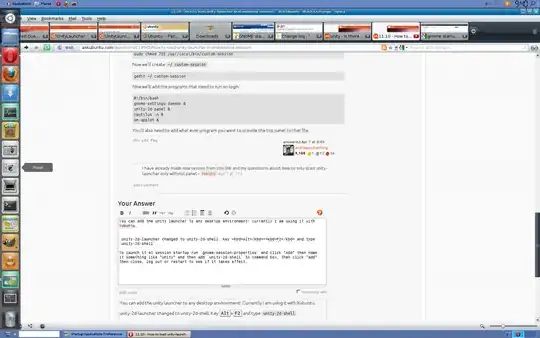
unity-2d-launcher changed to unity-2d-shell. Key Alt+F2 and type unity-2d-shell .
To launch it at session startup run gnome-session-properties and click "Add" then name it something like "unity" and then add unity-2d-shell to command box, then click "add" then close, log out or restart to see if it takes effect.

Why i didn't think of this before ?
I have replaced unity-2d-panel & with unity-2d-launcher & and it works,
But how to replace it with unity-3d launcher (I thinks it can't happen as @andrewsomething says
The Unity launcher and top panel are tied together in a Compiz plugin and can not be used separately
then how to control unity 2d-launcher in this session?