I'm sharing Ubuntu One with my girlfriend, who has the same smartphone as me.
As a result both the phone's pictures end up in the same folder.
Is there a possibillity to use different folders?
I'm sharing Ubuntu One with my girlfriend, who has the same smartphone as me.
As a result both the phone's pictures end up in the same folder.
Is there a possibillity to use different folders?

No problem at all. The answer is to make new destination folders your Ubuntu One directory on the computer, then point the phone app at these new folders on both phones.
/home/Ubuntu One/ folder on the
computer, like this: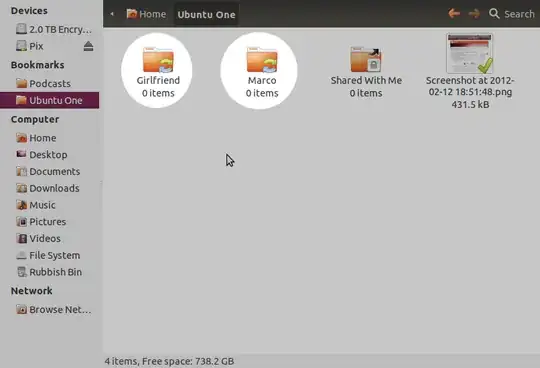
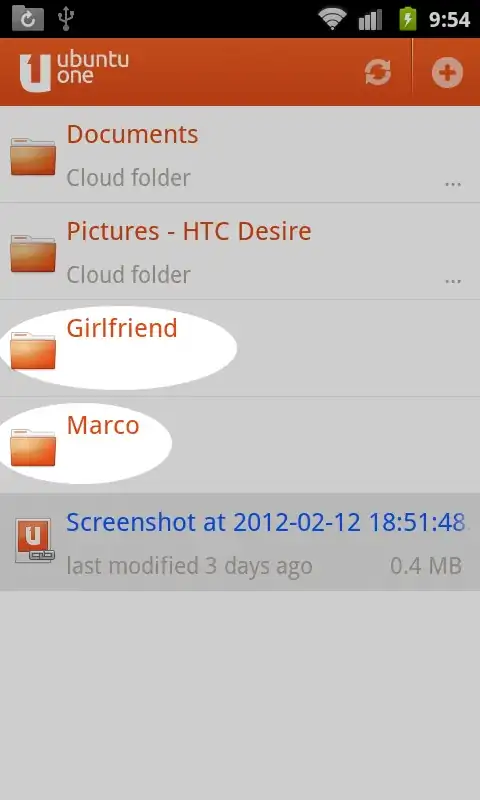
If you don't see the folders, touch the 'two arrows in a circle' icon on the right of the orange bar above to force a sync.


Thanks to karni for the instructions posted in this question, it's what I based this on.

