Motivation and emotion/Assessment/Chapter/Figures
Figures
Finding images
There are three main ways of finding images for use in book chapters:
- Search Wikimedia Commons directly or via the Insert - Media option in the visual editor. These images can be easily embedded on Wikiversity.
- Upload free-to-use images to Wikimedia Commons and then embed on Wikiversity pages. See suggestions about how to find free-to-use images.
- Create and upload your own images to Wikimedia Commons.
Google Image search provides excellent semantic search which is filterable by license (via Tools - Usage rights - Creative Commons). You can get a Wikimedia Commons search by appending "site:commons.wikipedia.org" to the image search term e.g., https://www.google.com/search?q=egg+site%3Acommons.wikipedia.org}}
For some starting ideas, see the motivation and emotion gallery.
Uploading
To upload an image you create or an image which has an appropriate free license (e.g., public domain, Creative Commons Attribution):
- Go to Wikimedia Commons
- Click on the blue Upload button.
- Answer the series of questions about the image and upload
Look and feel
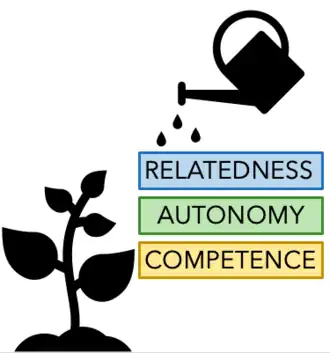
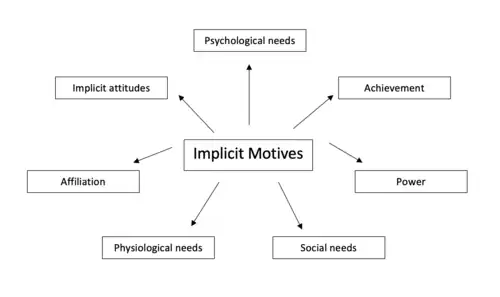
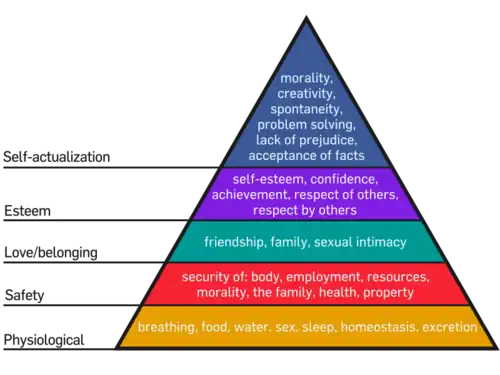
- Examples of captioned figures are provided in Figures 1, 2, and 3
- The captions are descriptive
- Figures 2 and 3 have been made larger than the default size, to make them easier to read
- Figures 1 and 2 were created by Motivation and emotion students in 2020 and uploaded to Wikimedia Commons. Click on the images to find out more.
- Another example of a correctly presented image is provided in the book chapter template.
- Each figure should be referred to at least once in the main body text. For example, see Figure 1.