Basic Scratch Coding
 |
Completion status: Been started, but most of the work is still to be done. |
Completion status: Been started, but most of the work is still to be done.
Coding is very important in many aspects of computer science, so this Wikiversity course is designed to bring the key concepts of Scratch, a visual block-based coding language, which includes discussing key principles and creating Scratch programs, to light. These projects can then be optionally published on the Scratch website or on the internet, and are primarily based on Scratch 3.0. This course is designed for people of all ages, so anyone is welcome to join with this course. This course will currently go through four programs, with more programs/courses coming in the future:
Scratch Account
You will not require a Scratch account to complete this course, but if you do have a Scratch account, you can also complete this course with no problems.
Topics
Two-Player Pong
Maths Quiz
Clicker Game
These projects will be rigorously explained and easy to follow, so the basics will be explained clearly and will allow you, by the end of this course, to apply basic skills whenever creating projects with Scratch and further projects, which is vital when using any programming language.
Links and Applications Required
For accessing Scratch, visit: https://scratch.mit.edu and press the "Create" button which will create a fresh, new project for you to work on.
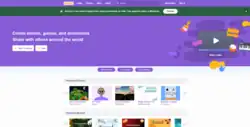
Alternatively, you may also download the offline editor from: https://scratch.mit.edu/download, which will not require an internet connection.
There are three different types of versions of Scratch, which are:
- Scratch 1.4
- Scratch 2.0
- Scratch 3.0
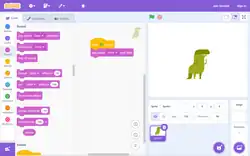
This course will be using Scratch 3.0, which is the newest version of Scratch as of September 2025. The image on the right shows the Scratch 3.0 user interface.
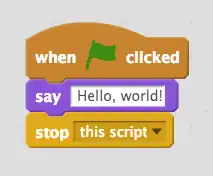
The Block Palette
In Scratch, there are 9 types of blocks accessible directly from the main editor:, which are:

- Motion
- Looks
- Sound
- Events
- Control
- Sensing
- Operators
- Variables
- My Blocks
There is a purple button with small blocks and a plus, which is to add extensions to Scratch. These include:
-
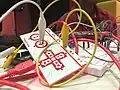 Makey Makey
 -
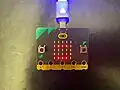 BBC Micro:Bit
- Music
- Pen
- Video Sensing
- Text to Speech
- Translate
- Makey Makey
- micro:bit
- Go Direct Force & Acceleration
- LEGO MINDSTORMS EV3
- LEGO BOOST
- LEGO Education WeDo 2.0
See Also
- https://en.wikiversity.org/wiki/Scratch
- https://en.wikipedia.org/wiki/Scratch_(programming_language)
Prerequisites For This Course
Introductory computer knowledge is required for this course. See this course for more information.